

- Top Pick: Thermalright 5 Pack TL-C12C-S CPU Fan 120mm ARGB Case Cooler Fan, 4pin PWM Silent Computer Fan with S-FDB Bearing Included, up to 1550RPM Cooling Fan(5 Quantities)
- Best Value: RGB Fans 120mm 5 Pack with Hub,ARGB 120mm PWM Fans,Forward,Black
- Premium Choice: 6 Pack ARGB PWM Fans,4 Forward Fan +2 Reverse Fans,5V Addressable RGB Fans with Controller, PWM PC Fan 1550 RPM,Computer Case and Liquid Cooling System,Three Sided Prism Design,Black
Keeping your components cool is one of the most important parts of building a reliable, high-performance gaming PC. A good cooling system protects your CPU and GPU from thermal throttling, extends hardware lifespan, and keeps your rig running quietly under load. This guide covers the best PC cooling system options in 2026, from air coolers to all-in-one liquid loops.
As an Amazon Associate I earn from qualifying purchases.
As an Amazon Associate we earn from qualifying purchases at no extra cost to you.


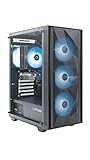


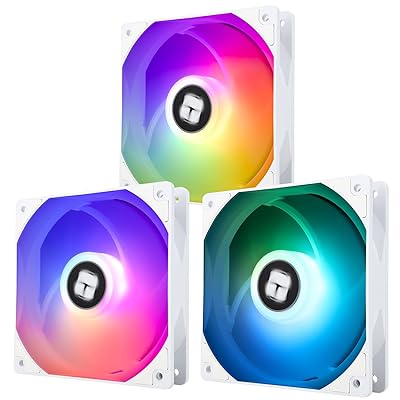

Whether you are building a compact rig or a high-wattage powerhouse, the right cooling approach makes a measurable difference in temperatures and noise. Below we compare top air and liquid coolers, plus case fans that keep airflow moving. If you are planning a full build, our component selection guide is a helpful starting point.
🛒 Best Price Today on Amazon
Prime members get fast, free shipping on everything above, plus member-only deals. New members get a 30-day free trial — cancel anytime.
Best PC Cooling System at a Glance
| Product | Best For | Standout Feature | Rating |
|---|---|---|---|
| Noctua NH-D15 G2 | Air-cooling purists | Massive dual-tower design | 4.9/5 |
| Arctic Liquid Freezer III | High-wattage CPUs | Included VRM fan | 4.8/5 |
| Corsair iCUE H150i | RGB builds | 360mm radiator with LCD | 4.7/5 |
| DeepCool AK620 | Value air cooling | Strong dual-tower for the price | 4.7/5 |
| Arctic P12 Fans | Case airflow | Quiet static-pressure design | 4.8/5 |
Air vs Liquid: Choosing a PC Cooling System
The first decision is air versus liquid. High-end air coolers are simple, reliable, and nearly maintenance-free, rivaling many liquid coolers on performance. All-in-one liquid coolers offer excellent thermals for hot CPUs and free up space around the socket, plus they look striking with RGB and LCD displays. Your case size, CPU wattage, and aesthetic goals all factor into the choice.
Noctua NH-D15 G2 Air Cooler
The refreshed NH-D15 G2 remains the gold standard in air cooling, with a huge dual-tower heatsink and two quiet fans that tame even power-hungry CPUs. It runs whisper-quiet under load and requires no maintenance or worry about pump failure. If your case has clearance, it is one of the most dependable coolers you can buy.
Pros: Superb cooling, near-silent, zero maintenance. Cons: Large size, may block tall RAM. Compare it in our air cooler guide.
Arctic Liquid Freezer III 360
The Liquid Freezer III consistently tops thermal charts while undercutting premium rivals on price. Its thicker radiator and included VRM fan help cool the whole socket area, not just the CPU. Installation is straightforward, and the understated design suits builders who care more about temperatures than flashy lighting.
Pros: Class-leading thermals, great value, VRM cooling. Cons: Minimal RGB, thick radiator needs clearance. See more in our liquid cooling breakdown.
Corsair iCUE H150i Elite LCD
For a showpiece build, the H150i pairs strong 360mm cooling with a customizable LCD pump display and vivid RGB fans. The iCUE software ties lighting and fan curves together for a polished, unified look. It costs more than function-first options, but the presentation is hard to beat for a windowed case.
Pros: Beautiful LCD, strong cooling, unified software. Cons: Premium price, software can be heavy.
DeepCool AK620 Air Cooler
The AK620 delivers dual-tower air cooling at a mid-range price, making it a favorite value pick. It handles most mainstream and many high-end CPUs comfortably while staying quiet. The clean matte design fits builds that want performance without RGB, and installation is refreshingly simple.
Pros: Excellent value, quiet, easy install. Cons: Tall, no lighting.
Arctic P12 Case Fans
Cooling is about airflow through the whole case, not just the CPU. Arctic’s P12 static-pressure fans are affordable, quiet, and effective, making them a popular choice for intake and exhaust. Adding a few to your case improves overall temperatures and helps your CPU and GPU coolers work more efficiently.
Pros: Cheap, quiet, effective airflow. Cons: Basic looks, no RGB on base model. Learn placement in our airflow optimization guide.
Thermalright Peerless Assassin 120
The Peerless Assassin has become legendary for offering near-flagship air cooling at a budget price. Its dual-tower design and two quiet fans cool most gaming CPUs with ease. For builders who want strong thermals without spending much, it is arguably the best value cooler on the market right now.
Pros: Outstanding value, strong cooling, quiet. Cons: Bare-bones accessories, tall profile.
Getting the Most from Your Cooling System
Great cooling depends on more than the cooler itself. Plan your case airflow with a clear intake and exhaust path, keep dust filters clean, and apply a quality thermal paste in a thin, even layer. Route cables neatly so they do not block airflow, and set sensible fan curves in your BIOS or software. Our thermal paste guide covers application in detail.
Monitor your temperatures under load with free software to confirm everything is working as expected. If temperatures climb higher than expected, recheck mounting pressure, paste application, and fan orientation before assuming a hardware fault. A well-tuned cooling system keeps your rig fast, quiet, and long-lived.
Frequently Asked Questions
Is air or liquid cooling better for a gaming PC?
Both can be excellent. High-end air coolers rival many liquid coolers in performance while being simpler and maintenance-free, with no pump to fail. Liquid AIO coolers excel at cooling very hot CPUs and free up space around the socket, plus they look striking. Your choice depends on CPU wattage, case size, budget, and aesthetic preference.
Do I need liquid cooling for gaming?
Not necessarily. Most gaming CPUs run perfectly well on a quality air cooler, and many top air coolers match entry-level liquid systems. Liquid cooling becomes worthwhile for high-wattage processors, small cases where a large air cooler will not fit, or builders who want the look. For typical gaming, a good air cooler is plenty.
How many case fans should a gaming PC have?
A common setup uses two or three intake fans at the front and one or two exhaust fans at the rear and top, creating steady front-to-back airflow. The exact number depends on your case and components. The goal is balanced airflow that supplies cool air to your CPU and GPU coolers while venting hot air efficiently.
How often should I clean my PC cooling system?
Clean dust filters every one to three months and give the interior a thorough dusting every six months, more often in dusty environments or homes with pets. Dust buildup insulates components and restricts airflow, raising temperatures over time. Use compressed air and avoid touching fan blades or components with anything that could generate static.

















