

- Top Pick: VISIONhmd Personal 3D Movie Cinema,HDMI Input,Connect to Various Multimedia Signal Source Devices. Built in Battery,Not VR/AR,HDMI Goggles,Video Glasses,Monitor (Bigeyes H3 Pro)
- Best Value: GOOVIS Young T2 Meta -Universe None VR HMD Monitor with HD M-OLED Display, Portable Privacy Cinema for Movies, Compatible with Laptop PC Xbox Drone PS4 PS5 Nintendo Games Set-top Box Smartphone
- Premium Choice: Sceptre New 22-Inch Gaming Monitor, FHD 1080p, Up to 144Hz, HDMI, DisplayPort, Built-in Speakers, Machine Black (E225W-FW144 Series, 2026)
Let us be honest from the outset: virtual reality plays through a headset, not a desktop monitor, so no screen on this list will sit on your face during a VR session. What a monitor does for a VR setup is everything that happens around the headset — running SteamVR and the Oculus or Meta software, mirroring the headset view so friends can spectate, configuring room-scale boundaries, and serving as your everyday gaming and desktop display when the headset is off. A VR-ready gaming PC is a powerful machine, and it deserves a fast, capable companion screen.
- Best Monitors for VR Rigs at a Glance
- 1. SANSUI 32 Inch Curved 240Hz Gaming Monitor, FHD 1080P
- 2. ASUS TUF Gaming VG27AQ 27-inch QHD 1440p 165Hz
- 3. ASUS TUF 32 Inch Curved Gaming Monitor QHD 1440p 165Hz
- 4. SANSUI 27 Inch Curved 240Hz Gaming Monitor FHD 1080P, 1500R
- 5. Sceptre Curved 24.5-inch Prime Gaming Monitor up to 240Hz, 1ms
- 6. Acer Nitro KG241Y Sbiip 23.8-inch FHD VA, AMD FreeSync
- How to Choose a Monitor for a VR Setup
- Frequently Asked Questions
- Related Guides
- Related Articles
With that framing, the best monitors for VR in 2026 are simply great high-refresh gaming monitors that complement a VR rig. We have prioritised fast refresh rates, because the same PC pushing a headset will fly in flatscreen games, and a smooth, responsive panel makes the most of it. Our picks span high-refresh 240Hz curved screens for fluid motion, sharper 1440p QHD panels for crisp desktop work and spectating, and larger displays for an immersive battlestation. Prices run from around $110 to around $285. Below is an at-a-glance comparison of all six, then a closer look at each as a VR companion display and a buyer’s guide focused on what genuinely matters here.
As an Amazon Associate we earn from qualifying purchases at no extra cost to you.






🛒 Best Price Today on Amazon
Prime members get fast, free shipping on everything above, plus member-only deals. New members get a 30-day free trial — cancel anytime.
Best Monitors for VR Rigs at a Glance
| Monitor | Best For | Standout Spec | Approx Price |
|---|---|---|---|
| SANSUI 32-inch Curved 240Hz FHD | Immersive VR battlestation | 32-inch, 240Hz, curved | around $180 |
| ASUS TUF VG27AQ 27-inch QHD 165Hz | Sharp spectating + flatscreen | 1440p QHD, 165Hz | around $279 |
| ASUS TUF 32-inch Curved QHD 165Hz | Big, sharp companion display | 32-inch QHD, 165Hz curved | around $285 |
| SANSUI 27-inch Curved 240Hz FHD | Fast desktop companion | 27-inch, 240Hz, 1500R curve | around $129 |
| Sceptre Curved 24.5-inch 240Hz | Fluid budget high-refresh | 240Hz, 1ms, 1080p curved | around $120 |
| Acer Nitro KG241Y 23.8-inch FHD | Compact VR-room desk screen | FreeSync, VA, 1080p | around $110 |
1. SANSUI 32 Inch Curved 240Hz Gaming Monitor, FHD 1080P

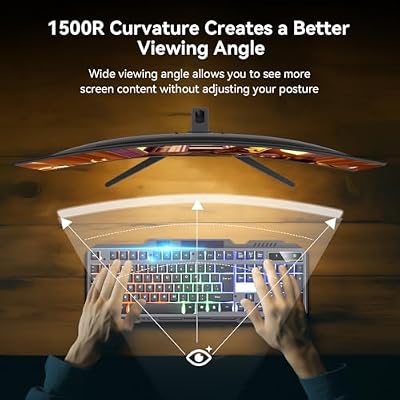
SANSUI 32 Inch Curved 240Hz Gaming Monitor High Refresh Rate, FHD 1080P | Gaming PC Monitor HDMI DP1.4, 1500R Curvature, 1Ms MPRT, HDR,Metal Stand,VESA Compatible(DP Cable Incl.)




As an Amazon Associate we earn from qualifying purchases. Product prices and availability are accurate as of the date/time indicated.
The SANSUI 32-inch curved 240Hz leads this list as the most immersive companion for a VR battlestation. It is a large 32-inch curved FHD panel with a blistering 240Hz refresh rate, and that combination is the point: when the headset is off, the same VR-ready PC will drive flatscreen games at high frame rates, and this screen turns that horsepower into buttery-smooth motion. At around $180 it is a generously sized, fast desktop centrepiece.
For a VR setup the big curved panel earns its place in two ways. First, it is an excellent spectating and mirroring display: when you cast the headset view so friends can watch, the large screen makes the action easy to follow across a room. Second, it is your between-sessions gaming and desktop monitor, where the 240Hz refresh and curve deliver an immersive, fluid experience. If you want the VR rig’s companion screen to feel as exciting as the headset, the 32-inch SANSUI is the standout opener.
Pros: Large 32-inch curved panel, fast 240Hz refresh, immersive flatscreen and spectating display.
Cons: 1080p across 32 inches is softer; the headset, not this screen, drives VR.
2. ASUS TUF Gaming VG27AQ 27-inch QHD 1440p 165Hz

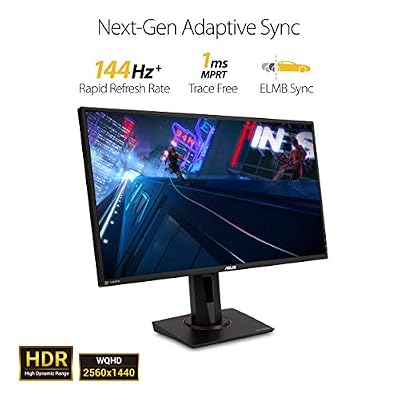
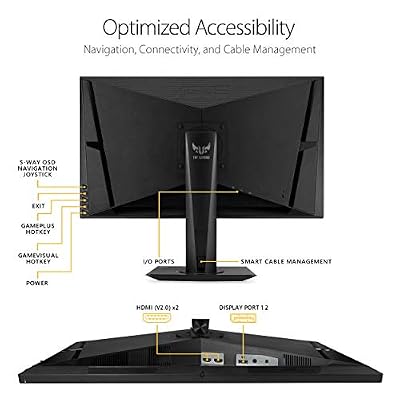
ASUS TUF Gaming VG27AQ 27 Inch QHD 165Hz 1ms G-SYNC Gaming Monitor | 27" 2K QHD, IPS Panel, 165Hz, 1ms, ELMB Sync, G-SYNC Compatible, HDR10, Built-In Speakers, Height Adjustable Stand



As an Amazon Associate we earn from qualifying purchases. Product prices and availability are accurate as of the date/time indicated.
The ASUS TUF VG27AQ is the sharp, high-quality companion pick. It pairs a 2560×1440 QHD resolution with a fast 165Hz refresh rate, adaptive sync, and ASUS’s well-regarded TUF build, giving a VR rig a crisp, premium desktop display. At around $279 it brings genuine clarity that the 1080p panels here cannot match.
Around a VR setup, resolution matters more than people expect — not for the in-headset image, but for everything you do on the desktop. Configuring boundaries, reading SteamVR menus, and spectating a mirrored feed all look noticeably sharper at QHD, and when you switch to flatscreen gaming the 1440p 165Hz panel is a superb experience in its own right. For the VR enthusiast who wants their companion monitor to be a top-tier display rather than an afterthought, the VG27AQ is the smart, sharp choice.
Pros: Crisp 1440p QHD, fast 165Hz, adaptive sync, premium TUF build for the desktop.
Cons: Pricier than 1080p options; VR itself runs through the headset, not here.
3. ASUS TUF 32 Inch Curved Gaming Monitor QHD 1440p 165Hz

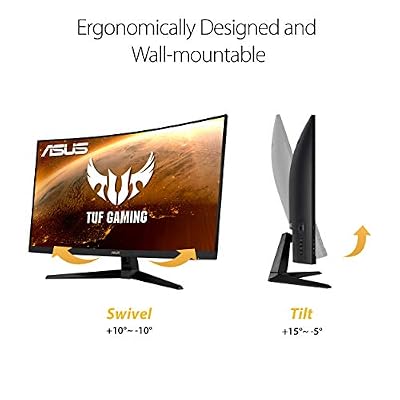
ASUS TUF Gaming VG32VQ1B 32 Inch 1440p 165Hz HDR Curved Gaming Monitor | ELMB Sync, 1ms, 1500R Curve, HDR10, Adaptive Sync, FreeSync, HDMI, DisplayPort, FreeSync Premium, for PS5 and Xbox




As an Amazon Associate we earn from qualifying purchases. Product prices and availability are accurate as of the date/time indicated.
The ASUS TUF 32-inch curved QHD combines size and sharpness for a commanding VR companion display. It is a large 32-inch curved panel at 2560×1440 QHD with a 165Hz refresh, so you get both the immersive scale of a big screen and the clarity of a higher resolution. At around $285 it is the premium centrepiece of this list.
This is the pick for the VR enthusiast who wants the best of both worlds at the desk. The 32-inch curve makes spectating a mirrored headset feed genuinely engaging across a room, while the QHD resolution keeps text, menus and flatscreen games crisp rather than soft. When the headset comes off, the high-refresh QHD panel is a flagship-feeling gaming display. If you want your VR rig’s companion screen to be large, sharp and immersive all at once, the 32-inch ASUS TUF is the top-tier answer.
Pros: Large 32-inch curved panel, sharp QHD resolution, 165Hz refresh, premium companion display.
Cons: Highest price here; the VR image is delivered by the headset, not this monitor.
4. SANSUI 27 Inch Curved 240Hz Gaming Monitor FHD 1080P, 1500R

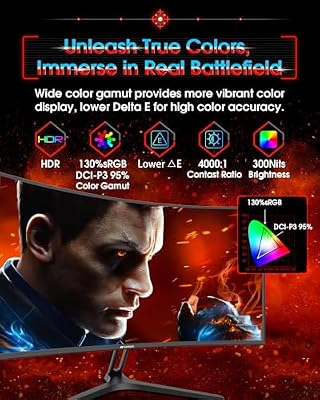
SANSUI 27 Inch Curved 240Hz Gaming Monitor FHD 1080P, 1500R Curve Computer Monitor, 130% sRGB, 4000:1 Contrast, HDR, FreeSync, MPRT 1Ms, Low Blue Light, HDMI DP Ports, Metal Stand, Cable Incl.




As an Amazon Associate we earn from qualifying purchases. Product prices and availability are accurate as of the date/time indicated.
The SANSUI 27-inch curved 240Hz is the fast, value-minded desktop companion. It brings the same headline 240Hz refresh as its 32-inch sibling to a more manageable 27-inch curved FHD panel with an aggressive 1500R curve, and at around $129 it is one of the best ways to put a high-refresh screen next to a VR rig without overspending.
For a VR setup, this 27-inch panel is the sweet spot of speed and footprint. The 240Hz refresh makes flatscreen gaming on your VR-ready PC wonderfully fluid between headset sessions, the 1500R curve adds desktop immersion, and the 27-inch size fits comfortably on most desks alongside the space you need for room-scale play. It handles spectating and SteamVR configuration just as well as the bigger screens. As a fast, affordable companion monitor for a VR battlestation, the SANSUI 27-inch is an excellent value pick.
Pros: Fast 240Hz refresh, immersive 1500R curve, sensible 27-inch size, strong value.
Cons: 1080p resolution; intended as a desktop companion, not a headset replacement.
5. Sceptre Curved 24.5-inch Prime Gaming Monitor up to 240Hz, 1ms

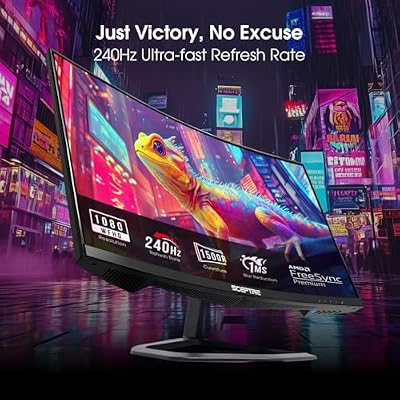
Sceptre Curved 24.5-inch Prime Gaming Monitor up to 240Hz 1080p R1500 1ms DisplayPort x2 HDMI x2 Blue Light Shift Build-in Speakers, Machine Black 2025 (C255B-FWT240 Series)



As an Amazon Associate we earn from qualifying purchases. Product prices and availability are accurate as of the date/time indicated.
The Sceptre Curved 24.5-inch is the fluid budget high-refresh pick. It packs a 240Hz refresh rate and a 1ms response time into a curved 1080p panel, and at around $120 it delivers the kind of smooth, responsive motion a VR-ready PC can easily drive in flatscreen titles without straining the budget.
Around a VR setup, this Sceptre is the affordable way to ensure your companion monitor keeps pace with your PC. The 240Hz refresh and 1ms response make between-sessions gaming snappy and fluid, the curve adds a little desktop immersion, and the compact 24.5-inch size leaves plenty of desk and floor space for the room you need when the headset goes on. It serves spectating and VR software duties without complaint. For a budget-conscious VR rig that still wants a fast companion screen, the Sceptre is a dependable choice.
Pros: Fast 240Hz and 1ms response, curved 1080p, compact footprint, affordable.
Cons: Budget 1080p panel; it complements a VR rig rather than running VR itself.
6. Acer Nitro KG241Y Sbiip 23.8-inch FHD VA, AMD FreeSync

Acer Nitro 23.8in FHD 1920x1080 180Hz Gaming Monitor KG241Y Sbiip | 1ms, AMD FreeSync Premium, 2xHDMI, DisplayPort, VESA Mountable, Bluelight Filter, Flickerless Technology


As an Amazon Associate we earn from qualifying purchases. Product prices and availability are accurate as of the date/time indicated.
Rounding out the list is the Acer Nitro KG241Y, the compact, no-fuss desk screen for a VR room. It is a 23.8-inch Full HD VA panel with AMD FreeSync for tear-free motion, and at around $110 it is the most affordable option here — a practical, space-saving companion for a VR-ready PC.
This is the pick when desk space is tight and you want a reliable, good-looking secondary display rather than a centrepiece. The VA panel offers strong contrast for desktop work and casual flatscreen gaming, FreeSync keeps motion clean on a compatible PC, and the small 23.8-inch footprint frees up room around your play area. It comfortably handles VR setup menus and a mirrored spectating feed. As an affordable, compact companion monitor for a VR battlestation, the Acer Nitro is a sensible, value-first option to close the list.
Pros: Affordable, compact 23.8-inch VA panel, FreeSync support, strong contrast for desk use.
Cons: Standard 60-75Hz class refresh; a basic companion, not a high-refresh showpiece.
How to Choose a Monitor for a VR Setup
Start by setting the right expectation, because it changes every other decision: a VR headset has its own built-in displays, so the monitor you buy is a companion for your VR-ready PC, not a screen you look at during play. Its real jobs are running the VR software and room setup, mirroring the headset view so others can spectate, and being your everyday gaming and desktop display when the headset is off. Once you accept that, the choice becomes simple — you are buying a great high-refresh gaming monitor, not a magic VR panel.
Refresh rate is therefore the spec to prioritise. The same powerful PC that drives a headset will push flatscreen games to high frame rates, and a fast panel turns that into smooth, responsive motion. The 240Hz screens here — the SANSUI 32 and 27-inch and the Sceptre 24.5-inch — deliver the most fluid feel, while the 165Hz ASUS TUF panels balance speed with higher resolution. Match the refresh rate to the flatscreen games you play between VR sessions, since that is when the monitor actually does the heavy lifting.
Resolution and size shape clarity and immersion at the desk. A 1440p QHD panel like the ASUS TUF models keeps SteamVR menus, room-setup screens and a mirrored spectating feed noticeably sharper than 1080p, which is worth it if you spend real time on the desktop. Larger 32-inch screens make spectating more engaging across a room, while a compact 24 to 27-inch panel saves space for room-scale play. Balance the immersion of a bigger, sharper screen against the desk and floor space your VR area needs.
Finally, weigh adaptive sync, panel type and budget. FreeSync or compatible adaptive sync, as on the Acer Nitro and others, keeps flatscreen motion tear-free on a matching PC, while VA and IPS-class panels trade contrast for viewing angles in the usual ways. Set a budget, decide whether you value a large immersive companion, a sharp QHD display, or a compact space-saver, and pick the monitor on this list that fits. The best VR companion monitor is the one that makes your rig feel fast and capable the moment the headset comes off.
Frequently Asked Questions
Do I look at the monitor while using VR?
No — and this is the key thing to understand. A VR headset has its own displays right in front of your eyes, so during play you look through the headset, not at the monitor. The monitor’s role is everything around VR: running the SteamVR or Meta software, configuring room-scale boundaries, mirroring the headset view so friends can spectate, and serving as your normal gaming and desktop screen when the headset is off.
What monitor spec actually matters for a VR rig?
Refresh rate, more than anything. Because a VR-ready PC is powerful, it will push flatscreen games to high frame rates, and a fast panel like the 240Hz SANSUI or Sceptre models turns that into smooth motion when you are not in the headset. Resolution matters for desktop sharpness and spectating — the QHD ASUS TUF panels are crisper for menus and mirrored feeds. You are essentially choosing a great high-refresh gaming monitor.
Should I get a 1080p or 1440p monitor for my VR setup?
It depends on how much desktop time you log. The 1080p 240Hz panels here, like the SANSUI and Sceptre, give the fastest, most fluid flatscreen gaming for the money. The 1440p QHD ASUS TUF models cost more but keep SteamVR menus, room-setup screens and spectating feeds noticeably sharper. If clarity at the desk matters to you, step up to QHD; if you mainly want speed on a budget, 1080p high-refresh is excellent.
Does a curved monitor help with VR?
Not inside the headset — the curve has no effect on the VR image, which the headset generates. What a curve does is add immersion to your desktop and flatscreen gaming experience, wrapping the picture slightly around your view on panels like the SANSUI and Sceptre curved models. Treat the curve as a comfort and immersion preference for your between-sessions screen, not a VR feature.
Related Guides
- Best Gaming Monitors
- Best 144Hz Monitors
- Best Gaming PCs
- Best GPUs for Your Build
- Best Gaming Headsets
- Best Budget Gaming Setup
Affiliate Disclosure: As an Amazon Associate, we earn from qualifying purchases. If you click a link and make a purchase, we may earn a small commission at no extra cost to you. Prices and availability are accurate as of publication and may change.










