

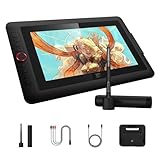
- Top Pick: XPPen Artist 13.3 Pro 13.3" Drawing Tablet with Screen, 16K, Full-Laminated
- Best Value: XPPen Deco 01 V3 10×6 Drawing Tablet, 16K Battery-Free Stylus, 8 Keys
- Premium Choice: XPPen Magic Drawing Pad 12.2 Inch Standalone Drawing Tablet No Computer Needed with 16384 Pressure Levels X3 Pro Slim Stylus Tilt Support Paper-Like Screen 8GB + 256GB for Digital Drawing Artists
🛒 Best Price Today on Amazon
Prime members get fast, free shipping on everything above, plus member-only deals. New members get a 30-day free trial — cancel anytime.
- Top Pen Drawing Tablets Picks for 2026
- Best XP-Pen Drawing Tablets at a Glance
- 1. XPPen Artist 16 (3rd Gen) Drawing Tablet with Screen 15.4″ 16K Pressure (XP-Pen flagship mid pen display)
- 2. XPPen Artist Pro 24 Gen2 23.8″ Drawing Tablet with Screen ΔE
- 3. XPPen Artist 15.6 Pro 15.6″ Drawing Tablet with Screen Tilt Support
- 4. XPPen Artist12 Pro 11.6″ Drawing Tablet with Screen Pen Display Full-Laminated (XP-Pen entry pen display)
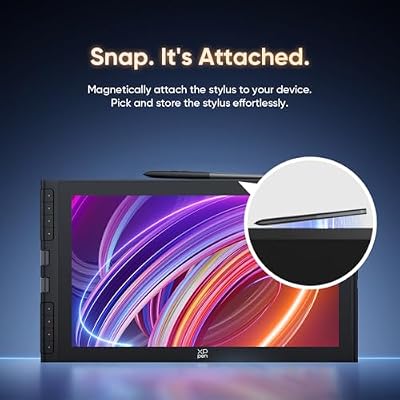
- 5. XPPen Magic Drawing Pad 12.2″ Standalone Drawing Tablet (No Computer Needed)
- 6. XPPen Deco 01 V3 Drawing Tablet 16384 Levels Pressure Battery-Free Pen (XP-Pen entry pen-only)
- How to Choose the Right XP-Pen Drawing Tablet
- Related Guides
- Frequently Asked Questions
- Related Guides
- Related Articles
- Related Guides
Top Pen Drawing Tablets Picks for 2026
Here are our current top pen drawing tablets picks, compared on real Amazon owner reviews, price, and features. Live prices update below.
As an Amazon Associate we earn from qualifying purchases at no extra cost to you.








XP-Pen has carved out a specific position in the drawing-tablet market: a manufacturer that competes directly with Wacom on premium specs and pen feel but undercuts Wacom prices by 30 to 50 percent. Within the broader category of value pen displays, XP-Pen tends to ship the most premium-feeling pen and the most refined surface materials in its tier, which is why the company has won a reputation among working illustrators who are not willing to pay the full Wacom premium. The XP-Pen lineup splits into three families: Artist pen displays (screens you draw on), Deco pen-only tablets (flat surfaces beside your monitor), and the new standalone Magic Drawing Pad (a self-contained Android-based drawing computer that needs no host PC).
Our picks cover every tier and family in XP-Pen’s range. The Artist 16 (3rd Gen) and Artist Pro 24 Gen2 are the brand’s premium pen displays, the Artist 15.6 Pro and Artist12 Pro are the mid and entry pen displays, the Deco 01 V3 is the entry pen-only tablet, and the Magic Drawing Pad is the standalone tablet — and we will be explicit about that last point: the Magic Pad is fundamentally a different product from the Artist pen displays, since it runs its own Android-based operating system and needs no computer at all. Below is an at-a-glance comparison, then a closer look at each XP-Pen and a buyer’s guide built around the Artist-versus-Deco-versus-Magic-Pad decision.
Best XP-Pen Drawing Tablets at a Glance
| XP-Pen Tablet | Best For | Standout Spec | Approx Price |
|---|---|---|---|
| XP-Pen Artist 16 (3rd Gen) | XP-Pen premium mid-size pen display | 15.4″ 16K pressure, X3 Pro pen | around $340 |
| XPPen Artist Pro 24 Gen2 | XP-Pen studio flagship | 23.8″ ΔE<1 color accurate | around $1100 |
| XPPen Artist 15.6 Pro (Tilt) | XP-Pen mid pen display with tilt | 15.6″ tilt-support pen display | around $252 |
| XPPen Artist12 Pro 11.6″ | XP-Pen entry pen display | 11.6″ full-laminated | around $176 |
| XPPen Magic Drawing Pad | Standalone XP-Pen Android tablet | 12.2″ self-contained, no PC needed | around $500 |
| XPPen Deco 01 V3 | XP-Pen entry pen-only | 10×6.25″ pen-only | around $45 |
1. XPPen Artist 16 (3rd Gen) Drawing Tablet with Screen 15.4″ 16K Pressure (XP-Pen flagship mid pen display)
9
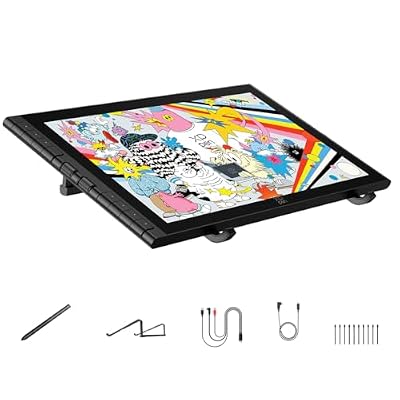
XPPen Artist 16 3rd Drawing Tablet with Screen, 15.4"Pen Display with 16K Pressure Stylus, Anti-Glare Etched Glass, 2 Scroll Wheels & 8 Hotkeys, Include Foldable Stand, Compatible with Mac/Win/Android
In Stock




As an Amazon Associate we earn from qualifying purchases. Product prices and availability are accurate as of the date/time indicated.
Within the XP-Pen lineup, the Artist 16 (3rd Gen) is the brand’s premium-feeling mid-size pen display and probably the most defining product in XP-Pen’s current range. It is a 15.4 inch full-laminated panel with XP-Pen’s X3 Pro pen — the company’s most refined drawing pen — programmable shortcut keys, wide color gamut targeted at digital illustrators, and XP-Pen’s mature driver stack. At around $340 it is the price point where XP-Pen most directly competes with Wacom and most clearly wins on value.
For someone shopping XP-Pen specifically, this is the brand’s signature product. The X3 Pro pen technology is the headline: it is genuinely more refined than entry pens, with better tilt response, lower initial activation force and a more planted feel on the laminated glass. The 15.4 inch canvas is the sweet-spot size for most digital art workflows — large enough to draw expressively from the shoulder, small enough to share a desk with a primary monitor. If you want the most XP-Pen experience for the money, this is the centerpiece of the range.
Pros: Refined X3 Pro pen, full-laminated 15.4″ panel, mature XP-Pen drivers, brand’s defining mid-tier product.
Cons: 16K pressure rating is marketing-led — above 4K is not perceivable; not 4K resolution.
2. XPPen Artist Pro 24 Gen2 23.8″ Drawing Tablet with Screen ΔE<1 Color Accurate

9
XPPen Artist Pro 24 Gen2 23.8" Drawing Tablet with Screen, △E < 1 Graphic Tablet with Full Laminated AG Screen, Drawing Monitor with Dual 16384 Pen Pressure Battery-Free Stylus, Mini Keydial
In Stock


As an Amazon Associate we earn from qualifying purchases. Product prices and availability are accurate as of the date/time indicated.
The XP-Pen Artist Pro 24 Gen2 is the brand’s studio flagship and the answer for working creators who need a large pen display without the Wacom Cintiq Pro 22’s $3,000 price tag. It is a 23.8 inch pen display with a ΔE<1 color-accurate panel, the X3 Pro pen, full lamination, generous wide-gamut color coverage and the build quality of a tool designed for professional use. At around $1,100 it sits at roughly a third the price of the Wacom Cintiq Pro 22.
For XP-Pen buyers specifically, this is the brand’s claim that you do not need to pay Wacom flagship prices to get a professional-grade large pen display. The ΔE<1 calibration is genuinely useful for commercial color work, the 23.8 inch canvas is large enough to work at full size with minimal zooming, and the X3 Pro pen carries XP-Pen's most refined pen feel. You give up the Wacom Cintiq Pro 22's 10-bit factory-calibrated panel and the absolute final refinement of the Pro Pen 3, in exchange for roughly $1,900 less. For most working illustrators outside top commercial print, that is the right trade.
Pros: Large 23.8″ canvas, ΔE<1 color accuracy, X3 Pro pen, professional studio capability at a third of Cintiq price.
Cons: Below Wacom flagship in absolute color depth and pen refinement; still a four-figure outlay.
3. XPPen Artist 15.6 Pro 15.6″ Drawing Tablet with Screen Tilt Support
10
15.6" Drawing Tablet with Screen XPPen Artist 15.6 Pro Tilt Support Graphics Tablet Full-Laminated Red Dial (120% sRGB) Drawing Monitor Display 8192 Levels Pressure Sensitive & 8 Shortcut Keys
In Stock


As an Amazon Associate we earn from qualifying purchases. Product prices and availability are accurate as of the date/time indicated.
The XP-Pen Artist 15.6 Pro is the slightly older, slightly cheaper sibling to the Artist 16 (3rd Gen), and it remains relevant in 2026 because it brought tilt-support pen technology to a sub-$300 pen display and is still well-priced. It is a 15.6 inch pen display with XP-Pen’s battery-free tilt-supporting pen, programmable shortcut keys including a red side dial, and a glass surface designed for low parallax. At around $252 it is the value pick in XP-Pen’s Artist range.
For someone choosing XP-Pen but cost-conscious, the Artist 15.6 Pro is the intelligent compromise. You give up the X3 Pro pen refinement of the Artist 16 (3rd Gen) and you may give up full lamination depending on the specific variant — XP-Pen has shipped this model in both laminated and non-laminated revisions over its life, which is worth checking before you buy. What you keep is tilt support (genuinely useful for illustration), the 15.6 inch sweet-spot screen size, and a meaningful saving over newer Artist releases. A solid, somewhat older XP-Pen choice.
Pros: Tilt-support pen, 15.6″ pen display, red shortcut dial, meaningful saving over Artist 16 (3rd Gen).
Cons: Older generation than Artist 16 (3rd Gen); confirm full-laminated revision before buying.
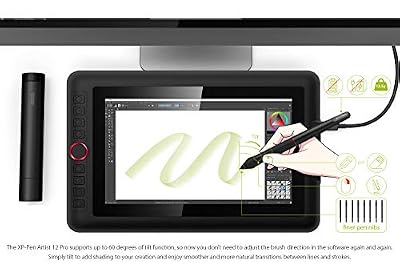
4. XPPen Artist12 Pro 11.6″ Drawing Tablet with Screen Pen Display Full-Laminated (XP-Pen entry pen display)

9
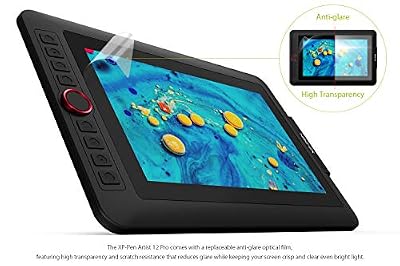
XPPen Artist12 Pro 11.6" Drawing Tablet with Screen Pen Display Full-Laminated Graphics Tablet with Tilt Function Battery-Free Stylus and 8 Shortcut Keys(8192 Levels Pen Pressure and 72% NTSC)
In Stock



As an Amazon Associate we earn from qualifying purchases. Product prices and availability are accurate as of the date/time indicated.
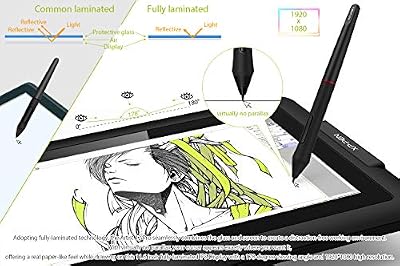
Within the XP-Pen lineup, the Artist12 Pro is the brand’s entry pen display and the cheapest way to put an XP-Pen screen-with-pen on your desk. It is an 11.6 inch full-laminated screen with a battery-free pen, programmable express keys, and XP-Pen’s signature red side scroll wheel for shortcut work. At around $176 it is the most accessible pen display in the XP-Pen Artist range and one of the cheapest fully-laminated pen displays of any brand.
For XP-Pen-specific shoppers, the Artist12 Pro answers the question of ‘how do I get into XP-Pen’s pen-display range cheaply?’. The 11.6 inch panel is small — closer to a portable companion screen than a primary creation surface — but full lamination keeps the parallax low, the red shortcut wheel is genuinely one of the more useful ergonomic additions on any tablet, and the price keeps the buy reasonable. As an upgrade path within XP-Pen, you would expect to move from this to the Artist 16 (3rd Gen) within a year or two. As an introduction, it is a sensible XP-Pen starter.
Pros: Cheapest fully-laminated XP-Pen pen display, useful red shortcut wheel, low entry price into XP-Pen.
Cons: 11.6 inches is small for serious illustration; you outgrow it faster than 15+ inch panels.
5. XPPen Magic Drawing Pad 12.2″ Standalone Drawing Tablet (No Computer Needed)

9
XPPen Magic Drawing Pad 12.2 Inch Standalone Drawing Tablet No Computer Needed with 16384 Pressure Levels X3 Pro Slim Stylus Tilt Support Paper-Like Screen 8GB + 256GB for Digital Drawing Artists
In Stock


As an Amazon Associate we earn from qualifying purchases. Product prices and availability are accurate as of the date/time indicated.
The XP-Pen Magic Drawing Pad is fundamentally different from every other tablet on this list, and we want to flag that prominently. It is a self-contained Android-based drawing computer — a 12.2 inch tablet that runs its own operating system, has its own internal storage and CPU, comes with installed drawing apps, and does not need to be connected to a host PC or Mac to work. At around $500 it is more expensive than XP-Pen’s entry pen displays but priced as a complete drawing device rather than as a peripheral. Think of it as an iPad alternative built around XP-Pen’s pen technology rather than as another Artist-series pen display.
For a creator considering XP-Pen, the Magic Drawing Pad is the right pick if you want a drawing device you can pick up and use anywhere — on the couch, on a train, in a coffee shop — without setting up a laptop. The 12.2 inch laminated panel and XP-Pen’s pen technology deliver the drawing-feel quality the brand is known for, the Android operating system runs popular drawing apps like ibis Paint and Sketchbook, and the self-contained design makes it the most portable tool in XP-Pen’s range. The honest trade-off: an Android-based drawing tablet does not run Adobe Photoshop or Clip Studio Paint in their full desktop forms, so if your workflow depends on those apps, an Artist-series pen display connected to your computer remains the right XP-Pen for you.
Pros: Standalone Android-based drawing device, no computer required, 12.2″ laminated panel, true portability.
Cons: Different category from XP-Pen Artist pen displays — does NOT run desktop Adobe or Clip Studio Paint.
6. XPPen Deco 01 V3 Drawing Tablet 16384 Levels Pressure Battery-Free Pen (XP-Pen entry pen-only)
34
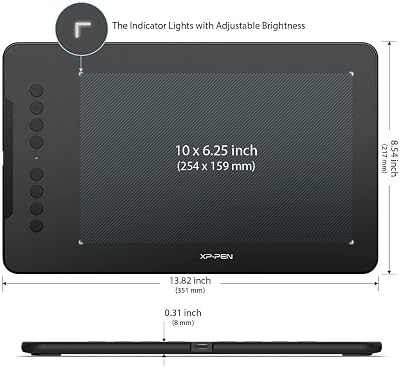
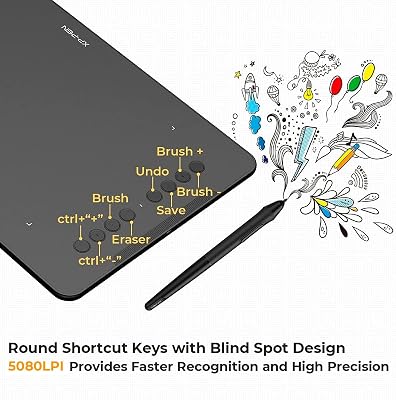
XPPen Updated Deco 01 V3 Drawing Tablet-16384 Levels of Pressure Battery-Free Stylus, 10×6 Inch OSU Graphic Tablet, 8 Hotkeys for Digital Art, Teaching, Gaming Drawing Pad for Chrome, PC, Mac, Android
In Stock




As an Amazon Associate we earn from qualifying purchases. Product prices and availability are accurate as of the date/time indicated.
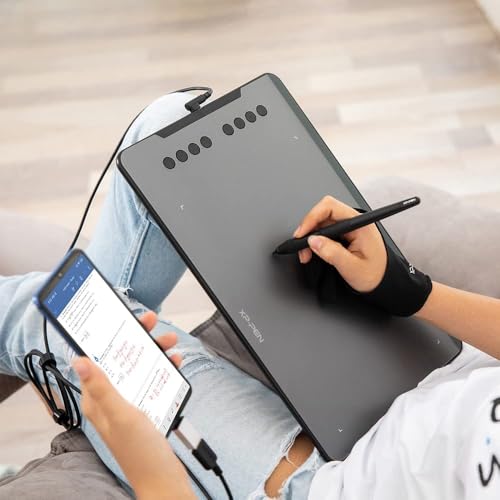
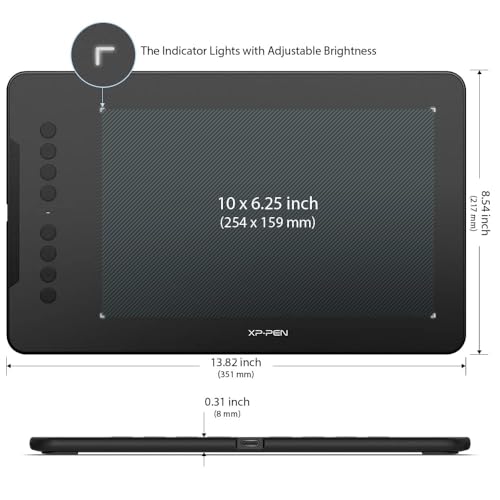
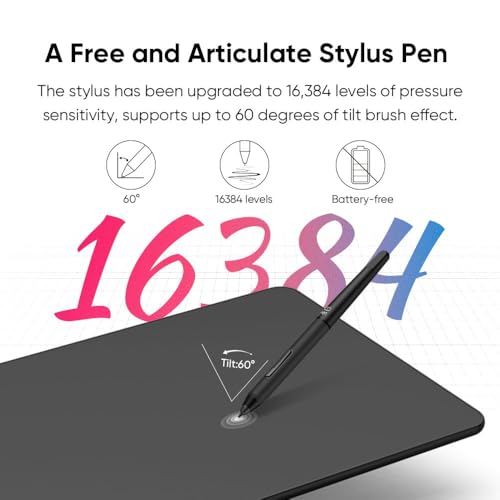
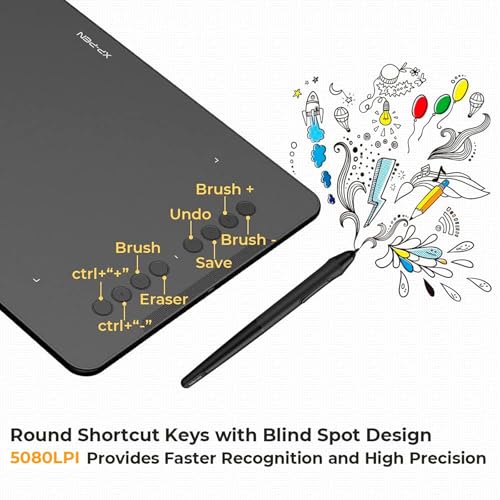
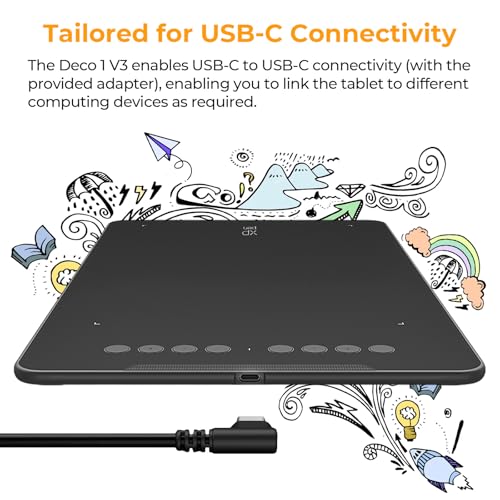
Closing out the XP-Pen list is the Deco 01 V3, the brand’s most popular entry-level pen-only tablet and the cheapest way into the XP-Pen ecosystem at all. It is a 10×6.25 inch pen-only tablet (no screen) with XP-Pen’s battery-free stylus, eight programmable shortcut keys and a 16,384-level pressure rating that is generously specified but, honestly, not perceivably different from 4,096 levels in real use. At around $45 it is by far the cheapest XP-Pen tablet here.
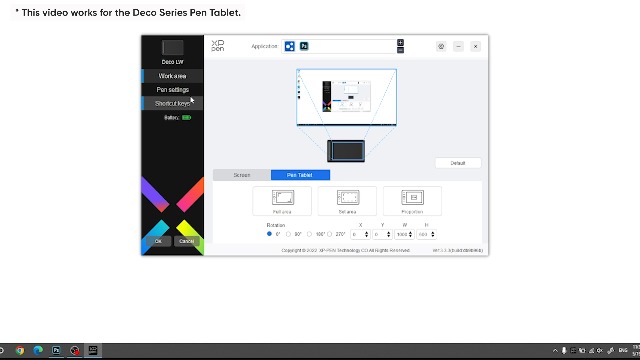
For XP-Pen-brand shoppers, the Deco 01 V3 plays the same role HUION’s HS610 plays for HUION: a low-cost trial of the brand’s drivers, pen feel and shortcut-key philosophy before you commit to a more expensive Artist pen display. The work area is generous, the pen feel is well-balanced for the price tier, XP-Pen’s drivers are mature on macOS and Windows, and the eight shortcut keys are useful once you remap them to your editing workflow. As an XP-Pen-specific entry product, it is a sensible, low-risk starter that lets you experience the brand before investing further.
Pros: Cheapest XP-Pen tablet, generous 10×6.25″ pen-only surface, battery-free pen, mature drivers.
Cons: Pressure spec is marketing-led; pen-only with no screen — not the Artist-series experience.
How to Choose the Right XP-Pen Drawing Tablet
Within XP-Pen, the first decision is Artist (pen display, screen you draw on) versus Deco (pen-only, no screen) versus Magic Drawing Pad (standalone Android tablet). These three families serve different users, with pen-only Decos costing under $50, Artist pen displays starting at $176 and going up into four figures, and the Magic Drawing Pad sitting in its own price tier around $500 as a self-contained device. Be honest about whether you want a screen, whether you want desktop-app compatibility, and whether portability matters more than raw screen size.
Within the Artist pen-display range, size and pen technology are the practical choices. The 11.6 inch Artist12 Pro is the desk-friendly compact entry. The 15.6 inch Artist 15.6 Pro is the slightly older 15+ inch option with tilt support, well-priced at around $252. The 15.4 inch Artist 16 (3rd Gen) is the current flagship of the mid-size range with the X3 Pro pen, around $340. The 23.8 inch Artist Pro 24 Gen2 is the studio flagship at around $1,100. All are full-laminated where it matters; the older Artist 15.6 Pro is worth confirming as the laminated revision before buying.
Compared with Wacom specifically, XP-Pen is the brand that competes most directly on premium specs and pen feel. The X3 Pro pen technology in the Artist 16 (3rd Gen) and Artist Pro 24 Gen2 is genuinely close to Wacom’s Pro Pen 2 in real-world drawing feel, and XP-Pen pricing tends to undercut Wacom by 30 to 50 percent for comparable specs. The honest difference: Wacom’s decades-deep driver maturity and color calibration on flagships still lead in absolute terms. For paid commercial illustration where every percent matters, Wacom retains an edge; for almost everything else, XP-Pen is a strong choice.
Finally, decide whether the Magic Drawing Pad belongs in your shortlist at all. It is the most portable XP-Pen and the most flexible — a complete, self-contained drawing device — but it does not run Adobe Photoshop or Clip Studio Paint in their desktop forms. If your workflow already lives in those apps and you switch between drawing and editing rapidly, an Artist-series pen display connected to your computer keeps you in the same ecosystem and is the right XP-Pen. If you specifically want a drawing device to use anywhere without a laptop, the Magic Drawing Pad is a genuinely interesting option.
Frequently Asked Questions
How does XP-Pen compare to Wacom and HUION?
XP-Pen sits between the two: more direct competition with Wacom on premium specs and pen feel than HUION typically offers, with pricing roughly 30 to 50 percent below Wacom. The X3 Pro pen on the Artist 16 (3rd Gen) and Artist Pro 24 Gen2 is one of the most refined non-Wacom pens available. HUION generally competes on raw value and surface features like anti-glare etched glass. Choose XP-Pen if pen refinement is your priority; choose HUION if cost-per-feature is.
Is the XP-Pen Magic Drawing Pad really a drawing tablet?
Yes, but in a different sense than the Artist series. The Magic Drawing Pad is a standalone Android-based drawing device — a complete computer with its own operating system, internal storage and installed drawing apps. You do not connect it to a separate PC. This makes it portable and self-contained, but it does not run desktop Adobe Photoshop or Clip Studio Paint, so it is a different product from the Artist pen displays rather than a screen-equipped version of them.
What is the difference between the XP-Pen Artist 15.6 Pro and Artist 16 (3rd Gen)?
Generation and pen technology. The Artist 15.6 Pro is the older tilt-supporting 15.6 inch pen display, well-priced at around $252. The Artist 16 (3rd Gen) is the current 15.4 inch model with the more refined X3 Pro pen, around $340. The 3rd Gen delivers a better drawing feel and more modern pen tech for the extra cost; the 15.6 Pro saves real money if you do not need the X3 Pro refinement.
Do XP-Pen’s high pressure-level numbers actually matter?
Not really, beyond marketing. Human hands cannot reliably perceive a difference in pen pressure above roughly 4,096 levels, so the 16,384-level pressure rating on the Artist 16 (3rd Gen) and Deco 01 V3 is specifying capacity you will never use. Focus on pen feel (the X3 Pro is genuinely better-feeling than entry pens), panel lamination, color coverage and driver maturity instead. Those features genuinely affect your drawing.
Related Guides
- Best Drawing Tablets Overall
- Best Drawing Tablets for Beginners
- Best Pen Display Drawing Tablets
- Best Wacom Drawing Tablets
- Best Huion Drawing Tablets
- Best Monitors for Content Creation
- Best Portable Monitors
- Best Budget Gaming Setup
Affiliate Disclosure: As an Amazon Associate, we earn from qualifying purchases. If you click a link and make a purchase, we may earn a small commission at no extra cost to you. Prices and availability are accurate as of publication and may change.
Ready to decide? Our #1 pick for 2026 is the XP-Pen Artist 16 (3rd Gen).
Live price & availability on Amazon.


