

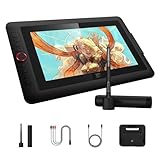
- Top Pick: XP-PEN Artist12 11.6 Inch FHD Drawing Monitor Pen Display Graphic Monitor with PN06 Battery-Free Multi-Function Pen Holder and Glove 8192 Pressure Sensitivity
- Best Value: XPPen Artist 13.3 Pro 13.3" Drawing Tablet with Screen, 16K, Full-Laminated
- Premium Choice: XPPen Artist 13.3 Pro V2 Drawing Tablet with Screen, 16K, Red Dial, 8 Keys
🛒 Best Price Today on Amazon
Prime members get fast, free shipping on everything above, plus member-only deals. New members get a 30-day free trial — cancel anytime.
- Top Pen Display Drawing Tablets Picks for 2026
- Best Pen Display Drawing Tablets at a Glance
- 1. XPPen Artist 16 (3rd Gen) Drawing Tablet with Screen 15.4 inch 16K Pressure
- 2. HUION KAMVAS Pro 16 Drawing Tablet with Screen 15.6″ Pen Display Anti-Glare
- 3. HUION Kamvas 13 (Gen 3) Drawing Tablet 13.3″ Full-Laminated Pen Display
- 4. XPPen Artist12 Pro 11.6″ Drawing Tablet with Screen Pen Display Full-Laminated
- 5. Wacom Cintiq Pro 22 Drawing Tablet with Screen 21.5″ Ultra HD 4K 10-bit
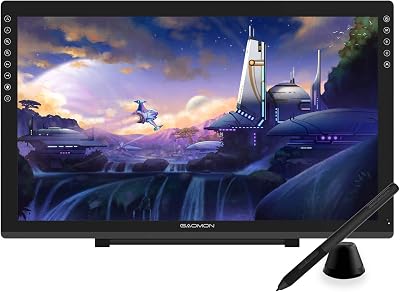
- 6. XPPen Artist Pro 24 Gen2 23.8″ Drawing Tablet with Screen ΔE
- How to Choose a Pen Display
- Related Guides
- Frequently Asked Questions
- Related Guides
- Related Articles
- Related Guides
Top Pen Display Drawing Tablets Picks for 2026
Here are our current top pen display drawing tablets picks, compared on real Amazon owner reviews, price, and features. Live prices update below.
As an Amazon Associate we earn from qualifying purchases at no extra cost to you.







A pen display is a fundamentally different tool from a pen-only tablet. Where pen-only tablets sit flat on your desk and you watch a separate monitor, a pen display puts a screen directly under your hand so the line appears beneath your pen tip, exactly the way a brush meets paper. That immediate eye-hand correspondence is why every professional digital illustrator eventually moves to a pen display — and why pen displays cost roughly five to a hundred times what a beginner pen-only tablet does. This guide covers the best pen display drawing tablets in 2026, from a sensible $176 starter all the way up to the $2,999 Wacom Cintiq Pro 22 flagship.
Our picks were chosen on what genuinely matters for a screen you draw on: panel lamination (which controls how much parallax sits between the glass and the digital cursor), color coverage and accuracy, resolution and screen size, and pen feel. We have priced honestly: the $2,999 Wacom Cintiq Pro 22 is the flagship professional studio choice, and we will not pretend otherwise. Equally, the $299 HUION KAMVAS Pro 16 and the $339 XP-Pen Artist 16 deliver 80% or more of that experience at a tenth the price, and we will be honest about that too. Below is an at-a-glance comparison, then a closer look at each display and a buyer’s guide built around the things that actually separate one pen display from another.
Best Pen Display Drawing Tablets at a Glance
| Tablet | Best For | Standout Spec | Approx Price |
|---|---|---|---|
| XP-Pen Artist 16 (3rd Gen) | Premium mid-size pen display | 15.4″ panel, 16K pressure | around $340 |
| HUION KAMVAS Pro 16 | Best pen display value | 15.6″ anti-glare laminated | around $300 |
| HUION Kamvas 13 (Gen 3) | Compact full-laminated entry | 13.3″ full-laminated panel | around $219 |
| XPPen Artist12 Pro 11.6″ | Smallest desk-friendly pen display | 11.6″ full-laminated | around $176 |
| Wacom Cintiq Pro 22 | Professional studio flagship | 21.5″ 4K UHD 10-bit color | around $2999 |
| XPPen Artist Pro 24 Gen2 | Large studio pen display value | 23.8″ ΔE<1 color accurate | around $1100 |
1. XPPen Artist 16 (3rd Gen) Drawing Tablet with Screen 15.4 inch 16K Pressure
9
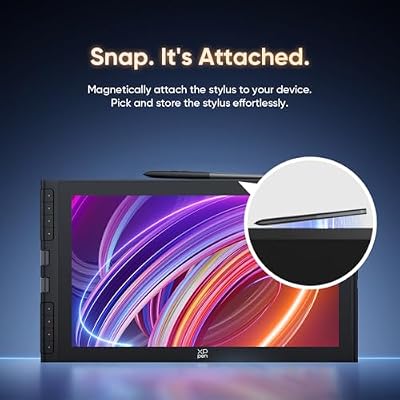
XPPen Artist 16 3rd Drawing Tablet with Screen, 15.4"Pen Display with 16K Pressure Stylus, Anti-Glare Etched Glass, 2 Scroll Wheels & 8 Hotkeys, Include Foldable Stand, Compatible with Mac/Win/Android
In Stock




As an Amazon Associate we earn from qualifying purchases. Product prices and availability are accurate as of the date/time indicated.
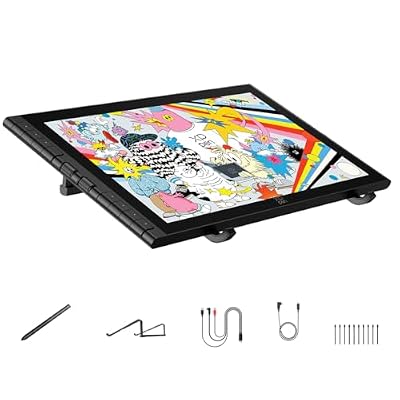
The XP-Pen Artist 16 (3rd Gen) is the premium mid-size pen display pick of this category. It pairs a 15.4 inch full-laminated panel with XP-Pen’s 16,384-level pressure sensitivity, a battery-free X3 Pro pen, programmable shortcut keys, and a wide color gamut targeted at digital illustrators. At around $340 it sits in the sweet spot where a serious pen display becomes affordable without sacrificing the features you actually want.
For a digital artist ready to step up from pen-only tablets, the Artist 16 delivers the things that justify the upgrade. The full-laminated panel means the glass and the LCD pixels are bonded together with almost no air gap, which dramatically reduces the parallax between your pen tip and the cursor — the single biggest comfort difference between cheap and good pen displays. The X3 Pro pen has a noticeably more ‘planted’ feel than entry pens. Add the wide color coverage and reliable XP-Pen drivers, and you have a pen display that will serve you for years.
Pros: Full-laminated panel for minimal parallax, refined X3 Pro pen, wide color gamut, sensible price.
Cons: Pressure-level spec is marketing-led — over 4K is not perceivable; not 4K resolution.
2. HUION KAMVAS Pro 16 Drawing Tablet with Screen 15.6″ Pen Display Anti-Glare
10
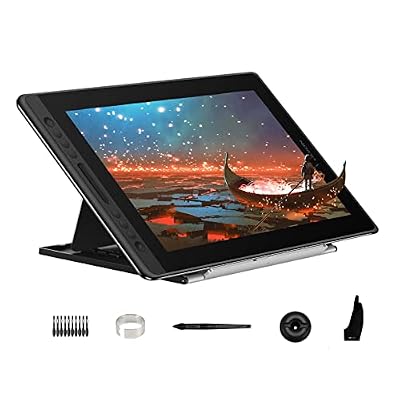
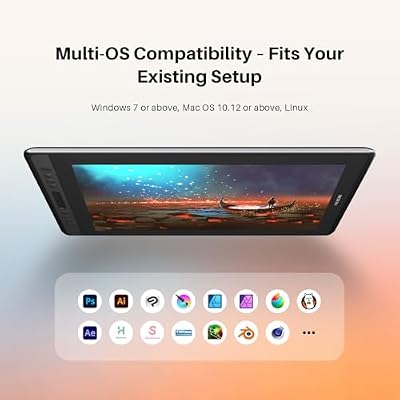
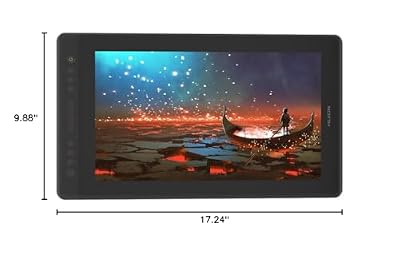
HUION Kamvas Pro 16 Drawing Tablet with Screen,120% sRGB, Touch Bar,15.6"
In Stock



As an Amazon Associate we earn from qualifying purchases. Product prices and availability are accurate as of the date/time indicated.
The HUION KAMVAS Pro 16 is the value champion of pen displays. It is a 15.6 inch laminated pen display with an anti-glare etched-glass finish, HUION’s PW517 battery-free pen, generous sRGB color coverage and programmable touch bars and express keys, all at around $300. That puts a serious mid-size pen display below the price of many premium pen-only tablets, which makes the Kamvas Pro 16 a genuinely disruptive product in its category.
For a working digital artist who cares about value, this is the pen display that most often makes financial sense. The anti-glare etched-glass coating cuts reflections under studio lights — a real, working-day-affecting feature, not a spec-sheet line — and the panel is fully laminated for low parallax. HUION’s drivers have matured into one of the better non-Wacom options, and the PW517 pen is well-balanced. You sacrifice nothing essential against the $340 XP-Pen Artist 16 except for a slightly older pen technology, in exchange for real money saved.
Pros: Anti-glare etched-glass surface, full lamination, mature HUION drivers, strong value.
Cons: Pen feel slightly less refined than newer XP-Pen X3 Pro; no 4K resolution.
3. HUION Kamvas 13 (Gen 3) Drawing Tablet 13.3″ Full-Laminated Pen Display

8
HUION Kamvas 13 (Gen 3) Drawing Tablet with Screen, Dual Dial, 13.3", Black
In Stock


As an Amazon Associate we earn from qualifying purchases. Product prices and availability are accurate as of the date/time indicated.
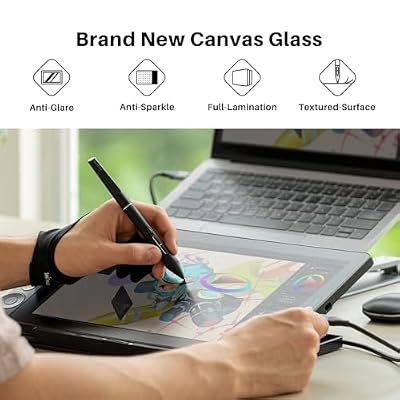
The HUION Kamvas 13 (Gen 3) is the compact full-laminated entry pen display. It is a 13.3 inch full-laminated screen with HUION’s latest pen technology, battery-free stylus, low parallax thanks to lamination, and a slim shell designed to slip into a backpack alongside a laptop. At around $219 it is the most affordable pen display on this list where the panel is still fully laminated, which matters enormously for drawing feel.
This is the pen display to choose if you want the screen-under-pen experience but desk space and budget are both limited. The 13.3 inch panel is small enough to share a desk with a regular monitor or to travel, while still being large enough for real illustration work. Full lamination is the feature that would otherwise be cut at this price, and HUION keeping it on the Kamvas 13 (Gen 3) is genuinely impressive. If you write or sketch as much as you paint, the smaller surface is also less fatiguing to lean over.
Pros: Compact 13.3″ full-laminated panel, low parallax, budget-friendly pen display, travels easily.
Cons: Smaller working area than 15+ inch siblings; not a primary monitor replacement.
4. XPPen Artist12 Pro 11.6″ Drawing Tablet with Screen Pen Display Full-Laminated

9
XPPen Artist12 Pro 11.6" Drawing Tablet with Screen Pen Display Full-Laminated Graphics Tablet with Tilt Function Battery-Free Stylus and 8 Shortcut Keys(8192 Levels Pen Pressure and 72% NTSC)
In Stock



As an Amazon Associate we earn from qualifying purchases. Product prices and availability are accurate as of the date/time indicated.
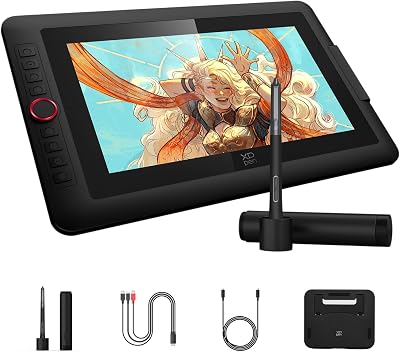
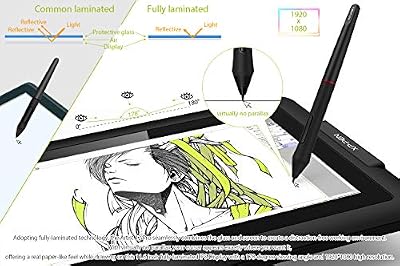
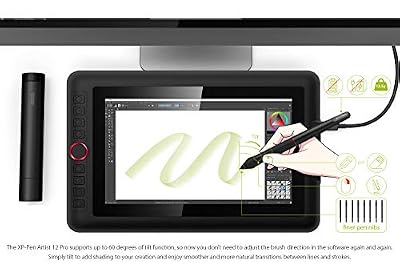
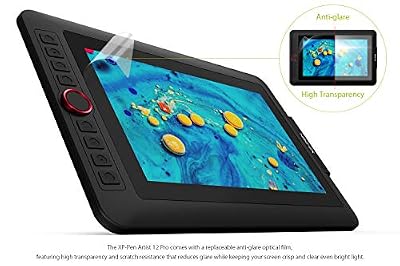
The XP-Pen Artist12 Pro is the smallest desk-friendly pen display here, and the cheapest with full lamination. It is an 11.6 inch full-laminated screen with XP-Pen’s battery-free pen, programmable express keys and a red side scroll wheel for shortcut work like zooming and brush sizing. At around $176 it is the easiest way to put a real, laminated pen display on your desk without anyone needing to negotiate with their wallet about it.
For a beginner who is convinced they want a pen display rather than a pen-only tablet, the Artist12 Pro is the entry point. The 11.6 inch panel is genuinely small — closer to a portable monitor than a primary screen — but it is fully laminated, which keeps the all-important pen-to-cursor parallax low. The red side wheel sounds gimmicky but ends up being one of the more useful ergonomic additions on any tablet, since you control brush size and zoom without shifting hands. As an upgrade path from pen-only tablets, it makes sense.
Pros: Smallest full-laminated pen display, useful red shortcut wheel, low entry price.
Cons: 11.6 inches is genuinely small for serious illustration; modest pixel count.
5. Wacom Cintiq Pro 22 Drawing Tablet with Screen 21.5″ Ultra HD 4K 10-bit

6
Wacom Cintiq Pro 22, Drawing Tablet with 4K 120 Hz Touchscreen & ProPen 3
In Stock


As an Amazon Associate we earn from qualifying purchases. Product prices and availability are accurate as of the date/time indicated.
The Wacom Cintiq Pro 22 is the flagship of professional pen displays, and it is priced like one — around $2,999. That price reflects what a working professional studio actually buys: a 21.5 inch Ultra HD 4K panel with full 10-bit color, Wacom’s Pro Pen 3, full lamination, etched anti-glare glass, factory color calibration, and the kind of build quality that does not flex or creak under a working illustrator’s elbow. This is not a value pick, and we will not pretend it is. It is the tool a paid commercial artist or concept-art studio buys because the tool literally pays for itself in time saved over a few months of jobs.
For everyone else, the question is not whether the Cintiq Pro 22 is good — it is — but whether you genuinely need it. The XP-Pen Artist Pro 24 Gen2 at around $1,100 and the HUION KAMVAS Pro 16 at around $300 deliver 80 to 90 percent of the experience for a fraction of the price. The Cintiq Pro 22 earns its premium with the deepest color fidelity (10-bit, factory calibrated), the most refined Pro Pen 3, the largest single-screen 4K canvas, and Wacom’s industry-defining driver support. If your livelihood depends on color accuracy and pen feel, you pay for it. If it does not, you save the money.
Pros: Flagship 21.5″ 4K UHD 10-bit panel, factory color calibrated, Wacom Pro Pen 3, professional build.
Cons: Roughly ten times the price of capable rivals; overkill for non-professional use.
6. XPPen Artist Pro 24 Gen2 23.8″ Drawing Tablet with Screen ΔE<1 Color Accurate

9
XPPen Artist Pro 24 Gen2 23.8" Drawing Tablet with Screen, △E < 1 Graphic Tablet with Full Laminated AG Screen, Drawing Monitor with Dual 16384 Pen Pressure Battery-Free Stylus, Mini Keydial
In Stock


As an Amazon Associate we earn from qualifying purchases. Product prices and availability are accurate as of the date/time indicated.
Rounding out this list is the XP-Pen Artist Pro 24 Gen2, the large studio pen display value pick. It is a 23.8 inch pen display with a ΔE<1 color-accurate panel, XP-Pen's X3 Pro pen technology, full lamination, and a generous color gamut targeted at professional illustrators and animators. At around $1,100 it sits at roughly a third the price of the Wacom Cintiq Pro 22 while delivering most of the same working experience — which is exactly the value argument that has reshaped the pen display market over the last few years.
For a working illustrator, animator or concept artist who needs a large pen display but cannot justify $3,000, the Artist Pro 24 Gen2 is the realistic alternative. The ΔE<1 specification means the panel's measured color deviation is genuinely small — close to what a professional grading or illustration job demands — and the 23.8 inch canvas gives you room to work at full size without constant zooming. You give up the absolute fidelity and long-term driver support of the Wacom flagship, but you keep your studio budget. For most professional creators, that trade is the right one.
Pros: Large 23.8″ canvas, ΔE<1 color accuracy, full lamination, professional capability at a third of Cintiq price.
Cons: Driver and ecosystem support not quite at Wacom flagship level; still a four-figure purchase.
How to Choose a Pen Display
The single most important pen-display feature is panel lamination. A full-laminated panel bonds the glass surface directly to the LCD layer, which almost eliminates the visible gap between your pen tip and the cursor. A non-laminated panel leaves an air gap of a few millimeters, and that gap creates parallax — the cursor lags behind the pen as you change viewing angle — which is the single biggest reason artists hate cheap pen displays. Every tablet on this list is full-laminated, which is why all of them are worth considering. Below this price tier, lamination is the first thing to verify.
Color accuracy is the second pillar, and how much you should pay for it depends on what you do. If you draw for personal projects, web illustration or social-media art, the wide sRGB coverage on the XP-Pen Artist 16 or HUION Kamvas Pro 16 is plenty. If you produce commercial work for print, animation or any pipeline where color must match between devices, the ΔE<1 calibration of the XPPen Artist Pro 24 Gen2 or the factory-calibrated 10-bit panel of the Wacom Cintiq Pro 22 are the spec sheet you need. Be honest about your job before paying for color you cannot use.
Size and resolution shape your daily work. A 13 inch panel like the Kamvas 13 or 11.6 inch Artist12 Pro is a desk-friendly companion screen, while a 15 or 16 inch panel like the XP-Pen Artist 16 or HUION KAMVAS Pro 16 is the sweet spot for most illustration work. A 22 or 24 inch panel like the Wacom Cintiq Pro 22 or XPPen Artist Pro 24 Gen2 becomes your primary monitor — and you should plan desk space, lighting and a sturdy stand for it. Resolution matters primarily on the largest panels, where 4K becomes meaningful.
Finally, weigh the pen and the ecosystem. Wacom’s Pro Pen 3 remains the industry reference for pen feel, but XP-Pen’s X3 Pro and HUION’s PW517 pens have closed the gap substantially over the last few years. Drivers have caught up too — HUION and XP-Pen both deliver reliable modern drivers on macOS and Windows. The flagship Wacom Cintiq Pro 22 is the right buy if your work demands it and the cost is justifiable as a business tool. For everyone else, a $300 to $1,100 pen display from HUION or XP-Pen delivers a workflow you will be happy with for years.
Frequently Asked Questions
Why does a pen display cost so much more than a pen-only tablet?
Because you are paying for a high-quality LCD panel, full lamination to eliminate parallax, factory color calibration on the better units, and a refined pen with high pressure precision and tilt. A pen-only tablet is a flat surface with a touch-sensitive layer; a pen display is essentially a monitor with a digitiser built in. The two products serve overlapping but different needs.
Is the Wacom Cintiq Pro 22 worth $2,999?
Only if your work depends on it. For a working professional illustrator, animator or commercial concept artist whose income covers the cost, the Cintiq Pro 22 delivers the most refined pen feel, the deepest factory color calibration and the most mature driver support in the industry. For a hobby or learning artist, the HUION KAMVAS Pro 16 at $300 or XP-Pen Artist 16 at $340 give you the pen-display experience without the flagship tax.
What does full-laminated mean and why does it matter?
A full-laminated panel bonds the glass surface directly to the LCD layer with no air gap. That eliminates almost all of the visible offset between the tip of your pen and the cursor it draws — the parallax effect. Non-laminated panels are cheaper to build but feel noticeably worse to draw on. Every pen display on this list is fully laminated, which is the standard you should demand at this price tier.
How does an XP-Pen or HUION pen display compare to a Wacom Cintiq?
Much more closely than you might expect. Modern HUION KAMVAS Pro and XP-Pen Artist Pro panels deliver 80 to 90 percent of the Cintiq Pro experience for 10 to 33 percent of the price. The remaining gap shows up in absolute color calibration, pen-tip refinement and decades-deep driver support. For professional studio work where every percent matters, Wacom still leads. For every other use case, the value alternatives now genuinely compete.
Related Guides
- Best Drawing Tablets Overall
- Best Drawing Tablets for Beginners
- Best Wacom Drawing Tablets
- Best Huion Drawing Tablets
- Best XP-Pen Drawing Tablets
- Best Monitors for Content Creation
- Best 4K Monitors
- Best Gaming PC Picks
Affiliate Disclosure: As an Amazon Associate, we earn from qualifying purchases. If you click a link and make a purchase, we may earn a small commission at no extra cost to you. Prices and availability are accurate as of publication and may change.










