

🛒 Best Price Today on Amazon
Prime members get fast, free shipping on everything above, plus member-only deals. New members get a 30-day free trial — cancel anytime.
- Top Wacom Drawing Tablets Picks for 2026
- Best Wacom Drawing Tablets at a Glance
- 1. Wacom Intuos Small Graphics Drawing Tablet with Training and Software
- 2. Wacom Intuos Medium Bluetooth Graphics Drawing Tablet Portable
- 3. Wacom Intuos Pro Small (10.6×6.7″) Wireless Graphics Pro Pen Tablet
- 4. Wacom Intuos Pro Small (Renewed) PTH460K0A Mac/PC Pro Drawing Tablet
- 5. Wacom Cintiq Pro 22 Drawing Tablet with Screen 21.5″ Ultra HD 4K
- 6. Wacom Cintiq Adjustable Stand (Essential Accessory for Cintiq Line)
- How to Choose the Right Wacom Drawing Tablet
- Related Guides
- Frequently Asked Questions
- Related Guides
- Related Articles
- Related Guides
Top Wacom Drawing Tablets Picks for 2026
Here are our current top wacom drawing tablets picks, compared on real Amazon owner reviews, price, and features. Live prices update below.
As an Amazon Associate we earn from qualifying purchases at no extra cost to you.






Wacom has made drawing tablets since the 1980s, and in 2026 the company still sets the reference for everyone else. Wacom hardware is what nearly every professional illustrator, animator, concept artist and graphic designer learned on and continues to use, and the company’s driver software, pen technology and ecosystem integration with Adobe and Clip Studio Paint is, frankly, the industry standard. That heritage has a real cost — Wacom prices have not fallen as quickly as competitors like HUION and XP-Pen — but it also delivers a working experience that explains the brand’s continued dominance. This guide rounds up the best Wacom drawing tablets in 2026 from across the Intuos, Intuos Pro and Cintiq lineups.
Our picks were chosen to cover every tier of Wacom’s drawing-tablet range. From the Intuos Small at around $40 to the Cintiq Pro 22 at around $3,000, Wacom organises its products into three families: Intuos for beginners and casual use, Intuos Pro for working professionals who want a pen-only experience, and Cintiq for pen displays with screens you draw on. We have also included the Intuos Pro Small in both new and renewed listings so you can see the real price gap between buying fresh from the factory and refurbished. The Cintiq Adjustable Stand rounds out the list as the essential official accessory for any Cintiq buyer. Below is an at-a-glance comparison, then a closer look at each Wacom and a buyer’s guide built around the Intuos-versus-Cintiq decision.
Best Wacom Drawing Tablets at a Glance
| Wacom Tablet | Best For | Standout Spec | Approx Price |
|---|---|---|---|
| Wacom Intuos Small | Beginner entry to Wacom | Small active area, bundled software | around $40 |
| Wacom Intuos Medium | Mainstream Intuos with Bluetooth | Medium 8.5×5.3″ area, wireless | around $129 |
| Wacom Intuos Pro Small (new) | New Wacom Pro at small size | Pro Pen 2, multi-touch | around $250 |
| Wacom Intuos Pro Small (renewed) | Wacom Pro on a budget | Refurbished Pro Pen 2 tablet | around $170 |
| Wacom Cintiq Pro 22 | Wacom pen display flagship | 21.5″ 4K UHD 10-bit color | around $2999 |
| Wacom Cintiq Adjustable Stand | Essential Cintiq accessory | Official ergonomic stand | around $80 |
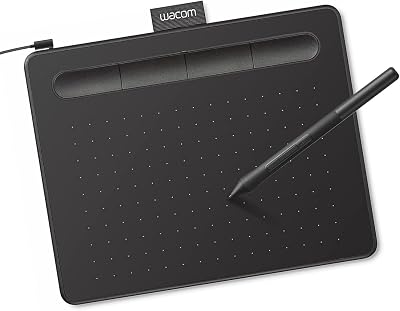
1. Wacom Intuos Small Graphics Drawing Tablet with Training and Software
25
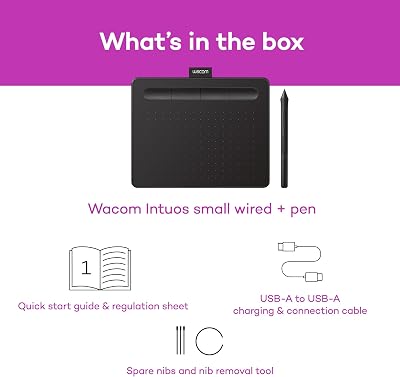
Wacom Intuos Small Graphics Drawing Tablet, Includes Training & Software; 4 Customizable ExpressKeys Compatible with Chromebook Mac Android & Windows, Black
In Stock








As an Amazon Associate we earn from qualifying purchases. Product prices and availability are accurate as of the date/time indicated.
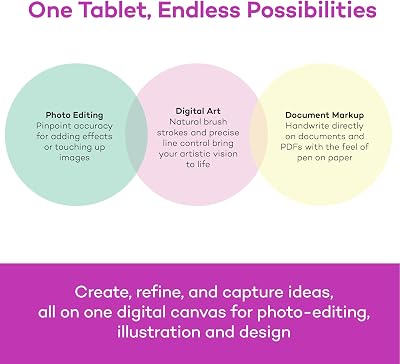
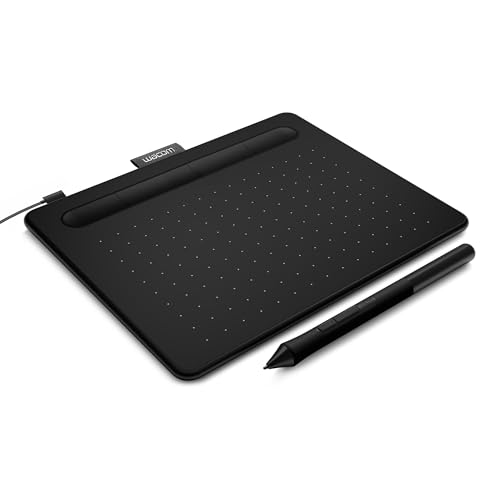
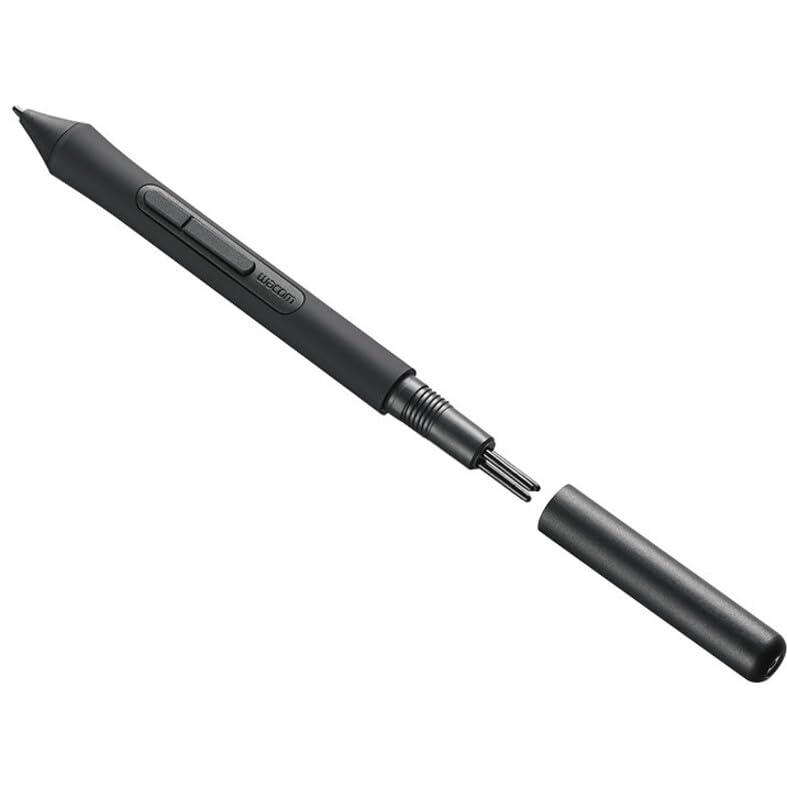
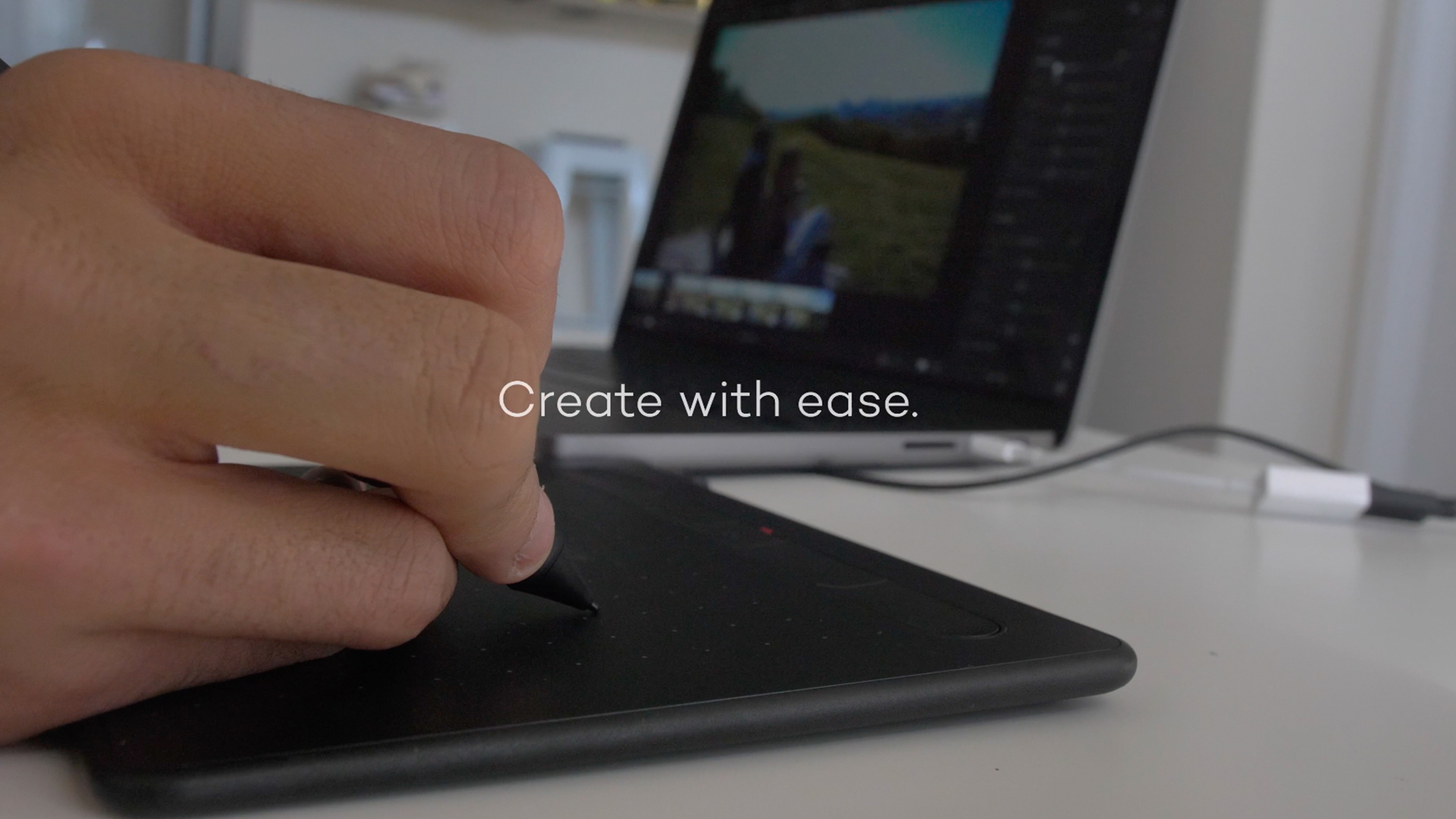
The Wacom Intuos Small is the gateway into the Wacom ecosystem. It is the company’s smallest pen-only tablet, a compact battery-free pen on a small active area with four express keys, and at around $40 it is by far the cheapest way to put a Wacom on your desk. It is bundled with one of Wacom’s rotating offers of creative software — typically a Clip Studio Paint or Corel Painter subscription, depending on when you buy — and the package is designed as a ‘first Wacom’ for anyone curious about the brand.
Compared with the cheaper non-Wacom alternatives, the Intuos Small does not give you the largest active area for your money. What it does give you is Wacom’s mature drivers, the polished battery-free Wacom pen, decades of documentation and YouTube tutorials, and the bundled software that gets a first-time artist working on day one. For anyone whose buying decision is specifically ‘I want a Wacom, just on a small budget’, this is the answer. Outgrow it in a year or two, sell it on, and step up to the Intuos Medium.
Pros: Cheapest entry into the Wacom ecosystem, mature drivers, bundled creative software, battery-free pen.
Cons: Active area is genuinely small versus same-price non-Wacom alternatives.
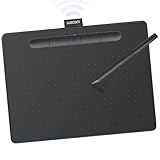
2. Wacom Intuos Medium Bluetooth Graphics Drawing Tablet Portable
10
Wacom Intuos Medium, Bluetooth Graphic Drawing Tablet with Pen + Software
In Stock







As an Amazon Associate we earn from qualifying purchases. Product prices and availability are accurate as of the date/time indicated.
The Wacom Intuos Medium is the mainstream Wacom Intuos pick, the size and price most Wacom buyers actually end up with. It is a medium 8.5×5.3 inch pen-only tablet with Wacom’s battery-free pen, four customisable express keys, Bluetooth wireless and a typically bundled creative-software offer. At around $129 it is the long-term keeper of the Intuos family, the tablet you can settle into for years without feeling cramped.
What makes the Intuos Medium the sweet spot is that the active area is large enough to draw with your shoulder rather than just your wrist — a real ergonomic upgrade over the small — while the price still sits comfortably below the Intuos Pro tier. Bluetooth lets you draw away from your desk, the bundled software gets you working immediately, and the standard Wacom pen feel and driver maturity are exactly what they should be. If you want one Wacom Intuos and you intend to keep drawing, buy this one and stop shopping.
Pros: Most popular mainstream Wacom, medium active area, Bluetooth wireless, polished pen and drivers.
Cons: Wacom premium over comparable non-Wacom tablets at this size.
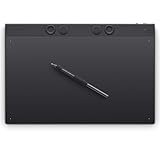
3. Wacom Intuos Pro Small (10.6×6.7″) Wireless Graphics Pro Pen Tablet

6
Wacom PTH460K0A Intuos Pro Digital Graphic Drawing Tablet Mac/PC Small (Renewed) Bundle with 2 YR CPS Enhanced Protection Pack
In Stock
View on Amazon.com


As an Amazon Associate we earn from qualifying purchases. Product prices and availability are accurate as of the date/time indicated.
The Wacom Intuos Pro Small new is the step into Wacom’s professional pen-only line. It is a compact-but-not-small tablet with a 10.6×6.7 inch outer body and a genuinely professional active area, Wacom’s Pro Pen 2 (8,192 pressure levels, tilt support and the company’s most refined pen feel), multi-touch gesture support, eight customisable express keys and Bluetooth. At around $250 it is the professional Wacom that costs less than many ordinary tablets — if you do not need a screen.
For a working illustrator who prefers pen-only — and many do, because the ergonomics of a flat tablet beside the keyboard let you keep your monitor at ideal eye level — the Intuos Pro Small is the right buy. The Pro Pen 2 is noticeably more refined than the standard Intuos pen, the multi-touch lets you pinch-zoom and rotate without keyboard input, and the build quality is a step up from the consumer Intuos line. It is the lifetime professional pen-only tablet for anyone who does not want a Cintiq.
Pros: Refined Wacom Pro Pen 2, multi-touch gestures, Bluetooth, professional build quality.
Cons: Cheaper than a Cintiq but still a real outlay; no screen.
4. Wacom Intuos Pro Small (Renewed) PTH460K0A Mac/PC Pro Drawing Tablet
6
Wacom PTH460K0A Intuos Pro Digital Graphic Drawing Tablet Mac/PC Small (Renewed) Bundle with 2 YR CPS Enhanced Protection Pack
In Stock
View on Amazon.com
As an Amazon Associate we earn from qualifying purchases. Product prices and availability are accurate as of the date/time indicated.
The Wacom Intuos Pro Small in renewed condition is the same hardware as the new model above, refurbished and re-certified by Wacom or a vetted partner and offered at around $170 — a real saving of roughly $80 over the new price. It carries the Pro Pen 2, multi-touch, eight express keys and Bluetooth wireless. Cosmetic wear is possible since these units have been previously used and returned, and the warranty is typically shorter than a new unit, but the functional hardware is the same.
For a working artist who wants Intuos Pro quality at the lowest possible price, the renewed listing is genuinely attractive. Refurbished Wacom hardware has an excellent reputation: the build quality is high, the pen technology does not wear out the way batteries do, and the company’s certification process is thorough. The honest trade is potential cosmetic wear and a shorter warranty period. If you do not mind that, the renewed Intuos Pro Small saves you the difference between Pro and consumer Intuos, which is a meaningful chunk of money.
Pros: Same Pro Pen 2 and multi-touch as new model, around $80 cheaper, refurbished but functionally identical.
Cons: Cosmetic wear possible; shorter warranty than new — buy from reputable seller only.
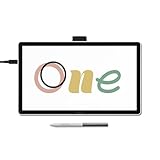
5. Wacom Cintiq Pro 22 Drawing Tablet with Screen 21.5″ Ultra HD 4K

6
Wacom Cintiq Pro 22, Drawing Tablet with 4K 120 Hz Touchscreen & ProPen 3
In Stock


As an Amazon Associate we earn from qualifying purchases. Product prices and availability are accurate as of the date/time indicated.
The Wacom Cintiq Pro 22 is the brand’s pen-display flagship and the most premium tablet in Wacom’s lineup. It is a 21.5 inch Ultra HD 4K panel with full 10-bit color, factory color calibration, the Wacom Pro Pen 3, full-laminated etched anti-glare glass and the build quality of a professional studio tool. At around $2,999 it is priced unambiguously as a working professional’s investment — the device a paid commercial illustrator or studio buys because the time it saves over a few months of jobs pays for the tablet.
Within the Wacom lineup specifically, the Cintiq Pro 22 represents what the brand does that no competitor quite matches. The Pro Pen 3 is the most refined drawing pen on the market, the factory color calibration is genuinely useful for commercial print work, and the driver stack has decades of refinement behind it. We will be honest: a $1,100 XP-Pen Artist Pro 24 Gen2 delivers most of this experience for a third the price. The Cintiq Pro 22 is for the user whose work specifically demands the last 10% of refinement, and if that is not you, this is not the right Wacom.
Pros: Flagship 21.5″ 4K panel, 10-bit factory-calibrated color, Pro Pen 3, decades of driver maturity.
Cons: Roughly $3,000 — premium even within Wacom’s own lineup; overkill for most users.
6. Wacom Cintiq Adjustable Stand (Essential Accessory for Cintiq Line)
8


As an Amazon Associate we earn from qualifying purchases. Product prices and availability are accurate as of the date/time indicated.
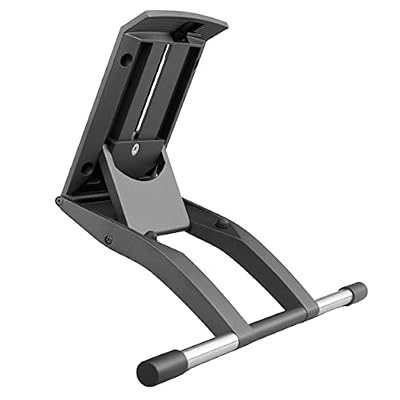
Closing the Wacom list is the Cintiq Adjustable Stand, which is an accessory rather than a tablet — and we want to be honest about that upfront. It is the official Wacom-designed stand for the Cintiq family, engineered to hold a Cintiq Pro at a comfortable working angle, support leaning into the screen as you draw, and rotate or adjust without flex. At around $80 it is sensibly priced for what it is, and it earns a spot on this list because anyone buying a Cintiq Pro 22 almost certainly needs an appropriate stand to use it ergonomically.
For Wacom Cintiq buyers specifically, the stand decision is significant. Drawing on a heavy pen display for hours on end without proper support is uncomfortable at best and injurious at worst, and an official Wacom stand removes the wobble or instability you find on cheap third-party options. We are including it not as a drawing tablet — it has no digitiser, no pen and no screen — but as the essential companion any serious Cintiq user should consider buying alongside the tablet itself. If you are not buying a Cintiq, you do not need this stand; if you are, you do.
Pros: Official Wacom ergonomic stand, sized and engineered specifically for Cintiq use, sturdy build.
Cons: Not a drawing tablet — accessory only; only relevant if you own or are buying a Cintiq.
How to Choose the Right Wacom Drawing Tablet
The first Wacom decision is Intuos versus Intuos Pro versus Cintiq, because those three families serve very different users. Intuos is the consumer pen-only line for beginners and casual hobbyists — small, mid and modest pricing. Intuos Pro is the professional pen-only line with the better Pro Pen 2, multi-touch and Bluetooth, sized for working illustrators who prefer drawing beside a monitor rather than on a screen. Cintiq is the pen-display line, where you draw directly on the screen, and it is where Wacom’s flagship pricing lives. Pick your family before you compare specific models.
Within Intuos, size is the practical decision. The Small at around $40 is wrist-driven and you will outgrow it; the Medium at around $129 is the long-term keeper that lets you draw from the shoulder. Skip the in-between if you can — you will spend the $90 difference on something else within a year anyway. Within Intuos Pro, the new-versus-renewed gap is real and worth considering: roughly $250 new, around $170 renewed, for functionally identical hardware. Buy renewed only from a reputable seller.
Cintiq is its own conversation. The Cintiq Pro 22 here is the flagship at around $3,000, but Wacom’s Cintiq line covers a broad range of sizes and price points. The honest truth in 2026 is that HUION KAMVAS Pro and XP-Pen Artist Pro pen displays now deliver most of what Cintiq offers for a third or less of the price. Wacom retains the lead in pen feel, color calibration and decades-deep driver support, and those things justify the premium if your professional work requires them. Buy Cintiq if those features matter to your livelihood.
Finally, plan accessories with the tablet. A Cintiq Pro 22 needs an appropriate stand — official, like the Wacom Cintiq Adjustable Stand here, or a quality third-party — because drawing on a heavy unsupported pen display ruins your neck and back. Intuos and Intuos Pro need none of that but benefit from a wide desk surface so you can move from the shoulder. Match your Wacom to your work, plan the ergonomics, and you will spend the Wacom premium where it actually returns value to you.
Frequently Asked Questions
Is a Wacom drawing tablet worth the premium over HUION or XP-Pen?
For some users, absolutely. Wacom’s driver maturity, pen technology and ecosystem integration with Adobe and Clip Studio Paint remain the industry reference, and for working professionals that reliability and pen feel justify the cost. For hobby and learning artists, modern HUION and XP-Pen tablets now deliver 80 to 90 percent of the experience at a much lower price. Decide whether the Wacom premium returns value to you specifically.
What is the difference between Wacom Intuos and Intuos Pro?
Intuos is the consumer pen-only line with the standard Wacom pen, four to eight express keys and bundled software for beginners. Intuos Pro is the professional pen-only line with the more refined Pro Pen 2, multi-touch gestures, more express keys, Bluetooth and a step up in build quality. For casual drawing, Intuos is plenty; for paid professional pen-only work, Intuos Pro is the upgrade.
Should I buy a renewed Wacom Intuos Pro?
Yes, if you buy from a reputable seller. Refurbished Wacom hardware is functionally identical to new — the pen technology does not wear, and Wacom build quality survives careful refurbishment well. The renewed Intuos Pro Small at around $170 saves roughly $80 over the new model. The honest trade-off is possible cosmetic wear and a shorter warranty, so check the seller’s return policy and inspect on arrival.
Do I need the Wacom Cintiq Adjustable Stand?
Only if you own or are buying a Wacom Cintiq pen display. The stand is engineered specifically to hold a heavy Cintiq at a comfortable working angle, which matters enormously for long-session ergonomics. If you have an Intuos pen-only tablet, the stand is irrelevant — it does not apply to a tablet that sits flat on your desk.
Related Guides
- Best Drawing Tablets Overall
- Best Drawing Tablets for Beginners
- Best Pen Display Drawing Tablets
- Best Huion Drawing Tablets
- Best XP-Pen Drawing Tablets
- Best Monitors for Content Creation
- Best 4K Monitors
- Best Gaming Desks
Affiliate Disclosure: As an Amazon Associate, we earn from qualifying purchases. If you click a link and make a purchase, we may earn a small commission at no extra cost to you. Prices and availability are accurate as of publication and may change.










