

🛒 Best Price Today on Amazon
Prime members get fast, free shipping on everything above, plus member-only deals. New members get a 30-day free trial — cancel anytime.
- Top Huion Drawing Tablets Picks for 2026
- Best HUION Drawing Tablets at a Glance
- 1. HUION KAMVAS Pro 16 Drawing Tablet with Screen 15.6″ Pen Display Anti-Glare
- 2. HUION Kamvas 13 (Gen 3) Drawing Tablet 13.3″ Full-Laminated Pen Display
- 3. HUION Kamvas 13 (Gen 3) Drawing Tablet 13.3″ Full-Laminated (color variant)
- 4. HUION KAMVAS 22 Drawing Tablet with Screen 120% sRGB PW517 Battery-Free Stylus
- 5. HUION HS610 Drawing Tablet (HUION Brand Ecosystem Entry)
- 6. HUION PW100 Battery-Free Stylus (Replacement Stylus for Inspiroy Series)
- How to Choose the Right HUION Drawing Tablet
- Related Guides
- Frequently Asked Questions
- Related Guides
- Related Articles
- Related Guides
Top Huion Drawing Tablets Picks for 2026
Here are our current top huion drawing tablets picks, compared on real Amazon owner reviews, price, and features. Live prices update below.
As an Amazon Associate we earn from qualifying purchases at no extra cost to you.




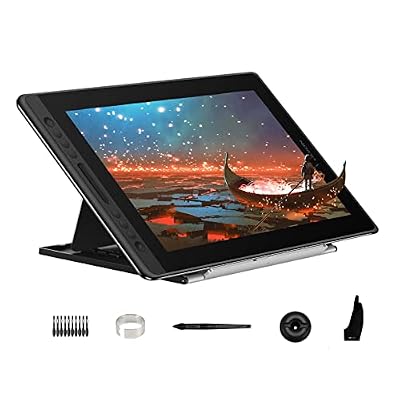

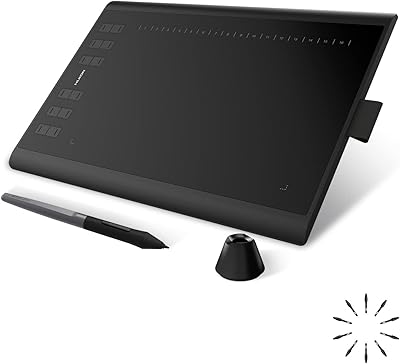
HUION is the second-largest drawing-tablet brand in the world by volume, and the company has reshaped the market over the last decade by delivering Wacom-class hardware at meaningfully lower prices. The HUION lineup splits into two main families: Kamvas pen displays, where you draw directly on a screen, and Inspiroy pen-only tablets, where you draw on a flat surface and look at a separate monitor. Within each family, HUION covers entry, mid and premium tiers, and the company’s drivers have matured into one of the better non-Wacom options on macOS and Windows. This guide rounds up the best HUION drawing tablets in 2026 from across the Kamvas and Inspiroy ranges, plus the essential PW100 stylus.
Our picks were chosen to represent HUION’s actual range. The KAMVAS Pro 16 is the value champion of the entire pen-display category, the Kamvas 13 (Gen 3) is the compact full-laminated entry, the KAMVAS 22 is the large pen display, and the HS610 is HUION’s most popular pen-only tablet — included here from a brand-ecosystem angle rather than the entry-pen-only angle of our beginners guide. We have also noted the two Kamvas 13 Gen 3 listings — they appear to be the same hardware in different color variants, so we have covered them together. The PW100 closes the list as the replacement stylus for Inspiroy pen-only tablets, and we will flag honestly that it is an accessory not a tablet.
Best HUION Drawing Tablets at a Glance
| HUION Tablet | Best For | Standout Spec | Approx Price |
|---|---|---|---|
| HUION KAMVAS Pro 16 | HUION pen-display flagship value | 15.6″ anti-glare laminated | around $300 |
| HUION Kamvas 13 (Gen 3) | Compact HUION pen display | 13.3″ full-laminated | around $219 |
| HUION Kamvas 13 (Gen 3) color variant | Kamvas 13 alternate finish | 13.3″ full-laminated | around $219 |
| HUION KAMVAS 22 | Large HUION pen display | 21.5″ 120% sRGB, PW517 | around $449 |
| HUION HS610 (brand ecosystem) | HUION pen-only entry to ecosystem | Inspiroy-style pen-only | around $50 |
| HUION PW100 Replacement Stylus | Inspiroy stylus replacement | Battery-free Inspiroy pen | around $22 |
1. HUION KAMVAS Pro 16 Drawing Tablet with Screen 15.6″ Pen Display Anti-Glare
10
HUION Kamvas Pro 16 Drawing Tablet with Screen,120% sRGB, Touch Bar,15.6"
In Stock



As an Amazon Associate we earn from qualifying purchases. Product prices and availability are accurate as of the date/time indicated.
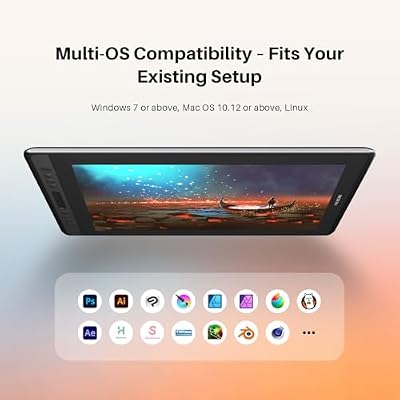
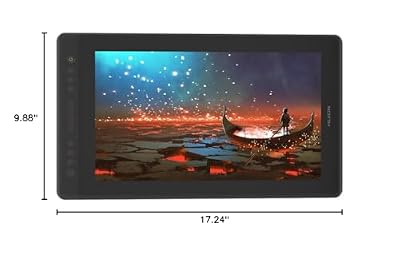
Within the HUION lineup, the KAMVAS Pro 16 is the brand’s value-flagship pen display — the product that most defines what HUION does well. It is a 15.6 inch full-laminated pen display with an anti-glare etched-glass surface, HUION’s PW517 battery-free pen, generous color coverage and programmable shortcut keys, all at around $300. That is roughly a third the price of the comparable XP-Pen Artist 16 generation and a tenth the price of the flagship Wacom Cintiq Pro 22.
For anyone shopping HUION specifically, this is the tablet that makes the brand’s reputation. The anti-glare etched-glass coating is a working-day feature, not a marketing line — it visibly reduces reflections from studio lights and overhead windows, and once you have drawn on it you do not want to go back. Full lamination keeps parallax low, the PW517 pen is well-balanced, and HUION’s drivers have stabilised into one of the more reliable non-Wacom options. If you are convinced HUION is the right brand for your budget, this is the centerpiece of their range.
Pros: Anti-glare etched-glass surface, full lamination, mature HUION drivers, defining value pick.
Cons: Slightly older pen technology than newest HUION releases; not 4K resolution.
2. HUION Kamvas 13 (Gen 3) Drawing Tablet 13.3″ Full-Laminated Pen Display
8
HUION Kamvas 13 (Gen 3) Drawing Tablet with Screen, Dual Dial, 13.3", Black
In Stock


As an Amazon Associate we earn from qualifying purchases. Product prices and availability are accurate as of the date/time indicated.
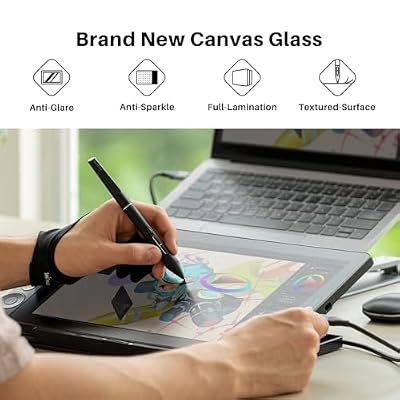
The HUION Kamvas 13 (Gen 3) is HUION’s compact pen display, designed for creators who want the screen-under-pen experience but cannot or will not give up the desk space for a 15+ inch panel. It is a 13.3 inch full-laminated display with HUION’s current pen technology, a slim shell built to travel, and the same battery-free PW517-class stylus as larger Kamvas tablets. At around $219 it is the cheapest fully-laminated pen display in the HUION lineup and one of the cheapest in the entire category.
For HUION buyers specifically, the Kamvas 13 (Gen 3) is the brand’s answer to two real problems: small desks and limited budgets. Full lamination — the most important pen-display feature — survives at this price point, which is the engineering achievement HUION is best known for. The 13.3 inch panel is small enough to slide alongside a regular monitor or to slip into a backpack with a laptop. If you want into the HUION pen-display family but the Kamvas Pro 16 is too much, this is the way.
Pros: Compact 13.3″ full-laminated panel, lowest-price HUION pen display with lamination, travels well.
Cons: Smaller surface than Kamvas Pro 16; not large enough to replace a primary monitor.
3. HUION Kamvas 13 (Gen 3) Drawing Tablet 13.3″ Full-Laminated (color variant)
8
HUION Kamvas 13 (Gen 3) Drawing Tablet with Screen 16K Pressure PenTech 4.0
In Stock


As an Amazon Associate we earn from qualifying purchases. Product prices and availability are accurate as of the date/time indicated.
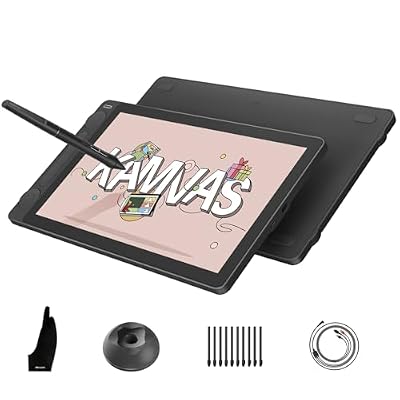
This is the alternate-listing or color-variant version of the HUION Kamvas 13 (Gen 3). HUION sometimes releases the same model under two ASINs with different finishes — for example a darker shell versus a lighter or patterned shell, or with subtly different included accessory bundles. The hardware specifications, 13.3 inch full-laminated panel, pen technology and price (around $219) appear to be identical to the primary listing above. We are including it for transparency rather than as a meaningfully different product.
For HUION buyers, the practical advice is simple: pick whichever Kamvas 13 (Gen 3) listing has stock, a fair price and the finish you prefer at the moment you are shopping. Functionally, these two listings deliver the same drawing experience — the same full-laminated panel, the same pen, the same HUION drivers and the same compact form factor. If you find one for meaningfully less than the other, choose the cheaper one. The distinction between them is cosmetic rather than performance-based.
Pros: Same Kamvas 13 (Gen 3) hardware as primary listing, alternate finish or bundle, same drawing experience.
Cons: Effectively identical to the primary Kamvas 13 listing — pick whichever has better stock or price.
4. HUION KAMVAS 22 Drawing Tablet with Screen 120% sRGB PW517 Battery-Free Stylus

10





As an Amazon Associate we earn from qualifying purchases. Product prices and availability are accurate as of the date/time indicated.
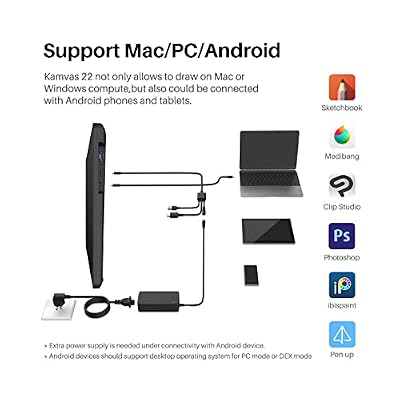
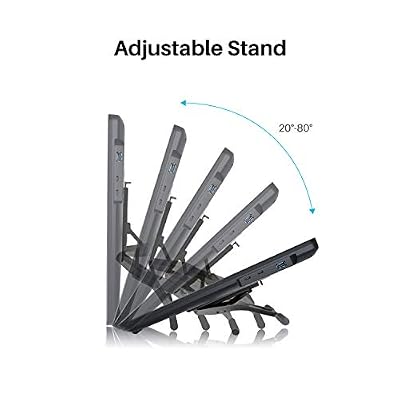
The HUION KAMVAS 22 is HUION’s large pen display, designed as a primary drawing screen rather than a companion. It is a 21.5 inch panel with 120% sRGB color coverage, HUION’s PW517 battery-free pen, programmable shortcut keys and an anti-glare surface. At around $449 it sits at roughly a sixth the price of the Wacom Cintiq Pro 22 — the obvious comparison, since both are 21-22 inch professional-aimed pen displays.
For HUION buyers wanting a large primary pen-display screen, this is the answer. The 120% sRGB coverage means the panel can reproduce the full sRGB color space and then some, which is plenty for illustration, web design, concept art and most non-print commercial work. The PW517 pen is well-balanced, and the 21.5 inch canvas eliminates the small-screen compromise of the Kamvas 13. We will be honest: this does not match the Wacom Cintiq Pro 22’s 10-bit factory-calibrated panel or absolute pen refinement. It matches roughly 80 to 90 percent of the experience at roughly 15 percent of the price — exactly the trade HUION has built its reputation on.
Pros: Large 21.5″ canvas, 120% sRGB coverage, PW517 pen, professional capability at a fraction of Cintiq price.
Cons: Not 10-bit color or factory calibrated; pen refinement below Wacom Pro Pen 3.
5. HUION HS610 Drawing Tablet (HUION Brand Ecosystem Entry)

29
Prime
HUION Drawing Tablet HS610 Graphic Tablet with Battery-Free Stylus 8192 Pen Pressure Tilt Function, 10×6.25 Inches Digital Art for Animation & Design, Compatible with Windows/Mac/Android
In Stock






As an Amazon Associate we earn from qualifying purchases. Product prices and availability are accurate as of the date/time indicated.
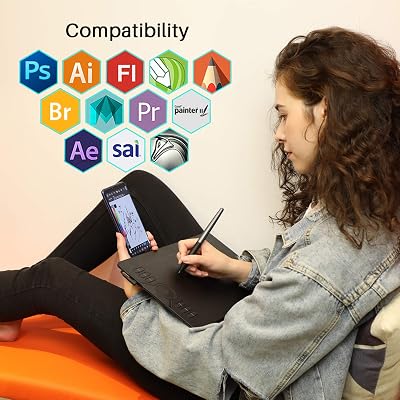
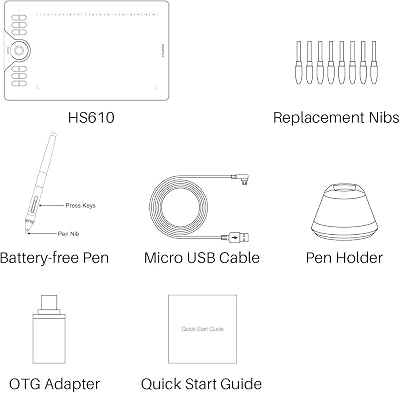
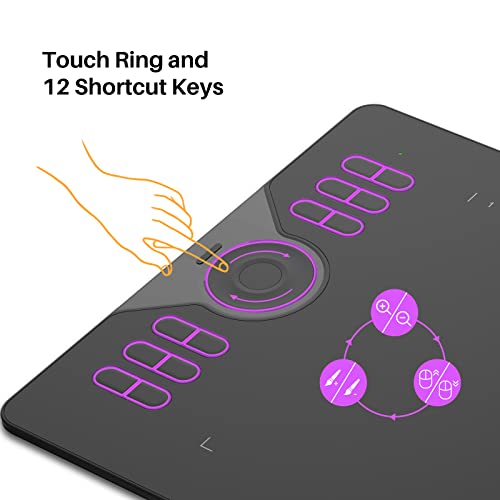
Within the HUION-brand context — distinct from the entry-pen-only-tablet context of our beginners guide — the HS610 is the company’s most popular pen-only tablet and the cheapest entry point into the HUION ecosystem. It is a 10×6.25 inch pen-only tablet with a battery-free stylus, 8,192 pressure levels, sixteen express keys and twelve programmable soft keys, all at around $50. It serves as a Inspiroy-style introduction to HUION’s hardware, drivers and shortcut-key philosophy.
For someone already committed to HUION — perhaps as a companion to a Kamvas pen display, or as an inexpensive way to evaluate the brand’s driver experience before spending on a pen display — the HS610 is the smart pick. The dense express-key array sets it apart and rewards artists who learn to use the tablet as a unified input surface rather than just a drawing area. It is by far the cheapest HUION product here, which makes it an easy-to-recommend trial of the HUION ecosystem before bigger investment.
Pros: Most affordable HUION-brand entry, dense express-key array, battery-free pen, useful Kamvas companion.
Cons: Pen-only with no screen; smaller than HUION’s Kamvas pen displays.
6. HUION PW100 Battery-Free Stylus (Replacement Stylus for Inspiroy Series)

7


As an Amazon Associate we earn from qualifying purchases. Product prices and availability are accurate as of the date/time indicated.
Closing the HUION list is the PW100, and we want to flag this honestly: it is a stylus, not a drawing tablet. The PW100 is HUION’s battery-free replacement pen for Inspiroy-series pen-only tablets, designed to drop in if you lose your original Inspiroy stylus, if your existing pen develops a fault outside warranty, or if you simply want a second pen with different tip wear or grip preferences. At around $22 it is a sensibly priced accessory and a useful safety net for HUION Inspiroy owners.
We are including the PW100 on this HUION roundup because HUION-specific drawing-tablet shoppers genuinely benefit from knowing the replacement-stylus ecosystem exists. A lost or broken pen is otherwise the kind of frustration that ends a project mid-deadline, and a sub-$25 spare pen is cheap insurance for anyone whose Inspiroy is their primary input device. Do not buy the PW100 if you are not already a HUION Inspiroy user — it is not a tablet, has no drawing surface, and is not compatible with Kamvas pen displays. For Inspiroy owners, it is a smart, low-cost peace-of-mind buy.

Pros: Battery-free replacement pen for HUION Inspiroy, useful safety net, affordable insurance against lost/broken stylus.
Cons: Accessory only — not a tablet; only compatible with HUION Inspiroy pen-only tablets, not Kamvas displays.
How to Choose the Right HUION Drawing Tablet
Within HUION’s range, the first decision mirrors the broader category: do you want a pen display (Kamvas, screen you draw on) or pen-only (Inspiroy or HS610-class, flat surface beside your keyboard)? Pen displays cost two to ten times what HUION’s pen-only tablets do, so the answer matters financially as well as ergonomically. Beginners should usually start pen-only, but if you already know you want a screen, HUION offers four genuinely good Kamvas options ranging from the compact Kamvas 13 (Gen 3) to the large KAMVAS 22.
Within HUION’s Kamvas pen-display range, size is the practical decision. The 13.3 inch Kamvas 13 is the desk-friendly compact option for tight spaces or laptops; the 15.6 inch KAMVAS Pro 16 is the sweet spot for most working artists; the 21.5 inch KAMVAS 22 is the large primary-screen option for creators who want a Wacom Cintiq experience at a fraction of the price. All three are fully laminated, which is the critical quality threshold for pen-display feel. The KAMVAS Pro 16’s anti-glare etched-glass is genuinely useful working-life detail.
Compared with Wacom specifically, HUION’s positioning is clear. You give up the absolute pen-tip refinement of the Wacom Pro Pen 2 or Pro Pen 3, the factory color calibration of high-end Cintiqs, and the decades-deep ecosystem of Wacom drivers and Adobe integration. In exchange, you keep a third to two thirds of your money. For commercial print-color work or paid-by-the-hour professional illustration where the gap matters, Wacom retains its lead. For almost every other digital art use case in 2026, HUION’s drawing experience is genuinely competitive — that is the brand’s value proposition.
Finally, plan for the accessory ecosystem. Inspiroy-class HUION pen-only tablets like the HS610 use the PW100 replacement pen, and keeping a spare pen makes sense if the tablet is your primary input device. HUION Kamvas pen displays use the PW517-class pen, which has its own replacement listings if needed. Pen-display owners also benefit from a sturdy stand and a clean desk to reduce strain. Pick the right Kamvas or Inspiroy for your work, plan the accessories, and HUION will deliver a genuinely competitive drawing experience at a meaningfully lower cost than Wacom.
Frequently Asked Questions
How does HUION compare to Wacom for serious digital art?
Closer than the price gap suggests. HUION’s modern Kamvas pen displays deliver 80 to 90 percent of a comparable Wacom Cintiq’s drawing experience at a third to a sixth of the price. Wacom retains the lead in absolute pen-tip refinement, factory color calibration on premium models, and decades-deep driver maturity. For working commercial illustrators where those small refinements affect income, Wacom is often still the right buy. For everyone else, HUION is now a genuinely competitive choice.
Is the HUION Kamvas 13 (Gen 3) the same as the alternate-color listing?
Functionally, yes. HUION sometimes releases the same model under two Amazon listings with different shell finishes or accessory bundles. The drawing experience — the 13.3 inch full-laminated panel, the pen technology, the HUION drivers — is identical between the two listings. Pick whichever one is available at the better price and finish at the moment you shop.
Why is the HUION HS610 in both the beginners guide and the HUION guide?
Different angles. In the beginners guide the HS610 is framed as a low-cost first pen-only tablet, focused on the work-area-versus-price value proposition. In this HUION guide it is framed as HUION’s entry to the brand’s wider ecosystem — the cheapest way to evaluate HUION’s drivers, pen feel and shortcut-key philosophy before investing in a Kamvas pen display. Same hardware, different buying intent.
Is the HUION PW100 a drawing tablet?
No. The PW100 is a battery-free replacement stylus for HUION Inspiroy pen-only tablets — it is not a tablet itself, has no drawing surface, and is not compatible with HUION Kamvas pen displays. It is an accessory we have included for Inspiroy owners who want a spare pen as insurance against loss or damage. Do not buy it as a standalone drawing device.
Related Guides
- Best Drawing Tablets Overall
- Best Drawing Tablets for Beginners
- Best Pen Display Drawing Tablets
- Best Wacom Drawing Tablets
- Best XP-Pen Drawing Tablets
- Best Monitors for Content Creation
- Best Portable Monitors
- Best Gaming Desks
Affiliate Disclosure: As an Amazon Associate, we earn from qualifying purchases. If you click a link and make a purchase, we may earn a small commission at no extra cost to you. Prices and availability are accurate as of publication and may change.










