

Tablets ship with a fixed amount of built-in storage, and the first thing that gets squeezed is offline media: downloaded shows for a flight, a comics library, a few emulators, or a child’s collection of apps. A microSD card is the simple way out, but only if the tablet has a card slot at all. Many Android and Fire models do; iPads do not. Once that is settled, the listings below diverge on capacity, rated read speed, and the little A1 or A2 app-performance codes printed on the label.
This 2026 roundup focuses on the buyer who wants dependable extra space in a tablet rather than a card for a drone or a 4K camera. Ten cards are covered, from a 32GB entry card to a 512GB Extreme model. Facts come from the product titles: capacity, speed class, UHS bus, and device mentions. Where a card is aimed at action cameras or Fire tablets instead of tablets in general, the write-up says so. Because several SanDisk Ultra listings look nearly identical at a glance, the model codes in parentheses are included so you can tell them apart on the shelf or in a cart. The retailer-branded Fire cards are described by their Fire tablet and Fire TV labeling, since that is the only compatibility detail their titles provide.
Quick Picks
As an Amazon Associate we earn from qualifying purchases at no extra cost to you.


| Product | Best for | Key spec from the title |
|---|---|---|
| SanDisk 128GB Fire Tablet microSD | Fire tablet owners | 128GB, made for Fire tablets and Fire TV |
| SanDisk Ultra 256GB (SDSQUAC) | Large offline library | 256GB, up to 150MB/s, A1, adapter included |
| SanDisk Ultra 256GB (SDSQUJQ) | Highest listed Ultra speed | 256GB, up to 195MB/s, A4, V10 |
| Patriot 64GB EP | Small, app-friendly card | 64GB, A1 and V30, 4K |
| SanDisk Extreme 512GB | Apps plus media | 512GB, A2, V30, U3, 130MB/s write |
| Silicon Power 128GB | Basic bulk storage | 128GB, U3, up to 100MB/s |
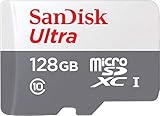
| SanDisk Ultra 128GB (SDSQUAB) | Everyday 128GB | 128GB, up to 140 MB/s, A1 |
| SanDisk Ultra 128GB (SDSQUNR) | Simple storage | 128GB, Class 10, 100 MB/s |
| SanDisk 256GB Fire Tablet microSD | Fire tablet libraries | 256GB, made for Fire tablets and Fire TV |
| SanDisk 32GB Fire Tablet microSD | Light top-up | 32GB, made for Fire tablets and Fire TV |
How to Choose
Confirm the slot and the maximum size
Check the tablet’s spec page for the largest supported card. Older models may stop at 128GB or 256GB, and a few cannot read the exFAT format that cards above 32GB use. Buying a 512GB card for a tablet that tops out at 256GB wastes the extra capacity, and the 32GB cards use a different format than the larger SDXC cards.
App performance class
A1 and A2 describe random read and write behavior, which matters when apps or games run from the card. A1 is the common baseline; A2 is the stronger tier, and the SDSQUJQ card lists the A4 code. If you only store videos and books, the app class matters less than total capacity.
Read speed versus real use
Headline numbers such as 195MB/s are maximum reads under ideal conditions, and a tablet slot may not reach them. Anything with Class 10 or U1 is enough for HD video playback and downloads. Chase V30 or U3 only if the same card will also record video in a camera or drone.
What to ignore and where budget models cut corners
Skip the camera, drone, and 5K marketing; it matters little for a tablet. Budget-tier cards cut corners on write speed and on the app-performance class, which is why the Silicon Power card lists neither A1 nor A2, and why the Fire-labeled cards leave their speed classes out of the title entirely.
The 10 Best Options
SanDisk 128GB Fire Tablet microSD
Sold specifically for Fire tablets and Fire TV, this 128GB card removes the guesswork about compatibility. It is the sensible choice for a household that owns Fire tablets and wants a decent library of downloads for the kids, since the labeling answers the first question most buyers have.
- Strength: purpose-labeled for Fire tablets, so no format or slot confusion.
- Strength: 128GB suits a mid-size library of shows, books, and games.
- Trade-off: the title gives no speed class or app-performance code.
Skip it if your tablet runs Android outside the Fire family and you want the speed figures spelled out.
SanDisk Ultra 256GB (SDSQUAC-256G)
A 256GB Ultra card with an adapter, up to 150MB/s reads, UHS-I, Full HD, Class 10, U1, and A1. The title names Android smartphones, tablets, and mirrorless cameras, so it works as a flexible shared card that can hop between a tablet and a camera body.
- Strength: 256GB gives plenty of room for large offline libraries.
- Strength: the A1 class suits light app use from the card.
- Trade-off: the Ultra tier carries no V30 or U3 label, so it is not aimed at 4K recording.
Skip it if you want to record 4K video or need the stronger A2 class.
SanDisk Ultra 256GB (SDSQUJQ-256G)
This Ultra variant lists up to 195MB/s read, Full HD, V10, U1, C10, and the higher A4 app class. It suits tablets that run games or apps from the card, because the app-performance code is the strongest in this group.
- Strength: A4 is the highest app class listed in the roundup.
- Strength: 256GB of room for downloads and installs.
- Trade-off: no adapter or write speed appears in the title.
Skip it if you cannot confirm that the tablet slot accepts UHS-I cards at full speed.
Patriot 64GB EP
Patriot lists A1 and V30 performance classes, 4K support, and Android phone and tablet compatibility on this card. At 64GB it is a modest top-up that still carries a stronger video class than several larger cards in this group.
- Strength: V30 plus A1 on a compact card.
- Strength: tablets are named directly in the title.
- Trade-off: 64GB fills quickly once video and apps are involved.
Skip it if you plan to store a large video library or many downloaded games.
SanDisk Extreme 512GB
The top-end card here: 512GB, up to 190MB/s read, up to 130MB/s write, UHS-I, V30, U3, A2, with an adapter. It is built with action cameras and drones in mind but also lists Android devices, so it can serve a tablet that supports very large cards.
- Strength: A2 class and a stated write speed that few listings here match.
- Strength: the largest capacity in the roundup.
- Trade-off: many tablets cannot address 512GB, and the card is built for cameras first.
Skip it if the tablet spec page caps card size below 512GB.
Silicon Power 128GB
This U3 SDXC card lists up to 100MB/s and is marketed for cams, DJI Pocket, and drones. It will store tablet files like any microSD card, but the listing never mentions tablets, so treat it as a general-purpose card.
- Strength: U3 speed class at 128GB.
- Strength: straightforward capacity for plain file storage.
- Trade-off: no A1 or A2 code is listed, so app performance is unspecified.
Skip it if you want to run apps or games from the card.
SanDisk Ultra 128GB (SDSQUAB-128G)
An Ultra microSDXC with up to 140 MB/s, Class 10, U1, Full HD, and A1. It balances speed and capacity for tablet owners who keep downloads and a few apps on the card, without paying for camera-grade features they will not use.
- Strength: A1 class plus a high maximum read figure.
- Strength: 128GB is a practical size for most tablets.
- Trade-off: no adapter is mentioned in the title.
Skip it if you need more than 128GB or the A2 tier.
SanDisk Ultra 128GB (SDSQUNR-128G)
A Class 10 microSDXC UHS-I card with a 100 MB/s read figure. The title is sparse, which makes it a plain storage card for downloads, photos, and playback rather than a feature-rich option.
- Strength: it comes from the familiar Ultra line.
- Strength: Class 10 is enough for smooth HD video playback.
- Trade-off: no A1 code appears in the title.
Skip it if app performance or higher read speed matters to you.
SanDisk 256GB Fire Tablet microSD
The larger Fire-labeled card. It matches the 128GB version in design but doubles the room, which helps when several family members share one tablet and each keeps their own downloaded shows and games.
- Strength: 256GB with Fire tablet compatibility named in the title.
- Strength: a good fit for a shared family library.
- Trade-off: no speed class or app code is listed.
Skip it if your Fire model limits card size below 256GB.
SanDisk 32GB Fire Tablet microSD
The smallest card in the group, suited to a basic top-up for a Fire tablet when internal storage is nearly full and a few extra apps or books are all that is needed.
- Strength: Fire tablet and Fire TV labeling in the title.
- Strength: the smallest commitment in the roundup.
- Trade-off: 32GB fills quickly once video enters the picture.
Skip it if you want a library of offline video or a large app collection.
Which One Fits Your Situation
A Fire tablet lives in the house
Pick the SanDisk 128GB or 256GB Fire Tablet card, depending on how large the shared library gets. The labeling is aimed straight at that hardware, and a family that downloads cartoons for car rides will fill 128GB sooner than expected.
Games and apps run from the card
The SanDisk Ultra 256GB (SDSQUJQ) lists A4, and the SanDisk Extreme 512GB lists A2, which are the strongest app-performance codes in the group. The Extreme only makes sense if the tablet accepts a 512GB card.
One card shared with a camera
The SanDisk Ultra 256GB (SDSQUAC) names smartphones, tablets, and mirrorless cameras in the same title, which makes it the natural shared-use pick for a photographer who also reads on a tablet.
A small top-up is all you need
The Patriot 64GB keeps things compact while still listing A1 and V30, and the SanDisk 32GB Fire Tablet card is the smallest commitment for a basic Fire setup.
Common Mistakes
- Buying a card for an iPad or another tablet that has no microSD slot at all.
- Choosing a capacity above the maximum the tablet supports, then finding the card unreadable or only partly usable.
- Paying attention only to the maximum read speed on the front of the listing, which says little about everyday tablet use.
- Ignoring the A1 or A2 label when planning to install apps or games on the card.
- Skipping a backup before formatting the card, which erases everything on it.
Related guides
- Aio Liquid Coolers For High Performance Gaming
- How To Lower Input Delay In Competitive Shooters
- Wireless Gaming Headsets Under 100 For Pc
Frequently Asked Questions
Do microSD cards work in any tablet?
Only tablets that have a card slot. Check the manual or the manufacturer spec page for the supported maximum capacity and file system before choosing a size.
Is A1 or A2 better for a tablet?
A2 is the higher class, but it matters mostly when apps or games run from the card. For simple storage of videos, music, and books, either class works and capacity matters more.
Do I need a V30 card?
Not for storage and playback. The V30 label describes sustained write speed for video recording, so it is more relevant if the same card will also go into a camera.
Can the tablet reformat the card?
Yes. Most tablets offer a format option in the storage settings, and it erases all contents. Copy anything you want to keep to another device first.















