A college laptop needs to survive four years of lecture note-taking, group project collaboration, and the occasional all-nighter – which mostly means decent battery life, enough RAM for a browser-heavy workflow, and a build that can take some abuse in a backpack. We checked real laptops currently sold on Amazon, from a budget Ryzen pick under $500 to Apple’s M5 MacBook Air.
Quick List
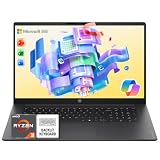
- Dell 15.6″ (Ryzen 5 7520U) ($489.00) – Best Budget Pick – 120Hz IPS, LPDDR5, 512GB SSD.
- Apple MacBook Air 13″ (M5, 2026) ($1,149.00) – Best Overall – long battery life, light enough to carry all day across campus.
See All Picks


Which One Is Right for You?
If budget is the deciding factor, the Dell’s 120Hz IPS display and 512GB SSD are genuinely good value for under $500 – more than enough for note-taking apps, web research, and most intro-level coursework. If you can stretch the budget and want a laptop that’ll comfortably last all four years without slowing down, the MacBook Air M5’s efficiency, battery life, and light weight make it the easier laptop to live with daily, especially if you’re carrying it between classes all day.
A Note on Major-Specific Needs
For most majors – business, humanities, social sciences, pre-law, nursing prerequisites, general education – either pick above is genuinely enough; you don’t need specialized hardware for note-taking, writing papers, and web research. A few majors have real, different hardware needs worth knowing about before you buy: if you’re in computer science or engineering and will be coding, running VMs, or doing CAD coursework, see our programming and web development or CAD and 3D rendering guides instead, since those have genuinely different RAM/GPU requirements than general coursework. If you’re in art, design, film, or photography, our photo editing and video editing guides cover the display-quality and GPU needs those majors actually have. For every other major, the general picks above cover the real-world need better than a generic major-specific list would.
All Picks in Detail
1. Apple MacBook Air 13″ (M5, 2026) – Best Overall
At $1,149.00, this is the easier laptop to live with across four years of college – its efficient M5 chip delivers genuinely long battery life for back-to-back classes without hunting for an outlet, and its light weight is a real difference when you’re carrying it in a backpack all day alongside textbooks. Its Liquid Retina display is also sharp enough for any coursework short of specialized color-critical work.
2. Dell 15.6″ (Ryzen 5 7520U) – Best Budget Pick
At $489.00, this punches above its price with a 120Hz IPS display (smoother scrolling through long readings and notes than a typical 60Hz budget panel) and LPDDR5 memory. A genuinely capable choice if the MacBook Air’s price is out of reach.
Specs Compared
| Laptop | Price | CPU | Display | Storage |
|---|---|---|---|---|
| Dell 15.6″ Ryzen 5 7520U | $489.00 | AMD Ryzen 5 7520U | 15.6″ FHD 120Hz IPS | 512GB SSD |
| Apple MacBook Air 13″ M5 | $1,149.00 | Apple M5 | 13.6″ Liquid Retina | — |
How We Chose These
We filtered for genuine all-day battery life claims and reasonable portability, since that’s what actually matters for carrying a laptop to and from class every day. We excluded several similarly-priced laptops the search surfaced with very weak specs – 4GB RAM, Celeron-class processors, or tiny eMMC storage – that would struggle with modern coursework beyond basic web browsing. Several results were also two listings for an “Apple MacBook Neo” with an “A18 Pro chip,” which we excluded as unreliable data – Apple doesn’t make a product called the MacBook Neo, and A-series chips are iPhone/iPad silicon, not Mac silicon, which strongly suggests a mislabeled or counterfeit third-party listing rather than a real Apple product.
What to Look For
- Battery life over raw performance. A laptop that dies halfway through a day of classes is more frustrating than one that’s slightly slower.
- Weight, if you carry it all day. A couple of pounds matters a lot more after a full day of classes with it in your bag.
- 8GB RAM minimum, 16GB more comfortable. Modern browser tab habits and note-taking apps add up.
- Check your specific major’s needs. General coursework doesn’t need specialized hardware, but CS/engineering and art/design majors genuinely do – see the dedicated guides linked above.
Questions
Mac or Windows for college?
Both work well for general coursework. Mac tends to have an edge in battery life and build quality; Windows laptops are typically cheaper for similar specs and have broader software compatibility for major-specific tools some programs require.
Do I need a dedicated GPU for college?
Not for most majors. It matters specifically for CS/engineering students doing local ML work or game development, and art/design students doing 3D or video work – see the dedicated guides linked above for those cases.
Should I buy a 2-in-1 for note-taking?
Only if you’ll genuinely use stylus/touch note-taking regularly. If you type your notes, a traditional laptop at a similar price gives you more raw performance for the money.
Update History
Published October 2026 with current live Amazon listings and pricing.
Sources
Product specifications, pricing and availability sourced directly from live Amazon product listings as of October 2026.