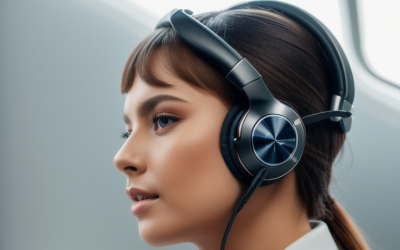
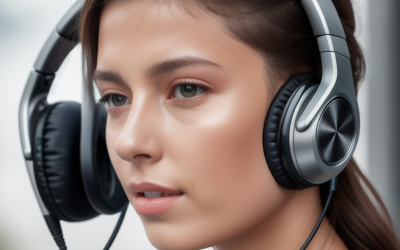
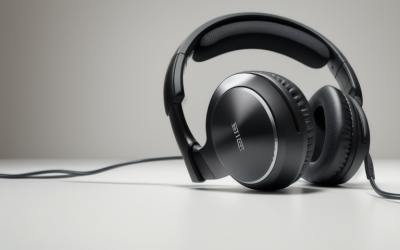
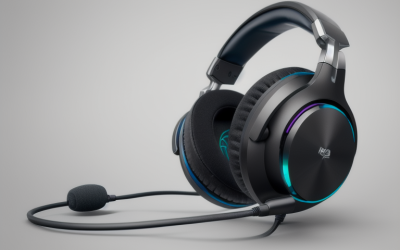
- Top Pick: FEABASK USB Headset with Microphone for PC Laptop – Wired Computer Headphones with Noise Cancelling Microphone for Home Office Online Class Skype Zoom Meetings,in Line Mute Controls
- Best Value: KIMAFUN 2.4G Wireless Headset Microphone,Waterproof Head Mic G100-1 | for Fitness Instructor, Teaching Online, Yoga Classroom, Spinning Coach, Speaker, iPhone, Android Phone
- Premium Choice: Wantek Headset wtih Mic, USB Headset with Microphone for PC, Computer Headset with Noise Canceling Microphone with Mute for Work Home Office Online Skype Zoom Meetings
Teaching through a screen asks more of a headset than a casual video call does. You talk for hours, you need students to hear every word without a hiss of room noise behind you, and you want to mute in a second when a doorbell rings or a child wanders in. The search for the best headsets for online teaching comes down to three things: a microphone that isolates your voice, ear cups that stay comfortable through a full class day, and a connection that works with the school laptop without driver hassles.
This guide is for tutors, classroom teachers working remotely, language coaches, and instructors who run live classes from a spare bedroom or a shared apartment. Eight headsets are compared using only what their listings state. Two listings were left out on purpose: a ten-pack of student classroom headphones, which serves a different buyer, and a headset marketed around chanting and memory playback. Everything below is relevant to a teacher’s desk in 2026.
Quick Picks
As an Amazon Associate we earn from qualifying purchases at no extra cost to you.


| Product | Best for | Key spec taken from the product title |
|---|---|---|
| FEABASK USB Headset | Home-office classes with quick mute | USB, noise-cancelling mic, in-line mute |
| KIMAFUN G100-1 Wireless Headset Mic | Moving around while teaching | 2.4G wireless, waterproof head mic |
| Wantek USB Headset | Plug-and-play video meetings | USB, noise-canceling mic with mute |
| Wired Noise Cancelling Headset (online meeting) | Simple wired laptop use | Wired, noise-cancelling mic |
| Adjustable Comfort Gaming-Style Headset | Teachers who also play | Adjustable comfort, noise-cancelling mic |
| Joyqua 2 Pack Headset | Teacher and helper sets | 2 pack, 3.5mm plug, adjustable on-ear |
| Telephone-Style Headset with Mic | Long call-style sessions | Memory foam padding, 108dB sensitivity |
| doudou USB Headset | Lightweight USB or Type-C | USB/Type-C jack, volume control |
How to Choose
Connection type: USB, Type-C, 3.5mm, or wireless
Most of these headsets are wired, and the listings split between USB, USB/Type-C, and 3.5mm plugs. USB models carry their own audio processing and usually work on a school-issued laptop with no setup. A 3.5mm plug needs a matching combined headphone-and-mic port; many modern laptops have one, but some desktops split them. The KIMAFUN is a 2.4G wireless head mic, which frees you to walk the room but needs a receiver and a charged unit.
Microphone design and noise control
Look for a boom mic that sits near the corner of your mouth. Several titles advertise noise-cancelling microphones, which reduce background sound from a keyboard, fan, or street. Treat the phrase as a feature to confirm in the manual rather than a guarantee. For teaching, an in-line mute or a dedicated mute switch is more valuable than any decoration, because you will use it dozens of times a session.
Comfort across a full day
Padding and weight decide whether you finish the afternoon with a headache. Memory foam and PU leather padding, listed on the telephone-style headset, are common comfort features. Adjustable headbands and a lightweight build, mentioned on the doudou and Joyqua listings, help smaller heads. On-ear designs let some room sound in, which many teachers prefer so they can hear a doorbell, while closed designs isolate more.
What budget headsets skip
Budget headsets cut corners on cable strain relief, speaker clarity, and software support. Ignore gaming styling if you do not need it, and be wary of vague claims such as clear sound without any detail. Prioritize controls you can find by touch, a plug that matches your device, and a mic arm that moves smoothly. Also remember that a headset cannot fix a noisy room; soft furnishings and a quiet corner help more than any listing promise. Before the first class, join a quiet practice call, record a short clip of your own voice, and play it back so you can adjust the boom position and your speaking distance. A few minutes of that setup does more for clarity than any extra feature on a spec sheet.
The 8 Best Options
FEABASK USB Headset with Microphone
A wired USB headset with a noise-cancelling microphone and in-line mute controls, aimed at home office, online class, Skype, and Zoom sessions. It suits a teacher who wants a plug-in headset with a mute button always in reach. The title reads like a general work headset, so it fits a spare-room desk, a kitchen table, or a school-issued laptop just as easily as a dedicated studio.
- Strength: in-line mute controls are named in the title.
- Strength: USB connection suits laptops and desktops alike.
- Trade-off: the listing gives no comfort or padding details.
Skip it if you want wireless freedom or need a headset for a device without USB.
KIMAFUN G100-1 Wireless Headset Microphone
A 2.4G wireless head microphone described as waterproof and aimed at fitness instructors, online teachers, yoga, and spinning coaches. It connects with phones as well as other devices, per the title, which makes it unusual in this group. Because the listing centers on the microphone and its movement-friendly design, it is closer to a presenter’s tool than a classic over-ear headset.
- Strength: wireless design lets you move around a room while teaching.
- Strength: waterproof build suits sweaty instruction.
- Trade-off: it is a head microphone, so you must provide your own listening setup.
Skip it if you want over-ear headphones for listening to students.
Wantek USB Headset with Mic
A USB headset with a noise-canceling microphone and mute control for work, home office, Skype, and Zoom. It suits anyone who wants a simple, work-oriented headset with no driver steps, such as a tutor who is not keen on adjusting audio settings before each class. The wording closely mirrors other USB meeting headsets, so compare the mute and cable details before choosing.
- Strength: mute function is listed.
- Strength: USB plug works with standard computer ports.
- Trade-off: the title offers no padding or weight details.
Skip it if comfort across long sessions is your top concern and you want specifics.
Wired Noise Cancelling Headset for Online Meetings
A generic wired headset with a noise-cancelling microphone for PC and laptop meetings. It is for teachers who want a basic headset without extra features, and who are willing to confirm the plug type with the seller before ordering. The title is short on detail, which is the main reason to read the full listing before relying on it for daily lessons.
- Strength: simple wired design avoids battery concerns.
- Strength: noise-cancelling mic is the highlight.
- Trade-off: no connector type is stated in the title.
Skip it if you need to confirm USB or 3.5mm before ordering.
Wired Noise Cancelling Gaming-Style Headset for Online Teaching
A wired headphone with an adjustable comfort fit, a noise-cancelling microphone, and gaming styling, listed for PC, laptop, and online teaching. It suits teachers who also use the same headset for games, or who simply like a larger ear cup. The adjustable fit matters for anyone who wears glasses or has a larger or smaller head than average, since the headband sets the contact pressure.
- Strength: adjustable comfort fit is named.
- Strength: the title explicitly targets online teaching.
- Trade-off: gaming styling may look out of place in a classroom setting.
Skip it if you prefer a plain, professional look on camera.
Joyqua 2 Pack Wired Headset
Two wired headsets with microphones and 3.5mm plugs, listed for online learning, office, school, and call-center use. Adjustable on-ear headphones with a noise-reducing mic make this a practical pair for a teacher and an assistant. The call-center mention suggests a straightforward business style, which looks neutral on camera and is easy to replace if one set is lost or damaged.
- Strength: two headsets in one listing cover a second user.
- Strength: adjustable on-ear fit for different head sizes.
- Trade-off: 3.5mm plugs need a matching port or an adapter.
Skip it if you only need a single headset and prefer USB.
Telephone-Style Headset with Mic
A black headset built for call centers and online teaching, with a PVC frame, PU leather memory foam padding, and 108dB sensitivity, listed for Zoom and laptops. The padding makes it a candidate for long teaching days, since pressure on the ears is often what ends a session early. The call-style design keeps the focus on voice rather than music playback.
- Strength: memory foam padding is stated.
- Strength: 108dB sensitivity is listed for the headset.
- Trade-off: the title does not name the connector.
Skip it if you need a USB plug confirmed before purchase.
doudou USB Computer Headset
A lightweight headset with a noise-cancelling microphone, a USB/Type-C jack, and volume control, listed for Zoom, Skype, Teams, and online class. It fits teachers who switch between a laptop and a newer device with Type-C, such as a tablet or a recent notebook. The call-center and office wording signals a no-frills tool, and the listed volume control suggests you can adjust a student’s level without opening software.
- Strength: USB and Type-C connection widens compatibility.
- Strength: volume control and a lightweight build.
- Trade-off: the title does not state a mute switch.
Skip it if an in-line mute is a must-have.
Which One Fits Your Situation
You teach from a laptop and mute constantly
The FEABASK USB headset names in-line mute controls and a noise-cancelling microphone, which fits a classroom day with frequent interruptions.
You move around while you instruct
Pick the KIMAFUN G100-1 wireless head microphone. Its 2.4G link and waterproof build suit fitness, dance, and movement-heavy classes.
You work long hours and care about padding
The telephone-style headset lists memory foam padding and a PU leather finish, which is the closest thing to a comfort promise in this group.
You share the setup with an assistant
The Joyqua 2 Pack gives two wired headsets in one box, which suits a co-teaching arrangement.
Common Mistakes
- Buying a 3.5mm headset for a laptop that only has a USB-C port and no adapter.
- Assuming noise-cancelling means silent, when the feature mostly reduces background sound near the mic.
- Ignoring the mute control until a student interrupts a lesson.
- Choosing a gaming-style headset that looks distracting on camera.
- Forgetting that a wireless head mic still needs a way to listen to participants.
Related guides
- Aio Liquid Coolers For High Performance Gaming
- How To Lower Input Delay In Competitive Shooters
- External Hard Drives For Music Production
Frequently Asked Questions
Is USB better than 3.5mm for teaching?
USB headsets include their own audio circuitry and usually work with no setup. A 3.5mm model relies on the computer’s audio port, which is fine when the port is a combined headphone and mic jack.
Do I need a wireless headset?
Only if you move around while teaching. Wired models avoid charging and pairing worries, and they suit a seated desk setup.
What does 108dB sensitivity mean?
It describes how loud the headphone gets for a given signal. A higher figure generally means louder output, but it says nothing on its own about sound quality.
Are noise-cancelling microphones enough for a noisy home?
They can help with steady background sound, but they cannot erase a loud environment. Pair the headset with a quiet room and a mic positioned close to your mouth, about a finger or two from the corner of your lips, and avoid placing the boom directly in front of your breath.