

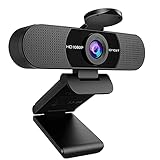
- Top Pick: 1080P HD Webcam with Microphone, Streaming Computer Camera for Laptop PC | 30fps Webcam, Plug & Play USB, Auto Light Correction, for Remote Work, Online Teaching & Video Calls
- Best Value: EMEET 1080P Webcam with Microphone, C960 Web Camera 2 Mics Streaming Webcam | 90°FOV Computer Camera, Plug and Play USB Web Cam for Online Calling/Conferencing, Zoom/Teams/Facetime/YouTube, Laptop/PC
- Premium Choice: INSWAN INS-1 Classic USB Document Camera/Webcam, 8MP, Built-in LED, Mic | Auto Focus, Plug & Play, Compatible with Windows / Mac / Chromebook for Distance Learning, Live Demo, Online Teaching, White
Teaching through a screen asks more of a camera than a quick team meeting does. Students need to see your face without squinting, hear your voice without a hiss, and sometimes see a worksheet, a diagram or a physical object you are holding up. A webcam that is merely acceptable for a five-minute call can become tiring across a six-hour teaching day, so this guide focuses on the features that matter to an instructor: audio pickup, framing flexibility, focus behavior and how easily the camera shows paper or objects.
The ten options range from simple 1080p plug-and-play cameras to 2K and 4K models, a document camera, an HDMI-based unit and a camera that offers portrait mode. Every judgment below rests on what the listing states, and a few listings are short on detail, which is called out where it affects the decision. For a 2026 classroom or home studio, the aim is to match the camera to the way you teach rather than to buy the highest resolution on the page. A teacher who mostly talks over slides has very different needs from one who demonstrates experiments, draws on paper or moves around a whiteboard.
Quick Picks
As an Amazon Associate we earn from qualifying purchases at no extra cost to you.



| Product | Best for | Key spec from the title |
|---|---|---|
| 1080P HD Webcam (30fps) | Simple daily lessons | 1080P, mic, auto light correction |
| EMEET C960 | Standard video classes | 1080P, 2 mics, 90 degree FOV |
| INSWAN INS-1 Document Camera | Showing paper and objects | 8MP, auto focus, built-in LED |
| Rujcloud 4K Webcam | Sharp 4K picture with remote | 4K, PDAF, remote, privacy cover |
| Decumeby 1080P | Basic desktop teaching | 1080P, built-in microphone |
| pulais 3-in-1 2K | Audio-focused teaching | 2K, 4 mics, dual speakers |
| ROCWARE RC28 | Voice clarity and framing | 1080p60fps, dual mic, portrait mode |
| IFWATER HDMI 4K | Zoom-in demonstrations | 4K, 10X variable focus, USB and HDMI |
| Angetube 873MAX | Smooth motion with zoom | 4K, 1080P 60FPS, 8X zoom, PDAF |
| Sihynson 1080P | Compact everyday calls | 1080P, 90 degree FOV, 30FPS |
How to Choose
Resolution and frame rate
1080p is enough for nearly every lesson, because most platforms compress video well below 4K anyway. Higher resolutions help only if your software supports them and your connection can send them. A 60fps option, as listed on the ROCWARE and Angetube, makes hand gestures and moving objects look smoother. Many 1080p cameras run at 30fps, which is perfectly acceptable for a lecture-style class. If your lessons involve handwriting, craft work or science demonstrations, the smoother 60fps cameras show motion with less blur, though the improvement only appears if the video platform passes the higher frame rate through.
Audio pickup
Students forgive a soft picture faster than muffled speech. Look for a dual-microphone or four-microphone array, noise-canceling language and a clear note about how the mics behave. A webcam microphone still sits farther from your mouth than a headset, so a quiet room matters. If your listing mentions raw audio or switchable pickup modes, treat that as a plus for voice work. Omnidirectional pickup suits a room with several people, while cardioid pickup focuses on the person in front and is the better fit for a single teacher at a desk.
Focus, field of view and zoom
Autofocus keeps you sharp when you lean in, and phase-detection or PDAF focus tends to hold better than fixed focus. A 90 degree field of view fits one person plus a whiteboard edge, while a narrower view hides clutter. Optical or digital zoom, such as the 8X and 10X figures listed here, is useful when you want to show something small, but zoom in a webcam is rarely a replacement for a dedicated document camera. Digital zoom crops the image, so the picture softens as you push further in.
What to ignore, and where budget models cut corners
Ignore generic words like clear or HD without a number. Budget webcams often skip autofocus, rely on a single microphone, or list only a resolution with no frame rate. A privacy cover is a nice touch that is trivial for a maker to add, so it should not decide the purchase. Check that the camera lists compatibility with your computer and with the meeting software your school uses. If your school issues Chromebooks, confirm that the camera names Chromebook support, since not every listing does.
The 10 Best Options
1080P HD Webcam (30fps)
This unbranded 1080P camera lists a microphone, 30fps video, plug-and-play USB, auto light correction and a pitch for remote work, online teaching and video calls. It suits teachers who want a simple replacement for a weak laptop camera, particularly one that struggles in dim rooms.
- Strength: auto light correction can help in uneven rooms.
- Strength: plug-and-play USB with no software to install.
- Trade-off: the title gives no microphone count or field of view.
Skip it if audio quality is your top concern.
EMEET C960
The C960 lists 1080P video, two microphones, a 90 degree field of view and plug-and-play USB, with Zoom, Teams, FaceTime and YouTube named. It is a straightforward option for scheduled video classes, and the named meeting platforms make setup unsurprising.
- Strength: two microphones for clearer voice pickup.
- Strength: popular meeting platforms are named.
- Trade-off: no autofocus or frame rate is mentioned in the title.
Skip it if you plan to move around or show objects.
INSWAN INS-1 Classic Document Camera/Webcam
This USB camera lists 8MP, a built-in LED, a microphone and autofocus, aimed at distance learning and live demos on Windows, Mac and Chromebook. It is the most teaching-specific listing here, and it pairs naturally with a separate face camera on a two-camera setup.
- Strength: the LED helps when showing paper or objects.
- Strength: Chromebook support is explicitly stated.
- Trade-off: as a document-style camera, it is a poor fit for a classic face-forward view.
Skip it if you only need a head-and-shoulders webcam.
Rujcloud 4K Webcam
The Rujcloud lists 4K video, a microphone, a remote, a privacy cover and PDAF focus for online meetings, teaching and streaming. It suits teachers who want a sharp picture and remote control of the framing, for example when the camera sits on a shelf across the room.
- Strength: PDAF focus helps keep you sharp as you move.
- Strength: the remote adds control without touching the camera.
- Trade-off: the title gives no microphone detail or frame rate.
Skip it if your classroom software caps video at 1080p.
Decumeby 1080P HD Webcam
This USB camera lists 1080P, a built-in microphone and a focus on online teaching and video conferencing for desktop computers. It fits an uncomplicated home setup where the camera sits on top of a desktop monitor and rarely moves.
- Strength: aimed squarely at online teaching.
- Strength: a simple USB design for desktops.
- Trade-off: the listing leaves out frame rate, field of view and focus type.
Skip it if you need specific audio or zoom features.
pulais 3-in-1 2K Webcam
The pulais lists 2K video, four noise-canceling microphones, dual speakers and a privacy cover, for Zoom meetings and online teaching. It stands out for built-in audio on both ends, which cuts the number of cables on a small desk.
- Strength: four microphones for voice pickup.
- Strength: dual speakers can play student audio.
- Trade-off: speakers in a webcam are usually modest in volume and quality.
Skip it if you already use a headset or external speakers.
ROCWARE RC28
This camera lists 1080p at 60fps, dual microphones with omnidirectional and cardioid pickup, and noise-canceling and raw audio modes. It also offers adjustable field of view and landscape and portrait modes.
- Strength: switchable audio modes suit different rooms.
- Strength: portrait mode suits mobile-style framing.
- Trade-off: the title does not mention a privacy cover.
Skip it if you want a plain, fixed-view camera.
IFWATER HDMI 4K USB Camera
The IFWATER lists 4K, 10X variable focus, simultaneous USB and HDMI output and close-up zoom for live streaming, video conferencing and teaching. It leans toward demonstrations and training sessions, where the presenter wants to zoom in on a detail without moving the camera.
- Strength: 10X variable focus for close-ups.
- Strength: HDMI output allows a second display path.
- Trade-off: it is more of a camera than a simple webcam, and the title lists no microphone.
Skip it if you want plug-and-play simplicity with built-in audio.
Angetube 873MAX
This camera lists 4K, 1080P at 60FPS, PDAF autofocus, a privacy cover, 8X zoom and a microphone, for Zoom, Teams and teaching. It suits teachers who want smooth motion and some zoom, such as music or art instructors who move their hands a lot.
- Strength: 60FPS gives smoother motion.
- Strength: PDAF and 8X zoom cover focus and framing.
- Trade-off: the title does not describe the microphone type.
Skip it if a modest 1080p picture is enough.
Sihynson 1080P Webcam
The Sihynson lists 1080P, a 90 degree field of view, a noise-canceling microphone, 30FPS and a privacy cover. It is a compact, everyday option for a teacher who wants a clearly described microphone and a physical lens cover.
- Strength: noise-canceling microphone is stated.
- Strength: privacy cover and plug-and-play USB.
- Trade-off: no focus type is described.
Skip it if you need autofocus or zoom.
Which One Fits Your Situation
You teach with worksheets and objects
The INSWAN document camera suits it best, ideally alongside a second plain webcam for your face.
You want the best voice pickup
The ROCWARE RC28 or the pulais 3-in-1 offer the most detailed audio features in the titles.
You teach in a larger room
The IFWATER with 10X variable focus handles distance and close-ups better than a fixed-view webcam.
You just need something dependable
The EMEET C960 or the Sihynson keep things simple with a 90 degree view and a microphone.
Common Mistakes
- Choosing 4K when the meeting software only sends 720p or 1080p.
- Ignoring audio and relying on a camera microphone in a noisy room.
- Placing the camera low, so students look up at your chin.
- Relying on a window behind you, which turns you into a silhouette.
- Forgetting that a webcam is not a replacement for a document camera, and trying to show tiny handwriting at arm’s length.
Related guides
- Aio Liquid Coolers For High Performance Gaming
- How To Lower Input Delay In Competitive Shooters
- Wireless Gaming Headsets Under 100 For Pc
Frequently Asked Questions
Is 4K necessary for online teaching?
No. Most platforms compress video, so 1080p is enough for nearly every class, and a 4K camera mainly adds flexibility to crop in without losing sharpness.
Do I need a separate microphone?
Not always. A quiet room and a dual-mic webcam can work, but a headset gives more consistent voice quality because the microphone stays at the same distance from your mouth however you move.
How do I show a page to students?
Use a document camera or an angled camera with a built-in light, such as the INSWAN listing.
Why does a privacy cover matter?
It blocks the lens when the camera is not in use, which is helpful on a shared or always-on computer. It also gives students and parents some reassurance that the camera is off between sessions, which matters when children are on the other end of the call.







