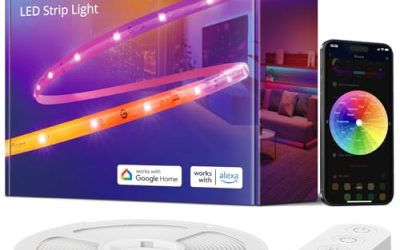
- Top Pick: KSIPZE 100ft Led Strip Lights RGB Music Sync Color Changing Led Lights with Smart App Control Remote Led Lights for Bedroom Room Lighting Flexible Home Décor
- Best Value: Leeleberd Led Lights for Bedroom 100 ft (2 Rolls of 50ft) Music Sync Color Changing RGB Led Strip Lights with Remote App Control Bluetooth Led Strip, Lights for Room Home Kitchen Party Decor
- Premium Choice: MATICOD LED Lights for TV Led Backlight, 9.84ft RGB Led Strip Lights USB TV Lights Behind 32-43in, APP Remote Control Music Sync TV Led Light for Bedroom Gaming Home Décor
The best gaming room LED lights for most players are the Philips Hue Play gradient lightstrip for a monitor, the Govee Glide Hexa panels for a feature wall, and the Elgato Light Strip for a simple, streamer-friendly desk accent. Choose by what you want to light and how you want it controlled: screen-synced lighting needs a camera or HDMI box, wall panels need flat mounting space, and strips need a correctly sized power supply. This guide compares eight options, then shows a worked power calculation so you do not overload a strip or a USB port.
As an Amazon Associate we earn from qualifying purchases at no extra cost to you.



Quick answer: top picks
- Best for screen sync on a monitor: Philips Hue Play gradient lightstrip.
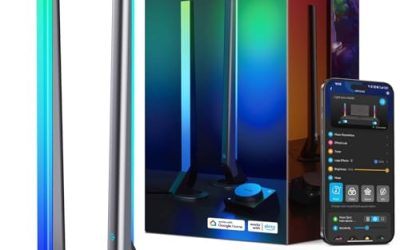
- Best bias lighting bars: Philips Hue Play light bar.
- Best camera-based monitor backlight: Govee DreamView G1.
- Best wall panels for color variety: Govee Glide Hexa light panels.
- Best premium wall panels: Nanoleaf Shapes Hexagons.
- Best linear wall accents: Nanoleaf Lines.
- Best for PC-integrated lighting: Corsair iCUE LS100 smart lighting strip.
- Best simple desk strip for streamers: Elgato Light Strip.
How we chose
This is a research-based buyer guide. We compared published specifications, control options and installation requirements, and weighed them against the issues gamers raise most often, such as glare on the screen, lag in sync, and weak adhesive. We did not run instrument measurements. We picked products currently sold in the US and grouped them by use case. When we could not confirm a specification, the entry says so.
The criteria were:
- Purpose. Is the light for bias lighting behind a monitor, for an accent wall, or for a streaming background?
- Sync method. Camera-based sync reads the screen through a lens. HDMI sync boxes read the signal directly, which is faster and more accurate but costs more.
- Control and ecosystem. Apps, voice assistants, and support for Matter, if present, decide how well the lights fit your existing smart home.
- Brightness and color quality. Gaming rooms are often dim, so strong saturated colors matter more than raw lumens.
- Power and safety. The adapter must match the strip’s rating, and heat must be managed.
- Mounting. Adhesive, screws and magnets all have limits, especially on textured walls.
Why bias lighting matters for gamers
A dark room with a bright monitor creates strong contrast, which can cause eye fatigue after long sessions. A soft light behind the monitor reduces the contrast between the screen and its surroundings. A neutral white or a gentle accent color of modest brightness works well. Very bright or highly saturated colors behind the screen can distract you or shift how colors look on the display, so keep bias lighting dim and consistent when you are playing competitive games or doing color-sensitive work.
Screen-synced lighting extends the screen’s colors onto the wall, which looks striking for single-player games and movies. In fast competitive shooters, flashing lighting can be distracting, so many players turn sync off and keep a steady color.
Worked example: sizing a strip and its power supply
Most LED strips fail early because of undersized power supplies or overlong runs. Here is a simple method to calculate what you need.
- Measure the run. Suppose you want to light the back of a desk that is 1.6 m wide and a 0.8 m return on each side, so 3.2 m of strip.
- Find the power per meter. Many RGB strips with 60 LEDs per meter draw in the range of about 7 to 14 W per meter at full white. Assume 14 W per meter for a conservative estimate.
- Multiply. 3.2 m x 14 W is about 45 W at maximum brightness.
- Add headroom. Power supplies should run below their rating, so size the adapter with 20 percent spare. 45 W x 1.2 is about 54 W, so a 60 W supply fits.
- Check the voltage and current. At 12 V, 54 W corresponds to about 4.5 A. At 24 V it is about 2.25 A. Higher voltage strips lose less brightness along long runs.
- Check the USB limit. A typical USB 3 port provides about 4.5 W (5 V at 0.9 A). Powering a long strip from a PC USB port will not work reliably. Use the strip’s own adapter, or choose a short USB-powered strip designed for monitor backlighting.
If the calculated power exceeds the adapter rating, reduce the length, lower the brightness in the app, or use a second power injection point. Do not replace the supplied adapter with a different one unless it matches the strip’s voltage and polarity exactly and has an equal or higher current rating.
Comparison table
| Model | Type | Sync method | Control | Best for |
|---|---|---|---|---|
| Philips Hue Play gradient lightstrip | Monitor/TV strip | Hue Sync (HDMI box or PC app) | Hue app, bridge, voice | Accurate screen sync |
| Philips Hue Play light bar | Bias light bars | Hue Sync | Hue app, bridge, voice | Behind-monitor glow |
| Govee DreamView G1 | Monitor strip with camera | Built-in camera | Govee app | Plug-and-play monitor sync |
| Govee Glide Hexa panels | Wall panels | Music and scene modes | Govee app | Accent walls |
| Nanoleaf Shapes Hexagons | Wall panels | Music and screen mirror options | Nanoleaf app | Premium wall art |
| Nanoleaf Lines | Linear wall segments | Music and scenes | Nanoleaf app | Slim wall accents |
| Corsair iCUE LS100 | Smart lighting strip | iCUE software | iCUE on PC | PC-integrated lighting |
| Elgato Light Strip | Desk strip | Scenes, Stream Deck | Elgato Control Center | Streaming backdrops |
The picks in detail
Philips Hue Play gradient lightstrip: best for monitor sync
Spec line: Gradient strip for monitors and TVs · multiple lengths · Zigbee through a Hue Bridge, with Bluetooth for basic use · Hue Sync support · voice assistant compatible
The gradient lightstrip sits behind a monitor and displays different colors across its length, which gives a more accurate reflection of the screen than a single-color light. Sync through the Hue Sync app on a PC or a Hue Sync box over HDMI is faster than camera-based methods. You need to select the length that matches your monitor’s size.
Best for: players who want the most accurate screen-to-light match and already use or plan to use Hue.
Skip if: you want a low-cost setup or do not want a bridge and a sync app.
- Pros: accurate sync, quality color, strong ecosystem.
- Cons: premium tier, needs a bridge for full features, length must match the monitor.
Philips Hue Play light bar: best for bias lighting
Spec line: Compact light bars · sold in packs · stand or wall mounting · Hue Bridge or Bluetooth · Hue Sync support
The Play light bar is a small color-capable bar that sits behind the monitor, under a shelf or beside a screen. It adds a soft glow without needing a strip’s adhesive, and it can be placed to wash the wall behind the desk. Sync works through Hue Sync.
Best for: bias lighting and flexible placement without sticking anything to the monitor.
Skip if: you want a continuous strip around the monitor edge.
- Pros: movable, strong color, good ecosystem.
- Cons: premium tier, bars are single-color blocks rather than a continuous gradient.
Govee DreamView G1: best camera-based monitor backlight
Spec line: Monitor backlight strip with a built-in or attached camera · app control · screen sync · exact monitor sizes and specs not confirmed here
Govee’s DreamView line pairs a strip with a camera that reads what is on the screen and sets the lights to match. This avoids a bridge or an HDMI box, and it is simple to set up. Camera-based sync is usually a little slower and less precise than HDMI-based sync, so check the supported monitor sizes and reported latency before buying.
Best for: an easy, mid-range monitor sync setup.
Skip if: you need very fast, accurate sync for color-critical work.
- Pros: simple setup, no bridge, lower cost than Hue Sync.
- Cons: camera lag, size options should be confirmed, app-dependent.
Govee Glide Hexa light panels: best wall panels for variety
Spec line: Hexagonal wall panels · multi-color segments per panel · adhesive mounting · app control · music and scene modes · panel count varies by pack
The Glide Hexa panels light the wall with several colors per panel, which makes an eye-catching background for a streaming camera. Adhesive mounting is easy, but it depends on a clean, smooth wall.
Best for: a feature wall behind a stream camera.
Skip if: your wall is heavily textured, or you rent and worry about adhesive marks.
- Pros: vivid color, creative layouts, lower cost than premium panel brands.
- Cons: adhesive limits, app reliability depends on Wi-Fi.
Nanoleaf Shapes Hexagons: best premium wall panels
Spec line: Hexagonal wall panels · connected modular design · app and voice control · music reactive modes · mounting tabs and adhesive
Nanoleaf’s panels are a well-known gaming room accessory. They connect in a layout you design, and they support scenes, music reactivity and, in some kits, screen mirroring. Check the specific kit for the control options included, such as Matter support, because features vary by generation.
Best for: players who want a polished, modular wall display.
Skip if: you want a low-cost option or need a very simple installation.
- Pros: flexible layout, mature app, strong brand.
- Cons: premium tier, kit features vary.
Nanoleaf Lines: best linear wall accents
Spec line: Slim light segments · connectable at angles · wall mounting · app control · music and scene modes
Lines are slim bars that connect into shapes along a wall or around a monitor. They are less bulky than panels, so they suit narrow walls or desk-back accents.
Best for: modern, minimal accent lighting.
Skip if: you want large-area panels with maximum color coverage.
- Pros: slim, flexible layouts.
- Cons: premium tier, less light coverage.
Corsair iCUE LS100 smart lighting strip: best for PC integration
Spec line: Addressable RGB strip kits for monitor or desk · USB connection · iCUE software control · syncs with Corsair PC lighting
If your case fans, RAM and keyboard already use iCUE, the LS100 matches them in the same software and can follow a single profile across the whole desk. It is designed for PC desks rather than whole-room lighting.
Best for: iCUE users who want one software for case, desk and monitor lighting.
Skip if: you have non-Corsair lighting and prefer an app on your phone.
- Pros: iCUE integration, USB powered, desk-focused.
- Cons: requires iCUE software running on the PC.
Elgato Light Strip: best simple desk strip for streamers
Spec line: RGB desk light strip · app control · integrates with Elgato Control Center and Stream Deck · includes adhesive mounting
The Elgato Light Strip is aimed at desks where you stream. It plugs into the Elgato Control Center and works with Stream Deck buttons so you can switch lighting scenes during a stream.
Best for: streamers who already use Elgato gear.
Skip if: you want to cover a large wall area.
- Pros: streaming-oriented controls, easy to place.
- Cons: limited length, ecosystem-focused.
Safety and installation
- Match the adapter. Use the supplied power adapter or one with identical voltage, polarity and equal or higher current rating.
- Do not exceed the rated length. Cutting and extending strips beyond the manufacturer’s limit can overheat connectors or dim the far end.
- Keep ventilation. Do not cover power bricks or bury strips under fabric. LEDs and adapters produce heat, which can build up in enclosed spaces.
- Use certified products. Look for recognized safety markings such as UL or ETL on the adapter and the product.
- Avoid damp areas and bare wiring. Standard strips are not rated for moisture. Keep them away from drinks and wet walls.
- Do not splice mains wiring. Low-voltage strips are safe to handle, but any connection to mains power should be handled by a qualified electrician.
- Test adhesive on a hidden spot. Paint can peel when adhesive strips are removed, so clean the surface first and press firmly.
Wi-Fi, apps and smart home
Many gaming room lights depend on a phone app and your Wi-Fi network. If your router is crowded, use the 2.4 GHz band for these devices where the product supports it. Check whether the product supports your voice assistant and whether it works locally or only through a cloud service, since a cloud outage can disable control.
Eye comfort and competitive play
Keep bias lighting at a low brightness that matches your monitor. Avoid strong red or blue lighting directly in your line of sight, since it reflects off the screen and can strain your eyes. For competitive games, a steady neutral or warm color is better than moving effects.
Decision matrix
| Your situation | Pick | Reason |
|---|---|---|
| Want the best screen sync | Philips Hue Play gradient lightstrip | HDMI or PC sync |
| Want an easy mid-range backlight | Govee DreamView G1 | Built-in camera |
| Want a colorful stream wall | Govee Glide Hexa or Nanoleaf Shapes | Panel coverage |
| Use iCUE for your PC | Corsair iCUE LS100 | One software |
| Streamer with a Stream Deck | Elgato Light Strip | Scene control |
| Small desk, subtle glow | Philips Hue Play light bar | Compact bars |
Frequently asked questions
What are the best LED lights for a gaming room?
For most players, the Philips Hue Play gradient lightstrip for a monitor and Govee Glide Hexa panels for a wall give the best balance of quality and variety.
Choose strips for monitors and desks, and panels for feature walls. Match each to your control ecosystem and room size.
Are LED lights bad for your eyes when gaming?
Soft, low-brightness bias lighting is generally comfortable and can reduce contrast with the screen. Very bright or flashing lights can cause discomfort.
Keep colors steady and brightness modest, and avoid placing bright lights where they reflect off the monitor. If you have a medical concern, consult a professional.
How do I sync LED lights to my game?
Use a camera-based strip such as the Govee DreamView, an HDMI sync box, or PC software such as Hue Sync or iCUE, depending on the product.
HDMI-based sync is usually faster and more accurate than camera-based sync, although it is more expensive.
How much power does an LED strip use?
A common RGB strip with 60 LEDs per meter can use several to about 14 watts per meter at full white. Multiply by length and add 20 percent headroom for the adapter.
A 3.2 m strip at 14 W per meter needs about 45 W, so a 60 W supply is a safe match.
Can I power a strip from my PC’s USB port?
Only short, low-power strips designed for USB. A typical USB 3 port provides about 4.5 watts, which is not enough for long strips.
Use the supplied adapter for larger strips, and check the product’s rating before connecting to a USB port.
Will LED panels damage my wall?
Adhesive can pull off paint if removed carelessly. Clean the surface, press firmly, and remove adhesive slowly, warming it with a hair dryer on low heat.
If you rent, use mounting methods that the product supports, or place panels on a board and hang the board.
Do I need a bridge for Philips Hue?
You can use Hue lights over Bluetooth for basic control, but a Hue Bridge unlocks the full feature set, including entertainment sync and wider smart home support.
For screen sync, plan on a bridge and the Hue Sync app or box.
Which lights work best behind a stream camera?
Panels such as Govee Glide Hexa and Nanoleaf Shapes produce visible color behind you, and a Hue bar or an Elgato strip gives a softer accent.
Keep colors consistent with your branding, and lock your webcam’s white balance so the camera does not shift color when lighting changes.
Bottom line
For a monitor, the Philips Hue Play gradient lightstrip gives the most accurate sync, while the Govee DreamView G1 offers a simpler camera-based alternative. For walls, the Govee Glide Hexa panels and the Nanoleaf Shapes Hexagons create strong color, and the Nanoleaf Lines suit narrower spaces. Corsair iCUE LS100 fits PC-centered desks, the Philips Hue Play light bar keeps a soft glow behind the screen, and the Elgato Light Strip is the simplest streamer accessory. Size your power supply with the calculation above, keep bias lighting dim, and confirm each product’s current specifications on the manufacturer’s page.