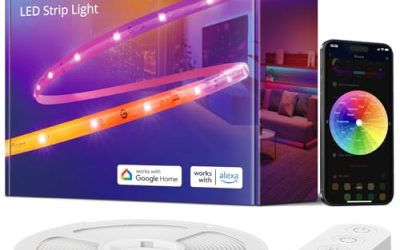
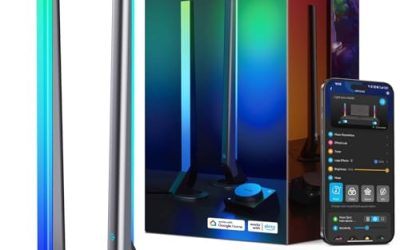
- Top Pick: Govee RGBIC Gaming Light Bars H6047 with Smart Controller, Wi-Fi Smart LED | Gaming Lights with Music Modes and 60+ Scene Modes Built, Works with Alexa & Google Assistant, New Year Lights Decor
- Best Value: RGB Light Bar Music Sync RGB IC LED Lights Bars USB Powered Remote Control | velted Ambient Lighting Bar, Color Changing Gaming TV Backlight, 8 Dynamic Modes for PC Room Monitor Desk
- Premium Choice: TJOY Smart Light Bar, RGB Desk Lights for Gaming, TV Backlight, Music Sync | Game Lights with Scene Modes, 60 Lumens, Mood Lighting for PC TV, LED Light Bar for Room(Black)
The best RGB light bars for gaming in 2026 are the Govee DreamView G1 Pro for most desks, the Govee Flow Plus (H6054) for a budget pair, and the Philips Hue Play light bar if you already run a Hue Bridge. Pick by sync method, not by color count, because every bar on this list shows millions of colors and the real difference is how fast and how accurately it follows your screen.
This guide is written for gamers who want light behind a monitor or along a desk edge without adding glare, input lag or cable clutter. It covers what “sync” actually means, how bar length and brightness map to monitor size, which models suit a PC-only desk versus a mixed PC and console room, and which ones to skip. Every pick below was chosen from published specifications and manufacturer documentation, not from personal use, and where a figure varies between sources we say so.
As an Amazon Associate we earn from qualifying purchases at no extra cost to you.



Quick picks
- Best overall for a PC desk: Govee DreamView G1 Pro, a camera-synced, multi-segment (RGBIC) bar kit with a built-in mic for music mode.
- Best budget pair: Govee Flow Plus (H6054), two RGBIC bars with Wi-Fi and Bluetooth control.
- Best for an existing Hue home: Philips Hue Play light bar, Zigbee, needs a Hue Bridge.
- Best monitor-edge ambient strip: Philips Hue Play gradient lightstrip for PC, if you want a gradient that follows the monitor outline.
- Best no-hub camera sync for a big screen: Nanoleaf 4D Screen Mirror and Lightstrip kit.
- Best for a gaming room wall: Govee gaming light bars in the RGBICWW (color plus white) line.
- Best for a console TV corner: Govee Envisual TV backlight class kits with a camera on the TV.
How we chose
This is a research-based comparison. We compared published specifications, protocol support and manufacturer feature lists across current 2026 models and cross-checked claims against several independent 2026 roundups. We ranked each product on six criteria that matter at a gaming desk:
- Sync method. Camera sync reads the screen from a lens and works with any source, including consoles. Software sync reads pixels directly on the PC and is usually faster and more exact, but only follows that PC.
- Segment count. RGBIC bars split one bar into several independent color zones, which lets you show a sky color at one end and a fire color at the other. Single-zone RGB bars show one color at a time.
- Brightness. Bars above roughly 500 lumens each can wash out a dark room and add reflection on a glossy monitor. Low-to-mid brightness with a dimming curve down to a few percent is better for night sessions.
- Control stack. Wi-Fi bars work with the vendor app and voice assistants. Zigbee bars need a hub but stay responsive when your Wi-Fi is busy with a game download.
- Fit. Bar length and mounting should match the monitor width and the desk depth.
- Heat and power. Bars are low-wattage, but the power adapter, cable length and USB versus wall power decide whether they are clean to route.
Comparison table
| Model | Control | Sync method | Color zones | Needs hub | Best for |
|---|---|---|---|---|---|
| Govee DreamView G1 Pro | Wi-Fi, app, voice assistants | Camera screen sync, music mode | Multi-segment RGBIC | No | Most PC and console desks |
| Govee Flow Plus (H6054) | Wi-Fi 2.4 GHz, Bluetooth | App scenes, music mode | RGBIC | No | Budget pair behind a monitor |
| Govee gaming light bars (RGBICWW) | Wi-Fi, app | App scenes, game modes | RGBIC plus white | No | Room accent lighting |
| Philips Hue Play light bar | Zigbee, Hue app, HomeKit, voice | Hue Sync (desktop app or sync box) | Single color per bar | Yes, Hue Bridge | Existing Hue homes |
| Philips Hue Play gradient lightstrip for PC | Zigbee, Hue app | Hue Sync desktop app | Gradient along the strip | Yes, Hue Bridge | Following a monitor outline |
| Nanoleaf 4D Screen Mirror and Lightstrip | Wi-Fi, Matter, voice, Razer Chroma support | Camera screen sync | Lightstrip, multi-zone | No | Large monitors and TVs |
| Govee Envisual TV backlight class | Wi-Fi, app | Camera on the TV | Multi-zone strip | No | Console TV in a gaming room |
Sync method: the choice that matters most
Camera sync
A small camera sits on top of the monitor, looks at the screen and sends the dominant color of each region to the lights. It works on any device, including a PlayStation, Xbox or Switch 2, because it never talks to the console. The trade-off is a small delay, because the camera has to expose, process and send the frame, and slight inaccuracy in a bright room or when the lens catches reflections. For slow-paced and cinematic games the delay is invisible. For fast shooters it can be visible during rapid flashes, but the lights are peripheral vision only, so it does not affect your aim.
Software sync
Hue Sync and similar desktop apps read the screen output on the PC and drive the lights over the network. Color accuracy is usually better, because there is no lens and no ambient light involved. The costs are that it only follows the PC it runs on, it uses a small amount of CPU or GPU time, and a congested Wi-Fi or Zigbee mesh adds latency.
HDMI sync box
A sync box sits between your console and monitor and reads the HDMI signal, which gives the best accuracy for consoles. It is also the most expensive and adds another device and another HDMI hop to your setup, so it makes sense only for people with a Hue ecosystem who want console games to drive the room.
Worked example: sizing a bar to your monitor
A simple rule keeps the light from either looking lost or spilling onto the desk: choose total bar length of 60 to 100 percent of monitor width, mounted behind the screen so the glow lands on the wall.
- Measure the monitor width. A 27-inch 16:9 monitor is about 24 inches wide. A 34-inch ultrawide is about 31 inches wide. A 32-inch 16:9 monitor is about 28 inches wide.
- Multiply by 0.6 and 1.0 to get the target range. For the 27-inch monitor that is about 14 to 24 inches. For the 34-inch ultrawide it is about 19 to 31 inches.
- Compare with bar length. A pair of bars at roughly 14 inches each gives about 28 inches in total, which suits a 27-inch to 34-inch screen. A single bar of that length is better on a 24-inch monitor or as a desk-edge accent.
- Check wall distance. Place the bar 3 to 6 inches from the wall. Closer than that and you see hot spots, further than that and the glow goes soft and dim.
The result is a short checklist: pair of bars for 27 to 34 inches, one bar for 24 inches or less, and a strip for anything wider than 34 inches.
The best RGB light bars for gaming
1. Govee DreamView G1 Pro
Spec line: Wi-Fi control · camera-based screen sync · RGBIC multi-segment color · built-in mic for music mode · Alexa and Google Assistant control.
Best for: Gamers who want one kit that handles PC and console sync without a hub, and who like music reactive lighting while streaming or chatting.
Skip if: You want sub-frame accuracy for competitive play lighting, or you do not want a camera pointed at your screen.
Pros:
- Works with any source because sync is camera-based.
- Multi-segment color gives a believable gradient instead of a single flat tint.
- No hub, so setup is a power plug and the app.
Cons:
- Camera sync is slightly behind software sync in fast scenes.
- Ambient glare can confuse the camera, so keep the lens clear of window light.
- Third-party roundups give different figures for price and sync modes, so check the current listing for exact bar length.
2. Govee Flow Plus (H6054)
Spec line: Wi-Fi 2.4 GHz and Bluetooth · pair of bars · RGBIC color zones · app scenes and music mode · Alexa and Google Assistant support.
Best for: A budget upgrade behind a 24-inch to 32-inch monitor where you want a bright, colorful backdrop and scenes rather than perfect screen matching.
Skip if: You want the lights to follow the picture. Check the current listing before buying, because camera sync is typically a feature of the DreamView line rather than this model.
Pros:
- Low entry price for a pair of bars with multi-zone color.
- Stand-mounted, so it sits on a desk with no tools.
- Bluetooth means you can set colors without the home Wi-Fi.
Cons:
- Wi-Fi is 2.4 GHz only, so it depends on a router that still supports that band.
- Scenes can look busy and drift toward gaming-ad styling if you leave them on default.
3. Govee gaming light bars (RGBICWW line)
Spec line: RGBICWW color plus white · Wi-Fi control · app scenes · premium positioning in the Govee range.
Best for: Rooms where the bars double as general lighting, because the added white channel produces cleaner warm and cool whites than RGB-only mixing.
Skip if: You only want monitor backlighting. The premium tier is aimed at room lighting, and a cheaper RGBIC bar will do the same job behind a screen.
Pros:
- Real white means you can use them as a soft work light between sessions.
- Wide color range at higher brightness than budget bars.
Cons:
- Premium tier, and several roundups put it among the most expensive Govee options.
- More brightness means more reflection on glossy panels.
4. Philips Hue Play light bar
Spec line: Zigbee · requires Hue Bridge · 16 million colors · works with HomeKit, Alexa and Google Assistant · Hue Sync support · roughly 530 lumens per bar per one 2026 roundup.
Best for: Anyone who already owns a Hue Bridge and Hue bulbs, because the bars join the same scenes and the same sync zone as your room lights.
Skip if: You do not already own a bridge. Adding a bridge, and a sync box if you want console sync, raises the total cost well above the Govee kits.
Pros:
- Zigbee stays responsive when Wi-Fi is saturated by game downloads.
- Deep ecosystem integration, including HomeKit and room-wide sync.
- Clean, even color on the bar itself.
Cons:
- Each bar shows a single color at a time, so there is no multi-zone gradient on one bar.
- The hub requirement and a separate sync box add cost and complexity.
5. Philips Hue Play gradient lightstrip for PC
Spec line: Zigbee · requires Hue Bridge · gradient across the strip · made to follow monitor outline · Hue Sync desktop app support.
Best for: Players who want the glow to wrap around the monitor and track the picture closely, using software sync on a PC.
Skip if: You play mostly on console, because desktop sync only follows the PC. You would need the HDMI sync box for consoles.
Pros:
- Software sync is accurate and quick.
- Gradient follows the shape of the screen rather than lighting a single block.
Cons:
- Strip sizes are matched to specific monitor sizes, so check the current size list against your screen before ordering.
- Same hub and cost issues as the Play bar.
6. Nanoleaf 4D Screen Mirror and Lightstrip kit
Spec line: Wi-Fi · camera screen sync · 16 million colors · no hub required · Matter, HomeKit, Alexa, Google and Razer Chroma support per a 2026 roundup · aimed at screens up to 85 inches.
Best for: Big monitors and TVs where you want a full-edge light with camera sync and broad smart-home support.
Skip if: You want free-standing bars on a small desk. This is an edge-mounted strip kit, so installation involves sticking and trimming.
Pros:
- Strong standards support, including Matter.
- No hub, and a single camera covers the whole screen.
Cons:
- Strips are harder to move between monitors than stand-mounted bars.
- Camera sync inherits the same small delay as the Govee kits.
7. Govee Envisual TV backlight class kits
Spec line: Wi-Fi · camera on the TV · multi-zone strip along the back edge · app control · sized by TV diagonal.
Best for: A console connected to a TV in the same room as your PC, where the TV deserves backlighting too.
Skip if: You only game on a desktop monitor. Pick a monitor-sized bar or strip instead, because kits sized for TVs are the wrong length for a 27-inch screen.
Pros:
- One camera covers a large TV and works with any console.
- Strongest effect in a dark room.
Cons:
- Several models exist with different camera and strip specifications, so confirm the current model name and strip length for your TV size.
Match the bar to your setup
| Your setup | Choose | Why |
|---|---|---|
| PC only, 24 to 27 inch monitor | Govee Flow Plus (H6054) | Pair of bars is enough, low entry cost |
| PC and console on one monitor | Govee DreamView G1 Pro | Camera sync works with every source |
| Hue bulbs already in the room | Philips Hue Play light bar or gradient strip | Shared scenes and Zigbee reliability |
| Large TV for console play | Nanoleaf 4D or Govee Envisual class kit | Edge strip sized for big screens |
| Room used for work and play | Govee RGBICWW gaming bars | Real white channel for non-gaming hours |
Eye comfort and setup tips for long sessions
- Keep the light behind the screen. Light shining on the panel creates glare. Bias the glow toward the wall.
- Match the lights to the room, not to the highest brightness. A bright backdrop behind a dim screen makes your eyes work harder. As a rule, set the bar at or below the brightness of the screen at night.
- Use a low-saturation color for work, vivid colors for play. Cooler whites reduce visual noise during menu and spreadsheet time.
- Avoid flashing modes during competitive play. Music mode and strobe-style scenes pull attention. Turn them off or use a calm scene.
- Cable routing. Run the bar cable down the monitor stand and plug it into a power strip you already use for the PC. Use the supplied adapter rather than a random USB charger so the output matches the bar’s requirement.
- Electrical safety. Do not daisy-chain power adapters, do not cover adapters with fabric, and keep strip kits away from heat sources such as the PC exhaust.
Who should skip RGB bars entirely
If your monitor sits against a window or a white wall with no dark area behind it, bars add little. If you share a room with someone who works at night, strong color lights are a nuisance. In both cases a single warm bias light, which is a low-brightness white strip behind the monitor, does more for eye comfort than a rainbow effect.
Frequently asked questions
Do RGB light bars cause input lag?
No. Light bars are separate from your display path, so they add no input lag to the game. Sync delay only affects how closely the glow follows the picture.
Camera and software sync add a small delay between the screen and the light, but this affects only the lights. Your mouse, controller and monitor are untouched.
Do I need a camera for screen sync?
No, but you need either a camera or software. Camera sync works with any device. Software sync, such as Hue Sync, reads the PC screen directly and gives better accuracy.
Camera kits are the right choice if you also play on a console. Software sync is better if you play only on PC.
Are Govee light bars better than Philips Hue?
For most gamers on a budget, Govee offers more segments and lower cost. Hue is better if you already own a Hue Bridge and want one app for the entire room.
Hue uses Zigbee, which stays stable on a crowded network. Govee uses Wi-Fi, so a weak router can cause lag in effects.
What does RGBIC mean?
RGBIC means the bar has independently controlled color zones. This lets one bar show several colors at once, such as a blue-to-red gradient, instead of a single color.
Plain RGB bars can only show one color across the whole bar at a time. For a screen-following effect, RGBIC looks far more natural.
How bright should a monitor light bar be?
Aim for low to moderate brightness, well below a bar’s maximum. A bright bar behind a dim screen strains your eyes and can reflect off a glossy panel.
Models rated around 500 lumens per bar are far brighter than you need behind a monitor, so look for fine dimming down to a few percent.
Can I use light bars with a console?
Yes, with camera-sync kits such as the Govee DreamView and Nanoleaf 4D, or with a Hue HDMI sync box. Desktop sync apps only follow a PC.
Camera kits read the picture on your screen, so they work with PlayStation, Xbox, Switch 2 and streaming boxes without any HDMI changes.
Are RGB bars safe to leave on overnight?
Quality bars use low-wattage LEDs and run cool, but you should still use the supplied power adapter and keep it uncovered. Turn bars off or schedule them to switch off when you sleep.
Do not cover adapters or cables with fabric, and replace any adapter that gets hot to the touch.
Do light bars help with eye strain?
Soft backlighting reduces the contrast between a bright screen and a dark wall, which many people find more comfortable. It does not replace regular breaks or proper screen brightness.
We make no medical claims. If you have persistent eye discomfort, talk to an eye care professional.
Final recommendation
Start with the Govee DreamView G1 Pro if you play on both PC and console. Choose the Govee Flow Plus (H6054) if you only want a colorful backdrop on a budget. Choose Hue if you already live in the Hue ecosystem, and add the gradient lightstrip only if you play on a PC. For large screens, Nanoleaf 4D and TV-sized Govee kits fit better than desk bars. Before buying any bar, confirm the current model name, bar length and sync features on the manufacturer’s listing, because lineups change frequently.