

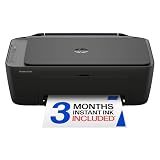
- Top Pick: HP DeskJet 2923 Color Inkjet Printer | Wireless | All-in-One | Easy Home Printing | Color Documents | Mobile Compatibility | Print, Scan & Copy | Ideal Home Use
- Best Value: Canon PIXMA TS4320 – Wireless Color Inkjet Printer with Print, Copy, Scan | Cost Efficient Multi-Function Photo Printer, Copier, Scanner for Home Use, Compact Design, Easy Setup
- Premium Choice: HP DeskJet 2955 Color Inkjet Printer | Wireless | All-in-One | Easy Home Printing | Color Documents | Mobile Compatibility | Print, Scan & Copy | Ideal Home Use
A dorm room gives a printer almost nothing to work with: a desk shared with a laptop and a lamp, a roommate who sleeps while you finish a paper at midnight, and a campus Wi-Fi network that does not always cooperate with household gadgets. The printer worth buying for that space is small enough to tuck on a shelf, quiet enough not to wake anyone, and simple enough that setup does not eat a study night.
This 2026 guide sorts seven options by how they fit student life. Some are full all-in-one inkjets that print, scan and copy for lab reports and forms. Others are portable or inkless designs that give up page speed for a footprint you can store in a closet. The sections below explain which features matter in a shared room, and which are best skipped. Keep in mind that a printer is a tool you use in bursts: the week before finals it works hard, and for a month afterward it sits idle, so simple and reliable beats feature-packed.
Quick Picks
As an Amazon Associate we earn from qualifying purchases at no extra cost to you.




| Product | Best for | Key spec from the title |
|---|---|---|
| HP DeskJet 2923 | Basic coursework | Wireless all-in-one, print, scan, copy |
| Canon PIXMA TS4320 | Compact desks | Wireless, print, copy, scan, compact design |
| HP DeskJet 2955 | Basic coursework | Wireless all-in-one, mobile compatibility |
| HP Envy 6155 | Long papers | Duplex printing, Instant Ink trial |
| HP OfficeJet Pro 8125 | Thesis and group work | ADF, duplex printing, wireless |
| Canon PIXMA TR160 | Tiny rooms, moving | Portable, 50-sheet tray, 1.44-inch display |
| Rongta Thermal Portable | Labels and notes | Inkless, Bluetooth, Android and iOS |
How to Choose
Size and Noise
Measure your shelf or desk corner before shopping. A flatbed all-in-one needs room to open its scanner lid and extend a paper tray, which can mean a full 18 by 14 inches of surface. Portable models fold that need down to roughly the space of a textbook, and some can be stored upright or in a drawer between uses. Printers are loudest during the first alignment pass and when pulling paper, so a unit with a short, quiet printing cycle is kinder to a roommate than a high-volume office machine.
Connectivity
Wireless setup is standard, but dorm networks often require device registration or block device discovery. A printer that supports a direct connection, such as Bluetooth or a mobile app, will still work when the campus network refuses. Check that the listing names your operating system: Windows, macOS, Android and iOS support are not guaranteed on every model. Also look for a mobile app, which is often the easiest way to finish setup when your laptop is stuck on the campus login page.
Print, Scan and Copy Features
If you only print essays, a basic inkjet is plenty. If you scan receipts, forms and lab notes, make sure the title says all-in-one. Duplex (two-sided) printing saves paper on long readings. An automatic document feeder (ADF) matters only if you scan multi-page stacks; for occasional single pages, a flatbed suffices.
Ink Versus Inkless, and Where Budget Models Cut Corners
Entry-level inkjets usually ship with starter cartridges that run out quickly, and they print one side at a time with a small paper tray. Inkless thermal printers avoid cartridges altogether but print in monochrome on special paper, which makes them poor for formal assignments. Decide between convenience and the documents your professors expect, usually standard letter pages in black text. Ignore claims about speed and fancy touchscreens, since a dorm printer rarely runs more than a handful of pages at a time.
The 7 Best Options
HP DeskJet 2923
A wireless color all-in-one that covers print, scan and copy, with mobile compatibility called out in the title. It targets students who need dependable everyday output rather than extra features, and it keeps the desk footprint modest. For a first-year student who prints readings, a few forms and a syllabus now and then, this is the sort of plain, familiar setup that stays out of the way. Wireless printing also means the box can sit on a closet shelf rather than next to the laptop.
- Strength: print, scan and copy in one body saves buying separate gear.
- Strength: mobile compatibility lets you send a file from a phone before class.
- Trade-off: the title mentions no duplex printing or document feeder, so long documents print one side at a time.
Skip it if you handle thick packets or scan stacks of pages regularly.
Canon PIXMA TS4320
This Canon is a wireless color inkjet with print, copy and scan, pitched as a photo-capable printer with a compact design and easy setup. The compact frame helps in a cramped room, and quick setup matters when move-in week is already chaotic. Because it also copies and scans, a single device can handle a signed form, a flyer for a club and a quick photo of a poster project, which is a lot of use from one small footprint.
- Strength: compact design suits a shelf or the corner of a small desk.
- Strength: photo printing support lets you make posters and keepsakes for your wall.
- Trade-off: the title lists no duplex or feeder, so it is geared to light use.
Skip it if you plan to print large reports every week.
HP DeskJet 2955
Almost a twin of the 2923 in its title: wireless, all-in-one, color inkjet, with print, scan and copy plus mobile compatibility. It is aimed at home use, which maps well onto dorm life. If you find it next to the 2923 and cannot tell them apart, that is a fair reading: both aim at the same light-duty student, so the choice often comes down to availability and the color of the casing.
- Strength: familiar wireless all-in-one feature set at the entry tier.
- Strength: mobile-friendly printing from a phone or tablet.
- Trade-off: no two-sided printing is listed, so paper use runs higher.
Skip it if you want the more automatic features found on the Envy and OfficeJet below.
HP Envy 6155
A step up for heavy writers. This wireless all-in-one lists duplex printing, a three month trial of Instant Ink and AI-capable branding, along with print, scan and copy. It is positioned for home use that goes beyond occasional pages. English majors, law students and anyone with weekly page counts in the dozens will notice the difference most, because two-sided output also makes bound packets thinner to carry between classes.
- Strength: duplex printing halves paper use on long readings.
- Strength: the Instant Ink trial helps with cartridge replacement during the first months.
- Trade-off: it is larger and more capable than a minimalist dorm needs.
Skip it if desk space is your biggest limit.
HP OfficeJet Pro 8125
Built for people who print and scan in volume. The title adds an automatic document feeder (ADF) and duplex printing to the wireless all-in-one formula, plus a three month Instant Ink trial. Grad students, club officers and anyone who regularly copies a stack of documents for a meeting get the most from the feeder, since it lets pages go through without lifting the lid each time.
- Strength: the ADF handles multi-page scans for applications and group projects.
- Strength: duplex printing suits theses and course packets.
- Trade-off: it is the bulkiest printer here and likely the loudest in a shared room.
Skip it if you share a very small room or print rarely.
Canon PIXMA TR160
The compact choice for moving between dorm, library and home. This portable color printer lists a 50-sheet paper tray and a 1.44-inch display, and it is described as lightweight and ready for printing on the go. Students who commute, live off campus part of the year or bounce between a dorm and a family home will appreciate a machine that packs away neatly and does not demand a permanent spot on the desk.
- Strength: portable size stores easily in a closet during breaks.
- Strength: the built-in display helps with settings without a computer.
- Trade-off: the title lists print only, so there is no scan or copy function.
Skip it if you need a flatbed scanner for forms and receipts.
Rongta Thermal Portable
An inkless Bluetooth printer that works with Android, iOS and laptops. It is built for school and office notes, labels and study sheets, not for formal papers. Think flashcards, shopping lists, planner stickers and quick labels for lab bins or a shared fridge shelf, printed from a phone with nothing to refill and almost nothing to set up.
- Strength: no cartridges to buy or replace.
- Strength: Bluetooth connection works without dorm Wi-Fi.
- Trade-off: thermal output is not suited to full-page assignments.
Skip it if your professors require standard letter-size printouts.
Which One Fits Your Situation
You Print a Few Pages a Week
The HP DeskJet 2923 or 2955 handles essays, syllabi and the occasional scan without adding complexity to your desk. It is the straightforward answer for a student who just wants pages out by morning.
Your Room Is Tiny
Pick the Canon PIXMA TR160 for its portable build, or the Canon PIXMA TS4320 if you need scan and copy in a small body.
You Write Long Papers or Share With Friends
The HP Envy 6155 gives you duplex printing, while the HP OfficeJet Pro 8125 adds an ADF for scanning stacks. Together they cover the heaviest dorm workloads, with the OfficeJet better suited to shared use among a study group.
You Mainly Need Study Notes
The Rongta Thermal Portable prints quick flashcards and labels over Bluetooth without ink. It also works as a second device alongside a full-size printer in the library or a lab.
You Want to Print Photos and Posters
The Canon PIXMA TS4320 is the pick here because its title pitches it as a photo-capable printer with a compact design, and it still scans and copies for everyday school tasks.
Common Mistakes
- Buying a large office machine when the desk can barely hold a laptop.
- Assuming dorm Wi-Fi will accept any printer without registration.
- Choosing a print-only portable when you also need a scanner.
- Ignoring how quickly starter cartridges run out and not planning for replacements.
- Forgetting to check that your operating system is listed on the product page.
Related guides
- Combination Smoke And Carbon Monoxide Detectors
- Aio Liquid Coolers For High Performance Gaming
- How To Lower Input Delay In Competitive Shooters
Frequently Asked Questions
Do I need a color printer in a dorm?
Many courses only need black text, but color helps for presentations and lab figures. An all-in-one color inkjet covers both, while a thermal printer covers only simple notes. If you rarely need color, an all-in-one still earns its place through scanning and copying.
Is Wi-Fi printing reliable on campus networks?
It depends on the school. Many networks isolate devices from each other, so a printer with Bluetooth or direct connection is a useful backup. Ask your housing office whether printers are allowed on the network, and whether a separate guest network exists for gadgets.
Are portable printers good enough for coursework?
The Canon TR160 has a 50-sheet tray and can handle light coursework. Thermal models are better for labels, notes and receipts.
What is Instant Ink?
It is an HP cartridge delivery program. The listings for the Envy 6155 and OfficeJet Pro 8125 include a three month trial, so read the program terms before you rely on it. Cancel or keep the plan deliberately instead of letting it run unnoticed after the trial ends.







