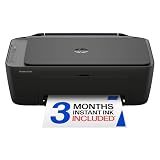
- Top Pick: HP DeskJet 2955 Color Inkjet Printer | Wireless | All-in-One | Easy Home Printing | Color Documents | Mobile Compatibility | Print, Scan & Copy | Ideal Home Use
- Best Value: Canon PIXMA TS6520 Wireless Color Inkjet Printer, 1.42" OLED Display, White | Print, Scan, Copy, 1.42” OLED Display, Intuitive Control Panel, Compact for Home Design
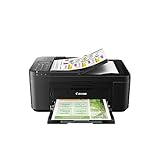
- Premium Choice: Canon PIXMA TR4720 All-in-One Wireless Printer, Home Use with Auto Document Feeder, Mobile Printing and Built-in Fax, Black
The phrase “printers under 100 dollars” hides a trap: the machine fits the budget cap, but the ink or toner you feed it for the next few years is where the real spending happens. A model that looks like an easy win on day one can turn into a drain if it burns through starter cartridges, while a laser that seems modest can quietly come out ahead over a long timeline. So this guide focuses on the choice that matters before any purchase: inkjet or laser, color or black-and-white, and which extras you will really use.
The seven printers below are the ones to weigh if you want a home machine that handles school assignments, shipping labels, forms, and the occasional scanned receipt. Listings change and tags move, so confirm which of these actually sit under the cap on the day you shop. The notes rely only on what each title states, which in 2026 means Wi-Fi, duplexing, scanning, document feeders, and bundled subscription trials rather than unverifiable speed claims.
Quick Picks
As an Amazon Associate we earn from qualifying purchases at no extra cost to you.



| Product | Best for | Key spec from the title |
|---|---|---|
| HP DeskJet 2955 | Light everyday color printing | Wireless all-in-one color inkjet |
| Canon PIXMA TS6520 | Easy menus on a small screen | 1.42″ OLED display, print/scan/copy |
| Canon PIXMA TR4720 | Paperwork and faxing | Auto document feeder, built-in fax |
| HP Envy 6155 | Double-sided color at home | Duplex printing, 3-month Instant Ink trial |
| HP OfficeJet Pro 8125 | Home-office stacks | ADF, duplex printing, wireless all-in-one |
| HP LaserJet M207dw | Fast black-and-white documents | Monochrome laser, automatic duplex, wireless |
| Brother HL-L2405W | Compact text-only printing | Wireless monochrome laser, mobile printing |
How to Choose
Laser or Inkjet
If you mostly print text, such as essays, contracts, and shipping labels, a monochrome laser is the sensible choice. Toner does not dry out between uses, and text stays sharp. If you need color for school projects, photos, or charts, an inkjet is the only option in this range. Note that every inkjet here is an all-in-one, while both lasers are print-only based on their titles. A household that prints something every day leans toward laser, while one that prints a color page a month is better served by an inkjet. If you are unsure, ask how many pages you really print per month, and be honest about whether any of them need color.
Functions You Will Use
Scanning and copying matter for forms and receipts. An automatic document feeder (ADF) matters once you handle more than two or three sheets at a time, and fax only matters if a clinic or government office still asks for it. Count the features you will use monthly, and ignore the rest. Duplex, meaning automatic double-sided printing, saves paper and is worth having if you print long documents. Also look at paper handling: a small input tray means reloading often, and a printer without a rear or front tray for envelopes and labels can be limiting if you ship packages from home.
Connectivity and Subscriptions
Wi-Fi and mobile printing are standard, but check that the listing says wireless. Several listings bundle a trial of a supply subscription, such as a three-month Instant Ink trial or a Refresh trial. These are optional, and the trial ends, so think of them as a bonus rather than a reason to choose a model. Phone printing and voice assistant mentions are conveniences, not quality signals. Also make sure your router supports the printer’s Wi-Fi band, since many compact models connect only on the common 2.4 GHz band, and keep the printer within decent range of the router for stable setup.
Where Budget Models Cut Corners
At this tier, expect slower speeds, small paper trays, and starter cartridges or toner that run out faster than full-size ones. Automatic duplexing and ADFs are often the first features removed, so verify that the title includes them. Photo quality is generally fine for casual use but not archival, and borderless prints may be limited. Consider how often you print; a laser that sits unused does not dry out, while an inkjet that is rarely used can clog.
The 7 Best Options
HP DeskJet 2955
This wireless all-in-one color inkjet is positioned for easy home printing, with print, scan, and copy functions, color documents, and mobile compatibility. It is the entry-level pick for a household that prints color pages now and then and wants the shortest path from box to first page, with no extras to learn or maintain. A parent printing permission slips and a teenager scanning a worksheet are the typical users.
- Strength: Print, scan, and copy covers basic needs in one body.
- Strength: Mobile compatibility makes phone printing simple.
- Trade-off: The title lists no duplex printing or document feeder.
Skip it if you print stacks of paper or want automatic double-sided pages.
Canon PIXMA TS6520
Canon’s TS6520 lists wireless color inkjet printing with a 1.42″ OLED display, an intuitive control panel, and print, scan, and copy functions in white. The compact design is aimed at the home user who values a small screen for navigating settings, paper sizes, and network setup instead of memorizing button combinations. It also looks more at home on a shelf than a plain black box.
- Strength: The OLED display makes menus easier to follow.
- Strength: A compact design suits small desks and shelves.
- Trade-off: The title mentions no ADF or duplex printing.
Skip it if you need to scan multi-page documents quickly or print on both sides automatically.
Canon PIXMA TR4720
The TR4720 is the paperwork-friendly Canon: an all-in-one wireless printer for home use with an auto document feeder, mobile printing, and built-in fax, in black. It suits someone who handles forms and multi-page copies and occasionally needs to send a fax, such as a person managing a relative’s insurance or medical paperwork from a spare bedroom.
- Strength: An ADF is unusual at this level and speeds up scanning stacks.
- Strength: Built-in fax covers the rare office that still requires it.
- Trade-off: The title does not state duplex printing or any display.
Skip it if you never copy more than a single page at a time or want a screen-driven setup.
HP Envy 6155
The Envy 6155 is a wireless all-in-one color inkjet with print, scan, copy, and duplex printing, a 3-month trial of Instant Ink, and an AI-capable label. It is aimed at home users who want automatic double-sided color pages and a slightly more refined feature set than the basic DeskJet. Students printing multi-page reports on both sides are a natural fit.
- Strength: Duplex printing is included in the title.
- Strength: Print, scan, and copy covers everyday home work.
- Trade-off: No document feeder is listed, and the Instant Ink trial is temporary.
Skip it if you plan to scan lots of multi-page documents at once.
HP OfficeJet Pro 8125
This OfficeJet Pro lists wireless all-in-one color inkjet printing with print, scan, copy, an ADF, duplex printing, and a 3-month Instant Ink trial. It is labeled best for home office, so it fits a remote worker who juggles contracts, invoices, and scanned paperwork every week and needs the printer to keep pace with a full inbox of attachments.
- Strength: ADF plus duplex is the strongest paperwork combination on this list.
- Strength: Wireless all-in-one covers print, scan, and copy in a single device.
- Trade-off: As the most feature-rich model here, confirm that its current listing still fits the budget cap.
Skip it if you print only a handful of pages a month.
HP LaserJet M207dw
This is a monochrome laser with duplex, wireless printing, and fast black-and-white output, per the title, including automatic two-sided printing. It targets people who print text-heavy pages and want double-sided output without dealing with ink. In the listing it is a print-only machine, so pair it with a phone scanning app if you occasionally need to digitize a page.
- Strength: Automatic two-sided printing saves paper on long documents.
- Strength: Laser output suits text, forms, and shipping labels.
- Trade-off: Black-and-white only, with no scanner or copier mentioned.
Skip it if you need color or a scanner in the same body.
Brother HL-L2405W
The Brother is a wireless compact monochrome laser with mobile printing, black-and-white output, a Refresh subscription trial, and a note that it works with Alexa. It suits a student or a small desk that needs reliable text pages and nothing more, and the compact body helps when the printer has to live on a bookshelf or in a closet.
- Strength: A compact laser body fits tight spaces.
- Strength: Wireless and mobile printing keep setup simple.
- Trade-off: No duplex, scanner, or color is listed.
Skip it if you want automatic double-sided printing or any scanning.
Which One Fits Your Situation
You Mostly Print Text and Labels
Choose the Brother HL-L2405W for the smallest footprint, or step up to the HP LaserJet M207dw if automatic duplex matters. Both avoid the nozzle-clogging risk of inkjets, which matters if you print in bursts rather than every week.
You Need Color for Homework
The HP DeskJet 2955 or Canon PIXMA TS6520 is enough for school projects and occasional photos. The TS6520 is friendlier if you want a screen, while the DeskJet is the plainer of the two and keeps the setup minimal.
You Work From Home
The HP OfficeJet Pro 8125 offers an ADF and duplex in a color all-in-one. If fax is the deciding factor, the Canon PIXMA TR4720 covers it and also includes a feeder for multi-page copies.
You Want Double-Sided Color
The HP Envy 6155 includes duplex printing in a color inkjet, which suits students and households printing multi-page projects. It lacks a feeder, so it is not the right choice for scanning long documents.
Common Mistakes
- Choosing by the budget cap alone and ignoring toner or ink supply over the next two years.
- Buying a color inkjet when 95 percent of your printing is black text.
- Assuming every all-in-one has a document feeder or duplex printing.
- Treating bundled subscription trials as permanent benefits.
- Letting an inkjet sit unused for months, then wondering why the nozzles clog.
Related guides
- Combination Smoke And Carbon Monoxide Detectors
- Aio Liquid Coolers For High Performance Gaming
- How To Lower Input Delay In Competitive Shooters
Frequently Asked Questions
Is a laser better than an inkjet under 100 dollars?
For text, yes in most cases, since toner sits unused without drying and text prints stay crisp. For color work, an inkjet is the only choice in this range, and the HP OfficeJet Pro 8125 or Canon PIXMA TR4720 suit office-style jobs.
Do I need Instant Ink or a similar subscription?
No. The trials listed are optional, and you can buy supplies the usual way instead. Read the terms on the trial before enrolling so you know what happens when it ends.
What does duplex mean?
It means the printer prints on both sides of the paper automatically, saving paper and time on longer documents. Without it, you flip pages by hand, which gets tedious beyond a few sheets.
Can I print from my phone?
Models that list wireless or mobile printing support it. Check that your phone’s operating system works with the printer’s app or standard printing service.