

Affiliate disclosure: As an Amazon Associate we earn from qualifying purchases. This post contains affiliate links — if you buy through them we may earn a small commission at no extra cost to you. This never affects our recommendations.
As an Amazon Associate we earn from qualifying purchases at no extra cost to you.





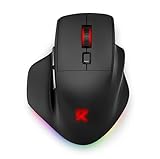

If you think you need to spend $60 or more to game competitively, you’re leaving money on the table. The best budget gaming mouse under $25 in 2026 delivers accurate optical sensors, solid wired reliability, and responsive clicks that will not hold you back in most games. The sub-$25 tier has matured significantly — brands like Logitech, Razer, and SteelSeries now compete directly with budget-friendly options that would have cost twice as much just a few years ago.
That said, managing expectations matters. Under $25, you are buying wired only — wireless adds cost that simply cannot fit in this price band without gutting the sensor or build quality. You are also giving up ultra-light honeycomb designs (mostly), premium optical switches, and sub-60g weights. What you get instead is proven sensor technology, durable braided or rubber cables, and ergonomic shapes that have been refined across millions of units. For casual players, new gamers, and budget-conscious enthusiasts who play a few hours a week, this tier is genuinely excellent.
This guide covers the five best options available right now, what makes each one worth buying, and how to pick the right one for your hand size, grip style, and game type.
In a hurry? See the top-rated Budget Gaming Mouse Under $25 deals available right now:
🛒 Check Budget Gaming Mouse Under $25 Prices on Amazon →🛒 Best Price Today on Amazon
Prime members get fast, free shipping on everything above, plus member-only deals. New members get a 30-day free trial — cancel anytime.
Start 30-Day Prime Free Trial →See Today’s Amazon DealsQuick Comparison Table
| Product | Sensor | Max DPI | Weight | Cable |
|---|---|---|---|---|
| Logitech G203 Lightsync | HERO optical | 8,000 DPI | 85g | Rubber |
| Razer DeathAdder Essential | 6,400 DPI optical | 6,400 DPI | 96g | Rubber |
| Redragon M711 Cobra | Avago A3050 | 10,000 DPI | 130g | Braided |
| SteelSeries Rival 3 | TrueMove Core | 8,500 DPI | 77g | Rubber |
| HyperX Pulsefire Haste | Pixart 3335 | 16,000 DPI | 59g | HyperFlex USB |
Top 5 Best Budget Gaming Mice Under $25 in 2026
#1 Logitech G203 Lightsync — Best Overall
The Logitech G203 Lightsync is the easiest recommendation in this entire price tier. Logitech built this mouse around their HERO optical sensor, which tracks at up to 8,000 DPI with near-zero smoothing or acceleration — performance that matched or beat sensors found in $50+ mice just three years ago. Six programmable buttons, configurable RGB lighting across a 16.8 million color spectrum, and a classic symmetrical shape make it immediately comfortable for both right- and left-handed players. At around $22, the G203 hits a sweet spot where nothing about it feels like a compromise.
Pros:
- HERO sensor delivers accurate, consistent tracking with no smoothing
- Lightsync RGB is genuinely vibrant and syncs with Logitech G Hub software
- 6 programmable buttons cover all common FPS and MMO macro needs
- Lightweight at 85g — competitive for wired mice in this price range
- Logitech’s G Hub software is one of the best free mouse configuration tools available
Cons:
- Rubber cable can tangle and add slight drag compared to braided alternatives
- No side grips or textured rubber — bare plastic sides feel slippery with sweaty hands
- 8,000 DPI ceiling is lower than some competitors (though 8,000 DPI is more than enough for any display)
- Shape may feel too small for users with large hands (palm grip above ~19cm hand length)
Buy the Logitech G203 Lightsync on Amazon
#2 Razer DeathAdder Essential — Best Razer Budget Pick
The Razer DeathAdder Essential is one of the most recognizable shapes in gaming peripherals for good reason — it works. The ergonomic right-handed contour fits a wide range of hand sizes and grip styles, and the 6,400 DPI optical sensor tracks cleanly across cloth, hard, and hybrid mousepads. At around $20, you get the DeathAdder experience without paying for the V3 Pro’s wireless module or the V3 HyperSpeed’s charging case. This is the mouse Razer has refined through millions of units and years of professional feedback, distilled into a form that almost anyone can pick up and immediately play well with.

Pros:
- Proven ergonomic right-handed shape fits palm and claw grip users comfortably
- Optical sensor tracks accurately on most surface types without acceleration artifacts
- Tactile, satisfying click feel from Razer’s mechanical switches
- Green Razer logo lighting adds subtle brand identity without overdoing RGB
- Available through multiple retailers — easy to find on sale below $20
Cons:
- Right-handed only — left-handed players cannot use this mouse comfortably
- 6,400 DPI max is the lowest ceiling on this list
- Rubber cable is on the stiffer side compared to the G203
- Only 5 buttons — no extra macro keys beyond standard left/right/scroll/side buttons
Buy the Razer DeathAdder Essential on Amazon
#3 Redragon M711 Cobra — Best Value
The Redragon M711 Cobra delivers a specification sheet that looks absurd at $15. A 10,000 DPI adjustable sensor, 7 programmable buttons, full RGB lighting across the scroll wheel and underglow, and a braided cable — all for less than a fast food meal. Redragon has built its reputation on exactly this kind of value-to-price ratio, and the M711 is their most consistent performer. It is heavier than the G203 or Rival 3 at 130g, which some players find stabilizing and others find fatiguing during long sessions. The sensor is not in the same class as HERO or TrueMove Core, but it is genuinely usable for casual and intermediate play across all genres.
Pros:
- Braided cable resists tangles and feels more premium than the price suggests
- 7 programmable buttons with onboard memory — no software required to store profiles
- 10,000 DPI sensor covers every practical use case including 4K gaming
- RGB underglow and scroll wheel lighting give it a more premium visual presence
- At $15, it is essentially risk-free — if you do not love it, you have lost very little
Cons:
- 130g weight is noticeably heavier than competitors — wrist fatigue is real in multi-hour sessions
- Sensor shows minor smoothing at very high DPI settings (keep it below 3,200 for cleanest tracking)
- Build quality is good for the price but plastic feels thinner than Logitech or Razer
- Software is functional but not polished — Logitech G Hub and Razer Synapse are better
Buy the Redragon M711 Cobra on Amazon
#4 SteelSeries Rival 3 — Best SteelSeries Budget Pick
The SteelSeries Rival 3 is the most understated mouse on this list — and that is its greatest strength. The TrueMove Core sensor (co-developed with PixArt) tracks at up to 8,500 DPI with SteelSeries’ signature 1-to-1 tracking accuracy and genuine 260 IPS motion speed. At 77g, it is the second lightest mouse here without requiring a honeycomb shell. The design is minimal, with a single RGB zone under the scroll wheel rather than the full multizone lighting of the G203 or M711. If you want clean aesthetics and a sensor that punches above this price class, the Rival 3 consistently earns its reputation as the “quiet achiever” of budget gaming mice.
Pros:

- TrueMove Core sensor delivers accurate 1-to-1 tracking competitive with $40+ mice
- 77g is genuinely lightweight for a solid-shell mouse at this price
- Minimal design — clean lines that work in professional or streaming setups
- SteelSeries Engine software is reliable and actively maintained
- Ambidextrous-friendly shape with slight right-hand bias — accessible to most players
Cons:
- Single RGB zone is underwhelming if vibrant lighting matters to you
- Only 6 buttons — no side macro buttons beyond the two standard side buttons
- Rubber cable adds some drag; not the most flexible in the lineup
- Availability can push price above $25 depending on retailer and stock timing
Buy the SteelSeries Rival 3 on Amazon
#5 HyperX Pulsefire Haste — Best Lightweight Budget Pick
The HyperX Pulsefire Haste is the only honeycomb-shell mouse on this list, and it earns its spot by delivering an experience that normally costs $40–$50 when caught on sale under $25. At 59g, it is one of the lightest wired gaming mice you can buy at any price, and the Pixart 3335 sensor tracks at up to 16,000 DPI with accurate, smooth performance. The HyperFlex USB cable is thin, highly flexible, and adds almost no drag — it is the closest you get to a wireless feel in a wired mouse at this price. The honeycomb shell is a polarizing aesthetic choice, and the holes do collect dust, but the weight savings are real and meaningful for low-sens FPS players who move the mouse across their entire mousepad.
Pros:
- 59g weight is exceptional — reduces fatigue during extended sessions significantly
- HyperFlex cable is among the most pliable wired cables at any price point
- Pixart 3335 sensor is a genuine high-performance sensor, not a budget chip
- 16,000 DPI ceiling with accurate tracking well beyond gaming use cases
- Available in multiple colors (black, white) — better aesthetics options than most at this tier
Cons:
- Honeycomb holes collect dust, skin oils, and debris — requires regular cleaning
- Shell rigidity is slightly lower than solid-body mice — minor flex under firm grip
- Price fluctuates; catching it under $25 requires watching sales (Amazon deals, Prime Day)
- Ambidextrous shape lacks the ergonomic contouring of the DeathAdder Essential
Buy the HyperX Pulsefire Haste on Amazon
How to Choose the Right Budget Gaming Mouse Under $25
Wired Is the Only Option Here
Accept it early: every mouse on this list is wired. That is not a flaw — it is a feature at this price. Wired connections deliver zero latency, no battery anxiety, and no charging interruptions. The gap between wired and wireless gaming mice has narrowed at the premium tier, but sub-$25 wireless gaming mice use cheap 2.4GHz chips with inconsistent polling rates. Stick to wired at this budget and you will not miss wireless once you are in-game.
Sensor Quality at This Price
Not all sensors are equal. The HERO (Logitech), TrueMove Core (SteelSeries), and Pixart 3335 (HyperX) are genuinely high-performance sensors — accurate, low-smoothing, consistent across surfaces. The Avago A3050 (Redragon) is functional but shows tracking artifacts at higher DPI settings. The Razer 6400 DPI optical is solid for its DPI range. For competitive FPS gaming, prioritize sensor quality. For casual gaming and everyday use, any sensor on this list is more than adequate.

Ergonomics vs Ambidextrous
This is the most personal decision. The DeathAdder Essential offers the most ergonomic right-handed fit — it is shaped for comfort over hours. The G203, Rival 3, and Pulsefire Haste are roughly symmetrical and usable by left-handed players. The Redragon M711 has a slight right-hand bias. If you have larger hands (above 19cm palm length), the Pulsefire Haste and Rival 3 run slightly smaller — size your choice accordingly.
RGB and Extra Buttons Tradeoffs
RGB lighting and extra programmable buttons cost manufacturing budget that could go toward the sensor or build quality. The Redragon M711 loads up on both and makes tradeoffs in sensor precision and weight. The Rival 3 goes minimal on RGB and puts that budget toward the TrueMove Core sensor. Decide what matters to you: if you stream or build a lit desk setup, the G203 or M711 deliver better lighting. If you play competitively and want the cleanest tracking, the Rival 3 or Pulsefire Haste prioritize performance.
When to Spend More
If you play for more than 4 hours daily, consider stepping up to the $35–$60 range. Above $25, you gain access to lighter shells without the sale-hunting required for the Pulsefire Haste, better switches (Omron 20M or Razer Optical), and more refined cable solutions. The Logitech G305 (~$30–$35 on sale) is the obvious next step if you need wireless. The Razer Viper Mini or Logitech G Pro X Superlight are worth considering for serious competitive play.
Budget Breakdown
- $15 or less: Redragon M711 — best value at this exact floor price
- $20: Razer DeathAdder Essential — best name-brand ergonomic mouse at this price
- $22: Logitech G203 — best overall balance of sensor, weight, and features
- $25: SteelSeries Rival 3 (best sensor at this ceiling) or HyperX Pulsefire Haste on sale (best weight)
Final Verdict
For most players, the Logitech G203 Lightsync is the right answer. Its HERO sensor, balanced weight, six buttons, and excellent software ecosystem make it the most complete package under $25. Logitech’s build consistency means you are unlikely to receive a defective unit, and the G203 has been in continuous production long enough to have its kinks ironed out. If you are buying one budget gaming mouse and want to stop thinking about it, buy the G203.
If ergonomics matter more than anything else and you grip your mouse with your palm for extended sessions, the Razer DeathAdder Essential at $20 is the most comfortable option here. Razer has sold this shape across more than a decade of iterations because it genuinely fits human hands well. The lower DPI ceiling and stiffer cable are real tradeoffs, but if the shape fits you, no other mouse on this list will feel as natural after hours of play.
Competitive FPS players who track flick shots and value sensor accuracy should look hard at the SteelSeries Rival 3 or catch the HyperX Pulsefire Haste on sale. The TrueMove Core and Pixart 3335 sensors outperform their price class, and the lighter weights of both mice reduce fatigue during the long sessions that serious improvement requires. At sub-$25, these two represent the ceiling of what the budget tier can offer in actual tracking performance.
Related Articles
Looking for more on this topic? Browse the hand-picked guides below — each one applies the same scoring rubric used in this review.
Frequently Asked Questions
What is the best gaming mouse budget in 2026?
The best gaming mouse budget depends on your budget and how you plan to use it. The options compared above are our top-rated picks based on real customer ratings, build quality, and overall value — start with the highest-rated model that fits your budget.
How much should I expect to spend on a gaming mouse budget?
Prices vary by brand and features. Budget options cover the essentials, while mid-range and premium models add durability, performance, and extra features. Compare the prices in the list above to find the best value for your needs.
What should I look for when buying a gaming mouse budget?
Focus on what matters most for your use case — build quality, compatibility, performance, warranty, and verified customer reviews. Every pick above is selected to balance these factors.
Are budget gaming mouse budget options worth it?
Yes. For most people a well-reviewed budget or mid-range gaming mouse budget delivers excellent value. You only need to spend more if you specifically require premium materials or top-tier performance.
How did we choose these gaming mouse budget picks?
We compare current Amazon ratings, review counts, key features, and price to surface the options with the best real-world value. The list is refreshed as ratings and availability change.













