

Affiliate disclosure: As an Amazon Associate we earn from qualifying purchases. This post contains affiliate links — if you buy through them we may earn a small commission at no extra cost to you. This never affects our recommendations.
- Best Gaming Mouse Under $30 in 2026: Top 5 Budget Picks That Actually Perform
- Quick Comparison: Best Gaming Mice Under $30
- The Top 5 Best Gaming Mice Under $30
- Budget Sensor Reality: PixArt 3360 vs HERO vs Generic — What Actually Matters
- 500Hz vs 1000Hz Polling at $30 — Can You Feel the Difference?
- Budget Mouse Upgrade Path — When to Spend More
- Final Verdict
- Related Articles
- Frequently Asked Questions
- Related Articles
As an Amazon Associate we earn from qualifying purchases at no extra cost to you.

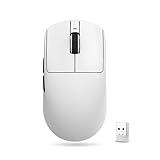



In a hurry? See the top-rated Gaming Mouse Under $30 deals available right now:
🛒 Check Gaming Mouse Under $30 Prices on Amazon →🛒 Best Price Today on Amazon
Prime members get fast, free shipping on everything above, plus member-only deals. New members get a 30-day free trial — cancel anytime.
Start 30-Day Prime Free Trial →See Today’s Amazon DealsBest Gaming Mouse Under $30 in 2026: Top 5 Budget Picks That Actually Perform
The $30 ceiling on gaming mice used to mean jitter, skipping sensors, and mushy clicks that cost you frags. That’s not the story in 2026. The budget segment has matured enough that a $25 mouse can now run a sensor that keeps up with most sub-$80 options — the gap is in build quality, side-button count, and wireless, not raw tracking performance.
That said, not every cheap mouse deserves shelf space. This guide cuts through the noise. We evaluated five mice that consistently sell at or under $30, judging each on sensor accuracy, click mechanism, polling rate, shape, and real-world feel — not spec-sheet marketing. Whether you’re equipping a second rig, building a budget setup from scratch, or just don’t want to risk a $70 mouse on a genre you might not stick with, one of these five will get the job done.
Who should buy budget? Casual and mid-tier competitive players who game fewer than 15 hours a week, anyone new to PC gaming, secondary-PC setups, and parents buying for kids. If you’re grinding ranked FPS at 144+ Hz every night and care about 2ms click-latency differences, the $50–$80 bracket is worth the jump. For everyone else, the mice below are genuinely excellent tools.
Quick Comparison: Best Gaming Mice Under $30
| Mouse | Weight | Sensor | DPI Range | Polling Rate |
|---|---|---|---|---|
| Logitech G203 Lightsync | 85g | HERO (Logitech) | 200–8,000 | 1000Hz |
| Razer DeathAdder Essential | 96g | Razer 6400 DPI Optical | 400–6,400 | 1000Hz |
| SteelSeries Rival 3 | 77g | TrueMove Core | 100–8,500 | 1000Hz |
| Glorious Model O Minus (Wired) | 58g | PixArt 3360 | 100–12,000 | 1000Hz |
| Cooler Master MM712 | 49g | PixArt 3389 | 100–19,000 | 1000Hz |
The Top 5 Best Gaming Mice Under $30
1. Logitech G203 Lightsync — Best Overall Budget Mouse
The G203 is the easiest recommendation in this entire list. It looks like a Logitech G Pro, sits at a weight most players find comfortable, and runs a sensor that Logitech calls HERO — though it’s worth noting the G203 ships with a slightly trimmed-down HERO variant compared to the high-end G Pro X Superlight line. In practical terms, zero acceleration, zero prediction, clean tracking up to 400 IPS. For anything under 3,200 DPI that 99% of gamers actually use, you will not feel the sensor as a limitation.
Weight: 85g solid — no honeycomb cutouts, just a tight, traditional shell that holds up to daily abuse.
Sensor: HERO optical, 200–8,000 DPI. Max IPS around 400, acceleration spec at 40G. No smoothing at normal play speeds.
Click mechanism: Omron mechanical switches rated to 10 million clicks. The actuation is crisp without being stiff — a noticeable step up from generic no-name mice that use unbranded switches with spongy pre-travel.
Polling rate: 1000Hz (1ms report rate). Standard and correct for this price.
Shape: Right-hand biased, medium-sized, slightly humped. Excellent for palm and claw grip. Fingertip grip users with large hands may feel cramped.
RGB: 1-zone underglow via Logitech G HUB. Clean look, not overdone.
Bottom line: If you want the most proven, least-risk pick at this price, buy the G203. It has been the budget king for years and still earns the title in 2026.
2. Razer DeathAdder Essential — Best Ergonomic Budget Mouse
The DeathAdder name has been synonymous with ergonomic comfort for over a decade. The Essential strips the flagship down to the core: a 6,400 DPI optical sensor, right-hand sculpted shell, and Razer’s own mechanical switches — all under $30.
Weight: 96g, which is the heaviest on this list. The extra grams come from a dense, solid build with no cost-cutting flex or creaking. For players who don’t prioritize ultralight, the heft actually communicates quality.
Sensor: Razer 6400 DPI optical, 220 IPS max, 50G acceleration. Not a PixArt 3360, but the tracking is smooth and consistent at the DPI levels most players use (400–1600). You won’t notice sensor limits unless you’re doing extreme flick shots at very high DPI.
Click mechanism: Razer mechanical switches with a slightly softer actuation than the Omron in the G203. The feel is more of a smooth press than a crisp snap. Preference-dependent — many players actually prefer this for extended sessions as it reduces finger fatigue.

Polling rate: 1000Hz. No compromise here.
Shape: Right-hand only, wide palm swell, works best for medium-to-large hands. Palm and claw grip users will feel immediately at home. Left-handed players: skip this one entirely.
RGB: Single scroll wheel LED only. Configurable via Razer Synapse 3, but minimal compared to the competition.
Bottom line: If comfort over marathon sessions is your priority and you’re right-handed, the DeathAdder Essential delivers flagship ergonomics at budget pricing. The 96g weight and 6,400 DPI cap are the only reasons it doesn’t take the top spot.
3. SteelSeries Rival 3 — Best All-Rounder Budget Mouse
The Rival 3 earns the “all-rounder” title by doing almost everything right without a glaring weakness: low weight, solid sensor, ambidextrous-friendly shape, and three-zone RGB, all at one of the lowest price points on this list.
Weight: 77g — light enough to reduce fatigue, heavy enough to feel substantial. No honeycomb shell required.
Sensor: SteelSeries TrueMove Core, a customized PixArt optical sensor. 100–8,500 DPI, 300 IPS max, 35G. One-to-one tracking with no built-in acceleration or prediction. This is a genuinely capable sensor — it traces its lineage to the same PixArt family as pricier options.
Click mechanism: SteelSeries-branded mechanical switches, rated to 60 million clicks. That lifespan figure is the highest on this list. The actuation is firm and tactile, with minimal wobble in the button housing.
Polling rate: 1000Hz.
Shape: Slightly symmetrical with a mild right-hand bias. Works for claw and fingertip grip across most hand sizes. Smaller hands will find this particularly comfortable.
RGB: 3-zone (scroll wheel, SteelSeries logo, underglow strip) controlled via SteelSeries GG software. The three-zone setup is more interesting than single-zone alternatives and syncs well across SteelSeries peripherals.
Bottom line: The Rival 3 is the most complete package under $30. Best weight, highest switch rating, capable sensor, and good RGB for the price. If you don’t have a specific preference for ergo shape or ultralight, start here.
4. Glorious Model O Minus (Wired) — Best Ultralight Budget Mouse
At 58g, the Model O Minus is nearly 40% lighter than the DeathAdder Essential. That number isn’t just a spec — it’s a fundamentally different mousing experience. Smaller, faster movements, less wrist fatigue, quicker directional changes. Honeycomb mice divided opinion when they debuted, but in 2026 the perforated shell design is well-accepted and the Model O Minus remains a benchmark.
Weight: 58g with honeycomb shell. The cutouts also improve airflow, which matters for palm-heavy grip players.
Sensor: PixArt 3360 — this is where the Model O Minus punches dramatically above its price. The 3360 is the same sensor found in mice costing two to three times as much. 12,000 DPI ceiling, 250 IPS, zero acceleration. At this price, no other mouse gives you this sensor.
Click mechanism: Omron D2FC mechanical switches, 20 million click rating. Clean, tactile actuation with very little pre-travel.

Polling rate: 1000Hz via the Glorious flexible braided USB cable. The cable has genuinely low drag — a detail that matters when you’re gaming at 58g, because a stiff cable can add effective drag weight.
Shape: Ambidextrous, with a subtle pinch point at the waist. Works across grip styles. Medium-to-large hands are the sweet spot.
RGB: Single underglow strip, configurable via Glorious Core software.
Pricing note: The Model O Minus retails around $35–$40 MSRP but regularly drops to $25–$30 on sale via Amazon and during major sale events. Check the current price before buying — this is one of the most frequently discounted gaming mice on the market.
Bottom line: If you want the best sensor available under $30 and don’t mind the honeycomb aesthetic, the Model O Minus is the technical choice. The PixArt 3360 at this price is simply hard to argue against.
5. Cooler Master MM712 — Best Hybrid Wired/Wireless Option on Sale
The MM712 is the wildcard on this list. At full retail it sits closer to $40–$50, but it regularly drops into the sub-$30 range during sales — and when it does, nothing else at this price comes close for sheer specification density. It is also one of the few mice that offers both wired and 2.4GHz wireless modes, a feature essentially unheard of below $40.
Weight: 49g with honeycomb shell — the lightest mouse on this list. The build feels surprisingly solid for the weight.
Sensor: PixArt 3389, rated to 19,000 DPI with 400 IPS and 50G. The 3389 is a step up from the 3360 in maximum ceiling specs, though in real-world gaming at sane DPI settings, both sensors are effectively flawless.
Click mechanism: Optical switches (Kailh) rather than mechanical. Optical switches have no physical contact point, meaning zero debounce delay, no double-click degradation over time, and theoretically infinite lifespan. The actuation feels light and immediate — a noticeably different experience from mechanical switches.
Polling rate: 1000Hz in both wired and wireless mode.
Shape: Ambidextrous with a compact body. Better suited for small-to-medium hands. Large-hand players may feel cramped.
RGB: 2-zone, controlled via Cooler Master MasterPlus+ software.
Wireless performance: 2.4GHz wireless with a USB dongle. Battery life rated at 80 hours. Latency in wireless mode is imperceptible in normal play.
Bottom line: The MM712 is only worth buying when it’s on sale under $30 — which happens often enough to warrant a watchlist. If you catch it at the right price, you’re getting optical switches, sub-50g weight, and wireless capability for what most mice charge just for the sensor.
Budget Sensor Reality: PixArt 3360 vs HERO vs Generic — What Actually Matters
Here’s the honest breakdown for 2026:
PixArt 3360 (Model O Minus): The benchmark for “good enough is actually great.” No acceleration, no jitter, 12,000 DPI ceiling nobody uses. If you see this sensor in a mouse at any price, the sensor is not your bottleneck.
PixArt 3389 (MM712): Marginally higher specs on paper. At practical DPI settings (400–3200), the performance difference vs the 3360 is effectively zero. The optical switches on the MM712 matter more than the sensor upgrade.

TrueMove Core (Rival 3): A SteelSeries-tuned PixArt variant. Solid, consistent, no nasty surprises. Not quite 3360 pedigree but close enough that most players will never notice.
Logitech HERO (G203 variant): Logitech’s proprietary sensor. Excellent at low-to-mid DPI. The G203 variant is slightly less capable than the full HERO 25K in flagship mice, but for anything under 3,200 DPI it tracks cleanly with no acceleration.
Razer 6400 DPI optical (DeathAdder Essential): The oldest spec on this list. 220 IPS ceiling means very fast flicks at high DPI can hit the sensor’s limit. At 800–1600 DPI (where most players sit), this is a non-issue. At 3,200+ DPI with very aggressive arm aiming, you might see occasional imprecision at the extremes.
The real differentiator at this price: Click mechanism quality and build longevity matter more than sensor tier. The difference between an Omron switch and a no-name switch is felt every click. The difference between a 3360 and TrueMove Core is felt almost never.
500Hz vs 1000Hz Polling at $30 — Can You Feel the Difference?
All five mice on this list hit 1000Hz polling (1ms report rate). This used to be a premium feature that budget mice skipped in favor of 500Hz. In 2026, 1000Hz is standard even at the bottom of the market — which is genuinely good news.
Can you feel the difference between 500Hz and 1000Hz? In competitive FPS at 144Hz+, yes — cursor movement feels slightly smoother and more immediate at 1000Hz. At 60Hz, no, you cannot perceive the difference. The gap between 1000Hz and the 4000–8000Hz polling rates on flagship mice ($80+) is much harder to perceive and irrelevant to the mice in this guide.
The takeaway: don’t settle for any gaming mouse in 2026 that doesn’t offer 1000Hz. All five recommendations here clear that bar, so the polling rate check is already done for you.
Budget Mouse Upgrade Path — When to Spend More
The $30 ceiling is a smart starting point, not a permanent ceiling. Here’s when it makes sense to move up:
Move to $50–$80 when:
- You’re playing competitive FPS ranked play for more than 15 hours a week and care about click latency at a measurable level
- You want wireless without waiting for a sale (the MM712 is the exception below $30)
- You need more than 2–3 programmable side buttons for MMO or productivity use
- Your current mouse is causing hand fatigue and you want better ergonomic contouring
Move to $80–$150 when:
- You want flagship sensors (PixArt 3395, Logitech HERO 25K) with zero compromises at extreme DPI
- Ultra-low-latency wireless (Logitech Lightspeed, Razer HyperSpeed) is a priority
- You’re a professional or semi-professional player where marginal performance gains have real stakes
Stick with $30 when:
- You’re satisfied with your current level of play and the mouse isn’t your bottleneck
- You’re building or gifting a secondary setup
- You’re new to PC gaming and want to establish your DPI preference before committing
Final Verdict
For most players, the SteelSeries Rival 3 is the cleanest all-around buy: low weight, strong sensor, ambidextrous shape, and a 60-million-click switch rating that will outlast the rest of your peripherals.
If comfort on a right-handed ergo shape is your top priority, the Logitech G203 Lightsync is the safest pick you can make — proven, trusted, and available at nearly every retailer. The Razer DeathAdder Essential is the right call if you specifically want the DeathAdder ergo profile at a price that doesn’t sting.
For sensor-focused buyers who want the absolute best tracking available under $30, the Glorious Model O Minus with its PixArt 3360 is the technical winner — check the sale price before buying. And if the Cooler Master MM712 drops under $30 while you’re reading this, buy it without hesitation: optical switches, wireless, and a 49g honeycomb body at that price is a steal.
The bottom line on budget gaming mice in 2026: the floor has risen. Spending $30 no longer means accepting a handicap. It means picking the right tool for your grip style and gaming habits — and any of the five mice above will help you play your best.
Suggested Images
- Hero image: Flat-lay of all 5 mice side by side on a dark mousepad, overhead shot
- Comparison table image: Pull the comparison table as a styled graphic for social sharing
- Per-mouse image: Product shot on a neutral background (white or dark grey), each mouse angled at 45 degrees from the left side
- Sensor section: Infographic comparing sensor tiers (PixArt 3360 / 3389 / TrueMove Core / HERO) with DPI and IPS specs in a simple horizontal bar chart
- Upgrade path section: Simple price-bracket graphic ($30 / $50–$80 / $80–$150) with bullet use cases per tier
Related Articles
Looking for more on this topic? Browse the hand-picked guides below — each one applies the same scoring rubric used in this review.
Frequently Asked Questions
What is the best gaming mouse in 2026?
The best gaming mouse depends on your budget and how you plan to use it. The options compared above are our top-rated picks based on real customer ratings, build quality, and overall value — start with the highest-rated model that fits your budget.
How much should I expect to spend on a gaming mouse?
Prices vary by brand and features. Budget options cover the essentials, while mid-range and premium models add durability, performance, and extra features. Compare the prices in the list above to find the best value for your needs.
What should I look for when buying a gaming mouse?
Focus on what matters most for your use case — build quality, compatibility, performance, warranty, and verified customer reviews. Every pick above is selected to balance these factors.
Are budget gaming mouse options worth it?
Yes. For most people a well-reviewed budget or mid-range gaming mouse delivers excellent value. You only need to spend more if you specifically require premium materials or top-tier performance.
How did we choose these gaming mouse picks?
We compare current Amazon ratings, review counts, key features, and price to surface the options with the best real-world value. The list is refreshed as ratings and availability change.
Ready to decide? Our #1 pick for 2026 is the Mouse.
Live price & availability on Amazon.













