

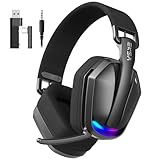
- Top Pick: 2.4GHz Wireless Gaming Headset for PC,Ps4, Ps5-Lossless Audio USB & Type-C,Wired Connection Supported,7.1 Surround Sound,40-Hour Battery, LED Light Over Bluetooth 5.3 Gaming Headphones-Black
- Best Value: NUBWO HG04L Gaming Headset for PS5/PS4, Xbox Series X|S, Switch – Black
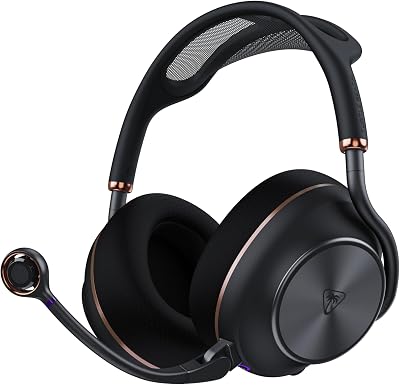
- Premium Choice: EKSA 2.4GHz Wireless Gaming Headset for PS5/PS4, PC, Switch, Mac
You do not need to spend $150 to get a headset that sounds good, seals out distractions, and lets your squad actually hear you. The budget category has quietly become one of the most competitive corners of the PC and console gaming market, and in 2026 the sub-$40 tier is packed with genuinely usable options from HyperX, Turtle Beach, Logitech, Razer, and a handful of value-focused brands. The trade-offs are real, but they are also smaller than they have ever been. A well-chosen $35 headset today will outperform a $70 headset from five years ago in comfort, mic clarity, and driver tuning.
- Comparison of the Best Gaming Headsets Under $40
- What to Expect From a Gaming Headset Under $40
- Wired 3.5mm vs USB: Which Connection Should You Choose
- Microphone Quality and All-Day Comfort
- Platform Compatibility: PC, PS5, Xbox, and Switch
- The Verdict: Best Value Picks Under $40
- Related Guides
- Frequently Asked Questions
- Related Articles
This roundup focuses strictly on cans you can buy for under $40 in the United States, with realistic 2026 street prices in USD. We prioritized three things that matter most for budget buyers: a microphone your teammates can tolerate, ear cushions that survive a four-hour session, and drivers that reproduce footsteps and gunfire with enough clarity to give you a competitive edge. We also weighed cross-platform flexibility, because a lot of players bounce between a gaming PC, a PS5, an Xbox Series console, and a Nintendo Switch on the same desk.
As an Amazon Associate we earn from qualifying purchases at no extra cost to you.








Below you will find our head-to-head comparison table, a breakdown of what to realistically expect at this price, the wired 3.5mm versus USB debate, notes on mic and comfort, platform compatibility guidance, and a final verdict on the best value picks. If you are building around a headset purchase, it also pairs well with our advice on choosing a budget gaming mouse and setting up your first battlestation.
As an Amazon Associate we earn from qualifying purchases. Prices and availability are accurate as of publication and may change. The links in this article may be affiliate links, which means we earn a small commission at no additional cost to you if you choose to buy through them.
🛒 Best Price Today on Amazon
Prime members get fast, free shipping on everything above, plus member-only deals. New members get a 30-day free trial — cancel anytime.
Comparison of the Best Gaming Headsets Under $40
Here is a quick side-by-side look at our five recommended budget gaming headsets. Every model listed comes in under the $40 ceiling at typical 2026 street pricing, though sale prices frequently push several of these into the low $20s.
| Headset | Connection | Platform | Best For | Approx Price |
|---|---|---|---|---|
| HyperX Cloud Stinger 2 | Wired 3.5mm | PC, PS5, Xbox, Switch | Overall best value and comfort | $39 |
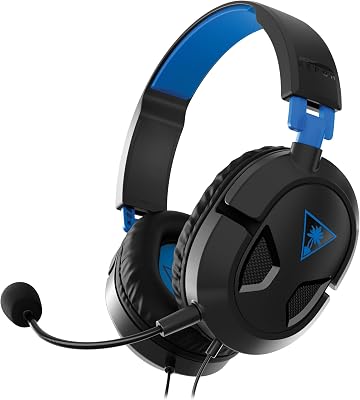
| Turtle Beach Recon 70 | Wired 3.5mm | PC, PS5, Xbox, Switch | Console gamers and clear mic | $35 |
| Logitech H390 | Wired USB-A | PC and laptop only | Work-from-home plus casual gaming | $30 |
| Razer Kraken X | Wired 3.5mm | PC, PS5, Xbox, Switch | Lightweight all-day wear | $38 |
| BENGOO G9000 | Wired 3.5mm + USB (LED) | PC, PS5, Xbox, Switch | Absolute rock-bottom budget | $22 |
What to Expect From a Gaming Headset Under $40
Setting expectations correctly is the key to being happy with a budget purchase. Under $40 you are getting analog stereo audio in almost every case, plastic construction, and a fixed or flip-to-mute boom microphone. What you are generally not getting is genuine hardware surround sound, active noise cancellation, USB wireless dongles, or premium memory-foam-and-leatherette earcups. That is fine. The fundamentals are what win games, and the fundamentals are strong here.
Driver size in this tier usually lands between 40mm and 53mm. Larger is not automatically better, but the tuning matters enormously. The HyperX Cloud Stinger 2 uses 50mm drivers with a warm, slightly bass-forward signature that stays clean at high volume, while the Turtle Beach Recon 70 leans brighter, which helps footsteps and reloads cut through. The BENGOO G9000 uses 40mm drivers and, predictably, sounds the most congested of the group, but at roughly $22 it remains a legitimate entry point for a first-time buyer or a spare set.
- Build quality: Expect lightweight plastic frames. This is actually a benefit for long sessions since the headsets weigh less on your skull.
- Sound stage: Stereo imaging is good enough to locate enemies directionally, especially with a game’s own audio settings dialed in.
- Software surround: On PC you can layer Windows Sonic or Dolby Atmos for Headphones (free) on top of any of these for a virtual surround boost.
- Longevity: The most common failure point is the cable and the mic joint, so treat both gently.
If you want to squeeze more out of any of these, spend ten minutes in your operating system audio panel. Our guide to optimizing PC audio settings for gaming walks through enabling spatial sound and taming harsh EQ curves without spending a dollar.
Wired 3.5mm vs USB: Which Connection Should You Choose
This is the single most important decision at this price, because it dictates which devices your headset will actually work with. The two options behave very differently.
Wired 3.5mm Analog Headsets
A 3.5mm headset like the Cloud Stinger 2, Recon 70, Kraken X, or the analog mode of the BENGOO G9000 plugs into any standard combo headphone-and-mic jack. That means it works with a PC or laptop, a PS5 or Xbox controller, a Nintendo Switch in handheld or docked mode, and even a phone or Steam Deck. Analog is the universal key. The downside is that audio quality depends on the digital-to-analog converter inside whatever you plug into, and cheap motherboard audio can introduce a faint hiss.
USB Wired Headsets
A USB headset like the Logitech H390 has its own built-in sound card, so it bypasses your motherboard audio entirely and often delivers a cleaner, quieter signal with a more consistent microphone. The catch is compatibility: USB headsets are effectively PC and laptop only in this price range. They will not work on a PS5 through a controller, and console support is inconsistent. If you game exclusively on a computer and also take a lot of video calls, USB is the smarter pick. If you touch consoles at all, choose 3.5mm.
Microphone Quality and All-Day Comfort
Two headsets can measure identically on paper and feel worlds apart once you actually wear one for a raid night. Comfort and mic performance are where budget models separate themselves.
On the microphone front, the Turtle Beach Recon 70 and Logitech H390 punch above their weight. The Recon 70’s flip-up boom picks up voice cleanly with decent background rejection, and the H390’s USB mic is a genuine step up in clarity thanks to that dedicated sound card, which is why it is a perennial favorite for remote work as much as gaming. The HyperX Cloud Stinger 2 offers a solid swivel-to-mute boom that your friends will have no complaints about. The BENGOO G9000 mic is the weakest of the group, described charitably as functional, so if voice chat matters to you it is worth spending the extra few dollars.
For comfort, weight and clamping force are everything. The Razer Kraken X is the featherweight champion here at around 250 grams with plush oval cushions, making it the pick for anyone who wears glasses or plays marathon sessions. The Cloud Stinger 2 balances weight and padding beautifully with a self-adjusting or sliding headband depending on the exact variant. Larger heads should be a little cautious with the Recon 70, whose clamp runs slightly tighter out of the box but loosens with a few days of use. If comfort is your top priority, browse our broader roundup of the most comfortable gaming headsets for additional picks across price ranges.
Platform Compatibility: PC, PS5, Xbox, and Switch
Multi-platform players should map their headset choice to their hardware before anything else. Here is the short version:
- PC gamers: Every headset on this list works. USB models like the H390 give you the cleanest signal, but 3.5mm options work through your case jack or a rear motherboard port.
- PS5 players: Use a 3.5mm headset plugged directly into the DualSense controller. The Cloud Stinger 2, Recon 70, Kraken X, and BENGOO all work perfectly this way. USB headsets are hit or miss on PS5, so avoid the H390 here.
- Xbox Series X and S: Plug a 3.5mm headset into the controller jack. All the analog picks are fully compatible; adjust chat mix in the console’s accessory settings.
- Nintendo Switch: The headphone jack on the console top (or on the dock via USB in some cases) accepts any 3.5mm headset for both audio and mic in supported games.
The practical takeaway is that if you own more than one platform, a 3.5mm analog headset is the safe, universal choice. Only commit to USB if you are a PC-only player. For a deeper hardware breakdown before you build around a console or rig, see our guide to building a budget gaming setup.
The Verdict: Best Value Picks Under $40
After weighing sound, mic, comfort, and compatibility, three headsets rise to the top. The HyperX Cloud Stinger 2 at around $39 is our overall best pick, delivering the most balanced combination of comfortable padding, clean 50mm audio, and a reliable mic while remaining truly cross-platform. It is the safest recommendation for the widest range of players.
For dedicated console gamers who want the clearest chat mic for the least money, the Turtle Beach Recon 70 at roughly $35 is the standout, and it frequently drops closer to $25 on sale. If you are a PC-only player who splits time between games and video calls, the Logitech H390 at about $30 gives you the cleanest USB microphone in the group. And if your budget is genuinely tight, the BENGOO G9000 at around $22 is a defensible starter set, provided you can live with a mediocre mic. Whichever you choose, you are getting far more headset in 2026 than the price tag suggests.
Frequently Asked Questions
Are gaming headsets under $40 actually good enough for competitive play?
Yes. Competitive advantage in games like shooters comes down to clear directional audio, and every headset on this list reproduces footsteps, reloads, and gunfire with enough clarity to locate opponents. What you lose at this price is premium build materials and hardware surround, not the core positional audio that actually wins matches.
Do I need USB or 3.5mm for a PS5 and Xbox?
Use a 3.5mm analog headset for consoles. It plugs directly into the DualSense or Xbox controller and handles both audio and chat. USB headsets like the Logitech H390 are effectively PC and laptop only, so if you play on any console, choose a 3.5mm model such as the HyperX Cloud Stinger 2 or Turtle Beach Recon 70.
Can I get virtual surround sound on a cheap stereo headset?
On PC, yes and for free. Windows includes Windows Sonic for Headphones, and you can enable Dolby Atmos for Headphones as well. Layering one of these over any stereo 3.5mm or USB headset gives you a convincing virtual surround field without spending extra money on special hardware.
How long will a budget gaming headset last?
With reasonable care, two to three years is realistic. The most common failure points are the cable near the connector and the microphone hinge, so route your cable to avoid sharp bends and do not force the boom past its stopping point. Replaceable ear cushions on some models can also extend usable life considerably.

















