VRAM has quietly become the specification that decides how long a graphics card stays useful. GPU cores age gracefully — a card that was fast three years ago is merely slower today. Memory capacity does not work like that. The moment a game needs more video memory than your card has, textures turn to mush, frame times spike, and in the worst cases the game crashes to desktop. That is why two cards with the same name and chip can deliver completely different experiences in 2026.
- Key Takeaways
- What VRAM Does — and Why Capacity Is a Cliff, Not a Slope
- What Happens When You Run Out of VRAM
- What Steam Gamers Actually Have
- How Much VRAM Modern Games Actually Use
- How Much VRAM You Need, by Resolution and Settings
- How Long Each VRAM Tier Will Last
- VRAM Is Not System RAM (and You Cannot Add More Later)
- Buying Advice: The Two Cards We Would Shortlist
- Frequently Asked Questions
- Final Verdict
- Related Articles
- SOURCES
Quick answer: For a new gaming PC in 2026, treat 12GB as the minimum and 16GB as the target. 8GB still runs esports titles and most games at 1080p, but recent releases already exceed it at settings a midrange card can otherwise handle — TechSpot found the 8GB RTX 5060 Ti an “unplayable stuttering mess” in Hogwarts Legacy at 1440p with ray tracing, while the identical 16GB card was smooth. At 4K, 16GB is the floor, not the ceiling.
Key Takeaways
- 8GB is still the most common VRAM capacity on Steam at 26.92%, but it is a legacy installed base, not a recommendation: 16GB is right behind at 26.35% and 12GB holds 12.91% (Valve, October 2026 survey).
- Running out of VRAM does not lower frame rates gracefully: it causes stutter and collapsing 1% lows, texture pop-in, forced lower texture settings and, in Indiana Jones and the Great Circle, outright crashes.
- The cleanest proof is the RTX 5060 Ti, sold in 8GB and 16GB versions of the same GPU: in TechSpot’s testing the 16GB card delivered 62% higher average frame rates and 483% better 1% lows in Hogwarts Legacy at 1440p with ray tracing on.
- Some 8GB cards are hurt twice: the RTX 5060 and 5060 Ti use only eight PCIe lanes, so VRAM overflow crosses a link as slow as 16 GB/s on a PCIe 3.0 motherboard.
- Buy for the buffer, not just the chip: at 1080p aim for 12GB, at 1440p aim for 16GB, and at 4K treat 16GB as the minimum.
What VRAM Does — and Why Capacity Is a Cliff, Not a Slope
VRAM is the memory soldered onto your graphics card, reserved for everything the GPU needs within arm’s reach: textures, the frame buffer it draws into, geometry, shadow maps and, in ray-traced games, the acceleration structures describing the scene. Textures are the biggest consumer, which is why demand climbs with display resolution and texture settings, and why ray tracing pushes usage up further.
The key point is what VRAM is not: extra capacity does not make a GPU faster. If a game needs 7GB and your card has 16GB, the spare sits idle and the card performs exactly like an 8GB version of the same chip. Capacity only matters at the moment demand crosses it — and then it matters enormously, because the overflow goes to system RAM, a far slower place. TechSpot puts the RTX 5060 Ti’s VRAM bandwidth at 448 GB/s, against roughly 96 GB/s for dual-channel DDR5-6000 system memory and around 50 GB/s for DDR4-3600, before PCIe latency. Data the GPU needs every frame suddenly arrives several times more slowly, and the card stalls waiting for its own assets.
What Happens When You Run Out of VRAM
Reviewers testing identical GPUs in 8GB and 16GB form — the RTX 5060 Ti and RX 9060 XT both ship in both capacities — see the same three failure modes:
- Stutter and collapsing 1% lows. The average frame rate can look survivable while the worst frames crater. In Hogwarts Legacy at native 1440p, High preset with High ray tracing, TechSpot measured the 16GB RTX 5060 Ti delivering 62% higher average frame rates than the 8GB card — and 1% lows 483% better. The 8GB card was an unplayable stuttering mess on a 9800X3D test system, so the CPU was never the issue.
- Texture pop-in and degraded textures. Games protect frame rate by streaming in lower-resolution textures or swapping them in late. At the Ultra preset without ray tracing, the two cards’ average frame rates looked similar — but the 8GB card suffered visible texture pop-in the 16GB card did not. Our guide to texture quality and VRAM covers the warning signs and the settings to change first.
- Refused settings and crashes. Some engines stop negotiating. TechSpot found the 8GB RTX 5060 Ti crashed to desktop in Indiana Jones and the Great Circle whenever they tried anything above the Medium preset. TechPowerUp hit the same wall there, and noted the contrast with DOOM: The Dark Ages, which spills into system memory and keeps running — slower, but stable.
The PCIe x8 problem makes cheap 8GB cards worse
There is a second, less visible trap. The GeForce RTX 5060 and RTX 5060 Ti connect over eight PCIe lanes instead of sixteen. While a game fits in VRAM, that barely matters. Once it overflows, every asset paged in from system RAM crosses that half-width link: TechSpot puts an x8 connection at 64 GB/s on PCIe 5.0, 32 GB/s on PCIe 4.0 and just 16 GB/s on PCIe 3.0.
In Dragon Age: The Veilguard at upscaled 1440p, TechSpot’s 16GB 5060 Ti on PCIe 3.0 averaged 66 fps; the 8GB card on the same connection managed 27 fps with a 1% low of 9 fps — the 16GB card was 130% faster on average and 411% faster in the lows — and moving the 8GB card up to PCIe 5.0 never made it playable. In Marvel’s Spider-Man 2, the 16GB card on PCIe 3.0 was 592% faster than the 8GB card on PCIe 3.0, and still 120% faster than the 8GB card on a PCIe 5.0 link. TechSpot’s conclusion: the 8GB 5060 Ti is nearly unusable when VRAM is exceeded, largely due to its 8-lane configuration. AMD’s RX 9060 XT keeps a full x16 interface and degrades less badly — but budget upgraders are exactly the people pairing an 8GB card with an ageing PCIe 3.0 or 4.0 board.
What Steam Gamers Actually Have
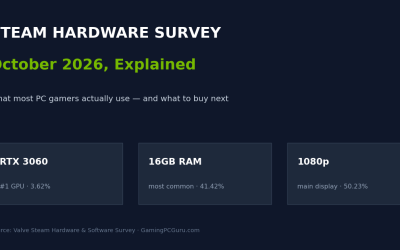
Separate what people own from what you should buy. According to Valve’s October 2026 Steam Hardware Survey, 8GB is still the most common VRAM capacity at 26.92% of surveyed systems, with 16GB close behind at 26.35% and 12GB at 12.91%. Around two thirds of Steam users game on 12GB or less — one reason most games still ship with settings that squeeze onto 8GB if you turn textures down.
But the installed base is a trailing indicator, dominated by cards bought years ago when 8GB was the default, and the near-tie between 8GB and 16GB shows which way it is moving. Buying 8GB today means joining the tier owners are upgrading away from. Our Steam Hardware Survey explainer breaks down the full data.
How Much VRAM Modern Games Actually Use
There is no single number — demand is set by the game, resolution, texture setting and whether ray tracing and frame generation are on — but TechSpot and TechPowerUp testing sketches the ranges to buy against.
1080p: mostly fine on 8GB — with named exceptions
Most games at 1080p, including demanding ones at high settings, still fit inside 8GB, and esports titles use far less. TechPowerUp found DOOM: The Dark Ages perfectly happy on 8GB at maximum settings at 1080p and even 1440p. The exceptions are no longer hypothetical: TechSpot notes that Monster Hunter Wilds at its Ultra preset needs more than 8GB even at 1080p for properly rendered textures (16GB card: 84 fps average; 8GB card: 34 fps, with 1% lows of 16 fps), and Indiana Jones would not run past Medium on an 8GB card at all. At 1080p, 8GB works only if you accept a growing minority of big releases dictating your settings.
1440p: where 8GB runs out
1440p is where the 8GB era ends. The Hogwarts Legacy result above is the template: fine in lighter scenes, then ray tracing or a texture-heavy area pushes demand past the buffer and frame times fall apart. Spider-Man 2 at the Very High preset with quality upscaling — rendering internally near 1080p — still overwhelmed the 8GB card so completely that the 16GB model was several times faster. A 12GB card covers most current 1440p gaming; 16GB removes the calculation entirely.
4K: 16GB is the entry ticket
At 4K the numbers stop being close. TechPowerUp measured Borderlands 4 using about 14GB of VRAM at 4K maximum settings, putting 8GB cards at a clear disadvantage and squeezing 12GB ones. In DOOM: The Dark Ages, maxing the texture pool and enabling frame generation pushed usage to around 15GB. That matters beyond 4K: frame generation is not free — the generated frames and their buffers live in VRAM too — so the features marketed as making cheaper cards punch up also raise the capacity they need. Upscaling cuts the other way, but at 4K even upscaled gaming regularly lives above 12GB.
How Much VRAM You Need, by Resolution and Settings
| How you play | Minimum | Recommended | Why |
|---|---|---|---|
| 1080p esports and older games | 8GB | 8GB | Competitive and older titles run on everything; capacity is rarely the limit. |
| 1080p modern AAA, high/ultra textures | 8GB | 12GB | Most games fit in 8GB, but Monster Hunter Wilds and Indiana Jones already break it here. |
| 1440p high/ultra | 12GB | 16GB | Where 8GB cards stutter and pop textures; 12GB covers most games, 16GB covers all of them. |
| 1440p with ray tracing | 12GB | 16GB | RT data pushes usage past 8GB even at moderate presets — the Hogwarts Legacy gap is what running out looks like. |
| 4K high/ultra | 16GB | 16GB | Current releases measure around 14–15GB at maximum settings; less means turning textures down on day one. |
| 4K with ray tracing, path tracing or frame generation | 16GB | 16GB+ | RT structures and frame generation add their own load on top of 4K textures. |
Weighing a specific card rather than a resolution? Our graphics card buying guide covers VRAM alongside resolution targets and power supply requirements.
How Long Each VRAM Tier Will Last
8GB — already on borrowed time. This is not a prediction: games released in 2024 and 2025 already exceed 8GB at settings the GPUs themselves are fast enough to run. An 8GB card bought in 2026 will handle the back catalogue and esports titles for years, but expect to manage texture settings in new AAA releases from day one.
12GB — comfortable now, first to feel pressure later. Twelve gigabytes clears every current 1440p game we have seen tested, with room to spare at 1080p. It is also the tier likeliest to repeat the 8GB story in miniature: fine until texture budgets jump again, then suddenly the first thing you turn down. Fine for a card you will replace in two to three years; a gamble for a five-year card.
16GB — the tier to buy for the long term. Sixteen gigabytes swallows everything tested at 1440p and 4K, frame generation included, and it is where the market has standardised — effectively tied with 8GB as the most common capacity on Steam. Games are built against the hardware people actually have, and 16GB is becoming that hardware: buy it for a card you expect to last four to five years.
More than 16GB — a luxury for gaming, a tool for everything else. Nothing in current game testing needs more at sane settings. The case for larger buffers is 4K path-tracing headroom, heavy texture modding, or work beyond gaming — video, 3D, local AI.
VRAM Is Not System RAM (and You Cannot Add More Later)
The two pools get confused because both are measured in gigabytes, but they do different jobs. System RAM holds the game’s code, world data and everything else your PC is doing; VRAM holds what the GPU needs frame by frame, on the card, at several times the bandwidth. When VRAM overflows, system RAM is the overflow car park — and per TechSpot’s figures, even fast DDR5 offers roughly a fifth of a midrange card’s VRAM bandwidth. Having 32GB of system RAM does not rescue an 8GB card; it just gives the overflow a bigger, still-slow place to sit.
The consequence buyers miss most often: VRAM is fixed at purchase. You can add system RAM or swap an SSD, but the only way to get more VRAM is a different graphics card. A card that is fast enough but short on memory — the 8GB 5060 Ti is the textbook case — cannot be fixed later, which is why capacity deserves more weight than a few percent of benchmark speed.
Buying Advice: The Two Cards We Would Shortlist
Everything above reduces to one rule: buy the 16GB version of whatever you are looking at, rather than accept an 8GB card under the same name. These two cards bracket the mainstream and step-up tiers.
ASUS Dual GeForce RTX 5060 Ti 16GB GDDR7 OC
The mainstream answer to this entire guide: the 16GB version of NVIDIA’s current midrange chip, so 1440p ultra textures and ray tracing stop overwhelming the buffer the way TechSpot’s tests showed happening to the 8GB version. Cross-shopping the two 5060 Ti variants? This is the one.
AMD Radeon RX 9070 XT 16GB (triple-fan partner card)
The step-up 16GB option for 1440p ultra and upscaled 4K: a triple-fan partner RX 9070 XT with headroom for maximum textures now, and the same 16GB buffer the market is standardising on, so it ages like the tier above it rather than the tier below.
Already own an 8GB card? No need to replace it today if your games behave. Turn texture quality down one notch first, prefer upscaling over native resolution at 1440p, and be cautious with frame generation, which spends VRAM to make frames. Upgrade when a game you play forces the issue — and make 16GB the first line of the new spec.
Frequently Asked Questions
Is 8GB of VRAM enough for gaming in 2026?
For esports, older games and most 1080p gaming, yes. For modern AAA games at high or ultra textures it is borderline at 1080p and regularly insufficient at 1440p: TechSpot found titles that crash, stutter or strip textures on 8GB cards while running perfectly on a 16GB version of the same GPU.
Does more VRAM make a graphics card faster?
No. Capacity does not raise frame rates when a game already fits in memory — TechPowerUp’s DOOM: The Dark Ages testing showed 8GB and 16GB cards performing the same at maximum settings at 1080p. Extra VRAM instead prevents the collapse when a game needs more than a smaller card has.
How much VRAM do I need for 1440p?
Twelve gigabytes is the working minimum and covers most current games at high settings. Sixteen gigabytes is the recommendation if you use ray tracing, play texture-heavy releases, or want the card to last — the tier that handled everything in reviewers’ 1440p testing.
Can I upgrade my graphics card’s VRAM later?
No. The memory chips are soldered to the card, with no slot or setting that adds more. The only way to get more VRAM is a different card — why capacity deserves care at purchase, especially on GPUs sold in two capacities under one name, like the RTX 5060 Ti.
Does DLSS or FSR upscaling reduce VRAM usage?
Yes — upscaling renders at a lower internal resolution, so textures and frame buffers take less memory, and TechPowerUp’s testing showed settings that strain an 8GB card natively becoming manageable with quality upscaling. Frame generation does the opposite, since it needs VRAM for its own buffers: TechPowerUp saw DOOM: The Dark Ages approach 15GB with a maxed texture pool and frame generation enabled.
Final Verdict
VRAM is the one graphics card specification you cannot fix later, and 2026 is the year it became the mainstream buying question. The same-chip evidence is unusually clear: 8GB no longer degrades gracefully, it falls off a cliff — stuttering in Hogwarts Legacy, refusing settings in Indiana Jones, collapsing in Spider-Man 2 when a narrow PCIe link compounds the problem. Twelve gigabytes is a defensible minimum for a 1440p card you will replace in a few years. But Steam’s data and the test data point the same way: 16GB is where the market has settled, and the capacity most likely to still be running everything in 2030. Buy the chip you like — just buy its 16GB version.
Related Articles
- Steam Hardware Survey Oct 2026: What Gamers Really Use
- How to Choose a Graphics Card for Gaming: VRAM, Resolution and Power
- Texture Quality and VRAM in PC Games: How to Stop Running Out of Memory
SOURCES
- Valve, Steam Hardware & Software Survey (October 2026) — VRAM shares, combined platforms: 8GB 26.92%, 16GB 26.35%, 12GB 12.91%: https://store.steampowered.com/hwsurvey/
- TechSpot, “Instantly Obsolete: Nvidia RTX 5060 Ti 8GB Review” — Hogwarts Legacy 1440p High + RT High (16GB 62% higher average fps, 483% better 1% lows; 8GB texture pop-in at Ultra); Indiana Jones crashes above the Medium preset on 8GB: https://www.techspot.com/review/2980-nvidia-geforce-rtx-5060-ti-8gb/
- TechSpot, “Nvidia RTX 5060 Ti 8GB vs. 16GB Tested Across PCIe 3.0, 4.0 and 5.0” — VRAM 448 GB/s vs DDR5-6000 ~96 GB/s and DDR4-3600 ~50 GB/s; x8 link bandwidth 64/32/16 GB/s by PCIe generation; Dragon Age: The Veilguard, Marvel’s Spider-Man 2 and Monster Hunter Wilds 8GB vs 16GB results: https://www.techspot.com/review/3004-nvidia-rtx-5060-ti-pcie-benchmark/
- TechPowerUp, “DOOM: The Dark Ages Performance Benchmark Review” — 8GB sufficient at max settings at 1080p/1440p; max texture pool + frame generation around 15GB; overflow behaviour vs Indiana Jones crashes: https://www.techpowerup.com/review/doom-the-dark-ages-performance-benchmark/9.html
- TechPowerUp, “Borderlands 4 Performance Benchmark” (as summarised by Hardware Asylum) — VRAM usage about 14GB at 4K max settings: https://www.techpowerup.com/review/borderlands-4-performance-benchmark/ and https://www.hardwareasylum.com/n9053/Borderlands-4-Performance-Benchmark-TechPowerUp