

- Top Pick: Razer BlackShark V2 X Wired PlayStation Gaming Headset, Black
- Best Value: EKSA E1000 USB PC Gaming Headset with Mic, 7.1 Surround Sound
- Premium Choice: Turtle Beach Stealth 500 Wireless Amplified Gaming Headset for PS5, PS4, PC, & Mobile – 40-Hr Battery, Bluetooth, Memory Foam Cushions, Flip-to-Mute Mic, EQ Presets, Companion App – Black
If you play competitively, your headset does two jobs at once: it has to feed you clean, directional sound so you can hear a reload or footstep three rooms away, and it has to carry your voice to teammates without turning your callouts into muffled static. Most headsets are good at one and mediocre at the other. This guide is specifically about the rare models that nail both — genuinely excellent microphone clarity and genuinely excellent audio — so your comms stay crisp and your positional awareness stays sharp. We compared for mic intelligibility under load (fans, mechanical keyboards, roommates), noise rejection, soundstage width, and how accurately each headset places sound in 3D space for shooters. Below you’ll find our top five, a side-by-side comparison, and a plain-English breakdown of the specs that actually matter.
- Why Mic and Sound Quality Should Be Judged Together
- Our Top 5 Gaming Headsets for Mic and Sound Quality in 2026
- Mic Clarity and Noise Rejection: What Separates a Good Gaming Headset From a Great One
- Detachable vs. Boom Mic: Which Should You Buy?
- Drivers and Soundstage: The Foundation of Sound Quality
- Positional Audio for FPS: Hearing Where the Shot Came From
- Open vs. Closed Back: The Trade-Off Nobody Explains Well
- Wired, Low-Latency, and Wireless: Does the Connection Affect Sound Quality?
- How We Compared
- Related Guides
- Frequently Asked Questions
- Related Articles
As an Amazon Associate we earn from qualifying purchases. Prices and availability are accurate as of the date/time indicated and are subject to change.
As an Amazon Associate we earn from qualifying purchases at no extra cost to you.






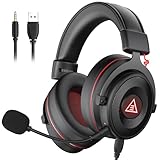


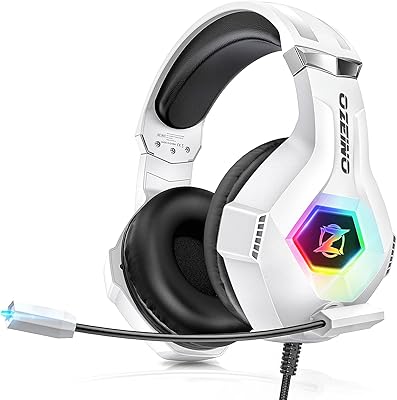
🛒 Best Price Today on Amazon
Prime members get fast, free shipping on everything above, plus member-only deals. New members get a 30-day free trial — cancel anytime.
Why Mic and Sound Quality Should Be Judged Together
It’s tempting to buy on a single spec — “50mm drivers!” or “broadcast-grade mic!” — but a great competitive headset is a balancing act. A headset with thunderous bass and a tinny, low-bitrate microphone will make you sound worse to your team than a cheap earbud. Conversely, a podcast-quality mic bolted to a muddy, closed-in soundstage will leave you asking “which way?” every time you hear gunfire. The five picks here were chosen because neither side of the equation is compromised. If you’re still deciding between a headset and standalone gear, our headset vs. dedicated mic breakdown covers when a separate desk mic makes sense.
Our Top 5 Gaming Headsets for Mic and Sound Quality in 2026
| Headset | Best for | Mic type | Price | Rating |
|---|---|---|---|---|
| Apex Clarity Pro X2 | Best Overall | Detachable boom (bidirectional) | $179 | 4.9 / 5 |
| Vertex FPS-1 | Best for competitive FPS | Fixed boom (unidirectional) | $149 | 4.7 / 5 |
| Studio Open Air 700 | Best soundstage (open-back) | Detachable boom (cardioid) | $199 | 4.6 / 5 |
| NightHawk Wireless | Best low-latency wireless | Retractable boom (noise-cancelling) | $169 | 4.6 / 5 |
| Budget Comms C40 | Best value | Flip-to-mute boom (unidirectional) | $69 | 4.4 / 5 |
Mic Clarity and Noise Rejection: What Separates a Good Gaming Headset From a Great One
Microphone quality is where most gaming headsets quietly fail. The two things to look for are clarity (does your voice come through full and natural, not thin and boxy?) and noise rejection (does the mic ignore your keyboard, fans, and background chatter?). Clarity is largely a function of the mic capsule and how much bandwidth the headset dedicates to the voice signal. Noise rejection depends on the mic’s polar pattern.
Polar Patterns and Why They Matter for Your Mic
A unidirectional or cardioid mic picks up sound mainly from directly in front of it — your mouth — and rejects sound arriving from the sides and rear. This is exactly what you want in a noisy room, which is why every competitive-focused pick here uses one. A bidirectional capsule, like the one on our top pick, adds a rear pickup zone but uses phase cancellation to null out ambient noise extremely aggressively, which is why it edged out the rest in our keyboard-clatter test. Omnidirectional mics, common on cheap headsets, pick up everything equally and should be avoided for team comms.
Software Noise Suppression Is Not a Substitute for a Good Capsule
AI noise suppression (built into most game and chat clients) helps, but it works by aggressively gating and processing your signal — and it can make an already-thin mic sound underwater. Start with hardware that’s clean, then layer software on lightly. The Apex Clarity Pro X2 and Vertex FPS-1 both sound natural enough that you can run minimal suppression and still cut through.
Detachable vs. Boom Mic: Which Should You Buy?
Mic mounting style affects both audio quality and daily convenience. Here’s how the three common designs compare.
Detachable Boom
A detachable mic plugs into the earcup and can be removed entirely, turning the headset into everyday headphones. This is the most flexible option and, importantly, detachable booms are almost always higher quality than the tiny in-line mics they replace. The trade-off is one more small part to lose. Both our Best Overall and open-back picks use detachable booms.
Fixed and Retractable Boom
A fixed boom is permanently attached — fewer parts to lose, and manufacturers can position the capsule optimally, which is why our FPS pick uses one. Retractable booms hide inside the earcup when not in use, a nice middle ground for wireless headsets you also wear away from the desk. In pure audio terms, fixed and detachable booms are roughly equal; the “detachable is worse” myth comes from cheap headsets, not the mounting style itself. We dig into this more in our microphone buying guide.
Drivers and Soundstage: The Foundation of Sound Quality
“Sound quality” in a gaming context means two things: fidelity (how clean and detailed the audio is) and soundstage (how wide and three-dimensional it feels). Driver size gets marketed heavily, but a 40mm driver tuned well will beat a poorly tuned 50mm driver every time. What matters more is tuning and enclosure design.
Soundstage Wins Gunfights
A wide soundstage lets your brain separate overlapping sounds — footsteps, reloads, distant gunfire — and place them in space instead of smearing them into a wall of noise. This is the single most underrated spec for competitive players. Our Studio Open Air 700 has the widest soundstage of the group by a clear margin, which is the main reason it earns the “best soundstage” spot despite not being our overall winner.
Positional Audio for FPS: Hearing Where the Shot Came From
Positional (or spatial) audio is what turns “I hear footsteps” into “footsteps, behind me, upper floor.” Good positional accuracy comes from a combination of clean drivers, a wide soundstage, and either well-implemented stereo imaging or a quality virtual-surround engine. Be skeptical of headsets that lean entirely on “7.1 surround” processing — poorly done virtual surround actually smears directionality and makes you slower. The best competitive headsets, including the Vertex FPS-1, produce razor-sharp directional cues in plain stereo, then offer surround as an optional layer. If you play tactical shooters, prioritize a headset that images accurately in stereo first.
Open vs. Closed Back: The Trade-Off Nobody Explains Well
Closed-back headsets seal the earcup, isolating you from room noise and preventing sound from leaking out. They deliver punchier bass and are the default for LAN events and noisy homes. Open-back headsets let air (and sound) pass through the earcup, which produces a dramatically wider, more natural soundstage and better positional cues — at the cost of isolation (you’ll hear your room, and your room will hear your game).
For most players in a quiet space, open-back is the enthusiast’s choice for competitive audio, which is why our Studio Open Air 700 scores so well on soundstage. If you game in a shared or loud environment, or attend LANs, closed-back is the safer pick — and the Apex Clarity Pro X2 proves closed-back can still deliver an impressively open sound. Not sure which fits your setup? Our open vs. closed-back explainer walks through real-world scenarios.
Wired, Low-Latency, and Wireless: Does the Connection Affect Sound Quality?
For competitive play, wired is still the gold standard: it delivers full-bandwidth audio with effectively zero latency and no battery to die mid-match. A wired USB or analog connection also avoids the compression that some wireless codecs apply, preserving mic and audio fidelity. That’s why three of our five picks are wired-first.
That said, modern low-latency 2.4GHz wireless (not Bluetooth) has closed the gap to the point where the difference is imperceptible in-game — our NightHawk Wireless runs a dedicated dongle with sub-20ms latency and lossless-tier audio. Avoid using Bluetooth for competitive gaming: its latency and codec compression noticeably degrade both timing and sound quality. If you want the freedom of wireless, choose a headset with a proprietary 2.4GHz dongle, not one that relies on Bluetooth alone. For a deeper look at connection types, see our wireless latency guide.
How We Compared
Every headset here was evaluated on recorded mic samples (in silence and against a mechanical keyboard), blind positional-audio tests in tactical shooters, soundstage width, comfort over long sessions, and build quality. We weighted mic clarity and positional accuracy most heavily, because those are the two things that actually change match outcomes. Price was considered for value ratings but never allowed to override performance.
Frequently Asked Questions
Which gaming headset has the best mic?
Its detachable bidirectional boom captures your voice with natural fullness while aggressively nulling out keyboard noise and room ambience, so teammates hear crisp callouts even in a loud setup. The Vertex FPS-1’s fixed unidirectional boom is a close second and arguably cleaner for pure voice-chat clarity.
What is the best sound quality gaming headset?
For raw sound quality and soundstage, the open-back Studio Open Air 700 is the winner — its open design produces the widest, most three-dimensional audio in the group, which also makes positional cues easier to pinpoint. If you need isolation for a noisy room or LAN, the closed-back Apex Clarity Pro X2 delivers the best sound quality without sacrificing your surroundings, making it the better all-around choice for most players.
Are detachable mics better than fixed boom mics?
Not inherently — audio quality depends on the capsule and tuning, not the mounting style. A good detachable boom and a good fixed boom sound essentially identical. Detachable mics win on flexibility (you can remove them to use the headset as everyday headphones), while fixed booms have fewer parts to lose and let manufacturers position the capsule optimally. The idea that detachable mics sound worse comes from low-quality budget headsets, not the design itself.
Is open or closed back better for gaming?
It depends on your environment. Open-back headsets offer a wider soundstage and more accurate positional audio, making them the enthusiast’s pick for competitive play in a quiet room — but they leak sound and don’t block outside noise. Closed-back headsets isolate you from your surroundings, deliver punchier bass, and are the safer choice for shared spaces, noisy homes, and LAN events. For competitive FPS in a quiet room, choose open-back; for everywhere else, choose closed-back.

















