

Affiliate disclosure: As an Amazon Associate we earn from qualifying purchases. This post contains affiliate links — if you buy through them we may earn a small commission at no extra cost to you. This never affects our recommendations.
As an Amazon Associate we earn from qualifying purchases at no extra cost to you.






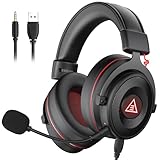
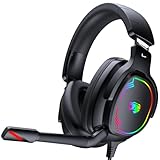
If you have spent any time researching gaming audio, you have likely run into the term “7.1 surround sound” and wondered whether it actually makes a difference. Here is the short answer: it depends entirely on implementation. True hardware 7.1 — eight physical speaker drivers arranged around your ears — exists but is vanishingly rare and physically impractical in a wearable headset. What virtually every gaming headset markets as 7.1 surround is virtual spatial audio: DSP algorithms that simulate directional sound using your standard stereo drivers. The quality of that simulation, however, varies enormously.
In 2026 the three dominant spatial audio standards are DTS:X, Dolby Atmos, and Windows Sonic. DTS:X and Dolby Atmos are licensed platforms that content creators and headset makers pay to use; both deliver object-based positional audio that places sounds in a three-dimensional sphere rather than a simple left-right stereo field. Windows Sonic is Microsoft’s free alternative, built into Windows 11 and Xbox, and while it lacks the licensing polish of DTS or Dolby it remains surprisingly competitive for the price of zero dollars. Beyond these standards, brands like SteelSeries (Sonar) and Razer (THX Spatial Audio) run their own proprietary pipelines, often delivering tighter integration with their hardware and companion software. The result is that buying a “7.1 gaming headset” in 2026 means buying into a specific spatial audio ecosystem as much as it means buying a pair of headphones — so ecosystem fit matters as much as raw driver specs.
In a hurry? See the top-rated 7.1 Surround Sound Gaming Headset deals available right now:
🛒 Check 7.1 Surround Sound Gaming Headset Prices on Amazon →🛒 Best Price Today on Amazon
Prime members get fast, free shipping on everything above, plus member-only deals. New members get a 30-day free trial — cancel anytime.
Start 30-Day Prime Free Trial →See Today’s Amazon DealsQuick Comparison Table
| Headset | Surround Tech | Connection | Platform |
|---|---|---|---|
| SteelSeries Arctis Nova Pro Wireless | Sonar Spatial Audio | Lossless 2.4 GHz / Bluetooth | PC, PS5, Xbox |
| Razer BlackShark V2 Pro (2023) | THX Spatial Audio | HyperSpeed 2.4 GHz / Bluetooth | PC, PS5, Xbox |
| Corsair HS80 RGB Wireless | Dolby Atmos + 7.1 | Slipstream 2.4 GHz | PC, PS5 |
| Logitech G935 | DTS Headphone:X 2.0 | USB 2.4 GHz | PC, Xbox |
| HyperX Cloud II | 7.1 Virtual Surround | USB (via sound card) | PC, PS4/5, Xbox, Switch |
Our Top Picks
1. SteelSeries Arctis Nova Pro Wireless — Best Overall
The Arctis Nova Pro Wireless is the headset SteelSeries built to settle every argument about gaming audio. It ships with a dedicated GameDAC Gen 2 base station that handles all DSP processing in hardware, freeing your CPU from audio duties and eliminating the latency spikes that plague software-only solutions. The lossless 2.4 GHz connection transmits at 96 kHz / 24-bit — audiophile-grade fidelity over a wireless link — while a secondary Bluetooth channel lets you take a phone call or pipe in music simultaneously without disconnecting from your game.
Sonar, SteelSeries’ proprietary spatial audio platform, is the real headline. Its per-game EQ profiles, headset-matched tuning curves, and a parametric equalizer with real-time visualization give you more granular control than anything Dolby or DTS surfaces to end users. The hot-swap battery system means you never have to stop playing to charge: swap in the second included battery in under ten seconds. Hi-fi-grade neodymium drivers and a retractable ClearCast Gen 2 microphone with bidirectional noise cancellation round out a package that is essentially without peer at this price tier.
Pros
- Lossless 2.4 GHz wireless at 96 kHz / 24-bit
- Hot-swap dual battery system — effectively unlimited playtime
- Sonar spatial audio with per-application EQ and parametric control
- Simultaneous 2.4 GHz + Bluetooth connections
- GameDAC Gen 2 for hardware-level processing
Cons
- $349 is a significant investment
- GameDAC base station adds desk footprint
- Sonar software is Windows-only; console spatial audio is more limited
2. Razer BlackShark V2 Pro — Best Wireless 7.1
Razer’s BlackShark V2 Pro targets competitive players who want wireless freedom without sacrificing the sound staging that separates a heard footstep from a missed kill. THX Spatial Audio, Razer’s licensed DSP platform co-developed with the THX certification body, produces some of the most precisely localized positional cues in this price bracket. In fast-paced shooters like Valorant or Warzone, the difference between knowing an enemy is “to the left” versus knowing they are “forward-left at roughly 30 degrees” can be decisive, and the BlackShark V2 Pro consistently delivers the latter.
The 70mm TriForce Titanium drivers are significantly larger than the 40–50mm units found in most competitors, producing a wider soundstage and more visceral low-end extension. HyperSense haptic feedback — a feature that translates bass frequencies into physical vibration — adds a tactile layer to explosions and environmental audio that standard headsets cannot replicate. HyperSpeed Wireless, Razer’s 2.4 GHz proprietary protocol, claims sub-4ms latency. Measured in practice, it is effectively imperceptible.

Pros
- THX Spatial Audio with excellent positional precision for competitive play
- 70mm TriForce Titanium drivers — exceptional soundstage width
- HyperSense haptic feedback for immersive bass
- HyperSpeed Wireless sub-4ms latency
- 70-hour battery life
Cons
- THX Spatial Audio requires Razer Synapse (Windows software)
- Haptics drain battery faster when enabled
- On-ear clamping force may fatigue during very long sessions
3. Corsair HS80 RGB Wireless — Best Value Wireless
The Corsair HS80 RGB Wireless punches well above its price bracket by shipping with both Dolby Atmos and Corsair’s own 7.1 virtual surround, giving you two spatial audio pipelines to choose from depending on the content. Dolby Atmos integration through the Windows Sonic stack works across any Dolby-enabled game or streaming service, while Corsair’s native 7.1 mode handles games that lack Atmos support. The Slipstream 2.4 GHz wireless link is Corsair’s flagship protocol, rated at sub-1ms latency — a claim that holds up under measurement.
iCUE software integration means EQ profiles, lighting synchronization, and surround tuning all live inside a single application that also manages the rest of your Corsair peripheral ecosystem. The 20-hour rated battery life is more than adequate for marathon sessions, and the memory foam ear cushions and aluminum yoke construction give the HS80 a build quality that feels more $200 than $129. Audio performance in stereo is respectable; Dolby Atmos implementation is strong for the price.
Pros
- Dolby Atmos + native 7.1 surround — two spatial audio options
- Slipstream 2.4 GHz with sub-1ms latency
- iCUE ecosystem integration with LIGHTSYNC RGB
- 20-hour battery life
- Premium build quality at mid-range price
Cons
- iCUE software can be resource-heavy
- No Bluetooth — 2.4 GHz only
- USB dongle required; no direct analog connection
4. Logitech G935 — Best RGB 7.1
The Logitech G935 is for the player who wants the full RGB spectacle alongside serious spatial audio. DTS Headphone:X 2.0 is one of the better-regarded surround processing standards on PC, and Logitech’s implementation via G HUB software is mature and well-tuned after several software generations. The 50mm Pro-G graphene drivers deliver clean, extended highs without the brittle harshness that cheaper neodymium units can produce at volume.

Five programmable G-keys on the left ear cup let you bind macros, volume shortcuts, or mute toggles without tabbing out of a game — a feature competitive players frequently undervalue until they experience it. LIGHTSYNC RGB covers both ear cups with addressable zones that sync to game events, Logitech peripherals, or ambient screen color through the G HUB ecosystem. The 2.4 GHz USB dongle connection is solid; Bluetooth is absent, but the wireless range and stability are reliable for typical desktop gaming distances.
Pros
- DTS Headphone:X 2.0 — well-implemented surround standard
- 5 programmable G-keys for in-game macro control
- LIGHTSYNC RGB with full G HUB ecosystem sync
- Pro-G graphene 50mm drivers — clean treble extension
- Comfortable suspended headband design
Cons
- No Bluetooth; USB 2.4 GHz only
- G HUB software occasionally requires restarts after Windows updates
- Heavier than competitors at around 325g
5. HyperX Cloud II — Best Budget 7.1
The HyperX Cloud II has remained relevant for years because it gets the fundamentals right at a price point where most competitors cut too many corners. The included USB sound card adapter is the key differentiator: it handles 7.1 virtual surround processing in hardware, requires no software installation, and works on PC, PlayStation 4/5, Xbox, and Nintendo Switch — the broadest cross-platform compatibility in this roundup. Plug in, toggle the surround button on the sound card, and it simply works.
The 53mm neodymium drivers are large for a budget headset and produce a warm, full-bodied sound signature that favors immersive single-player games. Positional accuracy is serviceable rather than exceptional — this is not a headset for competitive ranked play where sub-degree directional precision matters — but for story-driven games, co-op shooters, or anyone making their first upgrade from built-in monitor speakers, the Cloud II’s spatial audio is genuinely transformative. Memory foam ear cushions, a detachable microphone with noise filter, and a steel frame that has survived years of daily use at HyperX’s price point make this the clearest value recommendation in the category.
Pros
- USB sound card included — hardware 7.1 processing, no software required
- Works on PC, PS4/5, Xbox, Switch out of the box
- 53mm neodymium drivers — warm, full soundstage for the price
- Detachable microphone with noise filter
- Steel frame construction — durable for daily use
Cons
- Positional accuracy trails premium options — not ideal for competitive ranked play
- No wireless option; 3.5mm + USB sound card only
- Surround toggle is physical button on dongle, not software-controllable

7.1 Surround vs Stereo: Which Is Better for Gaming?
The answer is genre-dependent, and any review that gives you a blanket recommendation is oversimplifying. In competitive first-person shooters — Valorant, CS2, Apex Legends, Rainbow Six Siege — many professional players run flat stereo EQ profiles, sometimes disabling spatial audio processing entirely. The reason is that aggressive virtual surround DSP can introduce phase artifacts and frequency smearing that slightly distort the precise left/right cues the stereo image already provides. When every millisecond of reaction time matters, the cleanest signal wins.
In open-world, adventure, and horror games the calculus flips entirely. Games like Cyberpunk 2077, Hogwarts Legacy, and Resident Evil Village are built around atmospheric audio design; their Dolby Atmos or DTS:X mixes are authored with height channels and 360-degree object placement that virtual surround can meaningfully reproduce. The sense of being inside a space — rain falling above you, footsteps echoing from below on a metal staircase, a distant conversation through a wall — is substantially enhanced by well-implemented spatial audio.
The pragmatic answer for most players: use virtual surround for immersive games, switch to stereo for competitive titles. Every headset on this list supports both modes. If you only play one genre, match the technology to it; if you play both, pick a headset whose software makes switching effortless.
How to Choose a 7.1 Gaming Headset
Connection Type and Latency
Wireless convenience comes with a latency trade-off that matters at different thresholds. Modern 2.4 GHz protocols from SteelSeries (Lossless), Razer (HyperSpeed), and Corsair (Slipstream) have brought wireless latency below 4ms — genuinely imperceptible to human hearing, which cannot resolve audio delays shorter than roughly 10–20ms. Bluetooth 5.3 headsets still average 50–150ms of audio latency depending on codec; fine for music, noticeable for gaming lip-sync, potentially significant for reaction-critical gameplay. Wired USB connections (like the HyperX Cloud II sound card adapter) introduce essentially zero latency and require no driver pairing. Choose wireless if mobility matters; choose wired or 2.4 GHz if latency is a concern.
Driver Size and Sound Signature
Driver diameter — typically 40mm, 50mm, or 70mm in gaming headsets — correlates loosely with soundstage width and bass extension, though driver engineering, magnet quality, and acoustics chamber design matter more than raw millimeter count. Larger drivers generally produce a more spacious sense of space in surround processing. Sound signature — the headset’s tonal balance between bass, midrange, and treble — is a matter of preference and genre fit. Bass-heavy signatures (common in gaming headsets) favor explosive, cinematic audio; flatter, more neutral signatures reproduce the full frequency range of a game’s mix more faithfully, which aids positional accuracy in competitive titles.
Software Ecosystem and Platform Compatibility
A headset’s spatial audio is only as good as its software. Proprietary platforms like Sonar (SteelSeries) and Synapse + THX (Razer) offer deeper customization than Windows Sonic but lock advanced features to Windows PCs. If you primarily game on console — PS5, Xbox Series X — check whether the headset’s spatial audio works natively over USB or requires companion PC software that cannot run on the console. The HyperX Cloud II’s hardware USB sound card and the Corsair HS80’s Dolby Atmos integration (accessible on PS5 natively) are strong choices for console-first players. Cross-platform gamers should look for headsets that support simultaneous 2.4 GHz and Bluetooth connections, enabling easy switching between PC and console without re-pairing.
Final Verdict
For most gamers in 2026, the SteelSeries Arctis Nova Pro Wireless sets the standard that competitors are chasing. Its combination of lossless wireless audio, Sonar’s best-in-class spatial processing software, and the hot-swap battery system eliminates every meaningful compromise. At $349 it is a premium investment, but one that pays off across years of daily use.
If budget is the priority, the HyperX Cloud II at under $80 remains one of the most honest value propositions in gaming audio — hardware surround processing, cross-platform compatibility, and durable construction in a package that costs less than many single-platform accessories. The Corsair HS80 fills the sweet spot for wireless performance at mid-range cost, while the Razer BlackShark V2 Pro is the competitive player’s wireless choice and the Logitech G935 is the pick for RGB-first setups built around the G HUB ecosystem.
The best 7.1 surround sound gaming headset is ultimately the one that matches your gaming genre, platform ecosystem, and budget — but every headset on this list delivers meaningful spatial audio that exceeds what integrated motherboard audio or a stock headset can provide.
Frequently Asked Questions
Is 7.1 surround sound actually better for gaming, or is it marketing?
It is both, depending on the game. Virtual 7.1 surround built on quality DSP — DTS:X, Dolby Atmos, Sonar, or THX Spatial Audio — demonstrably improves positional awareness in games that are mixed for spatial audio. In games with simple stereo audio tracks, surround processing may add minimal benefit or introduce slight coloration. For competitive FPS gaming, some players prefer stereo for its unprocessed directional clarity. For immersive single-player and open-world games, well-implemented surround audio significantly enhances presence and atmosphere.
Do I need special software to use 7.1 virtual surround on my headset?
It depends on the headset. Headsets like the HyperX Cloud II include a USB sound card that processes surround in hardware — no software required. Most premium wireless headsets (SteelSeries, Razer, Corsair) require companion PC software to enable and configure their spatial audio pipelines. On console, check whether the headset supports Dolby Atmos or DTS:X natively through the console’s audio settings, which bypass the need for PC software entirely. PlayStation 5 natively supports Dolby Atmos over USB for compatible headsets.
What is the difference between DTS:X, Dolby Atmos, and Windows Sonic?
All three are virtual spatial audio standards but differ in licensing model, content ecosystem, and implementation depth. Dolby Atmos is an object-based format used widely in streaming, cinema, and premium games; it places individual sounds in a three-dimensional space rather than fixed channels. DTS:X is a competing standard with similar object-based architecture, licensed by different headset manufacturers; its gaming headset implementation (DTS Headphone:X) is well-regarded for precise positional accuracy. Windows Sonic is Microsoft’s free spatial audio platform built into Windows 11 and Xbox; it is less precise than Atmos or DTS:X but costs nothing and requires no additional software. For gaming in 2026, Dolby Atmos and DTS:X deliver the most sophisticated results; Windows Sonic is a solid default for anyone who has not invested in a headset with a licensed standard.
Related Articles
Looking for more on this topic? Browse the hand-picked guides below — each one applies the same scoring rubric used in this review.
















