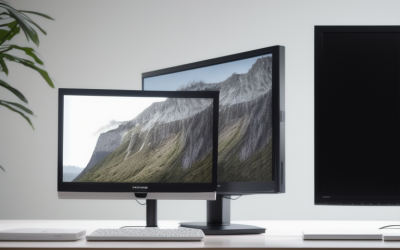
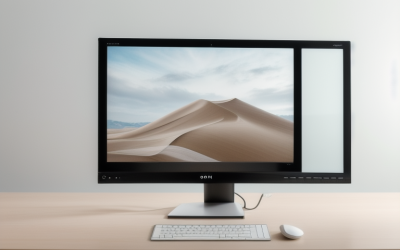
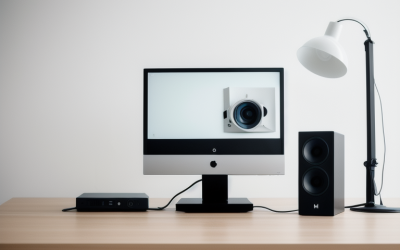
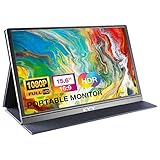
- Top Pick: MNN 15.6" FHD 60Hz Portable Monitor USB-C HDMI IPS HDR Gaming Laptop | 15.6" FHD IPS HDR, USB-C one-cable, PC/Mac/Phone/Switch, Smart Case,Laptop , low blue, work&game
- Best Value: ForHelp 15.6inch Portable Monitor,1080P USB-C HDMI Second External Monitor for Laptop,PC,Mac Phone,PS,Xbox,Swich,IPS Ultra-Thin Zero Frame Gaming Display/Premium Smart Cover
- Premium Choice: KYY Portable Monitor 15.6" 1080P Computer Monitor Screen Extender w/Cover | Portable Monitor for Laptop 1080P FHD IPS with USB-C and HDMI, Laptop Screen Extender for Travel HDR Gaming Monitor w/Speaker
A laptop screen is a fine place to start and a frustrating place to stay. The moment you need a spreadsheet beside an email thread, or a game guide beside the game, a second display stops being a luxury and starts being the thing that fixes your workday. Shopping for an external monitor for a laptop, though, splits into two very different purchases: a thin portable panel that travels with the computer, or a full-size desktop monitor that stays put.
This guide covers both camps using only what each listing states. Seven portable screens and two 24-inch desktop monitors are compared, so you can decide whether you need something that fits in a laptop sleeve for a 2026 commute or a larger panel with a stand, faster refresh rate, and a warranty. Read the connection and size notes first, because the cable your laptop supports usually decides the winner before specs do.
Quick Picks
As an Amazon Associate we earn from qualifying purchases at no extra cost to you.







| Product | Best for | Key spec from the title |
|---|---|---|
| MNN 15.6-inch Portable | One-cable laptop setup | 15.6″ FHD 60Hz IPS, USB-C and HDMI, smart case |
| ForHelp 15.6-inch Portable | Mixed devices and consoles | 1080P, USB-C and HDMI, premium smart cover |
| KYY 15.6-inch Portable | Travel with built-in audio | 1080P FHD IPS, cover, speaker, HDR |
| Dell SE2426H 24-inch | Fast desk monitor | 23.8″ FHD 144Hz, 1ms, IPS, FreeSync |
| 14.2-inch Dual Screen Extender | Stacking onto a laptop lid | 14.2″ FHD, 1.87 lbs, fits 14″-17.3″ laptops |
| InnoView 15.6-inch Portable | Laptop plus tablet or console | HDMI and USB-C, built-in speaker, case |
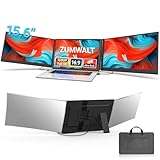
| 15.6-inch Triple Screen Extender | Wide multi-screen workflows | 1080P FHD, fits 12″-17.3″ laptops |
| Philips 241V8LB 24-inch | Everyday office desk | FHD 100Hz VA, VESA, 4-year warranty |
| WGK 15.6-inch Portable | Stand and wall-mount flexibility | 1080P FHD, HDMI/USB-C, VESA, speakers |
How to Choose
Portable Panel or Full-Size Desktop Monitor
Portable monitors in the 14 to 16 inch range weigh little, run from a single USB-C cable on many laptops, and slip into a bag. A 24-inch desktop model gives more screen area and usually a faster refresh rate, but it needs a power outlet and a fixed spot. If your laptop leaves the house, lean portable. If it docks at one desk, a 24-inch panel is the better use of space.
Connections: USB-C, HDMI, and What Your Laptop Supports
For single-cable power and video, your laptop’s USB-C port must support video output; ports that only move data will not light the screen. HDMI works everywhere, but the portable panel then needs separate power. Check the listing for both inputs, and note that HDMI 1.4, as on the Philips, is fine for 1080p at 60 to 100Hz but is not a future-proof choice for higher resolutions.
Resolution, Panel Type, and Refresh Rate
Every monitor here is 1080p, which is sharp enough at 15.6 inches and acceptable at 24. IPS panels hold color and angles better than VA, while VA panels often deliver deeper contrast. Refresh rate matters if you play games: 60Hz suits documents, 100Hz is smoother for scrolling, and 144Hz is the choice for fast action. Ignore bold HDR claims on budget portable screens, because brightness limits usually keep that feature modest.
Stands, Covers, and Mounting
Portable panels differ in how they stand: folding smart covers, fold-out stands, or clip-on arrangements for a laptop lid. Desktop monitors list tilt adjustment or VESA compatibility instead. Budget models cut corners on stands and speakers, so look for the listing to mention what is included and make sure the screen fits your laptop’s size range. A monitor that wobbles on a crowded desk or forces you to hunch will not get used, no matter how good the panel is, so treat the stand as part of the spec sheet rather than an afterthought.
The 9 Best Options
MNN 15.6-inch Portable Monitor
This is a classic second-screen companion for a laptop: 15.6 inches, FHD resolution, an IPS panel at 60Hz, and both USB-C and HDMI inputs. The title emphasizes a one-cable connection and compatibility with PC, Mac, phones, and a Switch, plus a smart case and low blue light mode. That mix makes it a sensible first portable screen for a remote worker who wants a tidy bag-friendly setup without hunting through accessories.
- Strength: USB-C one-cable setup keeps the desk tidy.
- Strength: IPS panel with a smart case that protects the screen in a bag.
- Trade-off: 60Hz is fine for work but not the smoothest for fast games.
Skip it if you want a faster refresh rate or a larger canvas than 15.6 inches.
ForHelp 15.6-inch Portable Monitor
ForHelp describes an ultra-thin, zero-frame IPS display with 1080P resolution, USB-C and HDMI, and a premium smart cover. Its title lists laptops, PCs, Mac, phones, PlayStation, Xbox, and Switch, which makes it a flexible choice for a shared household screen. A student could run notes on it beside a laptop in the evening and move it to a console on the weekend.
- Strength: wide device compatibility listed, from laptops to consoles.
- Strength: thin, borderless design with a cover that doubles as protection.
- Trade-off: the title mentions no built-in speaker detail or refresh rate.
Skip it if audio and a stated refresh rate are important to you.
KYY 15.6-inch Portable Monitor
KYY positions this as a screen extender for laptops with 1080P FHD IPS, USB-C and HDMI, a cover, HDR, and a speaker. The mention of a speaker means you can hear video calls without extra gear, a plus for travelers who want fewer cables. The HDR wording is marketing language, so expect a useful second screen rather than a premium display.
- Strength: built-in speaker listed in the title.
- Strength: IPS FHD panel plus cover for protection on the move.
- Trade-off: speakers on slim panels tend to be basic, so serious listening needs headphones.
Skip it if you already use a headset and would rather spend attention on panel specs than audio.
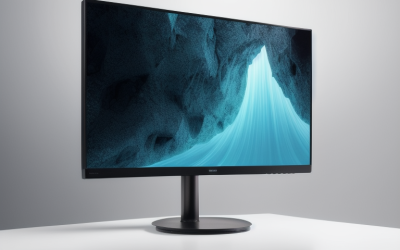
Dell SE2426H 24-inch Monitor
The first desktop model here is a 23.8-inch FHD panel at 144Hz with a 1ms response claim, IPS technology, AMD FreeSync, two HDMI inputs, and a TUV certification mention. It suits someone who docks a laptop at home and wants smooth motion for games and scrolling. The extra size also makes tiled windows far more comfortable than any 15.6-inch panel.
- Strength: 144Hz IPS with FreeSync is the speed leader of this group.
- Strength: two HDMI ports let you connect a laptop and a second device.
- Trade-off: tilt-only adjustment per the title, so height flexibility is limited.
Skip it if you travel with your screen, since it is not a portable design.
14.2-inch Dual Laptop Screen Extender
This unbranded extender weighs 1.87 lbs and is described as ultra-portable and ultra slim. It is meant for 14 to 17.3 inch laptops and works with Windows, Mac, Chrome, and Android through plug and play. The dual naming points to a design that attaches to the laptop. Consultants and analysts who keep reference material open beside a main window are the likely audience.
- Strength: very light and sized to pair with mid-size laptops.
- Strength: plug and play across several operating systems.
- Trade-off: 14.2 inches is smaller than the 15.6-inch rivals.
Skip it if your laptop is smaller than 14 inches or you want a screen that stands alone.
InnoView 15.6-inch Portable Monitor
InnoView lists 15.6-inch FHD 1080P with HDMI and USB-C, and compatibility with laptops, desktops, MacBooks, phones, tablets, PS5/4, Xbox, and Switch. A built-in speaker and a protective case are named in the title. That combination suits someone who wants one screen that can jump from a work laptop to a handheld or console without extra purchases.
- Strength: broad device list, including tablets and current consoles.
- Strength: speaker and protective case are both included.
- Trade-off: no panel type or refresh rate appears in the title.
Skip it if you need to confirm IPS color performance before buying.
15.6-inch Triple Screen Extender
This extender is listed as a 1080P FHD triple portable monitor for laptops from 12 to 17.3 inches, with USB-C plug and play across Windows, Mac, and Android. The triple name suggests an expandable multi-screen layout. Traders, developers, and anyone who lives in many windows at once will see the appeal, provided the desk or bag has room.
- Strength: supports a wide laptop size range, down to 12 inches.
- Strength: USB-C plug and play keeps setup simple.
- Trade-off: multi-screen designs add bulk, and the title gives few other specifics.
Skip it if you only need a single clean secondary display.
Philips 241V8LB 24-inch Monitor
Philips pairs a 24-inch FHD 1920×1080 VA panel with a 100Hz refresh rate, 4ms GtG, Adaptive Sync, and HDMI 1.4. It is VESA compatible, tilt adjustable, flicker-free with low blue light, and includes a 4-year advance replacement warranty. It is a calm, practical desk monitor for office work, spreadsheets, and streaming, rather than a speed-focused gaming panel.
- Strength: the 4-year advance replacement warranty is the longest coverage stated here.
- Strength: VESA mounting lets you use a monitor arm.
- Trade-off: VA panels usually have narrower viewing angles than IPS.
Skip it if you play fast games and want 144Hz.
WGK 15.6-inch Portable Monitor
WGK lists a 15.6-inch 1080P FHD travel display with HDMI and USB-C, a stand, speakers, and a VESA pattern. It targets laptops, desktops, phones, and gaming devices, giving both tabletop and mount options. A home-office user could stand it beside a laptop most days and later fix it to a wall bracket or arm.
- Strength: includes a stand and speakers, with VESA for mounting.
- Strength: broad device compatibility.
- Trade-off: no refresh rate or panel details are in the title.
Skip it if you want verified color and speed numbers before committing.
Which One Fits Your Situation
You Work From Cafes and Hotels
The MNN or KYY portable panels pair a smart case with USB-C video, and the KYY adds a speaker for calls.
You Dock at One Desk and Play Games
The Dell SE2426H gives a 144Hz IPS panel with FreeSync, a clear step up in motion for a gaming laptop.
You Want an Office Monitor With Coverage
The Philips 241V8LB brings VESA mounting and a 4-year advance replacement warranty for a long-term desk setup.
You Share One Screen Across Devices
The InnoView or ForHelp list consoles, tablets, and phones alongside laptops, which suits a household with many devices.
Common Mistakes
- Assuming every USB-C port outputs video; check that your laptop supports it.
- Buying a 24-inch monitor for a travel setup, then leaving it at home.
- Trusting HDR labels on budget panels as a sign of high brightness.
- Ignoring the laptop size range listed for clip-on extenders.
- Skipping the stand check and ending up propping the screen on books.
Related guides
- Aio Liquid Coolers For High Performance Gaming
- How To Lower Input Delay In Competitive Shooters
- External Hard Drives For Music Production
Frequently Asked Questions
Do portable monitors need their own power?
Many run from the laptop over USB-C, which drains the battery faster. When using HDMI, you typically need a separate power connection.
Is 60Hz enough for a laptop second screen?
For documents, chat, and video, yes. Games with fast movement feel better at 100Hz or 144Hz, available on the desktop models here.
Can a monitor work with a Mac?
Most listings here name Mac compatibility, and HDMI or USB-C video input is supported on current MacBooks. Confirm the port requirements for your model.
Which is better, IPS or VA?
IPS gives wider viewing angles and consistent color, which suits shared screens. VA offers stronger contrast for movies in a dim room.