

🛒 Best Price Today on Amazon
Prime members get fast, free shipping on everything above, plus member-only deals. New members get a 30-day free trial — cancel anytime.
- Top Dual Monitor Gaming Desks Picks for 2026
- Best Dual Monitor Gaming Desks at a Glance
- 1. AODK 63 inch Gaming Desk with PC Display Stand, Reversible Steel Wood Computer
- 2. Huuger 63 inch Modern Office Desk, Gaming and Writing Desk with Storage
- 3. Huuger 70 inch Computer Desk, Office Desk, Gaming Desk with Storage
- 4. Arozzi Arena Ultrawide Curved Gaming and Office Desk with Full Surface Mat (flagship 63 inch)
- 5. Coleshome 71 inch Computer Desk with USB Ports, Large Office Desk, Long Sturdy
- 6. VITESSE Ergonomic 55 inch Z Shaped Office PC Computer Desk Dual-Monitor
- How to Choose a Dual Monitor Gaming Desk
- Related Guides
- Frequently Asked Questions
- Related Guides
- Related Articles
- Related Guides
Top Dual Monitor Gaming Desks Picks for 2026
Here are our current top dual monitor gaming desks picks, compared on real Amazon owner reviews, price, and features. Live prices update below.
As an Amazon Associate we earn from qualifying purchases at no extra cost to you.



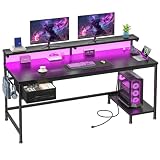


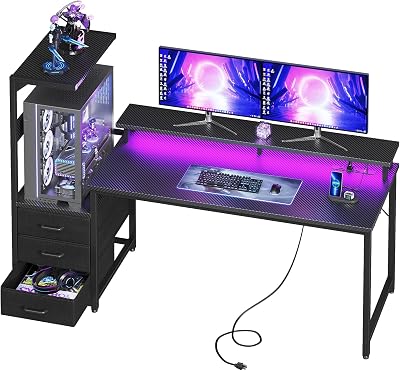


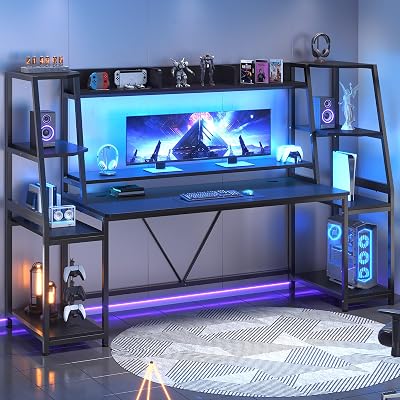
A dual-monitor gaming desk is fundamentally about width. Two 27-inch monitors side by side, with their stands, occupy roughly 50-55 inches of desktop space — and that is before you add room for a keyboard and mouse in front of them, speakers at the edges, or a third reference panel. The rule of thumb is straightforward: for two 27-inch monitors comfortably, you want a desk at least 60 inches wide; for an ultrawide 34-49 inch monitor with peripherals beside it, 60 inches is also the entry point; and for a serious triple-monitor or two-27s-plus-streaming-PC setup, 63-71 inches gives proper breathing room. This guide rounds up the best dual monitor gaming desks in 2026, including the iconic Arozzi Arena flagship for the enthusiast top of the segment.
Our picks were chosen on what genuinely matters for a dual-monitor desk: actual width and depth (depth is often overlooked, but 27-inch monitor stands need at least 24 inches of depth and ideally more), weight capacity for two monitors plus a heavy PC and peripherals, the integrity of the back edge for monitor-arm clamps (a flimsy back edge ruins arm mounting), and build quality across a long span where bowing becomes a real concern. Prices in this list range from around $100 to a flagship $300, and the spread reflects honest differences in build — a $300 Arozzi Arena is a different product than a $108 Huuger, and we explain why. Below is an at-a-glance comparison, then a closer look at each desk and a buyer’s guide built around the dual-monitor specifics.
Best Dual Monitor Gaming Desks at a Glance
| Desk | Best For | Standout Spec | Approx Price |
|---|---|---|---|
| AODK 63 inch with PC Display Stand | Mainstream dual-monitor value | 63 inch wide, integrated monitor stand | around $150 |
| Huuger 63 inch Modern Office + Gaming | Versatile work + game dual | 63 inch, storage, modern look | around $108 |
| Huuger 70 inch Computer + Gaming Desk | Spacious 70 inch dual or triple | 70 inch wide, storage shelves | around $126 |
| Arozzi Arena Ultrawide Curved (flagship) | Enthusiast flagship | 63 inch curved, full-surface mat | around $300 |
| Coleshome 71 inch with USB Ports | Largest mainstream dual-monitor | 71 inch wide, USB ports, sturdy | around $110 |
| VITESSE Ergonomic 55 inch Z-Shaped | Z-shape dual-monitor | 55 inch Z geometry, ergonomic look | around $100 |
1. AODK 63 inch Gaming Desk with PC Display Stand, Reversible Steel Wood Computer

8
AODK 63 inch Gaming Desk with PC Display Stand, Reversible Steel Wood Computer Desk for Gaming Setup, Tiered Design to Show Off Your PC Tower & Accessories, Black
In Stock




As an Amazon Associate we earn from qualifying purchases. Product prices and availability are accurate as of the date/time indicated.
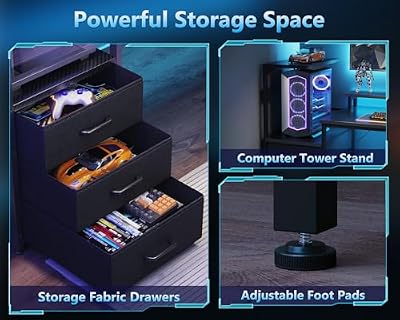
The AODK 63 inch Gaming Desk is the mainstream dual-monitor pick of the guide. AODK delivers a 63-inch wide steel-framed desk — comfortably fitting two 27-inch monitors side by side — and adds an integrated PC display stand on top, lifting a single monitor (or a centered stream screen) above the main surface for a riser-style three-tier setup. At around $150 it is the well-equipped mainstream value of the segment.
This is the desk for the dual-monitor user who wants width plus a bit of vertical organization. The 63-inch span is the segment sweet spot — wide enough for two 27-inch monitors with proper breathing room, or a 34-inch ultrawide plus a smaller side monitor, or a single big monitor with serious peripheral space — and the integrated PC display stand raises a screen or accessories above the keyboard plane to recover desk real estate. The steel frame keeps the long span rigid (long spans bow in cheaper desks), the reversible build adapts to room layout, and the gaming-styled finish ties the look together. For a mainstream 63-inch dual-monitor gaming desk that adds genuine ergonomic and organizational value, the AODK is a strong default.
Pros: 63-inch span fits two 27-inch monitors, integrated PC display stand, steel frame for rigidity, reversible.
Cons: Particle board under the styled top; depth is competent but not generous.
2. Huuger 63 inch Modern Office Desk, Gaming and Writing Desk with Storage

9
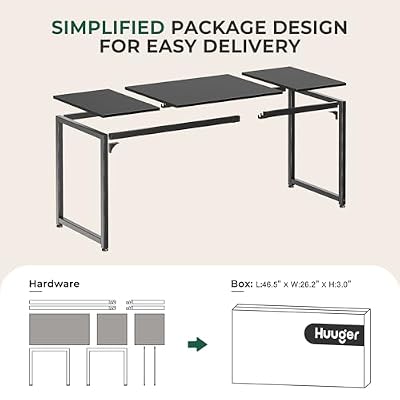
Huuger Modern Simple Office Desk, 63 Inch, Gaming & Writing Desk with Storage, Large Legroom, Metal Frame, Black
In Stock


As an Amazon Associate we earn from qualifying purchases. Product prices and availability are accurate as of the date/time indicated.
The Huuger 63 inch is the versatile work-and-game dual-monitor pick at the value end of the segment. Huuger goes for a clean, modern look rather than the gaming-aesthetic carbon-fiber treatment — so the desk blends as easily into a home office as it does a battlestation — while offering the same 63-inch dual-monitor width and integrating side storage shelves for books, accessories or peripherals. At around $108 it is the best-value 63-inch desk on this list.
This is the desk for the buyer who wants dual-monitor width without committing visually to a gaming-only look. The 63-inch span handles two 27-inch monitors with peripheral space, the modern aesthetic suits a shared room or a desk that doubles as a video-call setup, and the integrated side storage shelves add useful organization without dominating the build. The price gap between this and the gaming-styled AODK 63 reflects fewer extras — no integrated PC stand — but for buyers who do not need that, the Huuger delivers the core dual-monitor proposition for a third less money.
Pros: Excellent value for a 63-inch dual-monitor desk, side storage shelves, clean modern look that suits work or play.
Cons: No integrated monitor stand or gaming styling; particle-board build at the price.
3. Huuger 70 inch Computer Desk, Office Desk, Gaming Desk with Storage

9
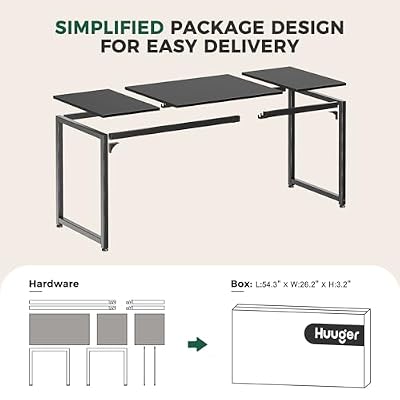
Huuger Computer Desk, 70 Inch Office Desk, Gaming Desk with Storage, Writing Desk Work Desk for Home Office, Study, Long Simple Desk, Large Legroom, Metal Frame, Black
In Stock


As an Amazon Associate we earn from qualifying purchases. Product prices and availability are accurate as of the date/time indicated.
The Huuger 70 inch steps Huuger’s modern desk up to a 70-inch span, moving from comfortable dual-monitor space to genuinely spacious — fitting two 27-inch monitors with serious side room, an ultrawide plus peripherals with a streaming setup, or even a tight triple-monitor configuration. At around $126 it is one of the best-value 70-inch desks on the list, keeping Huuger’s storage shelves and clean modern look while delivering an extra 7 inches of width.
This is the desk for the buyer who wants real elbow room for dual monitors and side gear without paying flagship money. The 70-inch span changes what you can put on the desk — two 27-inch monitors plus a third smaller reference panel, or a 49-inch ultrawide with proper peripheral and speaker space, or a creator workflow with editing tools beside the gaming setup. The side storage shelves carry over the useful organization, and the modern aesthetic still suits a dual-use room. For a spacious, value-priced 70-inch dual-monitor desk that scales beyond two screens, the larger Huuger is the standout.
Pros: Spacious 70-inch span for two-plus monitors, side storage shelves, modern aesthetic, excellent value.
Cons: Depth could be more generous; build is competent but not premium for the size.
4. Arozzi Arena Ultrawide Curved Gaming and Office Desk with Full Surface Mat (flagship 63 inch)

As an Amazon Associate we earn from qualifying purchases. Product prices and availability are accurate as of the date/time indicated.
The Arozzi Arena is the iconic enthusiast gaming desk and the flagship pick of this guide. Arozzi engineered the Arena specifically for ultrawide and dual-monitor users: a 63-inch curved-front desk wraps around the user, the entire top surface is covered by a removable, water-resistant Arozzi mouse-pad mat (so the whole desk acts as a giant mousepad), and the build quality is genuinely a step up from the $100-150 mainstream tier in materials, frame and finish. At around $300 it is the most expensive desk on this guide, and for the right buyer it is also the standout.
This is the desk for the enthusiast or streamer who has settled on a dual-monitor or ultrawide setup and wants the iconic gaming desk that matches the rest of the rig. The 63-inch curved span fits the dual-monitor or ultrawide setup the Arena is built around, the full-surface mat eliminates the need for a separate mousepad and gives the whole desk a continuous, low-friction tracking surface, and the engineered Arozzi build quality — heavier frame, better cable management, water-resistant finish — justifies the price gap to the mainstream tier. If you want one desk to keep for years that does dual-monitor right, and the Arena’s iconic look appeals, it is genuinely the flagship the name implies.
Pros: Iconic enthusiast flagship, full-surface mouse-pad mat, water-resistant finish, engineered for dual-monitor and ultrawide.
Cons: Highest price on the list by a wide margin; the full-mat aesthetic is polarising.
5. Coleshome 71 inch Computer Desk with USB Ports, Large Office Desk, Long Sturdy

8
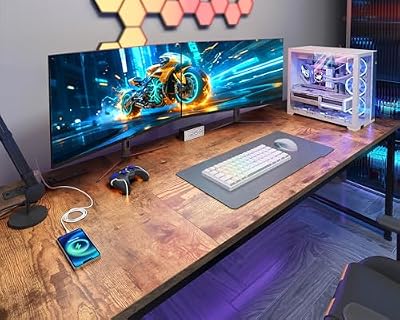
Coleshome 71 Inch Computer Desk with USB Ports, Large Office Desk, Long Study Student Writing Desk, Rustic Brown
In Stock






As an Amazon Associate we earn from qualifying purchases. Product prices and availability are accurate as of the date/time indicated.
The Coleshome 71 inch is the largest mainstream dual-monitor desk on this guide and the value-large pick. Coleshome delivers a 71-inch sturdy frame — fitting two 27-inch monitors with very generous side and peripheral room — and integrates USB charging ports right in the desk. At around $110 it is remarkable value for a 71-inch desk and the obvious cross-shop with the larger Huuger.
This is the desk for the buyer who wants maximum dual-monitor width at a mainstream price. The 71-inch span comfortably fits two 27-inch monitors with room for a third reference panel, or an ultrawide 49-inch plus full peripheral and streaming gear, and the integrated USB charging ports save a desk strip. Coleshome’s frame is rated as long and sturdy — important on a 71-inch span where bowing is a real risk if the steel is thin — and the price is genuinely competitive for the size. As a budget-respecting 71-inch dual-monitor desk that does the core job well, the Coleshome is the practical pick.
Pros: 71-inch span fits dual or triple-monitor setups, integrated USB ports, sturdy frame, excellent value for size.
Cons: Aesthetic is plain rather than gaming-styled; depth is competent but not premium.
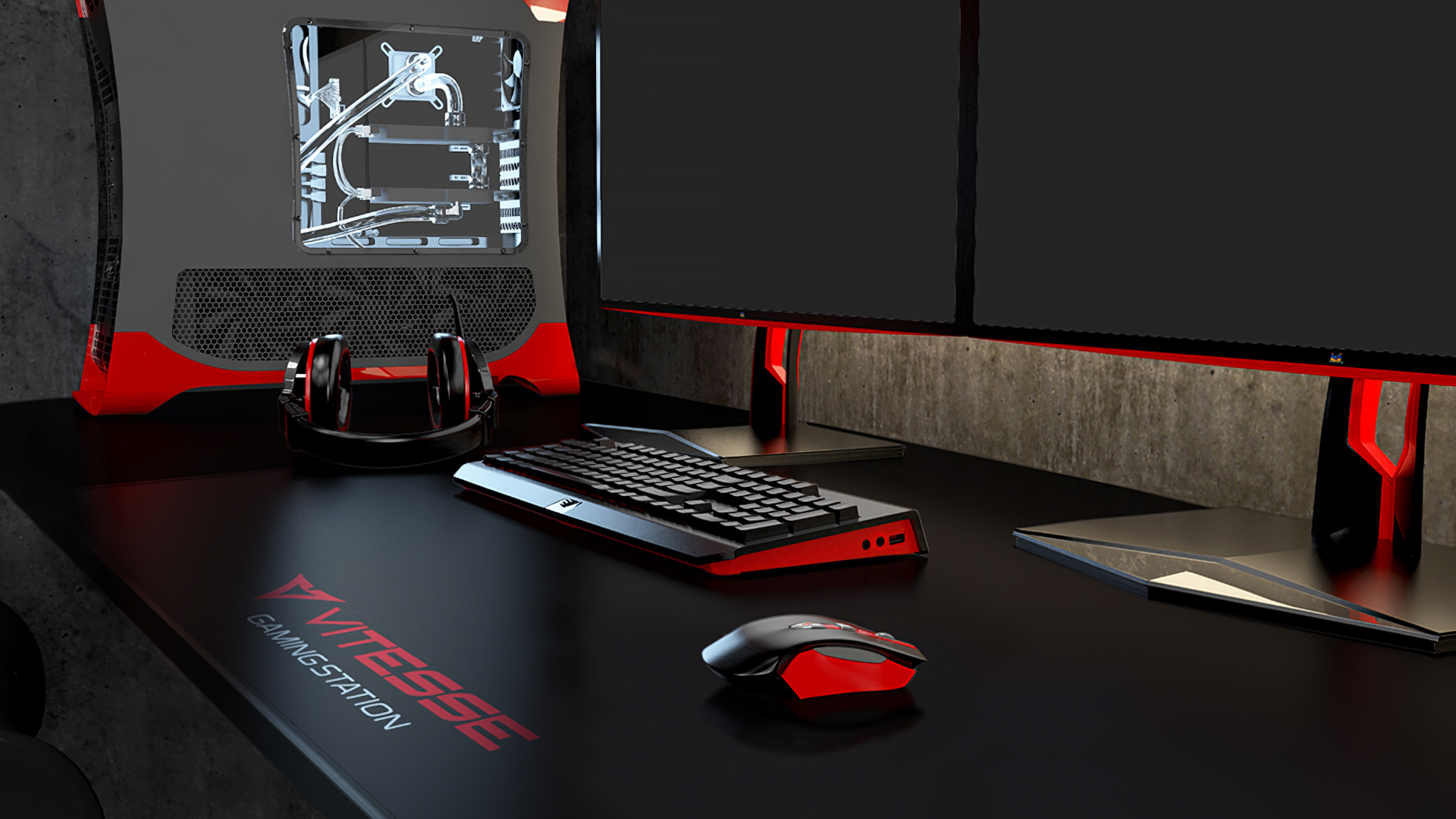
6. VITESSE Ergonomic 55 inch Z Shaped Office PC Computer Desk Dual-Monitor

17
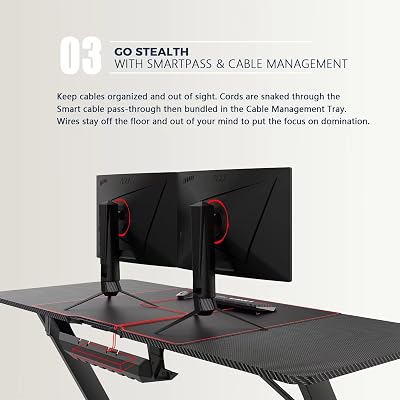
VITESSE Ergonomic Gaming Desk 55 Inch, Z Shaped Office PC Computer Desk with Mouse Pad, Gamer Tables with Gaming Handle Rack, Cup Holder Headphone Hook
In Stock






As an Amazon Associate we earn from qualifying purchases. Product prices and availability are accurate as of the date/time indicated.
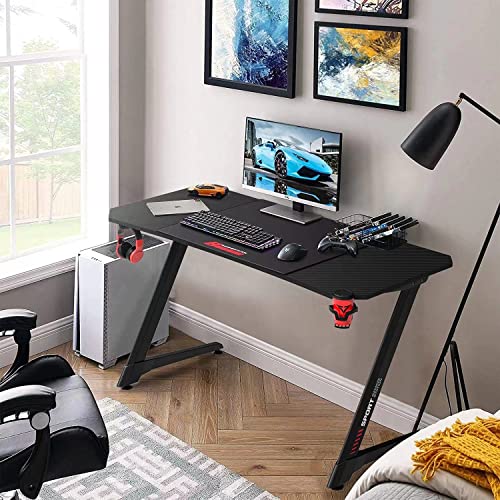
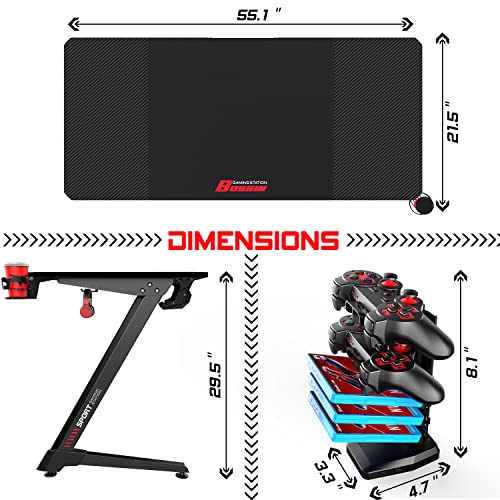
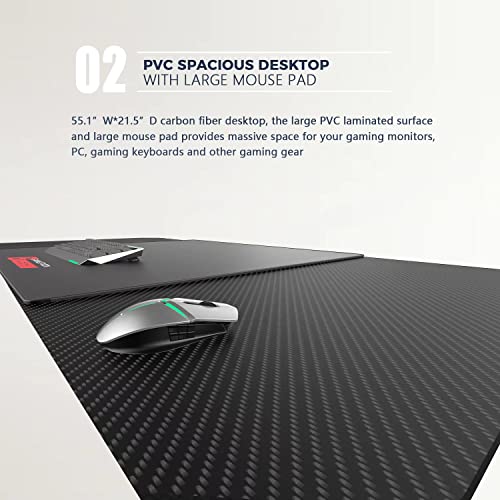
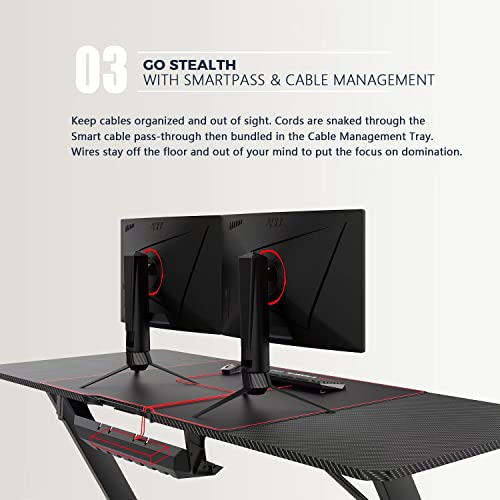
Rounding out the list is the VITESSE Ergonomic 55 inch Z-Shaped Desk, the unusual-geometry pick. VITESSE cuts the desk top into a Z shape — the diagonal Z geometry adds extra structural support and gives the desk a distinctly different look from the rectangular peers on this list. The 55-inch span is a notch narrower than the 63-71 inch competitors and represents the tighter end of dual-monitor width, fitting two 24-inch monitors side by side or a 34-inch ultrawide with peripherals. At around $100 it is the budget Z-shape option.
This is the desk for the buyer who is shopping more on visual style than maximum width. The Z geometry adds visible structural bracing and gives the desk a distinctive, polarising look — some buyers love it, others want a clean rectangle — and the 55-inch span makes it the tightest dual-monitor option here. Treat the size honestly: it fits two 24-inch monitors well, two 27-inch monitors tightly, and is comfortable for an ultrawide plus modest peripherals. As a stylized 55-inch entry-level dual-monitor desk with a real point of difference, VITESSE rounds out the list.
Pros: Distinctive Z-shaped geometry with extra structural support, ergonomic styling, budget pricing.
Cons: 55-inch span is tight for two 27-inch monitors; Z-shape aesthetic is polarising.
How to Choose a Dual Monitor Gaming Desk
Choosing a dual-monitor gaming desk starts with width, and the rule is simpler than the marketing makes it sound. Two 27-inch monitors with their stands occupy roughly 50-55 inches edge to edge; add comfortable elbow room and you want a desk of at least 60 inches. That puts the AODK 63, Huuger 63, Arozzi Arena 63 and the larger Huuger 70 and Coleshome 71 squarely in the sweet spot, while the VITESSE 55 sits at the tight end (better suited to two 24-inch monitors or an ultrawide). If you might add a third reference panel or a streaming PC later, lean toward 70-71 inches now rather than discovering the 63-inch limit in a year.
Depth is the dimension buyers most often forget. A 27-inch monitor with a typical bundled stand needs about 8-10 inches of depth behind the screen for the stand foot, plus a few inches of clearance from your keyboard. Aim for a desk depth of at least 24 inches; 26-28 inches is ideal. If a desk’s depth is not in the spec or is under 22 inches, expect the monitors to crowd the keyboard line and the front of the desk to feel cramped — no amount of width fixes that. The desks on this list generally land at 24-30 inches deep; check the exact figure for the model that interests you.
Weight capacity matters more on a dual-monitor desk than on a single-monitor build because you are loading more gear: two monitors plus stands or a single monitor with an arm both add weight, plus a heavy gaming PC (30-50 lbs is normal), plus peripherals and speakers can put 100+ lbs on the desk before you sit anything on top of it. Steel-framed desks (every one of these) handle the load if the spec is sensible — look for total weight capacity ratings of 200+ lbs for a heavy dual-monitor setup. The Arozzi Arena’s heavier engineered frame is one of the reasons it commands its price; the Coleshome and Huuger desks rely on sensible steel construction at a much lower cost.
Finally, think about whether you plan to use monitor arms. A clamp-on monitor arm requires a robust back edge — the desk needs to be thick enough (typically 0.6-1.5 inches) and rigid enough at the back to support the arm’s clamp without flexing or marking. Most desks on this list have particle-board tops that work fine with arm clamps if you use the included pads, but check the exact thickness and consider whether you want the iconic Arozzi Arena (engineered for this kind of use) versus a value pick where you may want softer clamp pads. Match width to monitor plans, prioritise depth, confirm weight capacity, and choose the dual-monitor desk on this list whose substance matches your dual-screen ambition.
Frequently Asked Questions
How wide does a desk need to be for dual monitors?
At least 60 inches for two 27-inch monitors side by side with comfortable elbow and peripheral room — that maps to the 63-inch AODK, Huuger, and Arozzi Arena, the 70-71 inch Huuger and Coleshome, and similar. A 55-inch desk like the VITESSE Z-shape works for two 24-inch monitors or a single ultrawide but feels tight with two 27s. If you might add a third panel or a streaming PC, step up to 70-71 inches now.
Is the Arozzi Arena worth the price over a $150 gaming desk?
For the right buyer, yes. The Arena is genuinely a step up in build quality, frame engineering, and finish — water-resistant top, heavier steel, better cable management — and the full-surface mouse-pad mat is a distinctive functional feature, not just cosmetic. If you want the iconic enthusiast desk and plan to keep it for many years, the premium makes sense; if you mainly need width and basic build, the AODK 63, Huuger 70 or Coleshome 71 deliver the core dual-monitor proposition for around a third of the price.
Will these desks hold two monitors and a heavy gaming PC?
Yes, when the spec is sensible. Two 27-inch monitors plus a heavy PC and peripherals typically lands at 90-130 lbs total — well within the rated capacity of the steel-framed desks on this list. Place the heaviest items (the PC, monitor stands) closest to the legs, use a clamp-on monitor arm if you can to shift load to the back frame, and verify the weight capacity matches your gear. The Arozzi Arena’s heavier engineered frame is the most robust on the list.
Can I use monitor arms on these desks?
Yes, with sensible care. Clamp-on monitor arms work fine on the particle-board tops here if you use the included clamp pads to distribute pressure, check the top thickness fits your clamp’s range (usually 0.6-1.5 inches), and clamp at the back edge above one of the legs for maximum rigidity. The Arozzi Arena is specifically engineered for this kind of use and is the most arm-friendly desk on the list.
Related Guides
- Best L Shaped Gaming Desks
- Best Standing Gaming Desks
- Best RGB Gaming Desks
- Best Compact Gaming Desks
- Best Gaming Desks
- Best Monitor Arms
- Best Ultrawide Monitors
- Best Gaming Monitors
Affiliate Disclosure: As an Amazon Associate, we earn from qualifying purchases. If you click a link and make a purchase, we may earn a small commission at no extra cost to you. Prices and availability are accurate as of publication and may change.










