

🛒 Best Price Today on Amazon
Prime members get fast, free shipping on everything above, plus member-only deals. New members get a 30-day free trial — cancel anytime.
- Top Shaped Gaming Desks Picks for 2026
- Best L Shaped Gaming Desks at a Glance
- 1. Apicizon 55 inch L Shaped Gaming Desk with LED Light and Power Outlet, Reversible
- 2. PRAISUN 51.2 inch L Shaped Gaming Desk with Power Outlets, USB-C, LED Lights
- 3. SEDETA L Shaped Gaming Desk Reversible with Power Outlet and Pegboard
- 4. ODK 53 inch L Shaped Gaming Desk with Hutch and Headphone Hook, Corner Computer
- 5. DUMOS 47 inch Gaming Desk with USB Charging Ports and LED Lights, Reversible L Shape
- 6. Bestier 71.5 inch L Shaped Computer Desk with Power Outlets, LED Home Office
- How to Choose the Right L Shaped Gaming Desk
- Related Guides
- Frequently Asked Questions
- Related Guides
- Related Articles
Top Shaped Gaming Desks Picks for 2026
Here are our current top shaped gaming desks picks, compared on real Amazon owner reviews, price, and features. Live prices update below.
As an Amazon Associate we earn from qualifying purchases at no extra cost to you.






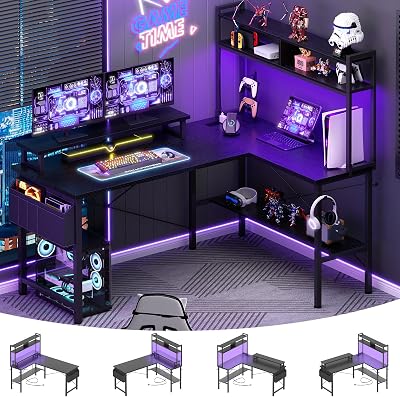


An L shaped gaming desk is the corner battlestation many setups truly want. By turning two work surfaces into a 90-degree corner, an L shape gives you a main run for the monitor and keyboard plus a return wing for a second screen, a laptop, a streaming rig, peripherals or a writing area — all within easy reach without rotating your chair across a long straight desk. For dual monitor users, streamers, and anyone whose desk has to do double duty for work and play, the corner geometry simply uses the room better than a flat rectangle. This guide rounds up the best L shaped gaming desks in 2026 across the styles people actually shop for: compact 47-inch corner desks, 51-55 inch mainstream picks, and large 71-inch L-frames built for serious dual-monitor and dual-PC setups.
Our picks were chosen on what genuinely matters for an L shaped gaming desk: main-run length, the size of the return wing, work-surface depth, weight capacity for a heavy gaming PC plus monitors, build quality (most desks at this price are particle board with a steel frame, and we are honest about that), and gaming-friendly extras like LED light strips, integrated power outlets, USB ports and pegboards. Prices in this list span from around $64 to around $150, and every L here is reversible — you can assemble the corner on the left or right to suit your room. Below you will find an at-a-glance comparison of all six, then a closer look at each desk and a buyer’s guide that covers the realities of corner desk construction and the specs that actually decide whether a desk will live up to the photos.
Best L Shaped Gaming Desks at a Glance
| Desk | Best For | Standout Spec | Approx Price |
|---|---|---|---|
| Apicizon 55-inch L Shaped with LED + Outlet | Mainstream corner battlestation | 55 inch, LED strip, power outlet, reversible | around $140 |
| PRAISUN 51.2-inch L with USB-C + LED | Modern integrated power | USB-C charging, AC outlet, LED, 51.2 inch | around $100 |
| SEDETA L Shaped with Pegboard + Outlet | Pegboard organization | Pegboard, power outlet, reversible | around $115 |
| ODK 53-inch L with Hutch + Headphone Hook | Vertical storage corner | 53 inch, hutch shelving, headphone hook | around $100 |
| DUMOS 47-inch L with USB + LED | Compact reversible L | 47 inch, USB ports, LED, lowest price | around $64 |
| Bestier 71.5-inch L with Power Outlets | Largest dual-monitor / dual-PC | 71.5 inch run, power outlets, LED | around $150 |
1. Apicizon 55 inch L Shaped Gaming Desk with LED Light and Power Outlet, Reversible

7


As an Amazon Associate we earn from qualifying purchases. Product prices and availability are accurate as of the date/time indicated.
The Apicizon 55 inch L Shaped is our mainstream pick for a true corner battlestation, and the desk that feels like the default answer for most buyers. The main run measures a useful 55 inches — long enough to fit a 27-inch monitor plus a keyboard and mouse with breathing room — and the return wing pulls into the corner to give you a second usable surface for a laptop, a microphone arm, a second monitor or a peripheral bay. Apicizon wraps the package in a carbon-fiber-textured top, an integrated LED strip for under-desk glow, and a built-in power outlet so a power strip does not have to live on the floor. At around $140 it lands at the meeting point of size, features and price for an L of this class.
This is the desk to choose when you want a no-compromise mid-size L without venturing into flagship money. The 55-inch main run is the sweet spot for a single large monitor or a 32-inch ultrawide with peripherals in front, the return wing turns the corner into a real second work zone, and the reversible build means you can put the L on whichever side your room demands. The LED strip is the cosmetic gaming flourish people expect, but the genuinely useful upgrade is the power outlet on the desk itself, which saves a snake of cables across the floor. For a do-it-all mainstream L shaped gaming desk that gets the basics right and looks the part, the Apicizon 55 inch is the easy starting recommendation.
Pros: Generous 55-inch main run, useful return wing, reversible build, integrated LED + power outlet for a tidy gaming setup.
Cons: Particle board top under the carbon-fiber finish; surface is durable but not solid wood.
2. PRAISUN 51.2 inch L Shaped Gaming Desk with Power Outlets, USB-C, LED Lights

16
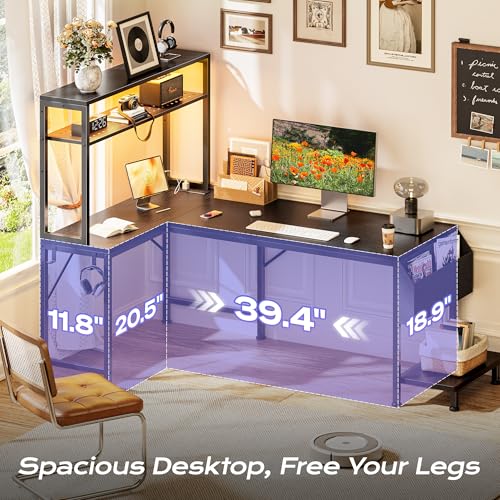
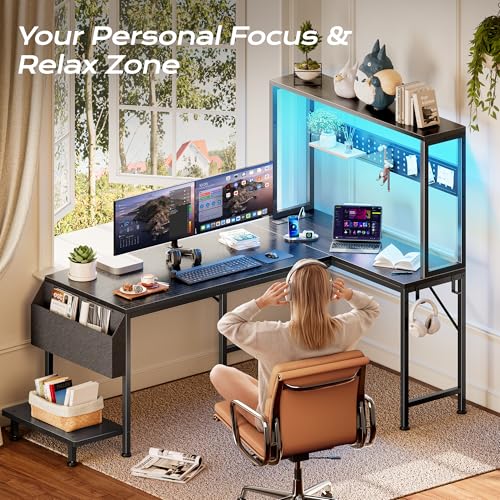
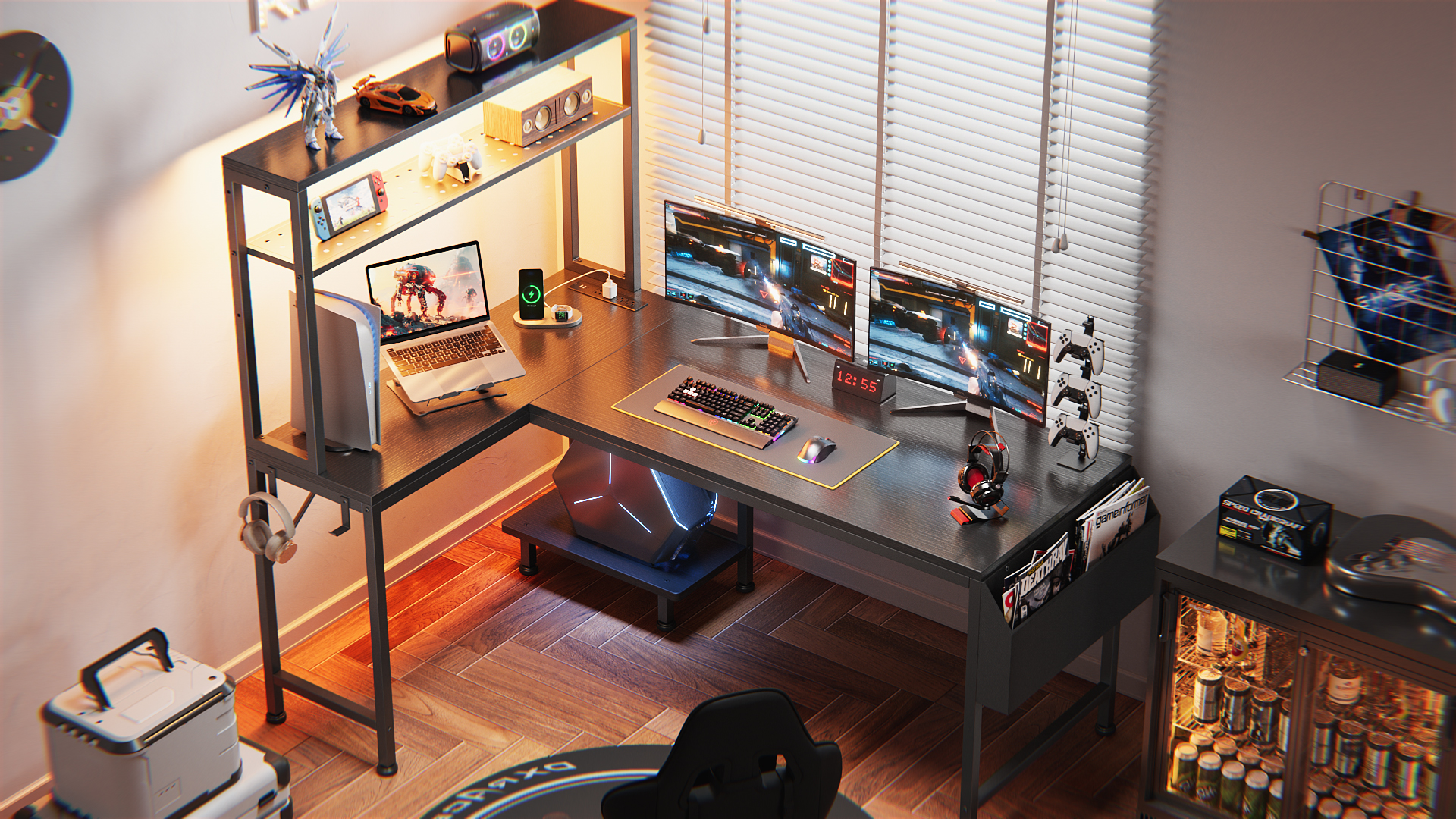
PRAISUN L Shaped Gaming Desk with LED Lights & Power Outlets, Reversible Computer Desk with Storage Shelves & Bag, Large Corner Home Office Desk with Pegboard for Work from Home, Black
In Stock


As an Amazon Associate we earn from qualifying purchases. Product prices and availability are accurate as of the date/time indicated.
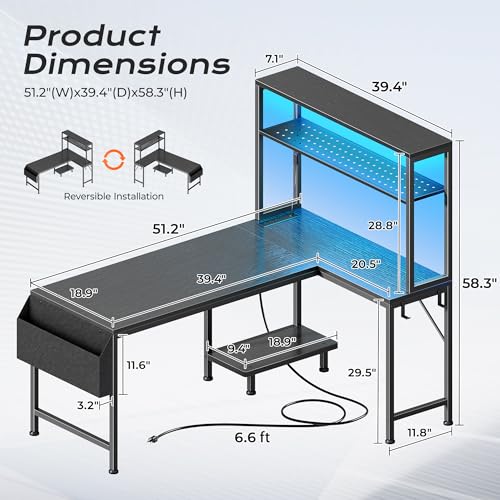
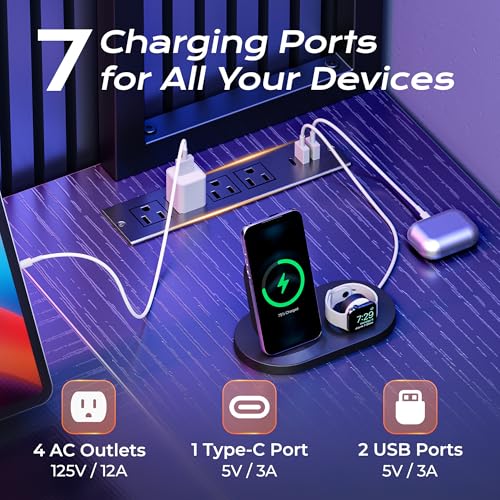
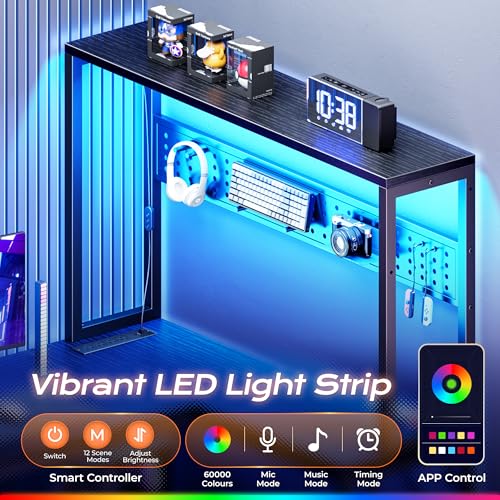
The PRAISUN 51.2 inch L Shaped is the modern, well-connected pick. PRAISUN leans into 2026-relevant features here: an AC power outlet plus a USB-C charging port live right in the desk surface, so a phone, tablet or USB-C-powered peripheral charges without a wall trip. Add an integrated LED strip and a 51.2-inch main run with a true L return, and you get a compact-but-complete corner desk for around $100. It is a strong example of how new gaming desks are baking power management directly into the frame instead of treating it as an afterthought.
This is the L to consider if your room has limited power outlets, you charge multiple USB-C devices at the desk, or you simply hate cable mess. The 51.2-inch main run keeps the footprint sensible for an apartment or smaller room while still fitting a 27-inch monitor and full-size keyboard, and the corner return adds the second work zone an L is bought for. The USB-C port is the headline modern feature — most desks in this price bracket still only offer USB-A — and the LED strip handles the gaming look. For a well-priced, well-equipped 51-inch corner desk with USB-C built in, PRAISUN delivers a meaningful upgrade over older designs.
Pros: USB-C plus AC outlet integrated into the desk, LED strip, reversible 51.2-inch L, sensible price.
Cons: Slightly shorter main run than 55-inch peers; USB-C is for charging, not display.
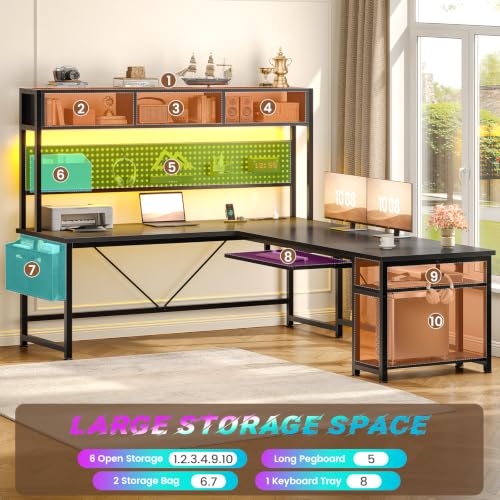
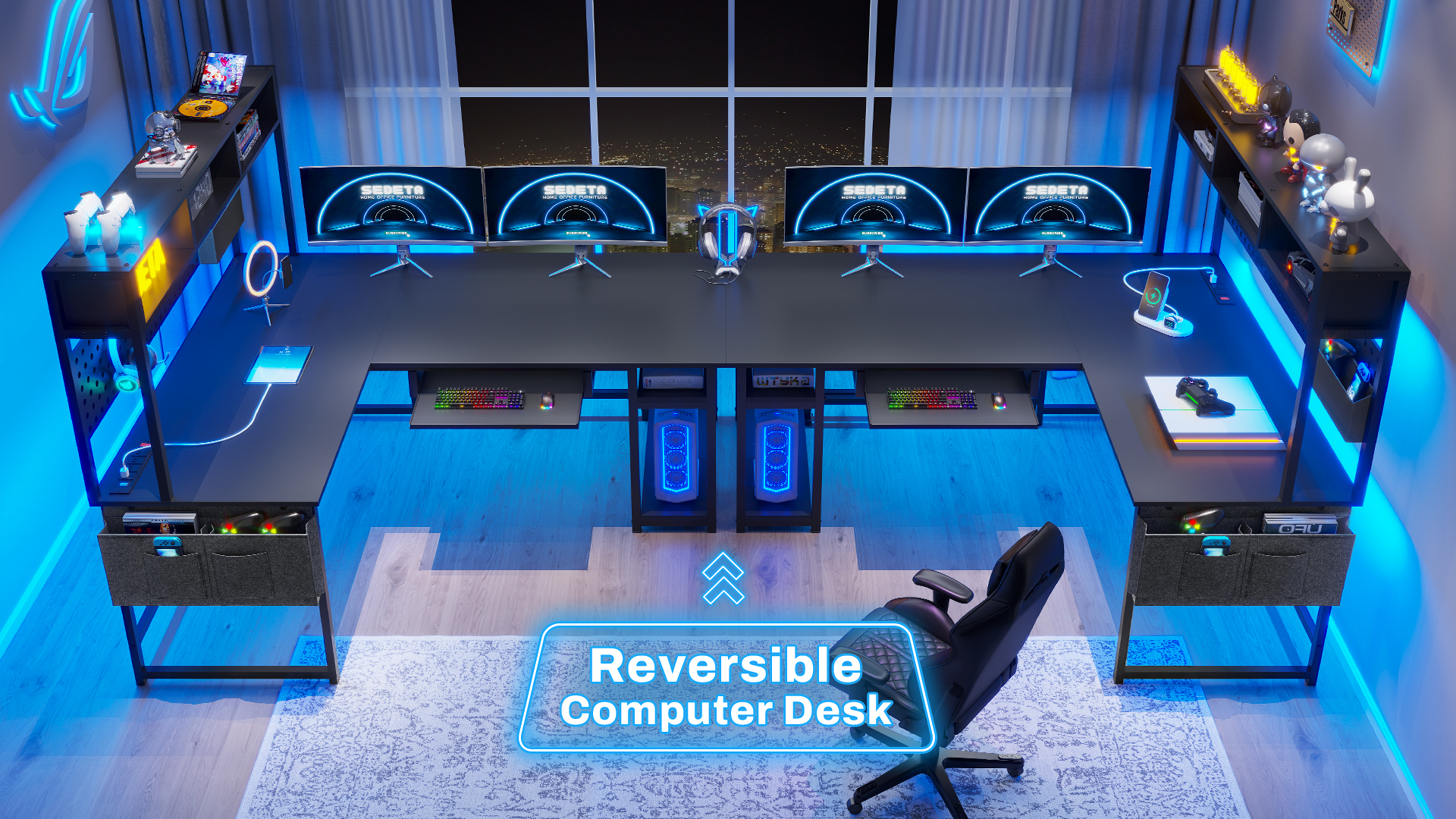
3. SEDETA L Shaped Gaming Desk Reversible with Power Outlet and Pegboard

25
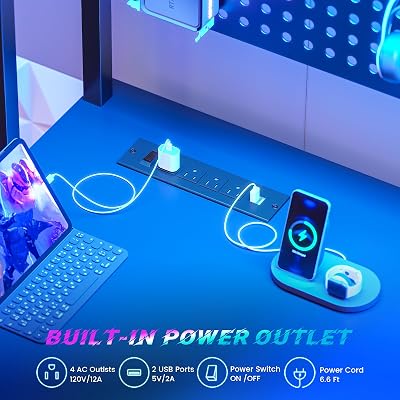
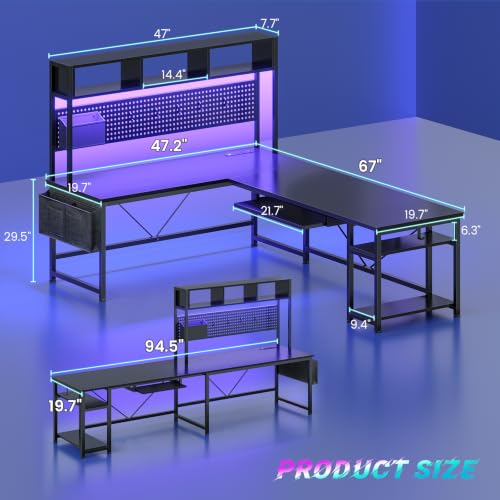
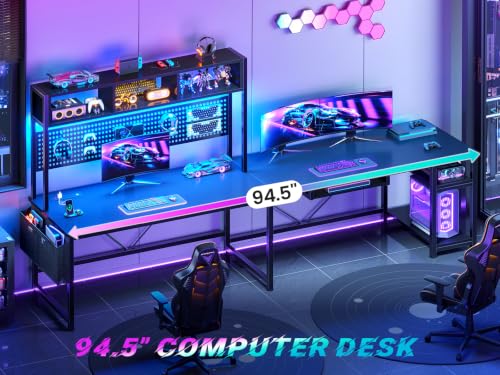
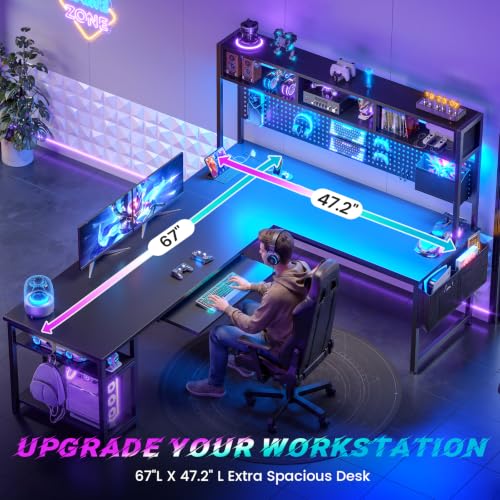
SEDETA L Shaped Gaming Desk, Reversible Computer Desk with Power Outlet and Pegboard, Gaming Desk with Led Lights, Keyboard Tray and Storage Bag for Home Office, Black
In Stock




As an Amazon Associate we earn from qualifying purchases. Product prices and availability are accurate as of the date/time indicated.
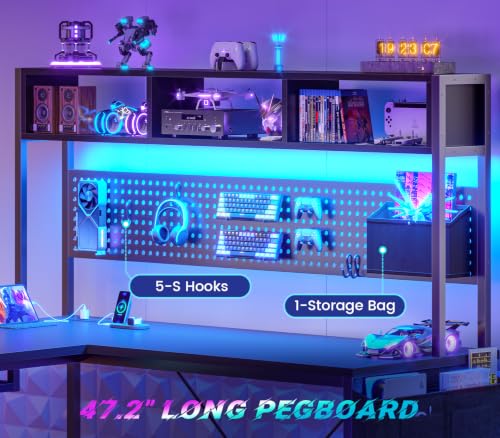
The SEDETA L Shaped with pegboard is the organizer’s corner desk. SEDETA pairs a reversible L geometry with an integrated power outlet and — the headline feature — a pegboard backer that mounts behind or above the desk to hang headsets, cables, hooks, accessories and small shelves. For anyone who hates desk clutter or runs a streaming setup with microphones, lights and cables that need somewhere to live off the surface, a pegboard L turns the back wall into usable real estate. At around $115 it adds a genuinely useful storage layer to an already practical corner desk.
This is the desk to choose if vertical organization matters as much to you as the horizontal work surface. The pegboard is the kind of feature that sounds gimmicky until you have one — headphones hang off it, cables clip to it, a small shelf can hold figurines or a microphone preamp, and suddenly the desk surface itself stays clear. The reversible L corner covers the standard battlestation needs, the integrated power outlet keeps cable management cleaner, and the SEDETA gaming-styled finish ties the look together. For a corner desk that actively helps you keep a tidy setup, this is the standout.
Pros: Pegboard backer for vertical storage, integrated power outlet, reversible L geometry, useful for streamers.
Cons: Pegboard adds visual bulk behind the desk; check wall clearance before buying.
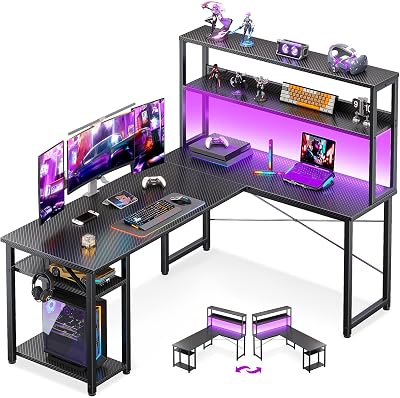
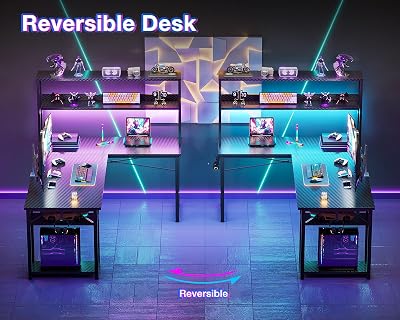
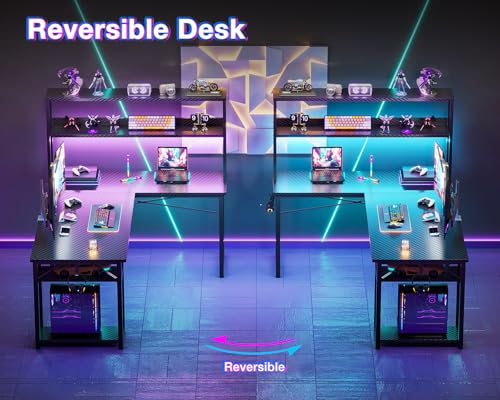
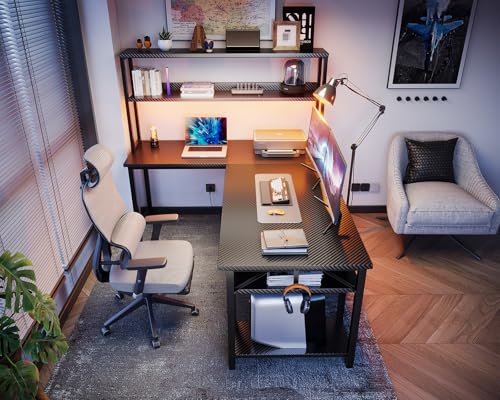
4. ODK 53 inch L Shaped Gaming Desk with Hutch and Headphone Hook, Corner Computer
21
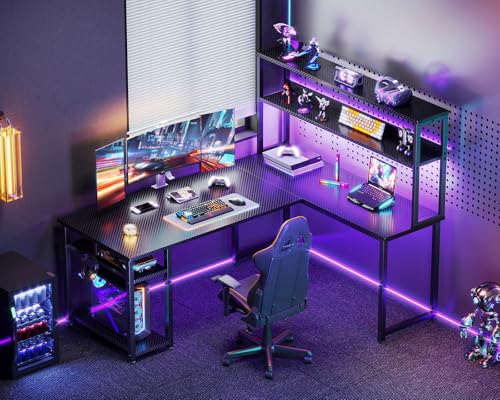
ODK 53" L Shaped Gaming Desk with Hutch & Headphone Hook, Corner Computer Table with Storage Shelves for Home Office, Black
In Stock




As an Amazon Associate we earn from qualifying purchases. Product prices and availability are accurate as of the date/time indicated.
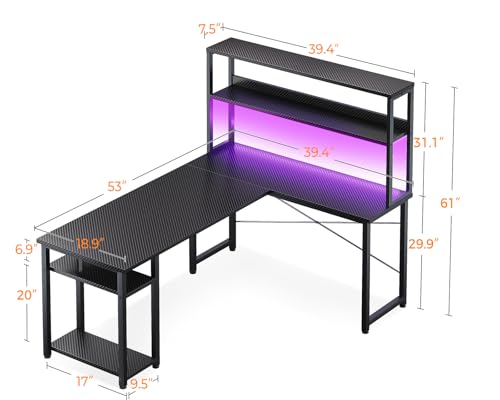
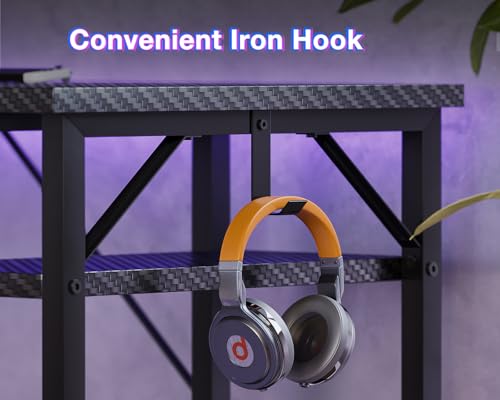
The ODK 53 inch L Shaped is the hutch-equipped corner desk for buyers who want shelves built in. ODK pairs a 53-inch L with a fitted hutch above the main run — adding two upper shelves for monitors, speakers, plants, books or stream gear — plus a side-mounted headphone hook so your headset has a designated home. At around $100 it sits at the entry-level of the mainstream class while bundling vertical storage that many 53-inch competitors leave out.
This is the corner desk for the small room that needs to grow upward. The hutch turns the wall behind the desk into shelving, lifting your monitors and freeing space underneath for a keyboard tray, books or a peripheral bay, and the headphone hook keeps a heavy headset off the surface where it would otherwise eat real estate. The 53-inch main run is workable for a single large monitor with peripherals, the corner return adds the expected second work zone, and ODK’s build is consistent for the money. For a compact L with built-in storage at a mainstream price, the ODK is a smart pick.
Pros: Built-in hutch shelving, headphone hook, 53-inch reversible L, accessible price.
Cons: Hutch adds height — check room ceiling clearance; smaller main run than 55-inch peers.
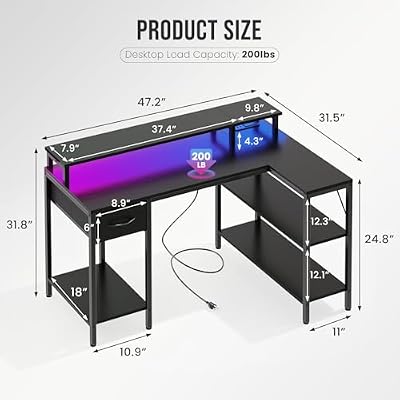
5. DUMOS 47 inch Gaming Desk with USB Charging Ports and LED Lights, Reversible L Shape

8
DUMOS 47” Gaming Desk with USB Charging Ports & LED Lights, Reversible L Shaped Desks Computer Corner Gamer Table with Power Outlets Monitor Stand Storage Shelves for Home Office Small Space, Black
Out of Stock



As an Amazon Associate we earn from qualifying purchases. Product prices and availability are accurate as of the date/time indicated.
The DUMOS 47 inch is the budget reversible L of the list, and at around $64 it is also by far the cheapest pick here. DUMOS keeps the main run to 47 inches — short for an L by mainstream standards — but folds in features that often cost extra: USB charging ports, an integrated LED light strip, and the standard reversible-corner geometry. It is the desk to consider when you want the L shape, the gaming look and the charging convenience without spending three figures.
This is the L for the smaller room, the first-apartment setup or the secondary gaming station. The 47-inch main run will not fit two monitors side by side, but it comfortably handles a single 24-27 inch monitor plus keyboard and mouse, and the corner return still gives you a useful second surface for a laptop or peripherals. USB charging ports built into the desk are a meaningful convenience at this price, the LED strip handles the gaming aesthetic, and reversibility means it fits either side of the room. Just set expectations on build quality — at $64 the materials are particle board with a metal frame, not premium hardwood — and it punches well above its sticker price.
Pros: Lowest price here, USB charging ports, integrated LED, reversible 47-inch L.
Cons: Compact main run not ideal for dual monitors; budget particle-board construction.
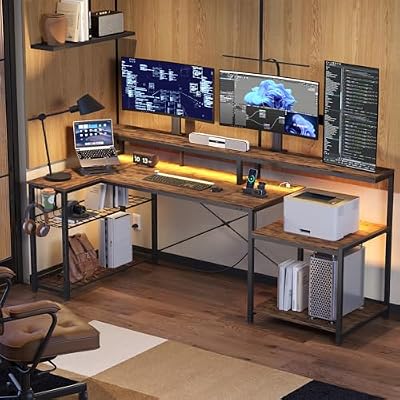
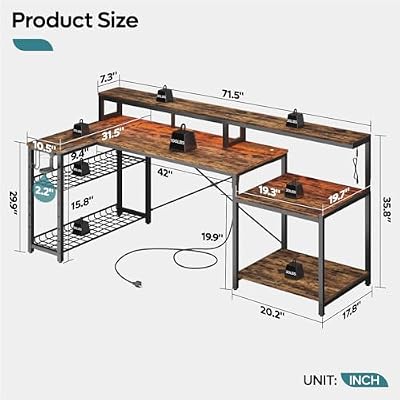
6. Bestier 71.5 inch L Shaped Computer Desk with Power Outlets, LED Home Office
8


As an Amazon Associate we earn from qualifying purchases. Product prices and availability are accurate as of the date/time indicated.
Rounding out the list is the Bestier 71.5 inch L Shaped, the largest corner desk on this guide and the pick for serious dual-monitor or dual-PC setups. The 71.5-inch main run accommodates two 27-inch monitors comfortably side by side — or a 34-49 inch ultrawide with peripherals — while the L return still hands you a full second work zone. Bestier integrates power outlets directly into the desk and adds an LED strip for the gaming look. At around $150 it is the priciest pick in this guide, and the size is exactly why.
This is the L for a home office that doubles as a battlestation, a creator desk for editing alongside a gaming rig, or any setup with two monitors plus a streaming workflow. The 71.5-inch span is genuinely large and changes what you can put on the desk — two monitors plus a laptop, or a monitor plus a music keyboard, or a creator workflow with reference displays. The integrated power outlets matter more on a desk this size because cable runs are longer, and the L return turns the corner into a usable secondary surface rather than dead space. If you have the room, the Bestier 71.5 is the most ambitious pick here and the most flexible long-term.
Pros: Massive 71.5-inch main run for dual monitors or ultrawide, integrated power outlets, LED, reversible.
Cons: Demands serious floor space; assembly time and weight rise with size.
How to Choose the Right L Shaped Gaming Desk
Choosing an L shaped gaming desk starts with the room and your monitor plans. Measure the corner of the room where the desk will live and confirm both walls have at least the main-run length plus a few inches of clearance — a 71.5-inch Bestier needs a very different footprint than a 47-inch DUMOS. Then think about screens: a single 24-27 inch monitor sits happily on any L here, but if you want two monitors side by side or an ultrawide 34-inch-plus, you really need a 55-inch or longer main run, which points you at the Apicizon 55, the larger SEDETA or the Bestier 71.5.
Be honest with yourself about build materials. Almost every gaming desk in this price range — including all six here — uses an MDF or particle-board top with a textured or carbon-fiber laminate, supported by a powder-coated steel frame. That construction can look great and serve you for years, but it is not solid wood; the laminate can chip if abused and the top can scratch under sharp impacts. Set your expectations accordingly, prioritise thicker tops and chunkier steel frames where you can, and treat any ‘wood’ claim as a finish description rather than the substrate.
Weight capacity matters more than most buyers realise. A modern gaming PC is heavy — easily 30-50 lbs — and a pair of 27-inch monitors with a stand can add another 20-30 lbs. Throw in a mechanical keyboard, mouse, headphones, speakers and a couple of peripherals, and the desk is carrying 100+ lbs on a daily basis. Cheap desks ($60-80) typically rate 100-150 lbs total; mid-range Ls ($100-150) generally rate 200-250 lbs across the full surface. Look at the spec sheet and add up what you actually plan to put on the desk before you commit.
Finally, decide which gaming-desk extras you genuinely value. LED light strips are cosmetic but pleasant, integrated power outlets and USB ports are genuinely useful for cable management — the PRAISUN’s USB-C is a real convenience — pegboards (SEDETA) turn the wall into storage, and hutches (ODK) add vertical shelves at the cost of ceiling clearance. Reversibility is standard on every desk here, which is the right default. Set your budget, pick the main-run length that fits your room and monitors, prioritise weight capacity if you have a heavy rig, and choose the L on this list whose extras match the way you actually work and play.
Frequently Asked Questions
How big should an L shaped gaming desk be?
Match the main run to your monitor plans and the room. A 47-inch main run, like the DUMOS, suits a single 24-inch monitor with peripherals in a small room. A 51-55 inch main run, like the PRAISUN, ODK and Apicizon, is the mainstream sweet spot for a single 27-inch monitor plus a real second work zone on the return. A 71.5-inch main run, like the Bestier, is what you want for two 27-inch monitors side by side or an ultrawide.
Are L shaped gaming desks worth it over a regular desk?
If you have the corner, yes — an L shape uses two walls instead of one, giving you a return wing for a second screen, a laptop or peripherals within easy reach without dominating the room. Every desk on this list is reversible, so the L works on either side. If your room only has a single long wall, a straight desk may suit you better. For most corner setups, the L turns dead space into useful work area.
Will an L shaped desk hold a heavy gaming PC and two monitors?
Most of these will if the weight is sensibly distributed. A typical gaming PC plus two 27-inch monitors sits in the 60-90 lb range, well within the rated capacity of mid-range Ls like the Apicizon, SEDETA and Bestier. Check the spec for total weight capacity, place the heaviest items (the PC, monitor stands) closest to the legs and the corner brace, and use a monitor mount that clamps to the back of the desk if you can — it shifts load to the frame.
Do the LED lights and power outlets on these desks work well?
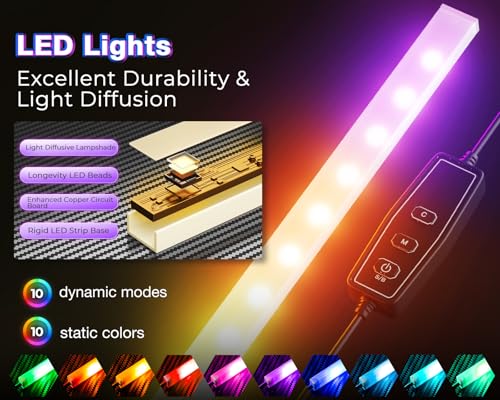
The LED strips are typically USB-powered light bars stuck under the front edge with adhesive backing — they look good, change colors with a small remote, and are best treated as a pleasant cosmetic feature rather than a task light. Integrated power outlets and USB charging ports, on the other hand, are genuinely useful for cable management; the PRAISUN’s USB-C charging port is a meaningful upgrade for charging phones and modern peripherals without a wall trip.
Related Guides
- Best Gaming Desks
- Best Standing Gaming Desks
- Best RGB Gaming Desks
- Best Dual Monitor Gaming Desks
- Best Compact Gaming Desks
- Best Gaming Chairs
- Best Monitor Arms for Your Desk
- Best Budget Gaming Setup
Affiliate Disclosure: As an Amazon Associate, we earn from qualifying purchases. If you click a link and make a purchase, we may earn a small commission at no extra cost to you. Prices and availability are accurate as of publication and may change.
Ready to decide? Our #1 pick for 2026 is the Apicizon 55-inch L Shaped with LED + Outlet.
Live price & availability on Amazon.


