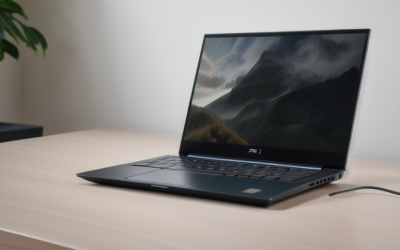
- Top Pick: Dell Alienware 16 Aurora Gaming Laptop, Intel 7-240H, 32 GB DDR5 RAM, 1 TB PCIe SSD, 16" WQXGA (2560×1600) 120Hz Display, Nvidia G-Force RTX 5060, Backlit Keyboard, W11 Pro, Blue
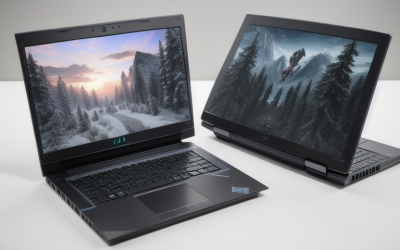
- Best Value: Dell Alienware 15 Gaming Laptop 15.3" WUXGA 165Hz AMD 6-core Ryzen 5 220 16GB RAM 512GB SSD GeForce RTX 4050 Type-c Backlit Win11
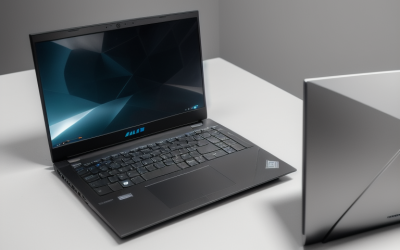
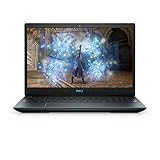
- Premium Choice: 2019 Dell G3 Gaming Laptop Computer| 15.6" FHD Screen| 9th Gen Intel Quad-Core i5-9300H up to 4.1GHz| 8GB DDR4| 512GB PCIE SSD| GeForce GTX 1660 Ti 6GB| USB 3.0| HDMI| Windows 10
Dell sells gaming hardware under two names, and the choice between them shapes everything else. Alienware is the premium line with the fast panels, the big GPUs and the Wi-Fi 7 radios. The older G-series is the plain, sturdier alternative aimed at people who just want a discrete graphics card in a Dell chassis. Searching for the best Dell gaming laptops really means deciding how much of the Alienware treatment you need and which graphics tier your games call for.
This 2026 roundup compares eight Dell-brand gaming laptops using only the specifications each listing spells out: processor, GPU, memory, storage, screen size, refresh rate and ports. It is meant for shoppers who already prefer Dell and want to see how the Aurora, Alienware 15, Area-51 and G3 listings differ, so they can pick the screen, GPU and memory configuration that fits how they play rather than just the biggest model number.
Quick Picks
As an Amazon Associate we earn from qualifying purchases at no extra cost to you.




| Product | Best for | Key spec from the title |
|---|---|---|
| Alienware 16 Aurora (RTX 5060) | Balanced 16-inch all-rounder | RTX 5060, 32GB DDR5, 1TB SSD, 120Hz |
| Alienware 15 (Type-C listing) | Entry Alienware with a fast screen | RTX 4050, 15.3-inch WUXGA 165Hz |
| Dell G3 (GTX 1660 Ti) | Older, simple 1080p play | GTX 1660 Ti 6GB, i5-9300H, 15.6-inch FHD |
| Alienware 15.3 (HDMI 2.1 listing) | Wired connections and external displays | RJ-45, HDMI 2.1, USB-C with DP |
| Alienware 16 Aurora (RTX 5050) | Lower-tier 16-inch with Wi-Fi 7 | RTX 5050, 16GB DDR5, 1TB SSD |
| Alienware 18 Area-51 | Big-screen desktop replacement | RTX 5070, Core Ultra 9 275HX, 300Hz |
| Alienware 16 Aurora (RTX 5070) | Strong GPU with Ethernet | RTX 5070, Core 9 270H, 32GB DDR5 |
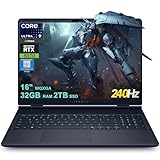
| Alienware 16X Aurora | Maximum specs in a 16-inch body | 240Hz, 100% DCI-P3, 2TB SSD, Thunderbolt |
How to Choose
Start with the GPU tier and screen resolution
The graphics card sets the ceiling on frame rates. Listings here run from a GTX 1660 Ti, through RTX 4050 and RTX 5050, up to RTX 5060 and RTX 5070 parts. A 1080p panel is comfortable with the entry cards, while the 2560×1600 WQXGA screens on the Aurora and Area-51 models make more sense with the RTX 5060 or RTX 5070. Pairing a high-resolution screen with a low-tier GPU forces you to lower settings or resolution, which wastes the panel.
Look at refresh rate and panel details
For fast shooters, aim for at least 144Hz. Here the range is 120Hz on the standard Aurora panels, 165Hz on the 15-inch Alienwares, 240Hz on the 16X and 300Hz on the Area-51. Note that the RTX 5070 Aurora lists 300 nits of brightness, which is modest for bright rooms, while the 16X lists 100% DCI-P3 color coverage for creative work. High refresh only helps if the GPU can feed it.
Memory, storage and upgrade headroom
16GB of RAM is the working minimum for current games, and 32GB gives room for background apps, streaming and mods. Storage ranges from 512GB to 2TB; 512GB runs out quickly given the size of recent game installs, so prefer 1TB or more if you keep several titles installed. Where a listing says DDR5, it is newer, faster memory than the DDR4 in the older G3. Also check whether the title gives a memory type at all, because some listings only state the capacity.
Ports, networking and operating system
Check what you plug in. The Aurora listings mention Wi-Fi 7, one lists a 1Gb Ethernet port, and one Alienware 15 lists RJ-45 together with HDMI 2.1 and USB-C with DisplayPort. The Thunderbolt connection on the 16X helps with fast external drives and docks. Also note the operating system: the G3 ships with Windows 10, which is nearing the end of its life, while the others use Windows 11 Home or Pro.
The 8 Best Options
Alienware 16 Aurora (RTX 5060)
This Aurora pairs an Intel 7-240H processor with an RTX 5060, 32GB of DDR5 RAM and a 1TB PCIe SSD behind a 16-inch 2560×1600 120Hz screen. It runs Windows 11 Pro and has a backlit keyboard. It is the configuration for a player who wants both a sharp display and a mid-tier GPU without jumping to the top. Because the processor, memory and storage are all generously sized, it also doubles as a capable machine for video editing or schoolwork between sessions.
- Strength: 32GB of memory plus a 1TB drive at this GPU tier.
- Strength: 16-inch WQXGA panel with Windows 11 Pro.
- Trade-off: 120Hz is lower than the other premium screens listed.
Skip it if you want a very high refresh rate for competitive shooters.
Alienware 15 (Type-C listing)
The 15.3-inch WUXGA screen runs at 165Hz, driven by an RTX 4050 and an AMD Ryzen 5 220 with six cores, plus 16GB of RAM and a 512GB SSD. USB-C and a backlit keyboard are listed. It is the smallest, most approachable Alienware here, suited to 1080p-class gaming at high frame rates. Six cores and 16GB of memory leave room to handle background apps while you play without feeling like a stripped-down option.
- Strength: 165Hz panel suits fast games at 1080p-class resolution.
- Strength: compact 15.3-inch size.
- Trade-off: 512GB of storage fills up quickly.
Skip it if you need lots of installed games without adding a drive.
Dell G3 (GTX 1660 Ti)
This is a 2019 model with a 15.6-inch FHD screen, a quad-core Core i5-9300H up to 4.1GHz, 8GB of DDR4 memory, a 512GB PCIe SSD and a GeForce GTX 1660 Ti with 6GB. USB 3.0 and HDMI are listed, and it ships with Windows 10. It is the budget-tier entry for casual 1080p play, best seen as a simple way to get a discrete GPU into a Dell body rather than a long-term commitment.
- Strength: dedicated 6GB GTX 1660 Ti graphics.
- Strength: 512GB PCIe SSD for quick loads.
- Trade-off: 2019 hardware with DDR4 and Windows 10 is dated for new releases.
Skip it if you want modern ray-tracing-era graphics or long-term OS support.
Alienware 15.3 (HDMI 2.1 listing)
This 15.3-inch Alienware shares the Ryzen 5 220 and RTX 4050 pairing with a 165Hz WUXGA panel, 16GB of DDR5 and a 512GB NVMe SSD. What sets it apart is the port list: RJ-45 Ethernet, HDMI 2.1, USB-C with DisplayPort, Wi-Fi AX, Bluetooth and a webcam. It runs Windows 11 Home.
- Strength: Ethernet and HDMI 2.1 for wired play and TVs.
- Strength: USB-C with DisplayPort for an extra monitor.
- Trade-off: the same 512GB drive and RTX 4050 as the simpler Alienware 15.
Skip it if you do not need the extra ports.
Alienware 16 Aurora (RTX 5050)
The lower-tier Aurora combines an RTX 5050 with an Intel Core 7 240H, 16GB of DDR5 and a 1TB SSD, on a WQXGA 120Hz display with Wi-Fi 7 and Windows 11 Home. The 1TB drive is a generous size for this tier, and Wi-Fi 7 is the newest wireless standard listed in the roundup.
- Strength: 1TB of storage at the lower GPU tier.
- Strength: Wi-Fi 7 support.
- Trade-off: the RTX 5050 may struggle to drive a 2560×1600 screen at high settings.
Skip it if you want to play demanding games at native resolution.
Alienware 18 Area-51
The Area-51 is the large-format flagship: an 18-inch WQXGA display at 300Hz, an Intel Core Ultra 9 275HX, an RTX 5070, 32GB of DDR5 and 1TB of storage. The Liquid Teal finish and Windows 11 Home are listed. It targets players who want a desktop replacement and a very fast screen, and who are happy to leave it on a desk most of the time. The larger chassis also leaves more room for the cooling a flagship processor needs.
- Strength: 300Hz is the highest refresh rate in the group.
- Strength: Core Ultra 9 275HX and 32GB of memory.
- Trade-off: an 18-inch machine is less portable than the 15 and 16-inch models.
Skip it if you travel with your laptop often.
Alienware 16 Aurora (RTX 5070)
This Aurora steps up to an RTX 5070 and an Intel Core 9 270H, with 32GB of DDR5 and a 1TB SSD. The 2560×1600 120Hz screen is listed at 300 nits, with Wi-Fi 7 and a 1Gb Ethernet port. It gives the same GPU as the Area-51 and 16X in a more modest body.
- Strength: RTX 5070 with Ethernet and Wi-Fi 7 both listed.
- Strength: 32GB of memory and a 1TB drive.
- Trade-off: 120Hz trails the other RTX 5070 listings, and 300 nits is a modest brightness figure.
Skip it if display brightness and refresh rate rank first.
Alienware 16X Aurora
The 16X lists a 16-inch WQXGA 240Hz panel with 100% DCI-P3 color, a 24-core Core Ultra 9 275HX, 32GB of RAM, a 2TB SSD and an RTX 5070 rated up to 798 AI TOPS. Thunderbolt and Windows 11 Pro round it out. It has the strongest overall list of specs among the 16-inch models, which makes it the pick for someone who wants one machine for gaming, photo work and fast external storage.
- Strength: 240Hz with wide color coverage.
- Strength: 2TB of storage and Thunderbolt.
- Trade-off: the listing title is oddly spelled “Alien-Ware”, so confirm the seller details.
Skip it if the entry tier already covers your games.
Which One Fits Your Situation
You want an all-round gaming and work laptop
The Alienware 16 Aurora with the RTX 5060 and 32GB of RAM balances screen, memory and storage without chasing the top GPU.
You play competitive shooters
The Alienware 18 Area-51 at 300Hz or the Alienware 16X Aurora at 240Hz give the refresh rates that fast games can use.
You need a wired setup with external displays
The Alienware 15.3 with RJ-45, HDMI 2.1 and USB-C with DisplayPort is the one built around connections.
You want the lowest tier on the list
The Dell G3 is the lowest tier and the only older model, so treat it as a casual 1080p machine, or step up to the Alienware 15 with its RTX 4050.
Common Mistakes
- Buying a WQXGA screen with an RTX 5050 and then lowering the resolution anyway.
- Assuming every Alienware has a high-refresh display; several here list only 120Hz.
- Overlooking that 512GB of storage disappears after a few modern installs.
- Ignoring the operating system: Windows 10 is nearing the end of its supported life.
- Treating the large AI TOPS figure as a measure of game performance.
Frequently Asked Questions
What is the difference between Alienware and the G series?
Alienware is Dell’s premium gaming line with faster panels, newer GPUs and more ports. The G series is the simpler line aimed at players who only need a discrete graphics card.
Is an RTX 4050 enough for gaming?
It is an entry-level modern GPU suited to 1080p-class screens like the 15-inch Alienwares here. It is less suited to the 2560×1600 panels on the Aurora models.
How much RAM do I need?
16GB covers most games, while 32GB gives space for streaming, multitasking and demanding titles. Most of these listings already include 32GB.
Does the Dell G3 still make sense?
Only for casual play. Its 2019 processor, DDR4 memory and Windows 10 limit it, though the GTX 1660 Ti still handles older titles at 1080p.