Top Picks at a Glance

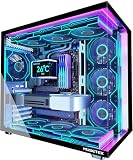
CORSAIR Frame 4500X RS-R ARGB Panoramic Glass Mid-Tower PC Case – White | InfiniRail Mounting System, Fits Dual 360mm Radiators, GPU Anti-Sag, 3x RS120R Fans Included

CORSAIR iCUE Link 3500X RGB Mid-Tower ATX PC Case – Panoramic Tempered Glass – Reverse Connection Motherboard Compatible – 3X CORSAIR iCUE Link RX120 RGB Fans Included – Black

CORSAIR AIR 5400 RS ARGB Triple-Chamber Panoramic Mid-Tower PC Case – Black | 3x Pre-Installed Reverse-Rotor Fans, High Airflow, Anti-Sag, Easy Cable Management, Reverse Motherboard Support

Corsair iCUE 220T RGB Airflow Tempered Glass Mid-Tower Smart Case - White
CORSAIR iCUE Link 3500X RGB Mid-Tower ATX PC Case – Panoramic Tempered Glass – Reverse Connection Motherboard Compatible – 3X CORSAIR iCUE Link RX120 RGB Fans Included – Black
As an Amazon Associate we earn from qualifying purchases. Product prices and availability are accurate as of the date/time indicated.
Affiliate disclosure: We may earn a commission from qualifying purchases at no extra cost to you. Tested picks, honest verdicts.
By Alex Rivera, Senior Hardware Editor — May 2026
Best Corsair Case PC Cases for Gaming in 2026
Quick Answer
The Corsair 6500X RGB is the 2026 case to beat: dual-chamber, three RS120 RGB fans, USB4 front panel, around $239. For maximum airflow, the Frame 4000D Airflow brings InfiniRail mounting that lets you reposition every component. ITX builders chasing premium portability should look at the 2500X Airflow, which Corsair refreshed last quarter with proper 360mm support.
Why Corsair
Corsair is the closed-ecosystem play in the case world — iCUE-controlled RGB, Commander Core integration, and AIO/PSU pairings that all sync from one app. The 2024 launch of the Frame line (modular, build-your-own panel system) was a clear bet against Lian Li’s all-glass approach, and the 2026 Frame 4000D shows Corsair is committed to the strategy. The 6500X dual-chamber line, meanwhile, has matured into a credible Lian Li O11 alternative with the advantage of integrating natively with iCUE-controlled fans and AIOs.
What sets Corsair apart is the integration premium — if you’re running an iCUE Link H150i ELITE LCD AIO, RM1200x SHIFT PSU, and a Voyager keyboard, a Corsair case ties the whole rig to a single software pane. If you’re not in that ecosystem, you’re paying for cosmetics you may not need.
Our Top 5 Picks
1. Corsair 6500X RGB Dual Chamber — The flagship showcase case. Dual-chamber, three RS120 RGB MAX fans included, USB4 front panel, supports 420mm radiators top and side. Around $239. Why it wins: only dual-chamber case with native iCUE Link integration and front USB4. Target buyer: iCUE ecosystem builders running an RTX 5080 or 5090 with custom liquid cooling.
2. Corsair Frame 4000D Airflow Modular — The modular play. Mesh front, swappable panel system, InfiniRail fan mounting (any fan, any position). Around $109 bare; around $159 with three RS120 fans. Why it wins: only modular mid-tower with positionable fan rails. Target buyer: tinkerers and modders who’ll rebuild this case three times.
3. Corsair 2500X Airflow RGB — The premium mATX. Dual-chamber design in a 26-litre micro-ATX footprint, supports 360mm AIO, includes three RS120 RGB fans. Why it wins: only mATX dual-chamber case with full 360mm support. Target buyer: compact-build enthusiasts running mATX boards with RTX 5070 Ti / 5080 GPUs.
4. Corsair 9000D RGB Airflow — The do-everything full-tower. Supports two motherboards (main system plus mini-ITX streamer), three 480mm radiator mounts, eight included fans. Why it wins: only full-tower with native dual-system support and matching iCUE control. Target buyer: streamers and workstation hybrids.
5. Corsair Frame 4500X RGB — The dark-horse value pick. Dual-chamber lite (single-side glass), three RS120 RGB MAX fans, around $159. Why it wins: cheapest Corsair dual-chamber case with included RGB fans. Target buyer: RTX 5070 / 5070 Ti builders who want the iCUE look without 6500X pricing.
Buyer’s Guide
The first Corsair decision is iCUE Link or no. The 6500X and 9000D both have native iCUE Link hubs and ship with iCUE Link RGB fans; the Frame line uses standard 4-pin PWM and 3-pin ARGB connectors. If you’re already running iCUE Link, the 6500X integration is genuinely valuable (one cable per fan group instead of per fan). If you’re starting from scratch, the Frame line’s standard connectors give you more upgrade flexibility.
The InfiniRail system on the Frame 4000D is Corsair’s most interesting innovation in years. It lets you mount any fan size (120mm, 140mm, 200mm) in any position by adjusting the rail spacing — no more “this case supports 360mm top OR 280mm front but not both.” It’s worth playing with in the configurator before buying.
For dual-chamber cases specifically, watch cable lengths. The 6500X is well-routed but a 24-pin ATX extension is recommended for clean visible runs. Corsair sells colour-matched cable extensions through their iCUE Link kits.
GPU clearance is generous across the lineup — RTX 5090 reference (304mm, 137mm) fits all five picks above with comfortable margin. The original 4000X and 5000X (pre-Frame) are tighter and worth skipping for top-tier GPUs.
Common Brand-Specific Pitfalls
The 5000D Airflow Core is still widely sold and superficially similar to the Frame 4000D Airflow. The 5000D lacks the InfiniRail system and uses an older fixed fan layout — fine if you’re on a budget, but the Frame is the better long-term investment.
iCUE Link fans are not the same as standard RS120 RGB fans, despite similar names. iCUE Link fans daisy-chain on a proprietary connector and require the iCUE Link System Hub (included with the 6500X and 9000D, sold separately otherwise). If you buy a standalone iCUE Link kit, factor in the hub cost.
The 6500X’s USB4 front port requires a motherboard with a USB4 internal header — common on Z890 and X870E boards, rare on B-series. Verify before assuming you’ll get full 40 Gbps speeds.
The 2500X comes in two variants: 2500X (closed front) and 2500X Airflow (mesh front). Only the Airflow variant has the temperatures you’d want for an RTX 5080 build. Read the model name carefully.
FAQ
Does the Frame 4000D really let me reposition fans freely? Yes within physical limits. The InfiniRail system uses sliding mounts that accept 120mm and 140mm fans at any position along the rail. The top rail can mount up to three fans, the front up to three, and you can swap rail orientation if needed.
Can I run the 6500X without iCUE software? Yes — the included fans operate as standard PWM via motherboard headers if you ignore the iCUE Link hub. You lose addressable RGB control but the fans still spin.
Will an RTX 5090 fit in the 2500X Airflow? Just barely. The 2500X has 360mm GPU clearance, and the 5090 reference is 304mm but 4 slots wide. You’ll lose the side fan mount when the GPU is installed. AIB partner cards over 320mm won’t fit.
What’s the noise floor of the 9000D with all eight stock fans? Around 42 dB at default curves under load — louder than competitors because of the fan count. iCUE custom curves can drop it to 36 dB at the cost of slightly higher temps.
Final Take
Corsair’s 2026 case lineup is the cleanest the brand has shipped in years. The 6500X is the obvious choice for iCUE ecosystem builders, the Frame 4000D Airflow is genuinely innovative for modders, and the 2500X Airflow finally gives mATX builders a proper dual-chamber option. Skip the legacy 5000D Core unless it’s deeply discounted, and verify your motherboard supports USB4 before paying for the 6500X’s front port.