

- Top Pick: HP Stream 14" HD Laptop, Intel Processor N150, 4GB RAM, 128GB UFS, Intel Graphics, Webcam, Wi-Fi 6, Copilot, Fast Charge, Windows 11, Silver (Renewed)
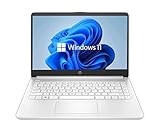
- Best Value: HP 14 inch Laptop, HD Display, Intel N150, 4 GB RAM, 128 GB UFS, Intel Graphics, Windows 11 Home, Includes a 1-Year Microsoft 365 Personal Subscription. Jet Black, 14-dq6199nr
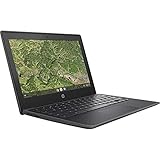
- Premium Choice: HP Chromebook 11A G8 Education Edition AMD A4-9120C 4GB DDR4-1866 SDRAM, 32GB eMMC 11.6-inch WLED HD Webcam Chrome OS (Renewed)
Shopping for a budget HP laptop is mostly an exercise in reading small print. Nearly every entry-level model shares the same trio of numbers: 4GB of memory, a low-end Intel or AMD processor, and storage that runs from 16GB to 128GB. What separates a laptop that feels workable from one that frustrates you is the type of storage, the OS, and whether it is a Windows machine or a Chromebook. Those details decide how many browser tabs and documents you can reasonably juggle.
This guide is for students, parents buying a first computer for a child, and anyone who needs a spare machine for email, streaming, and web forms. All ten picks are HP-branded, mix new and renewed units, and are judged only on what their titles say. Think of them as basic tools for light work; none of them is a gaming or video-editing machine, and a 2026 shopper should keep expectations aligned with that.
Quick Picks
As an Amazon Associate we earn from qualifying purchases at no extra cost to you.





| Product | Best for | Key spec from the title |
|---|---|---|
| HP Stream 14 (Renewed) | Windows basics | Intel N150, 4GB RAM, 128GB UFS |
| HP 14-dq6199nr | Home and office apps | N150, 128GB UFS, 1-year Microsoft 365 |
| HP Chromebook 11A G8 (Renewed) | Classroom use | AMD A4-9120C, 11.6-inch, 32GB eMMC |
| HP 14 HD Laptop (Renewed) | Larger screen, SSD | Celeron up to 2.60GHz, 64GB SSD |
| HP Stream 14 with Office | Travel and HDMI output | Up to 11 hours battery, HDMI, 64GB eMMC |
| HP Chromebook 14 | Web-first work | Celeron N4120, 64GB eMMC, Chrome OS |
| HP Chromebook 11 G9 EE (Renewed) | Compact classroom laptop | Celeron N4500, 11.6-inch, 32GB flash |
| HP Everyday Laptop | Cloud-heavy storage | 128GB, Office 365 with 1TB cloud, Wi-Fi 6 |
| HP Chromebook 14 G5 (Renewed) | Minimal web tasks | Celeron N3350, 16GB SSD |
| HP 14 Ultra-Light | Students needing extra space | 64GB eMMC plus 64GB SD card, 12-hour battery |
How to Choose
Windows or Chrome OS decides what you can run
A Windows laptop runs desktop programs like the full Microsoft Office apps or accounting software. A Chromebook runs a browser, Android apps, and web tools, which is plenty for schoolwork and streaming. If your classes or job require a specific Windows program, avoid Chrome OS entirely. Two titles here mention Windows 11 in S mode, which only installs apps from the store unless you switch it out, so check that before you buy.
Storage type matters more than the number
The titles list eMMC, UFS, SSD, and flash storage. UFS and SSD generally respond faster than eMMC, and all of them are small at 16GB to 128GB. Windows alone uses a big slice of that, so a 64GB machine can run short on space after updates. Plan on cloud storage or an SD card, and look for a laptop with a card slot if you save a lot of files locally.
Four gigabytes of memory is the floor
Every model here lists 4GB of RAM. That is enough for a handful of browser tabs, a video call, and a document, but not for heavy multitasking. Close tabs you do not need, and avoid running large programs side by side. If you can find a similar HP with 8GB at a fair tier, take it, but do not expect that at the entry level.
Renewed units and what to double-check
Several listings are marked renewed. That can open the door to older but capable hardware, yet condition and battery health vary by seller. Confirm the return window, the included charger, and whether the OS is activated. Watch for older processors such as the Celeron N3350, which is the oldest chip in this list, and for 11.6-inch screens that feel small for long study sessions.
The 10 Best Options
HP Stream 14 (Renewed)
This renewed Stream pairs a 14-inch HD screen with an Intel N150 processor, 4GB of RAM, and 128GB of UFS storage. The title also lists a webcam, Wi-Fi 6, fast charge, and Windows 11, along with Copilot access. As a renewed unit it is the sort of laptop a household keeps near the kitchen for recipes, forms, and quick searches.
- Strength: UFS storage and 128GB capacity are generous at this level.
- Strength: Wi-Fi 6 and fast charging are both named.
- Trade-off: Renewed condition depends on the seller, and 4GB of memory limits heavy multitasking.
Skip it if you want a brand-new box or a Chromebook-style simple interface.
HP 14-dq6199nr
This 14-inch HP lists an HD display, the Intel N150 chip, 4GB of RAM, 128GB of UFS storage, Windows 11 Home, and a one-year Microsoft 365 Personal subscription. The model number helps you match it on the retailer page, and the bundled software makes it a tidy pick for a student who wants documents ready on day one.
- Strength: Includes an Office subscription for a year.
- Strength: Same 128GB UFS storage as the Stream.
- Trade-off: HD resolution is basic, and the subscription lapses after the first year.
Skip it if you already own an Office license or prefer higher screen resolution.
HP Chromebook 11A G8 (Renewed)
This education-edition Chromebook uses an AMD A4-9120C chip, 4GB of DDR4 memory, 32GB of eMMC storage, and an 11.6-inch display with a webcam, running Chrome OS. The education label hints at classroom-style durability and simple administration, though the title does not spell out specifics.
- Strength: Compact size is easy to carry between classes.
- Strength: Chrome OS keeps the interface simple.
- Trade-off: 32GB of eMMC storage is tight if you save files locally.
Skip it if you need Windows software or a larger screen for long reading sessions.
HP 14 HD Laptop (Renewed)
The listing shows a 14-inch HD display, a Celeron dual-core processor up to 2.60GHz, 4GB of RAM, a 64GB SSD, a webcam, and Windows 11. It is a straightforward Windows laptop with an SSD, aimed at someone who wants familiar Windows menus and a bigger display than an 11.6-inch model offers.
- Strength: SSD storage tends to boot faster than eMMC.
- Strength: Runs standard Windows 11.
- Trade-off: Dual-core Celeron processors struggle when many tabs are open.
Skip it if your workload includes video calls with screen sharing plus many open apps.
HP Stream 14 with Office
This white Stream lists an Intel Celeron processor, 4GB of memory, 64GB of eMMC storage, fast charge, HDMI, up to 11 hours of battery life, a one-year Office 365 subscription, and Windows 11 in S mode. A microfiber cloth is thrown in. The port and battery claims make it the practical choice for presentations and commuting.
- Strength: HDMI output makes it easy to connect a monitor or projector.
- Strength: Long battery life is named in the title.
- Trade-off: S mode limits software to store apps unless you switch.
Skip it if you need to install programs from outside the Microsoft Store.
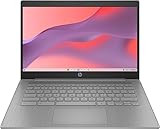
HP Chromebook 14
This 14-inch Chromebook runs Chrome OS on an Intel Celeron N4120 with 4GB of RAM, 64GB of eMMC storage, and UHD Graphics 600. It also lists Wi-Fi and Bluetooth, and the larger display suits reading. Since it runs Chrome OS, setup mostly means signing in with a Google account and installing the web apps you use.
- Strength: Larger screen than the 11.6-inch Chromebooks.
- Strength: 64GB of storage is double the smaller models.
- Trade-off: Chrome OS cannot run desktop Windows programs.
Skip it if your coursework depends on Windows-only software.
HP Chromebook 11 G9 EE (Renewed)
This renewed Chromebook has an 11.6-inch HD display at 1366 x 768, a dual-core Celeron N4500, 4GB of RAM, and 32GB of flash memory. It is built for education settings, so it fits a parent buying for a younger student who mostly lives inside a browser and a handful of learning apps.
- Strength: Newer N4500 chip than other renewed Chromebooks here.
- Strength: Compact and light for a backpack.
- Trade-off: The 1366 x 768 screen shows less on the page than larger models.
Skip it if you plan to work with spreadsheets and want more screen area.
HP Everyday Laptop
This Willow Green laptop lists an Intel CPU, 128GB of storage, Copilot AI, Office 365 with 1TB of cloud storage, Windows 11, fast charge, and Wi-Fi 6. It targets study and work, and the cloud storage allowance helps offset the modest local drive if you save files online instead of on the machine.
- Strength: 128GB local storage plus cloud storage in the bundle.
- Strength: Wi-Fi 6 and fast charge are named.
- Trade-off: The title does not name the exact processor or memory size, so confirm those first.
Skip it if you want every core spec stated before you buy.
HP Chromebook 14 G5 (Renewed)
The oldest design here uses an Intel Celeron N3350, 4GB of RAM, and a 16GB SSD in a renewed 14-inch Chromebook. It is meant for light browsing. Treat it as a secondary or backup device for reading, email, and simple web pages rather than a main computer.
- Strength: Offers a 14-inch display in a Chromebook form.
- Strength: Simple to set up for basic web tasks.
- Trade-off: 16GB of storage is very limited, and the N3350 is an older chip.
Skip it if you want a machine that will stay current for several years.
HP 14 Ultra-Light
This white 14-inch laptop lists a one-year Office 365 subscription, an Intel Celeron N4500, 4GB of RAM, 64GB of eMMC plus a 64GB SD card, a 12-hour battery, a webcam, fast charge, Wi-Fi 6, and Windows 11 Home in S mode. The pitch is a light, school-friendly laptop that gets through a day away from an outlet.
- Strength: Included SD card doubles available space.
- Strength: A 12-hour battery claim suits a full school day.
- Trade-off: S mode restricts software to the store.
Skip it if you need desktop programs from outside the store.
Which One Fits Your Situation
A student who needs Windows and Office
Take the HP 14-dq6199nr, since it lists Windows 11 Home and a Microsoft 365 subscription with 128GB of UFS storage.
A child who mainly browses and does homework
The HP Chromebook 11 G9 EE (Renewed) is compact and simple, and Chrome OS keeps the setup easy for parents.
A traveler who needs battery life and a monitor port
The HP Stream 14 with Office lists HDMI and up to 11 hours of battery, while the HP 14 Ultra-Light names a 12-hour battery.
Someone who wants to save lots of files
Consider the HP 14 Ultra-Light for its extra 64GB card, or the HP Stream 14 (Renewed) for its 128GB of UFS storage.
Common Mistakes
- Choosing a Chromebook when your classes require Windows-only programs.
- Ignoring S mode, then finding you cannot install a needed program.
- Buying 16GB or 32GB of storage and running out after updates.
- Skipping the renewed seller’s return policy and included charger.
- Assuming a one-year subscription is permanent.
Related guides
- Battery Operated Smoke And Carbon Monoxide Detectors
- Combination Smoke And Carbon Monoxide Detectors
- Aio Liquid Coolers For High Performance Gaming
Frequently Asked Questions
Is 4GB of RAM enough today?
For web browsing, email, documents, and video calls, it works if you keep few tabs open. It is not comfortable for heavy multitasking, so keep expectations modest.
Should I pick a Chromebook or a Windows laptop?
Pick a Chromebook if your tasks are web-based and you want simplicity. Pick Windows if you need desktop software or specific school programs.
What does Windows 11 in S mode mean?
It restricts installs to the Microsoft Store for security and speed. You can usually switch out of it through a store setting, but you cannot switch back.
Are renewed laptops worth considering?
They can be, provided the seller offers a clear return window and states what is included. Check battery condition and charger details before you commit.









