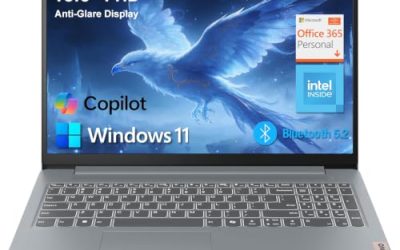
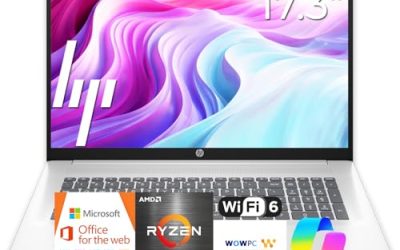
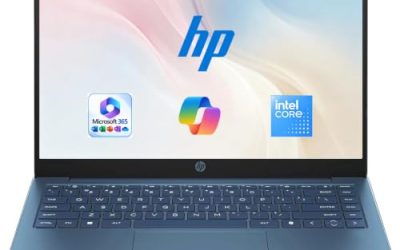
- Top Pick: HP 2027 Everyday Laptop, Intel CPU, 128GB Storage, Copilot AI, Office 365 | 1TB Cloud Storage, Windows 11, Fast Charge, WiFi 6, Long Battery Life, Lightweight & Portable, Study & Work, Modern Silver
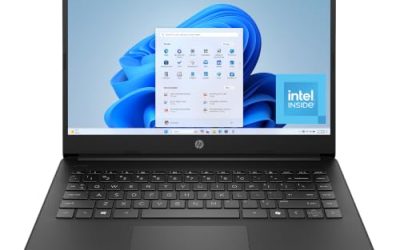
- Best Value: HP 14 inch Laptop, HD Display, Intel N150, 4 GB RAM, 128 GB UFS, Intel Graphics, Windows 11 Home, Includes a 1-Year Microsoft 365 Personal Subscription. Jet Black, 14-dq6199nr
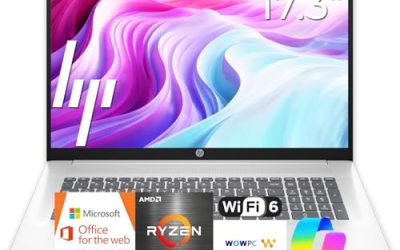
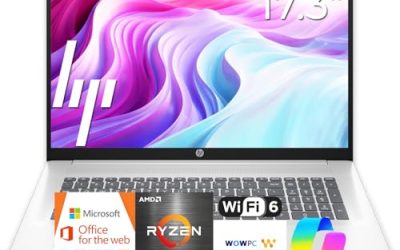
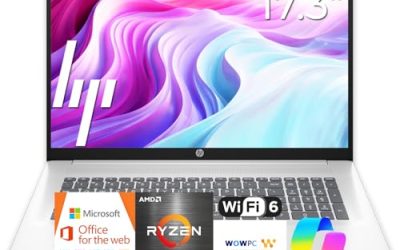
- Premium Choice: HP 17 inch Business Laptop Computer • 2026 Edition • Latest AMD Ryzen 5 CPU • 16GB RAM • 512GB SSD • 17.3" FHD Display • Numeric Keypad • Long Battery Life • Windows 11 with Office 365 for The Web
Searching for the best HP laptop is really a question about which HP product line fits your day, because the brand covers a wide span: small 14-inch machines built around Intel N-series chips, 17-inch models aimed at spreadsheets, and the newer OmniBook line with Core Ultra and Ryzen options. Two laptops with the same logo can differ by a factor of four in memory, so the badge alone settles very little.
This guide is for buyers who already want HP, perhaps for the keyboard layout, the familiar Windows setup, or an existing HP printer at home, and need to pick a specific configuration in 2026. Every pick below is judged only from the specs in its listing title, so use it to narrow the field, then confirm the exact model number on the product page before ordering.
Quick Picks
As an Amazon Associate we earn from qualifying purchases at no extra cost to you.


| Product | Best for | Key spec from the title |
|---|---|---|
| HP Everyday Laptop (Intel, 128GB) | Light home use and streaming | Wi-Fi 6, fast charge, Copilot AI |
| HP 14-inch Laptop (N150) | Simple browsing and documents | Intel N150, 4 GB RAM, 128 GB UFS |
| HP 17-inch Business Laptop | Spreadsheets and big-screen work | Ryzen 5, 16GB RAM, 512GB SSD, 17.3″ FHD |
| HP Everyday Slim (AMD) | Carry-around basics | 4GB DDR5 RAM, 128GB SSD |
| HP OmniBook 3 17.3 | Office work on a large display | Core Ultra 5 225U, 8 GB RAM, 512 GB SSD |
| HP OmniBook 3 16 | Touch input and sharper text | 2K touchscreen, Ryzen 3, Radeon 610M |
| HP 15.6-inch Laptop (N200) | Entry-level business tasks | Intel 4 Core N200, 4GB RAM, 128GB SSD |
How to Choose
Memory first, storage second
Four gigabytes of RAM is the floor for Windows 11, and a browser with a dozen tabs will feel it. Eight gigabytes is a comfortable minimum for office work, and 16GB is worth seeking if you keep many documents and video calls open at once. Storage is easier to patch with a cloud account or an external drive, so rank RAM above SSD size.
Match the processor tier to the job
Intel N150 and N200 chips sit in the entry tier and suit email, video streaming, and web forms. Ryzen 5 and Core Ultra 5 parts sit a step above and handle larger spreadsheets and multitasking with less waiting. Ignore marketing phrases like “high performance processor” when the title does not name the chip.
Screen size and panel type
A 14-inch screen travels easily, 15.6 inches is the common middle, and 17.3 inches gives room for two windows side by side. Look for FHD (1920×1080) rather than plain HD, and treat a touchscreen or 2K panel as a bonus for reading and note-taking rather than a requirement.
Where budget models cut corners
Entry-level HP listings often pair a slim chassis with soldered memory, so the RAM you buy is the RAM you keep. Flash storage labeled UFS or eMMC is slower than an SSD. Windows in S mode limits you to Microsoft Store apps until you switch it off. Read for those three details before judging a low-tier model. If a title skips the RAM figure, the processor name, or the storage type, treat the omission as a signal to look closer rather than a detail you can assume is fine.
The 7 Best Options
HP Everyday Laptop (Intel, 128GB)
This listing leads with an Intel CPU, 128GB of storage, Wi-Fi 6, fast charge, and a bundled Office 365 plus 1TB cloud storage offer. It suits a household that wants one machine for streaming, school forms, and family photos without paying for a premium chip.
- Strength: Wi-Fi 6 support gives a steadier connection on a busy home network.
- Strength: Fast charge is named in the title, useful for topping up between classes or meetings.
- Trade-off: The title does not name the exact Intel processor or RAM amount, so confirm those before buying.
Skip it if you need a clearly stated spec sheet to compare against other laptops, since the headline here is the software bundle. Treat it as a candidate for light duty and ask the seller for the processor name before comparing it with the better-documented models below; a vague title usually means the lower end of its tier.
HP 14-inch Laptop (N150)
A plain, clearly specified entry laptop: HD display, Intel N150, 4 GB RAM, 128 GB UFS storage, and a year of Microsoft 365 Personal. It fits a second computer for the kitchen table or a child who mostly writes and browses.
- Strength: The N150 chip is named, so you know the performance tier going in.
- Strength: A 14-inch body is easy to move between rooms.
The trade-off is that 4 GB RAM and UFS storage leave little headroom. Skip it if you plan to keep many tabs open, edit large files, or want a sharper than HD panel. A shopper with a modest budget who values a named chip over extras will find this listing easy to read, and the bundled year of Microsoft 365 covers the basic writing tools.
HP 17-inch Business Laptop (Ryzen 5)
The most capable general-purpose configuration in this set on paper: a Ryzen 5 processor, 16GB RAM, a 512GB SSD, a 17.3″ FHD display, and a numeric keypad. It suits accountants, students with large reading loads, and anyone who lives in spreadsheets.
- Strength: 16GB RAM and a 512GB SSD cover multitasking and a decent local library of files.
- Strength: The numeric keypad speeds up data entry.
- Trade-off: A 17.3-inch chassis is less pleasant to carry daily.
Skip it if you commute on foot or need something that slides into a small bag. For a desk-bound job where the laptop mostly stays put, this is the configuration in the group that leaves the least to upgrade later, and the long-battery claim in the title is a bonus rather than the reason to buy.
HP Everyday Slim (AMD)
This slim model lists an AMD processor, 4GB of DDR5 RAM, a 128GB SSD, 1TB cloud storage, and long battery life. DDR5 memory is a newer standard, and a real SSD beats UFS flash for boot and load times.
- Strength: SSD storage plus DDR5 memory is a more modern combination than most entry listings.
- Strength: A slim design suits light carrying.
- Trade-off: Only 4GB of RAM, and the title does not name the AMD chip.
Skip it if you multitask heavily; pick a model with at least 8 GB of memory instead. It is best seen as a tidy, light-duty machine for writing, video calls, and web research, where fast boot from the SSD matters more than raw processing power or how many programs can stay open together.
HP OmniBook 3 17.3
An OmniBook with a 17.3 inch FHD display, an Intel Core Ultra 5 225U, 8 GB RAM, a 512 GB SSD, and Windows 11 Home in Glacier Silver. It is the pick for buyers who want a large screen and a named, current-generation Intel chip.
- Strength: The 512 GB SSD gives breathing room for documents and projects.
- Strength: A Core Ultra 5 processor sits above the entry-level N-series in this lineup.
- Trade-off: 8 GB of RAM is adequate, not generous, and graphics are integrated Intel Graphics.
Skip it if you want a portable machine or any dedicated gaming graphics. Think of it as an office workhorse: roomy keyboard deck, a screen big enough for two windows, and a processor generation that should stay usable for several school or work years without feeling dated.
HP OmniBook 3 16
This 16-inch OmniBook pairs a 2K touchscreen with an AMD Ryzen 3 chip, 8 GB RAM, a 512 GB SSD, and Radeon 610M graphics in Mica Silver. It makes sense for readers, note-takers, and anyone who prefers sharper text over raw speed.
- Strength: The 2K touchscreen is the most detailed display in this group.
- Strength: 512 GB SSD storage matches the larger OmniBook.
- Trade-off: A Ryzen 3 tier is below the Ryzen 5 and Core Ultra 5 picks.
Skip it if processor speed matters more to you than screen sharpness. Students who annotate PDFs, designers who sketch ideas by touch, and anyone who reads long documents will appreciate the display, while heavy spreadsheet users should look at the Ryzen 5 model instead for more headroom.
HP 15.6-inch Laptop (N200)
A budget-tier 15.6-inch machine with an Intel 4 Core N200, 4GB RAM, a 128GB SSD, and Windows 11 Home in S mode, positioned for portable business use. It works as a basic office terminal for email and documents.
- Strength: The 15.6-inch size is the familiar middle ground for keyboard room.
- Strength: SSD storage rather than flash.
- Trade-off: S mode restricts software installs, and 4GB RAM is tight.
Skip it if your work depends on apps from outside the Microsoft Store. It fits a front-desk computer, a shared family machine, or a backup laptop that mainly handles email, web portals, and document viewing, where a simple setup and a familiar screen size count for more than speed.
Which One Fits Your Situation
You run a home office and live in spreadsheets
Choose the HP 17-inch Business Laptop. Its 16GB of RAM and numeric keypad answer the exact friction points of data-heavy work.
You want a modern chip and a roomy screen without going to 16GB
The HP OmniBook 3 17.3 balances a Core Ultra 5 225U with a 512 GB SSD and a large FHD display.
You read and annotate a lot
The HP OmniBook 3 16 with its 2K touchscreen is the better fit, since the extra resolution helps with small text and the touch layer helps with notes.
You need something cheap for light browsing
The HP 14-inch Laptop with the N150 is the clearest low-tier choice, because its title spells out every core spec.
Common Mistakes
- Buying on “Everyday” or “Ultra-Light” wording while ignoring the RAM figure.
- Assuming every HP 14-inch model has the same processor; the chip tier varies widely.
- Overlooking Windows S mode until a needed program refuses to install.
- Paying for a large screen and then carrying it daily on a commute.
- Counting a bundled software subscription as a hardware upgrade.
Related guides
- Aio Liquid Coolers For High Performance Gaming
- Wireless Gaming Headsets Under 100 For Pc
- Travel Backpack With Laptop Compartment
Frequently Asked Questions
Is 4GB of RAM enough on an HP laptop?
It runs Windows 11 for basic browsing and documents, but it leaves little room for multitasking. Eight gigabytes is the safer minimum if you can afford the step up.
What does S mode mean in a listing?
It limits installs to the Microsoft Store. You can usually switch out of S mode for free, but the change is one-way, so decide before you do it.
Are OmniBook models better than the plain HP lines?
The OmniBook listings here name stronger processors and larger SSDs, but the better choice still depends on the exact configuration you compare, not the line name.
Does cloud storage replace a bigger SSD?
It helps with backups and photos, but it needs an internet connection and often a subscription after the bundled term. Local space still matters for offline work.