

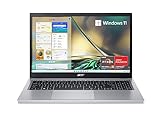
- Top Pick: acer Aspire 3 A315-24P-R7VH Slim Laptop | 15.6" Full HD | AMD Ryzen 3 7320U Quad-Core | AMD Radeon Graphics | 8GB LPDDR5 | 128GB NVMe SSD | Wi-Fi 6 | Windows 11 Home
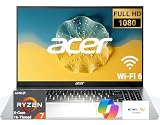
- Best Value: Acer Aspire Lite Business Laptop 15.6" FHD ComfyView Intel 8-core Core 3 N350 8GB RAM 128GB SSD Type-c Long-Lasting Battery Win11 ICP Acc
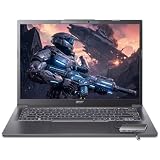
- Premium Choice: acer Aspire Go 15 AI Ready Laptop | 15.6" FHD (1920 x 1080) IPS Display | Intel Core 3 Processor N355 | Intel Graphics | 8GB DDR5 | 128GB UFS | Wi-Fi 6 | Windows 11 Home in S Mode | AG15-32P-39R2
Picking an Acer laptop for business is rarely about raw speed. It is about matching one of the brand’s very different families to the work your team actually does: spreadsheets and email all day, video calls from a hotel desk, or heavier multitasking with dozens of browser tabs and a CRM open at once. Acer sells everything from entry-level Aspire Go machines to the premium Swift line, and the spec sheets look similar until you read the processor, memory, and storage lines closely.
This guide is for office managers outfitting a small team, freelancers who need a dependable daily driver, and employees choosing a work laptop for 2026. Every pick below is judged only on the specifications printed in its listing title, so you can compare like with like and decide which tier of Acer fits your workload.
Quick Picks
As an Amazon Associate we earn from qualifying purchases at no extra cost to you.






| Product | Best for | Key spec from the title |
|---|---|---|
| Acer Aspire 3 A315-24P-R7VH | Basic office tasks | Ryzen 3 7320U, 8GB LPDDR5, 128GB NVMe SSD |
| Acer Aspire Lite Business | Matte-screen daily use | 15.6-inch FHD ComfyView, Core 3 N350 |
| Acer Aspire Go 15 AG15-32P-39R2 | Light cloud-based work | Core 3 N355, 8GB DDR5, 128GB UFS |
| Acer Aspire Go Ryzen 7 7730U | Wired office setups | 16GB RAM, RJ-45 Ethernet |
| Acer Aspire Go Ryzen 7, 32GB | Heavy multitasking | 32GB RAM, 1TB SSD |
| Acer Swift Go 16 AI | Premium traveling professionals | 16-inch WUXGA 120Hz touch, Ryzen AI 9 465 |
| Acer Aspire Core Ultra 7 258V | Mobile all-rounder | Touchscreen, 32GB RAM, 1TB SSD, USB-C hub |
| Acer 15.6-inch Touch Chromebook | Web-app teams | Intel N50, Chrome OS, 128GB eMMC |
| Acer Aspire 3 Core i7 | Mid-range office workhorse | 12GB RAM, 512GB SSD, Gigabit Ethernet |
| Acer Aspire Go 15 ComfyView Ryzen 3 | Windows Pro environments | 256GB SSD, Win11Pro, Type-C |
How to Choose
Start with memory, not the processor name
For business use, 8GB is the floor and it shows quickly once you keep a browser, a video-call app, and a spreadsheet open together. Look for 16GB if you rely on cloud tools all day, and 32GB if you work with large files or run virtual machines. Check whether the memory is DDR5 or LPDDR5, since both are fast and neither can usually be upgraded later.
Storage size and type matter for file-heavy teams
A 128GB drive fills up fast once Windows updates and local copies of documents pile on. Aim for 256GB at minimum and 512GB or 1TB if you keep local files. Note the type: NVMe and SSD options are quicker than UFS or eMMC, which are common on entry-level designs and make sense mainly for cloud-first workflows.
Operating system and security editions
Business buyers often need Windows 11 Pro for domain joining and device management, while Home editions skip those features. Windows in S Mode limits you to store apps unless you switch out, which can block line-of-business software. A Chromebook suits browser-based tools only, so confirm your accounting or CRM software runs in a browser first.
Ports and connectivity you will actually use
If the office runs wired networking, a built-in RJ-45 port saves carrying an adapter. USB-C is helpful for single-cable docking, and Wi-Fi 6 is the sensible minimum for crowded offices, with Wi-Fi 7 available only on the premium model here. Ignore marketing phrases like AI Ready unless your software actually uses the neural engine, and be aware that budget models trim the display, port count, and keyboard backlighting first.
The 10 Best Options
Acer Aspire 3 A315-24P-R7VH
This is the most straightforward business entry in the group, aimed at someone who writes documents, answers email, and joins the occasional call. The listing names an AMD Ryzen 3 7320U quad-core, 8GB LPDDR5, a 128GB NVMe SSD, and a 15.6-inch Full HD screen.
- Strength: NVMe storage and LPDDR5 memory sit at the faster end of the entry tier.
- Strength: Wi-Fi 6 and Windows 11 Home cover the everyday basics.
- Trade-off: 128GB of storage runs out quickly for local files.
Skip it if you need domain management or heavy multitasking.
Acer Aspire Lite Business Laptop
Marketed directly at business users, this one pairs a 15.6-inch FHD ComfyView display with an Intel 8-core Core 3 N350. It suits employees who work near windows or under bright lights, where a matte finish helps.
- Strength: The ComfyView panel is described as a comfort-oriented screen for long sessions.
- Strength: A Type-C port and a long-lasting battery claim support mobile days.
- Trade-off: 8GB RAM and a 128GB SSD leave little headroom.
Skip it if you run many applications at once or store large files locally.
Acer Aspire Go 15 AG15-32P-39R2
Think of this as a light-duty machine for cloud-based tasks. The title lists a 15.6-inch FHD IPS display, Intel Core 3 N355, 8GB DDR5, and 128GB UFS storage with Wi-Fi 6.
- Strength: The IPS panel offers wide viewing angles for sharing a screen across a desk.
- Strength: DDR5 memory is a modern choice at this tier.
- Trade-off: Windows 11 Home in S Mode restricts software to store apps until you switch modes.
Skip it if your business tools are traditional desktop programs.
Acer Aspire Go 15.6-inch Ryzen 7 7730U
Here the jump to a Ryzen 7 7730U with 8 cores and 16 threads gives office users real room for multitasking. The listing also includes 16GB RAM, a 256GB SSD, an FHD IPS display, Wi-Fi 6, and an RJ-45 Ethernet port.
- Strength: 16GB of memory is the sweet spot for browser-heavy work.
- Strength: The built-in Ethernet port suits offices with wired desks.
- Trade-off: 256GB of storage can feel tight for local archives.
Skip it if you want a premium display or touch input.
Acer Aspire Go Ryzen 7 with 32GB and 1TB
This variation takes the same eight-core, sixteen-thread Ryzen 7 approach and doubles down on capacity, with 32GB of RAM and a 1TB SSD. It targets analysts or consultants who keep large spreadsheets, many tabs, and local project folders open together.
- Strength: 32GB RAM supports heavy multitasking sessions.
- Strength: 1TB of storage reduces the need for external drives.
- Trade-off: The title lists a standard 15.6-inch FHD display, so the screen does not match the internals.
Skip it if you only browse and write email, since the extra capacity would sit idle.
Acer Swift Go 16 AI
The Swift line is where Acer moves from functional to premium. The title lists a 16-inch WUXGA 120Hz touchscreen covering 100% sRGB, a 10-core Ryzen AI 9 465 rated up to 50 TOPS, 32GB DDR5, a 1TB SSD, a backlit keyboard, and WiFi 7.
- Strength: The 120Hz touch display with full sRGB coverage suits presentations and light design work.
- Strength: Wi-Fi 7 and a backlit keyboard suit frequent travelers.
- Trade-off: A 16-inch body is less pocketable than 14-inch ultraportables.
Skip it if you only need basic office apps, because the display and processor are built for a more demanding user.
Acer Aspire with Intel Core Ultra 7 258V
A mobile all-rounder for people who bounce between desk and coffee shop. The title lists a touchscreen, an Intel Core Ultra 7 258V, 32GB RAM plus 1TB SSD, a backlit keyboard, a USB-C hub, and a Microsoft Office subscription, along with a long battery life claim.
- Strength: The bundled USB-C hub reduces the adapters you carry.
- Strength: 32GB RAM and 1TB storage make it comfortable for demanding workloads.
- Trade-off: Extras such as the hub and Office offer vary by seller, so confirm what ships.
Skip it if you already have software licensing handled.
Acer 15.6-inch Touch Chromebook CB315-7HT-C7GN
This one runs Chrome OS, which changes the buying logic entirely. It lists a 15.6-inch FHD touchscreen, Intel N50, 8GB RAM, and 128GB eMMC, positioned for business and study.
- Strength: Chrome OS suits teams already living in browser-based suites.
- Strength: The touchscreen adds flexibility for note-taking and quick navigation.
- Trade-off: It cannot run traditional Windows desktop programs.
Skip it if your accounting, engineering, or legacy software is Windows-only.
Acer Aspire 3 15.6-inch Core i7
A mid-range pick for someone who wants more than entry-level without stepping up to a premium chassis. The title lists an Intel Core i7, 12GB RAM, a 512GB SSD, Intel Iris Xe graphics, Wi-Fi 6, and RJ-45 Gigabit Ethernet.
- Strength: A 512GB SSD is roomy for documents and local backups.
- Strength: Gigabit Ethernet and Iris Xe graphics cover wired desks and external monitors.
- Trade-off: 12GB RAM is a step below the 16GB that heavy browser users prefer.
Skip it if you want a touchscreen or a high-refresh display.
Acer Aspire Go 15 ComfyView Ryzen 3 7320U
This Pro-edition configuration suits small businesses that want Windows 11 Pro features on a simple platform. The title lists a 15.6-inch FHD ComfyView screen, quad-core Ryzen 3 7320U, 8GB RAM, 256GB SSD, a Type-C port, and Wi-Fi 6.
- Strength: Windows 11 Pro supports business management features.
- Strength: A 256GB SSD doubles the base storage of the most basic models.
- Trade-off: 8GB of memory limits heavier multitasking.
Skip it if you need more than light office workloads.
Which One Fits Your Situation
You manage a small office on a tight plan
The Acer Aspire Go 15 ComfyView Ryzen 3 7320U gives you a Pro operating system and a larger drive than the 128GB models in this group, which makes fleet management simpler. Pair it with cloud storage and it stays comfortable for basic tasks such as invoicing, email, and shared documents, with Type-C handling charging and accessories.
You live in spreadsheets and browser tabs
The Acer Aspire Go 15.6-inch Ryzen 7 7730U with 16GB of RAM and Ethernet is the practical center of the lineup. If your files are large, step up to the 32GB, 1TB Ryzen 7 variant.
You travel and present often
The Acer Swift Go 16 AI brings a 120Hz touchscreen, strong color coverage, and Wi-Fi 7. If you prefer a bundled hub and a lighter feature set, the Core Ultra 7 258V model is the alternative.
Your team works entirely in the browser
The Acer Touch Chromebook fits a staff that uses web apps for everything. Confirm that every tool works in Chrome before ordering a group, and keep one Windows machine around for anything that does not.
Common Mistakes
- Ordering 8GB models for staff who run video calls and many tabs together.
- Ignoring Windows in S Mode, which can block desktop business software.
- Choosing Windows Home when the office needs domain or device-management features.
- Forgetting that eMMC and UFS storage are slower than an NVMe SSD.
- Assuming a Chromebook will run every Windows program on your list.
Related guides
- Battery Operated Smoke And Carbon Monoxide Detectors
- Combination Smoke And Carbon Monoxide Detectors
- Aio Liquid Coolers For High Performance Gaming
Frequently Asked Questions
How much RAM should a business laptop have?
Treat 8GB as the minimum and 16GB as the comfortable target for most professionals. Choose 32GB only if you handle large datasets or several heavy applications at the same time.
Does a work laptop really need a touchscreen?
It helps for annotating documents, signing forms, and presenting, but it is not essential for typing-focused roles. Several models here offer it, including the Swift Go 16 and the Core Ultra 7 model, while the rest rely on the trackpad and keyboard.
Does the processor brand matter, AMD or Intel?
Both are capable for office work. Compare core counts, memory, and storage rather than brand loyalty, and use the model number to look up the generation.
Should I worry about Windows 11 Home versus Pro?
Yes, if your business uses managed devices, remote policies, or domain accounts. Solo workers and small teams without those needs can usually stay on Home.









