

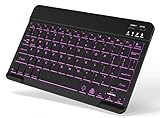
- Top Pick: OMOTON Bluetooth Tablet Keyboard Rechargeable with Backlit, Oversize Keycap | Ultra-Slim Wireless Keyboard for Samsung Tablet, iPad, Smartphone, Android/iOS/Windows, Foldable Stand, Travel Office, Black
- Best Value: Ultra-Slim Bluetooth Keyboard Portable Mini Wireless Keyboard Rechargeable for Apple iPad iPhone Samsung Tablet Phone Smartphone iPadOS iOS Android (10 inch Black)
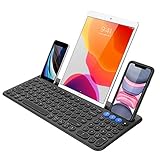
- Premium Choice: Logitech K480 Wireless Multi-Device Keyboard for Windows, macOS, iPadOS, Android or Chrome OS, Bluetooth, Compact, Compatible with PC, Mac, Laptop, Smartphone, Tablet – Black
An Android tablet is a fine reading and streaming slate until you need to answer a long email, draft a school paper, or log into a remote desktop. Then the on-screen keyboard eats half the display and every typo means another tap. A Bluetooth keyboard fixes that, but the shelf is crowded with near-identical slabs, and not all of them care about Android. Some are written around iPadOS first and list Android as an afterthought, while others name specific Galaxy Tab families right in the title.
This guide is for people who hold a Samsung, Lenovo, or other Android tablet and want a keyboard that pairs over Bluetooth, fits in a bag, and does not demand a dedicated desk. In 2026 the practical questions are narrow: how big is the board, does it recharge, can it hold the tablet upright, and does the listing say Android works. Every pick below is judged only from what its listing text states, so treat the notes as a shortlist to confirm against your own tablet.
Quick Picks
As an Amazon Associate we earn from qualifying purchases at no extra cost to you.




| Product | Best for | Key spec from the title |
|---|---|---|
| OMOTON Tablet Keyboard | Typing in dim rooms | Rechargeable, backlit, foldable stand |
| Xukinroy Mini Keyboard | Smallest travel footprint | 10 inch, ultra-slim, rechargeable |
| Logitech K480 | Switching between devices | Windows, macOS, iPadOS, Android, Chrome OS |
| SPARIN Galaxy Tab Keyboard | Samsung tablet owners | Names Tab A11+, A9+, S12+, S11, S10 FE |
| Keyboard and Mouse Combo | Pointer plus keys in one set | Qwerty layout, ultra-slim, Light Blue |
| Backlit Portable Keyboard | Small tablets and phones | Backlit, rechargeable, small portable |
| Arteck Cradle Keyboard | Propping up the tablet | Built-in cradle |
| Arteck Compact Keyboard | Light bag carry | Compact, black |
| Arteck HB193 | Full-size typing | Stainless steel, rechargeable battery |
How to Choose
Match the size to how you carry the tablet
A 10-inch board such as the Xukinroy listing fits beside a 10-inch tablet inside a sleeve. Full-size boards give wider key spacing and often a number pad, but they need a desk or a large lap. As a rule of thumb, if you type more than a page at a stretch, lean toward the larger layout; if the keyboard lives in a backpack pocket and handles quick replies, lean compact. Keys that sit closer together than a laptop layout take a few days to get used to, and a split-second lag in finger placement is normal at first. Measure the tablet’s width before ordering, since a board narrower than the screen looks tidy but forces the wrists inward.
Look for a stand or cradle
A tablet leaning against a coffee mug is a poor setup, and a tablet lying flat strains the neck. Several listings here include a foldable stand or a built-in cradle, which solves the problem without extra gear. Without one, you will need a case with a kickstand, and that adds bulk to the bag. Look at how the listing describes the stand or slot, since thick rugged cases may not fit a narrow groove, and remember that a heavier tablet needs a firmer base to avoid tipping backward while you press keys.
Confirm Android is named and how power works
Bluetooth is a common standard, so most boards will pair, yet a title that names Android or specific Galaxy Tab models removes doubt about key mapping and shortcuts. For power, rechargeable units skip the battery aisle and charge over a cable; confirm the title says rechargeable instead of assuming it. Boards that take replaceable cells can last a long time between swaps but need spares on hand.
Ignore the decoration, watch the trade-offs
Color and backlighting sound exciting but matter less than layout and key travel. Slim boards generally trade typing feel for portability, and combos with a mouse add one more item to charge and carry. Also ignore long lists of device names in a title as proof of quality; they only describe pairing, not how the keys feel.
The 9 Best Options
OMOTON Bluetooth Tablet Keyboard
Aimed at the traveler who works in unpredictable lighting, this model pairs a backlight with oversize keycaps and a foldable stand. The listing names Samsung tablets, iPad, smartphones, and Android, iOS, and Windows, so it is a flexible carry-along for mixed households.
- Strength: backlit and rechargeable, so there are no spare batteries to track.
- Strength: a foldable stand is part of the package.
- Trade-off: ultra-slim boards tend to have shallow keys, which not every typist enjoys.
Skip it if you want a full-size layout with a number pad.
Xukinroy Ultra-Slim 10 Inch Keyboard
This one targets buyers who want the lightest thing that still counts as a keyboard. The title lists iPad, iPhone, Samsung tablets, phones, and Android, along with a rechargeable battery and a 10 inch size that matches many mid-size tablets.
- Strength: small footprint that slips into bags and sleeves.
- Strength: rechargeable, so a single cable covers power.
- Trade-off: the title mentions no stand or backlight, so you supply your own tablet prop.
Skip it if cramped keys or a dark workspace are a concern.
Logitech K480
The K480 suits people who bounce between a tablet, a laptop, and a phone and want one board for all of them. Its title lists Windows, macOS, iPadOS, Android, and Chrome OS, and calls it compact, which fits a shared desk or a small bag.
- Strength: the broadest platform list among these listings.
- Strength: a familiar brand name on the title, which eases compatibility worries.
- Trade-off: the title does not mention a backlight or a rechargeable battery.
Skip it if you want the thinnest possible travel board, or if you want a stand built in.
SPARIN Keyboard for Galaxy Tab
Built with Samsung owners in mind, the listing names Galaxy Tab A11+, A9+, S12+, S11, and S10 FE, and it also covers other Android tablets, Windows, PCs, and phones. The description adds lightweight and ultra-slim, a sensible pairing for a slate that gets tossed in a backpack.
- Strength: Galaxy Tab models are spelled out in the title.
- Strength: lightweight and slim for commuting.
- Trade-off: no stand or backlight is listed.
Skip it if your tablet is not Samsung and you want a built-in cradle.
Bluetooth Keyboard and Mouse Combo
This set suits anyone whose tablet doubles as a mini workstation. It pairs a keyboard with a mouse, uses a Qwerty layout, and lists Android, Windows, iPad, iPhone, and Samsung tablets as compatible. The ultra-slim shape keeps both pieces portable.
- Strength: pointer and keyboard arrive together, which helps with spreadsheets and menus.
- Strength: the Light Blue finish stands apart from the usual black.
- Trade-off: two devices to carry and keep charged.
Skip it if you only need basic text entry.
Backlit Wireless Bluetooth Keyboard (iPad and Samsung)
Written for small screens, this listing covers recent iPad generations, Galaxy Tab, cell phones, and smartphones. It is described as backlit, small, portable, and rechargeable, making it a pocket-friendly choice for people who juggle a phone and a tablet.
- Strength: backlight plus rechargeable battery in a small body.
- Strength: small enough to serve both a phone and a tablet.
- Trade-off: the title leans heavily on Apple model names, so Android buyers should read the compatibility line closely.
Skip it if you need an Android-first listing.
Arteck Wireless Bluetooth Keyboard with Cradle
The built-in cradle is the point here: you can set a tablet or phone upright without a separate stand. The listing mentions Windows, iOS, Android, computers, laptops, and smartphones, and calls the board multi-functional, so it can serve a whole desk of devices.
- Strength: cradle built into the keyboard body.
- Strength: wide device list in the title.
- Trade-off: the cradle adds width compared with plain slim boards.
Skip it if the tablet already lives in a kickstand case.
Arteck Compact Wireless Bluetooth Keyboard
A plain, compact choice for people who just want to type and go. The title says it works with iPad, tablets, iPhone, and PC, and it comes in black. The simple listing suggests a no-frills board without extras.
- Strength: compact layout for lighter carry.
- Strength: straightforward design with nothing to configure.
- Trade-off: Android is not named outright, so confirm compatibility with your tablet before ordering.
Skip it if you want an Android label in the title.
Arteck HB193 Stainless Steel Keyboard
This is the full-size option, a multi-device board in stainless steel with a rechargeable battery. The title lists Windows, iOS, Android, desktop, laptop, Surface, tablet, and smartphone, so it can follow you from a tablet dock to a home desk.
- Strength: full-size layout for longer typing sessions.
- Strength: rechargeable battery and metal build.
- Trade-off: larger and less pocketable than the mini boards.
Skip it if the keyboard must slide into a small sleeve.
Which One Fits Your Situation
You own a Samsung Galaxy Tab
Begin with the SPARIN, which names Tab A11+, A9+, S12+, S11, and S10 FE directly in its title. The OMOTON is a close second when you also want a backlight and a stand in the same package.
You split time across several devices
The Logitech K480 lists the widest range of platforms, so it suits a tablet, laptop, and phone setup where you hop between screens through the day.
You type on a couch or a plane tray
The Arteck cradle model props the screen up, so the tablet does not need a separate case or stand. For dim cabins and late-night couch sessions, the OMOTON adds a backlight.
You write long documents
The Arteck HB193 gives full-size spacing and a rechargeable battery, which beats the mini boards for sustained drafting at a desk.
Common Mistakes
- Assuming every Bluetooth keyboard maps Android keys correctly; read the compatibility line first.
- Buying a mini board and then expecting full-size comfort for hour-long drafting.
- Forgetting that the tablet needs a stand when the keyboard does not include one.
- Choosing a combo set when no flat surface is available for the mouse.
- Skipping the power details: rechargeable and replaceable-battery boards behave differently on long trips.
Related guides
- Combination Smoke And Carbon Monoxide Detectors
- Aio Liquid Coolers For High Performance Gaming
- Graphics Cards For Low Wattage Power Supplies
Frequently Asked Questions
Do Bluetooth keyboards work with any Android tablet?
Most pair through standard Bluetooth, but titles that name Android or Galaxy Tab models give extra assurance. Open the tablet’s Bluetooth menu, put the keyboard in pairing mode, and select it from the list. If a key such as the home or back shortcut does nothing, check the Android settings for the physical keyboard layout.
Is a backlight worth it?
If you type in dim rooms or on night flights, yes. In well-lit spaces it is a minor extra, and it can shorten how long a rechargeable board runs between charges.
Should I get a mini or full-size board?
Mini boards suit carrying and short replies. Full-size boards suit writing sessions. Decide by how much text you produce per sitting and where you usually sit. A good compromise is a compact board with a built-in stand, because it keeps the tablet at eye level without much extra weight.
Can the same keyboard connect to a phone too?
Several listings above name smartphones alongside tablets, and the Logitech K480 lists several platforms. Check each title for the devices it names before assuming it will pair with all of them.
















