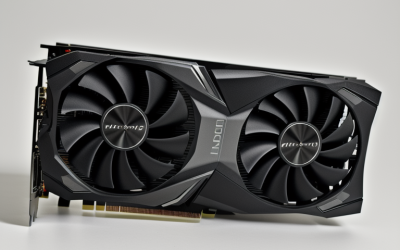
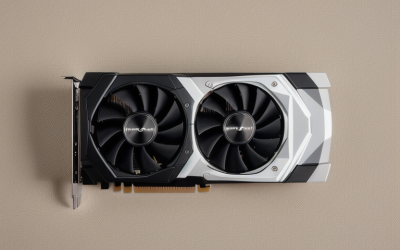
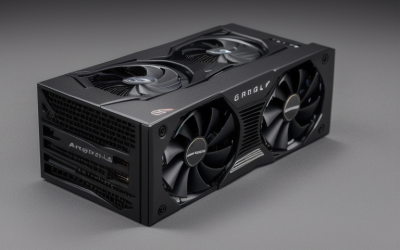
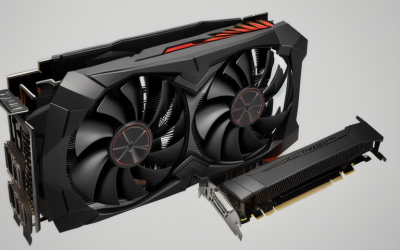
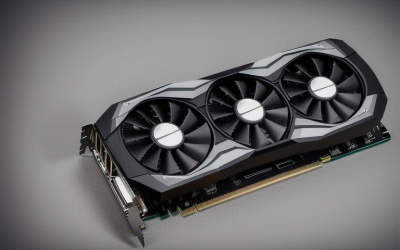
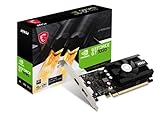
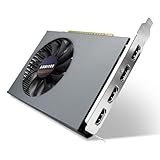
- Top Pick: msi Gaming GeForce GT 1030 4GB DDR4 64-bit HDCP Support DirectX 12 DP/HDMI Single Fan OC Graphics Card (GT 1030 4GD4 LP OC)
- Best Value: SOYO GeForce GT 740 4GB DDR3 Low Profile Graphics Card, 128-Bit 384SP HDMI/VGA/DVI-D Port Triple Output, SFF Half-Height Video Card for Slim Desktop PCs, Supports Windows 11/10/8/7
- Premium Choice: ARDIYES GT 740 4GB GDDR5 Low Profile GPU Graphics Card, 4X HDMI Ports for Quad Multi-Monitor Setup, PCI Express 3.0 x16, Silent Cooling, Ideal for Office and Home Theater
Shopping for a 4GB graphics card in 2026 means accepting a trade on purpose. Four gigabytes of video memory is the floor for many modern games at low settings, and it is also the sweet spot for a long list of other jobs: driving extra monitors, reviving a tired office desktop, or filling a slim case that cannot swallow a full-size card. The keyword tells you the memory ceiling, so the real decision becomes what you want that memory attached to. A card built around a modern gaming chip, a workstation board, or a display-output specialist can all carry the same 4GB label and behave very differently.
This guide is for people upgrading a small-form-factor PC, building a secondary machine, adding screens to a work setup, or choosing a stopgap card until a bigger upgrade makes sense. Every pick below is compared strictly on what its listing states: memory type, bus width, outputs, slot design, and intended audience. Where a listing is silent, this guide says so instead of guessing.
Quick Picks
As an Amazon Associate we earn from qualifying purchases at no extra cost to you.





| Product | Best for | Key spec from the title |
|---|---|---|
| MSI GT 1030 4GD4 LP OC | Low-profile builds that still want a gaming-branded board | 4GB DDR4, 64-bit, DP and HDMI |
| SOYO GT 740 4GB | Slim desktops needing three video outputs | 128-bit DDR3, 384SP, HDMI/VGA/DVI-D |
| ARDIYES GT 740 GDDR5 | Quad-monitor office walls | 4GB GDDR5, 4x HDMI, PCIe 3.0 x16 |
| MAXSUN Radeon RX 550 | Compact ITX gaming builds | 4GB GDDR5, 128-bit, DirectX 12 |
| PNY RTX A400 | Professional multi-display work | GDDR6, 768 CUDA cores, 4x Mini DisplayPort 1.4a, 50W |
| XFX Radeon R9 380 (Renewed) | Older full-size cases with legacy connectors | 1030MHz, DP, HDMI, 2x DVI |
| QTHREE GT 730 | Small-form-factor office rigs | DDR3, 64-bit, 2x HDMI plus DP and VGA |
| MAXSUN GT 730 | Simple ITX display upgrades | GDDR3, DVI-I, HDMI, VGA |
| ARDIYES GT 730 | Single-slot multi-monitor setups | GDDR3, 64-bit, 4x HDMI |
| ARDIYES GT 740 (GDDR3) | Low-profile cases with older monitors | 128-bit GDDR3, DVI/VGA/HDMI |
How to Choose
Match the card to the job, not the memory number
Four gigabytes tells you capacity, not speed. Two cards with identical memory can differ widely in memory type and bus width. A 128-bit bus moves data roughly twice as fast as a 64-bit bus when the memory type is the same, and GDDR5 or GDDR6 beats DDR3 or GDDR3 at feeding the chip. If the goal is gaming, favor the wider bus and the newer memory type. If the goal is simply more screens, outputs matter more than bandwidth.
Check the physical fit before anything else
Measure your case. Low profile and half-height listings come with a short bracket, while ITX and single-slot designs target tight cases. Confirm the slot width your case allows, the length of the card, and whether your power supply has a spare connector. One board on this list notes a 50W figure, a number worth comparing against what a prebuilt with a modest supply can deliver. Always read the bracket type and slot count first.
Count the outputs you actually need
Match ports to your monitors. HDMI and DisplayPort cover current screens, while VGA and DVI matter only if your displays are older. Cards offering four HDMI ports or four Mini DisplayPort connections target multi-monitor desks. Remember that adapters add clutter, and a wall of displays on a 64-bit card is a productivity setup, not a gaming one.
Know where budget cards cut corners
Entry-tier cards tend to pair older chips with slow memory and narrow buses, and some listings highlight office use rather than games. Renewed hardware can work for a while but arrives with whatever warranty terms the seller offers. Ignore vague marketing words like silent cooling or ultra performance, and compare the chip name, memory type, bus width, and ports instead.
The 10 Best Options
MSI GT 1030 4GD4 LP OC
This is the one listing that pairs an established gaming brand with a GT 1030 chip, 4GB of DDR4, and a single-fan low-profile cooler. It suits someone refreshing a compact desktop who wants DirectX 12 support along with both DisplayPort and HDMI, so a modern monitor plugs in without an adapter.
- Strength: DirectX 12 and HDCP support with current outputs.
- Strength: the OC and LP labels point to a factory-tuned, short-bracket design.
- Trade-off: the 64-bit DDR4 bus limits memory bandwidth.
Skip it if you want the widest memory bus on this page or need legacy VGA output for an older display.
SOYO GT 740 4GB DDR3
Aimed squarely at slim desktops, this card carries a 128-bit bus and 384 shader processors, with HDMI, VGA, and DVI-D outputs arranged for a mixed collection of screens. The SFF half-height wording suggests it is meant for compact office towers, and the title also states support for several Windows versions, including the older ones.
- Strength: a 128-bit bus is wider than several rivals here.
- Strength: triple output covers mixed old and new monitors.
- Trade-off: DDR3 memory is slower than GDDR5.
Skip it if you want a DisplayPort connector.
ARDIYES GT 740 4GB GDDR5
This listing leans into display walls: four HDMI ports on a low-profile board with PCI Express 3.0 x16. The description names office and home theater use and mentions silent cooling, so the target is clearly a quiet desk or media setup rather than a gaming rig, and the GDDR5 memory is the newest type among the GT 740 variants.
- Strength: GDDR5 memory in a low-profile format.
- Strength: four independent HDMI ports for quad screens.
- Trade-off: four HDMI outputs leave no DisplayPort or analog option.
Skip it if you only run one or two screens.
MAXSUN Radeon RX 550 4GB
The only Radeon in the mid-spec group, with 4GB GDDR5, a 128-bit bus, DirectX 12, and DVI-D, HDMI, and DisplayPort outputs. The ITX label points to compact cases, and the title itself calls it a gaming card. For anyone building a small AMD-based machine, it is the most direct match to what the keyword implies.
- Strength: the 128-bit GDDR5 combination.
- Strength: three different output types on one board.
- Trade-off: the title lists neither a cooler type nor a clock speed.
Skip it if your platform or software depends on NVIDIA features.
PNY RTX A400 4GB
This is a professional board: GDDR6, 768 CUDA cores, PCIe 4.0, single slot, low profile, and four Mini DisplayPort 1.4a outputs and a 50W figure. It targets design, CAD, and trading-desk setups where many screens and steady behavior matter more than raw gaming speed.
- Strength: GDDR6 and PCIe 4.0 are the newest standards in this group.
- Strength: four digital outputs squeezed into a single slot.
- Trade-off: Mini DisplayPort usually means buying cables or adapters.
Skip it if you want a gaming-focused product or a card with HDMI on the bracket.
XFX Radeon R9 380 (Renewed)
An older Black Edition board with a 1030MHz clock, 4GB of D5 memory, and DP, HDMI, and two DVI ports. Because it is sold renewed, its condition and warranty depend on the refurbisher, so it suits a tinkerer filling an older full-size tower more than a buyer who wants sealed hardware.
- Strength: four outputs, including two DVI for legacy displays.
- Strength: a stated clock speed and branded Black Edition design.
- Trade-off: renewed stock built on an older design.
Skip it for small cases or if you prefer new hardware.
QTHREE GT 730 4GB
A low-profile card using PCI Express x8, with DirectX 12 support and an output list of two HDMI plus DP and VGA. The 64-bit DDR3 configuration places it among the basic display cards, and the SFF wording marks it as a fit for small office machines that need extra screens more than frame rates.
- Strength: four output types on one low-profile bracket.
- Strength: Windows 11 support is stated in the title.
- Trade-off: 64-bit DDR3 is a modest memory spec.
Skip it if gaming is the goal or the slot in your board is not compatible with an x8 connector.
MAXSUN GT 730 4GB
An ITX-oriented design with GDDR3 memory, DVI-I, HDMI, and VGA outputs, advertised for 4K multi-screen use. It is simple, with no frills in the title, which makes it a reasonable pick for a basic display upgrade in a compact case where nothing fancy is required.
- Strength: compact ITX layout.
- Strength: 4K multi-screen capability is called out.
- Trade-off: no bus width appears in the title, so you cannot compare bandwidth.
Skip it if you need DisplayPort or want stated memory bus details.
ARDIYES GT 730 4GB GDDR3
This single-slot board offers four independent HDMI outputs on a 64-bit DDR3 setup. The listing focuses on the multi-monitor angle and ITX compatibility, which makes it a utilitarian choice for reception desks, monitoring stations, or any build where screen count outranks frame rate.
- Strength: four screens from one card.
- Strength: single-slot ITX form factor.
- Trade-off: a narrow 64-bit memory bus.
Skip it if you want a gaming upgrade.
ARDIYES GT 740 4GB (GDDR3)
A low-profile card with a 128-bit GDDR3 bus, DVI, VGA, and HDMI, plus a cooling fan. It resembles the SOYO model in layout but with older memory, so it makes sense when the bus width matters and the monitors are a mix of newer and older connectors.
- Strength: 128-bit bus width.
- Strength: three classic outputs for older monitors.
- Trade-off: GDDR3 is the oldest memory type on the list.
Skip it if you want newer memory or a DisplayPort output.
Which One Fits Your Situation
You are building a compact gaming PC
The MAXSUN Radeon RX 550 pairs GDDR5 with a 128-bit bus and an ITX layout, which is the strongest memory combination among the gaming-labeled options. The MSI GT 1030 is the alternative if you prefer NVIDIA and a low-profile cooler.
You need four monitors for spreadsheets and dashboards
The ARDIYES GT 740 GDDR5 gives four HDMI ports with faster memory than its sibling cards. Prefer professional Mini DisplayPort connections? The PNY RTX A400 is the workstation answer.
Your monitors are older
The XFX Radeon R9 380 offers two DVI ports alongside DP and HDMI, and the SOYO GT 740 lists VGA and DVI-D together. Either avoids a pile of adapters.
You want a basic replacement for a failed card
The QTHREE GT 730 is a simple low-profile pick with four outputs. It covers everyday desktop work and video playback without any pretension to gaming.
Common Mistakes
- Treating 4GB as a performance guarantee when the bus width and memory type decide bandwidth.
- Ignoring bracket height and buying a full-height card for a slim case.
- Counting ports without checking the type, then needing adapters for every monitor.
- Choosing a professional board for gaming or a display card for design software.
- Forgetting that renewed cards depend on the seller for warranty and condition.
Related guides
- Combination Smoke And Carbon Monoxide Detectors
- Aio Liquid Coolers For High Performance Gaming
- Graphics Cards For Low Wattage Power Supplies
Frequently Asked Questions
Is 4GB enough for modern gaming?
It handles older titles and esports-style games at low settings, but newer releases often want more. Treat 4GB as an entry level for games and a comfortable level for desktop work.
Does a wider memory bus matter?
Yes. At the same memory type, a 128-bit bus has double the bandwidth of a 64-bit bus, which affects how smoothly the chip reaches its memory.
Can I use a low-profile card in a full-size case?
Usually yes, though you may need a full-height bracket. Check whether the listing includes both bracket sizes before relying on this.
Are professional cards like the RTX A400 good for games?
They are built for stability and many display outputs. The listing frames it as professional, so it fits design and office work better than gaming.