ADOM (Ancient Domains Of Mystery) began development in 1994, years before Steam existed, and its Steam release in November 2015 could easily have been a Windows-only museum piece. It was not. Thomas Biskup’s roguelike shipped with all three desktop platforms in its record, and a decade on, the Linux part still holds up under inspection: flags, requirements, depots and icon all point the same way.
That matters because ADOM is not a game Linux players meet through launch options and workarounds. It is a traditional roguelike with ASCII and graphical modes, permadeath, and a keyboard-driven interface, sold as a Deluxe edition with achievements and extra play modes. The question here is narrower: whether the Linux build in the Steam package is real, what Valve’s Deck sheet says about it, and where else the native build can be bought.
As an Amazon Associate, we earn from qualifying purchases.
Quick answer
ADOM is native on Linux, and every layer of Steam’s record agrees: all three platform flags are set, the Linux requirements are real, and a dedicated Linux depot sits in the sold package. Valve rates it Steam Deck Playable against the exact build still on sale, with text entry and controller glyphs as the only deductions.
The record, layer by layer
Start with the platform flags. ADOM’s record flags Windows, macOS and Linux all true, and the requirements tabs back the flags up. The Linux minimum is a genuine published specification: Ubuntu 12.04 LTS fully updated, a 1 GHz processor, 512 MB of RAM, an 800 by 600 display with OpenGL 2.0 support, and 1 GB of storage. The macOS tab is likewise real, with the extended marker for a 64-bit build. Old specifications for an old game, but real ones, not empty headings.
The depot census settles it. SteamDB lists three content depots: Windows at 551.34 MiB, macOS at 543.59 MiB, and a dedicated Linux depot at 534.00 MiB. Three separate builds, each sized like a full copy of the game; the Linux one is no stub or shared blob. The registered assets agree: alongside the standard client icon, logo and macOS icon file, the record carries a LinuxClientIcon with its own hash, backed by the depot it advertises. In this catalogue that icon appears both as a fossil left by withdrawn builds and as a genuine marker on native games. ADOM is the second case.
The rest of the family is empty, which is its own kind of clean. The record exposes no DLC array at all: no expansions, no supporter packs, no soundtrack app carrying stray platform flags. On anti-cheat there is nothing to report in either direction: the record names none, the game is single-player, and the AreWeAntiCheatYet catalogue, read in full at over eleven hundred entries, holds no entry for ADOM. Documentation silence, not a clearance, but the expected shape for an offline roguelike.
One gap is worth naming. The store page carries no controller-support field and no controller category, so Steam makes no pad promise for this game. What exists is Valve’s Deck test configuration, which used gamepad input; that speaks to the Deck sheet, not to a store-level controller rating. ADOM was designed around a keyboard, and its record does not pretend otherwise.
Two builds, two reputations
ProtonDB classifies ADOM as Native and carries the “Natively Supports:” heading, and for once the heading and the Steam record agree completely. The summary feed behind that page was unavailable this session, for this game and a control title alike, so the figures here are headline ones: a Native classification across 10 reports, with no settled tier or confidence claimed.
The reports themselves carry an honest wart. Several filings on the native build describe a text-rendering fault: text turning near-transparent, flickering, or blending into the background, in a game where reading text is most of the experience. The same reporters note that the Windows build run through Proton does not show the fault. So the native build is real, current and fully playable, yet some players prefer the Proton route for legibility. A Deck filing adds a second note: outside fullscreen the pointer can escape the game window, and fullscreen prevents it. None of this overturns the native ruling; it makes the choice between the two routes a genuine one, decided on rendering behaviour rather than on whether a Linux build exists.
The Steam Deck sheet
Valve rates ADOM Playable on Steam Deck, one step below Verified, and the deductions explain themselves. The game sometimes shows mouse, keyboard or non-Steam-Deck controller icons, and entering some text requires manually invoking the on-screen keyboard. Against those, the passes are substantive: all functionality is accessible under the default controller configuration, interface text is legible, and the default graphics configuration performs well. SteamOS is rated Compatible separately.
Two details make this sheet more trustworthy than most. The first is the paperwork date. Valve tested the game on 1 September 2023 against build 5820078, and that build is still the current public build: the public branch has not moved since November 2020. Old paperwork usually means a superseded build was graded; here the badge grades the exact copy on sale today. The second detail is an oddity worth stating plainly. The sheet’s recommended runtime is proton-stable, the Windows-compatibility runtime, even though a native Linux build ships in the same package. Valve graded the Windows build for the badge. Players can run the native build on a Deck instead, and ProtonDB’s filings suggest many do, but the Playable verdict itself was earned under Proton.
One caveat belongs here too. A detailed Deck report concludes that a keyboard is essential: every in-game action has its own key command, and playing without one is possible but frustrating. The default configuration passes Valve’s checks, so the game is playable on the handheld as sold, but anyone who knows ADOM’s design will recognise the point.
The storefront ruling
Steam is not the only place to buy the native build. GOG sells ADOM as its own product, and GOG’s product record lists all three operating systems, Windows, macOS and Linux, as compatible. That is a DRM-free native Linux copy from a second storefront, rare for a game of this vintage. The ruling rests on the product record itself, not search output, because GOG’s search surfaces this title poorly. The Steam copy carries the Deck sheet and ProtonDB file described above; the GOG copy offers the same native build without a launcher.
Gear that fits the record
The gear below follows the record’s shape: the handheld the badge was written for, two pads for docked play, a mouse for desktop sessions, and library storage. ADOM is keyboard-first, so treat the pads as the Deck and couch route; at a desk your existing keyboard remains the main instrument.
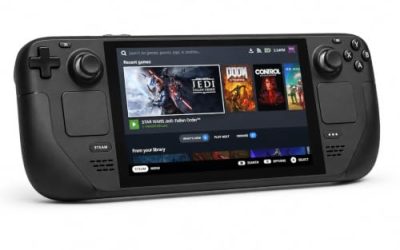
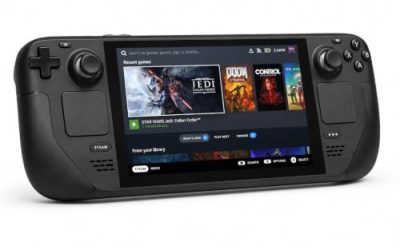
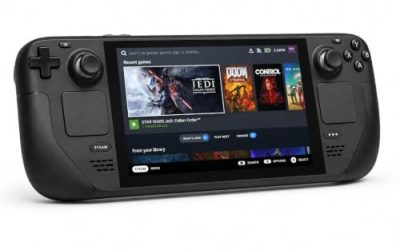
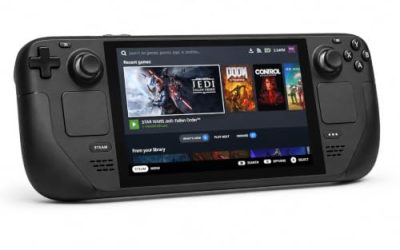
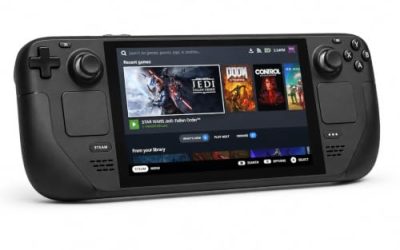
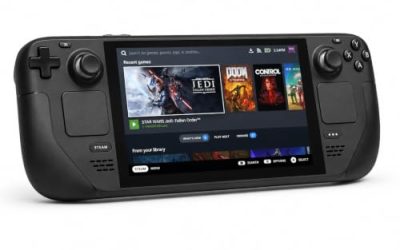
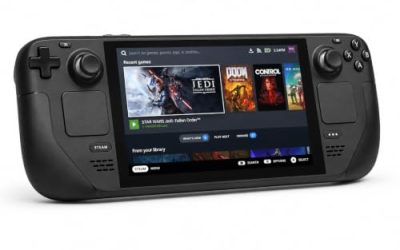
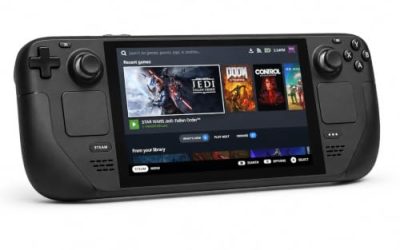
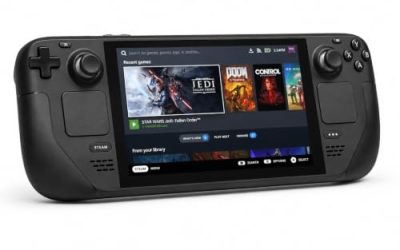
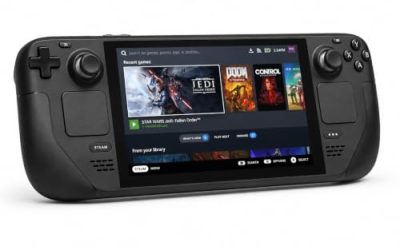
Valve Steam Deck OLED 512GB

The handheld the Playable badge was written for. ADOM’s requirements are trivial next to the Deck’s APU, and the sheet confirms the default configuration performs well; the deductions concern text entry and glyphs, not power.
Specs
- Display: 7.4-inch HDR OLED, 1280 by 800, up to 90 Hz
- Processor: AMD Zen 2 and RDNA 2 custom APU
- Memory: 16 GB LPDDR5
- Storage: 512 GB NVMe, plus a microSD slot
- Wireless: Wi-Fi 6E and Bluetooth
- Channel note: Valve sells the Deck mainly through its own store, so Amazon listings are third-party sellers
8BitDo Ultimate 2 Bluetooth Controller
The docked pad pick. Valve’s Deck sheet uses gamepad input, and this pad covers the couch case with modern sticks and triggers plus back buttons that suit a command-heavy game mapped through Steam Input.
Specs
- Connectivity: Bluetooth wireless and USB-C wired
- Joysticks: TMR electromagnetic, anti-drift design
- Triggers: Hall effect, with mode switching
- Extras: two remappable back buttons, motion control
- In the box: charging dock included
Xbox Wireless Controller, Carbon Black
The safest guest pad in PC gaming: Steam Input support is universal, and it pairs over Bluetooth or its own wireless standard. On the handheld, the test sheet notes the primary player is not on controller slot zero, so an external pad may need a manual switch first.
- Connectivity: Xbox Wireless and Bluetooth
- Port: USB-C for wired play
- Controls: hybrid D-pad, dedicated Share button
- Power: AA batteries or optional rechargeable pack
Logitech G502 HERO
At a desk, a precise wired mouse keeps ADOM’s map inspection and inventory trips quick. Eleven programmable buttons cover the confirm, cancel and look inputs a long session repeats.
Specs
- HERO optical sensor, up to 25,600 DPI
- 11 programmable buttons
- Adjustable weight system
- Wired USB connection
- On-board memory profiles
Samsung T9 Portable SSD 2TB
For moving a Linux game library between machines or keeping offline backups, a fast USB-C drive is the simple answer. The headline figure needs a Gen 2×2 host port; on a lesser port the drive runs at that ceiling.
Specs
- Capacity: 2 TB portable SSD
- Interface: USB 3.2 Gen 2×2, USB-C connector
- Maker-rated speeds: up to 2,000 MB per second read, 1,950 MB per second write
- Features: Dynamic Thermal Guard, maker-rated drop resistance
How to choose
Choose the Steam copy if the Deck sheet matters to you: it is the build Valve tested and the one ProtonDB’s file describes. Choose the GOG copy if a DRM-free installer matters more; its record promises the same three platforms. On a Linux desktop, install the native build first and read a few screens carefully: if your system shows the text-transparency fault from the reports, switch the game to Proton, where the same reporters found clean rendering. On the Deck, expect the Playable shape: fully functional, legible, and occasionally asking for the on-screen keyboard. Whichever route you take, budget for a keyboard; ADOM’s design demands one.
Who should skip
Skip this one if you want a Verified badge and nothing less; ADOM is Playable, with text entry as a standing deduction. Skip it if you intend to play on a handheld with no keyboard access, because the command list is long. Skip it if permadeath roguelike design is not your taste. And skip the native build specifically, in favour of Proton, if the first screens already show the see-through text fault on your machine.
FAQ
Is ADOM native on Linux?
Yes. Steam flags Linux on the record, publishes a genuine Linux requirements tab, and delivers a dedicated Linux depot of 534.00 MiB in the sold package, with a registered Linux icon backed by that depot. ProtonDB classifies the game as Native as well.
Is ADOM Steam Deck Verified?
No, it is rated Playable. Valve’s sheet, tested in September 2023 against the build still current today, passes functionality, legibility and performance, and deducts for non-Deck glyphs and manual on-screen keyboard invocation. Its recommended runtime is the Proton line, although a native build exists.
Can I buy ADOM on GOG instead?
Yes. GOG’s own product record for ADOM lists Windows, macOS and Linux as compatible, so the DRM-free copy is a native Linux build too. Do not rely on GOG’s search to find it; the product exists even where search results are unhelpful.
Does ADOM support controllers?
Steam’s record makes no controller promise: no controller-support field and no controller category on the store page. Valve’s Deck test used gamepad input and found the default configuration fully functional, and one Deck report still concludes a keyboard is essential. Treat the pad as workable and the keyboard as the intended instrument.
Final verdict
ADOM is one of the cleaner native stories in this catalogue: a 1994 roguelike whose Steam record flags Linux, specifies it, ships a real Linux depot for it, and sells the same build DRM-free on GOG. The caveats are about polish, not existence. The native build has a documented text-rendering fault on some systems, which Proton sidesteps; the Deck badge is Playable rather than Verified, graded under Proton against a build unchanged since 2020; and the game remains, by design, a keyboard instrument. For a Linux player who wants a traditional roguelike genuinely theirs on the platform, ADOM is an easy recommendation.
Product and ASIN Reference
| Product | ASIN |
|---|---|
| Valve Steam Deck OLED 512GB | B0CQ3RWQQZ |
| 8BitDo Ultimate 2 Bluetooth Controller | B0F194QFT2 |
| Xbox Wireless Controller, Carbon Black | B08DF248LD |
| Logitech G502 HERO | B07GBZ4Q68 |
| Samsung T9 Portable SSD 2TB | B0CHFS9K14 |