2.5GbE Gaming Network Setup Guide
A 2.5 gigabit Ethernet link, usually written 2.5GbE, is becoming common on gaming motherboards, mini PCs and some routers. It is faster than standard gigabit Ethernet, but the gain is easy to misunderstand. This guide explains what 2.5GbE does for gamers, what it does not do, and how to build a 2.5GbE network without wasting money on parts that will not work together.
We have not measured any of the products in this guide ourselves, so we do not quote throughput or latency numbers. The advice below rests on how the standard works and on the common limits of home networks. Check the specification sheet of each device for the exact port speed and the cable grade it supports before you buy.
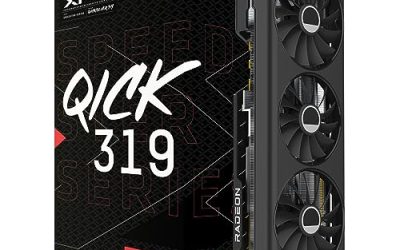
The listings below were returned for this search. The first is the primary pick and the others are close alternatives. The listing above may not match the exact adapter or switch you had in mind, so confirm the port speed and the compatibility details on the card.
What 2.5GbE Actually Improves
2.5GbE carries data at 2.5 gigabits per second over a standard copper Ethernet cable, compared with 1 gigabit per second for common gigabit ports. The extra headroom matters when you move large files across your home network. Think of copying a game library from a network storage drive, pulling a large capture file from a streaming PC or running several downloads at once on different machines.
Internet Speed Is the Limit for Most Homes
Your internet plan sets the ceiling for online play and downloads from the outside world. If your plan is below 1 gigabit per second, a 2.5GbE port will not make online games faster, because the bottleneck sits at the provider. The same is true for latency. The delay between your PC and a game server is set by distance, routing and the server itself, not by whether your local port runs at 1 gigabit or 2.5 gigabits.
Where the Upgrade Pays Off
The upgrade pays off on a local network. A gaming PC that talks to a network-attached storage device, a capture machine or a second PC will see faster transfers. Households with several heavy users on the same network also benefit, because the extra capacity leaves room for the gaming traffic. If none of these apply to you, the money is better spent on a good router or a cable run.
Building a 2.5GbE Gaming Network
A 2.5GbE network only works if every link in the chain supports the faster speed. That includes the network adapter in your PC, the switch or router port, and the cable. A single gigabit device in the path will limit that connection to gigabit speed, so check each piece before you assemble the set.
Check the Network Adapter
Many recent motherboards include a 2.5GbE network port, which is the simplest route. If your board only has gigabit Ethernet, a PCIe network card or a USB adapter can add a 2.5GbE port. A USB adapter is convenient for a laptop or a mini PC, but confirm that the adapter’s connection type and driver suit your operating system. A PCIe card is usually more stable on a desktop with a free slot.
Check the Switch or Router
Your router or switch needs at least one 2.5GbE port for the PC to reach full speed. Put the gaming PC on that port and keep other devices on gigabit ports if they do not need the extra speed. Some routers have one 2.5GbE port and several gigabit ports, which is a sensible layout for a home with one heavy user.
Check the Cable
Cat5e cable is generally rated for 2.5GbE over typical home runs, while Cat6 gives more margin for longer or tightly bundled runs. Keep cable runs short where possible and avoid crushing or kinking the cable. A poor cable can force the link to fall back to a lower speed, so check the link speed in your operating system after you connect the PC.
Comparison Table: 2.5GbE Gaming Network Options
The table compares the five listings by their role in a 2.5GbE build. It does not rank them. Pick the row that matches the device you are connecting and the number of ports you need.
| Option | ASIN | Best for | Price guidance | Check before buying |
|---|---|---|---|---|
| Primary pick (hero) | B0FMBXSNKL | Gaming PCs that need a 2.5GbE link | Check current price | Port speed, driver support, bus type |
| Alternative 1 | B08P3DHQYJ | Desktop upgrade with a spare PCIe slot | Check current price | Slot type and operating system support |
| Alternative 2 | B07Z8S6PN4 | Laptops and mini PCs without a 2.5GbE port | Check current price | Connection type and driver installation |
| Alternative 3 | B0CXBRNSC4 | Small networks that need a multi-port switch | Check current price | Number of 2.5GbE ports and power draw |
| Alternative 4 | B07Z177Y2D | Budget builds that only need one fast link | Check current price | Cable grade and warranty terms |
Testing and Troubleshooting Your Link
After setup, check the negotiated link speed in your operating system’s network settings. If it shows 1 gigabit instead of 2.5 gigabits, look for a cable, port or driver problem. Swap the cable first, because it is the cheapest part to replace. Then try a different switch port. Update the network driver from the motherboard or adapter maker if the link still falls back.
Test local transfer speed with a large file between two machines on the same network. Test gaming by watching in-game ping and packet loss during a session. Do not judge the network by a single internet speed test, because it measures your provider and the test server, not the local link. For a broader look at wired gaming, the ethernet settings for gaming guide covers the driver and adapter options that matter after the hardware is in place.
If you want to widen the picture, these related guides cover neighbouring parts of the setup: ethernet card for gaming ethernet switch for gaming Cat8 cable roundup ethernet cables for gaming gaming router guide best ethernet cable for gaming question ethernet switches for gaming roundup.
Frequently Asked Questions
Will 2.5GbE lower my ping in games?
Not in any meaningful way on its own. Ping is mostly set by the distance and routing to the game server, plus any delay from your own network. A 2.5GbE port gives more capacity, not a shorter path. It helps most when the local network is busy or when you move large files.
Is Cat5e enough for 2.5GbE?
For most home runs, Cat5e is generally rated to carry 2.5GbE, and it is the cable most homes already have. Cat6 gives more margin for longer runs or cable bundles. If you are running new cable through walls, Cat6 is a sensible choice, but do not replace working cable just for speed.
Do I need a 2.5GbE router as well?
Only if you want the whole path to run at 2.5 gigabits. A PC connected to a 2.5GbE adapter and a gigabit switch will still run at gigabit speed. A router or switch with at least one 2.5GbE port lets the link reach its full speed, which is why many builders choose a switch with one or more of those ports.
Final Verdict
2.5GbE is a worthwhile upgrade for a PC that moves large files on a home network or for a household with several heavy users. It is not a route to lower online ping, and it will not help if your internet plan is slow. Match every part of the chain, check the negotiated speed and choose the listing that fits your port count and device type.