

⚡ Key Takeaways
- The Quick Sizing Rule
- Calculating It Properly
- Recommended Wattage by Build Tier
- Why Headroom Matters: Transient Spikes
- Understanding 80 PLUS Efficiency Ratings
- Connectors: The 12V-2×6 Question
- Don’t Buy More Than You Need
- Modular vs. Non-Modular Cables
- Single-Rail vs. Multi-Rail
- Reading the Wattage Label Correctly
- Quality Over Pure Wattage
- How to Find a PSU’s Real Quality Tier
- Top-Rated Picks
- Related Guides
- Frequently Asked Questions
- The Bottom Line
- Related Articles
- Related Guides
As an Amazon Associate we earn from qualifying purchases at no extra cost to you.





Get instant results in seconds — no signup.
- For most gaming builds, a reliable shortcut is: take your GPU's recommended PSU wattage and that's your answer.
- To size precisely, add up the peak power draw of your major components, then add 30% headroom on top.
- Modern GPUs don't draw power smoothly—they produce microsecond-scale spikes that can momentarily exceed their average draw by 50% or more.
- The 80 PLUS badge tells you how efficiently the PSU converts wall power to DC power—higher efficiency means less wasted heat and a slightly lower electricity bill.
“What PSU wattage do I need?” is one of the most over-thought questions in PC building—and getting it wrong in either direction costs you money or stability. Undersize the unit and your system crashes under load; oversize it wildly and you’ve wasted cash on capacity you’ll never touch. This practical guide shows you how to calculate the right wattage for your specific parts, why headroom matters, and how to read efficiency ratings so you buy once and buy right.
Related: best ARGB case fans.
Related: best portable SSDs for gaming.
Related: best X3D gaming CPUs.
Related: best GPU support brackets.
Related: best Ryzen 5 CPUs for gaming.
🛒 Best Price Today on Amazon
Prime members get fast, free shipping on everything above, plus member-only deals. New members get a 30-day free trial — cancel anytime.
The Quick Sizing Rule
For most gaming builds, a reliable shortcut is: take your GPU’s recommended PSU wattage and that’s your answer. GPU makers already bake in generous headroom for the rest of the system. If NVIDIA recommends a 750W supply for an RTX 5070 Ti, a quality 750W unit covers your whole build with margin to spare.
Calculating It Properly
To size precisely, add up the peak power draw of your major components, then add 30% headroom on top. The headroom covers transient spikes (modern GPUs can briefly draw far above their rated TDP for milliseconds), capacitor aging, and future upgrades.
| Component | Typical Power Draw |
|---|---|
| Mainstream CPU (Ryzen 7 / Core Ultra 7) | 65–125W |
| High-end CPU under load | 150–250W |
| Mid-range GPU (RTX 5070) | ~220W |
| High-end GPU (RTX 5080) | ~360W |
| Flagship GPU (RTX 5090) | ~575W |
| Motherboard, RAM, SSDs, fans | 50–80W |
So a build with a 125W CPU and a 360W GPU draws roughly 535W of components, plus ~70W for everything else = ~605W. Add 30% headroom and you land near 790W—round up to a quality 850W unit. If you’re still picking the GPU that anchors this calculation, our mid-range GPU roundup lists each card’s recommended supply.
Recommended Wattage by Build Tier
| Build | GPU Class | Recommended PSU |
|---|---|---|
| Budget 1080p | RTX 5060 / RX 7600 | 550–650W |
| Mainstream 1440p | RTX 5070 / RX 9070 | 750W |
| High-end | RTX 5070 Ti / 5080 | 850W |
| Enthusiast 4K | RTX 5090 | 1000–1200W |
Why Headroom Matters: Transient Spikes
Modern GPUs don’t draw power smoothly—they produce microsecond-scale spikes that can momentarily exceed their average draw by 50% or more. A PSU running near its limit can trip its over-current protection during these spikes and shut your system off mid-game, even though average power looks fine. Building in 30% headroom keeps the supply in its comfortable, stable operating range. A good unit also runs quieter and cooler when it isn’t maxed out.
Understanding 80 PLUS Efficiency Ratings
The 80 PLUS badge tells you how efficiently the PSU converts wall power to DC power—higher efficiency means less wasted heat and a slightly lower electricity bill. For gaming builds, Gold is the practical sweet spot.
- 80 PLUS Bronze: ~82–85% efficient. Acceptable for budget builds.
- 80 PLUS Gold: ~87–90% efficient. The recommended standard for most gaming PCs.
- 80 PLUS Platinum/Titanium: ~90–94%. Premium, worth it for high-wattage or always-on systems.
Efficiency is highest around 50% load, which is another reason mild oversizing helps. Don’t obsess over chasing Titanium for a mid-range rig, though—the cost rarely pays back in saved electricity. Our best gaming power supply roundup highlights units that hit the efficiency-and-reliability sweet spot.
Connectors: The 12V-2×6 Question
Current RTX 50-series cards use the 12V-2×6 (the revised 12VHPWR) connector for power. Many modern PSUs include a native cable; older units rely on an adapter that splits multiple 8-pin connectors. If you go the adapter route, seat it fully—an incompletely seated connector is the main cause of the overheating reports you may have read about. A PSU with a native 12V-2×6 cable is the cleaner, safer choice for a new flagship GPU. The board you pair it with matters too; our best gaming motherboard guide covers power delivery and connector layout.
Don’t Buy More Than You Need
It’s tempting to grab a 1000W unit “just in case,” but a budget 1080p build will never approach that. An oversized PSU isn’t dangerous—it simply runs at a less efficient, lower load point and costs more upfront. Match the wattage to your actual parts plus sensible headroom, and put the savings toward your GPU or storage.
Modular vs. Non-Modular Cables
Wattage decides capacity, but cabling decides how pleasant the build is. A fully modular PSU lets you attach only the cables you actually need, which keeps the case tidy and improves airflow. Semi-modular units hard-wire the essential 24-pin and CPU cables while making peripheral cables detachable—a good middle ground. Non-modular units have every cable permanently attached, leaving you to stuff the unused ones somewhere out of the airflow path. For a clean build with good thermals, a fully or semi-modular unit is well worth the small premium, and most quality 80 PLUS Gold supplies are at least semi-modular anyway.
Single-Rail vs. Multi-Rail
You may see PSUs advertised as single-rail or multi-rail 12V designs. For the vast majority of gaming builds this is a non-issue: a quality single-rail unit delivers all its 12V capacity to wherever it’s needed, which is simplest for a power-hungry GPU. Multi-rail designs split the 12V output across protected channels, which can be marginally safer in edge cases but occasionally complicates power distribution to a flagship card. Don’t lose sleep over it—pick a reputable unit with enough wattage and the right connectors, and the rail topology will be appropriate for gaming out of the box.
Reading the Wattage Label Correctly
One subtle trap: the big number on the box is the total wattage, but what matters for gaming is the 12V rail capacity, since your CPU and GPU draw almost entirely from 12V. Reputable modern units dedicate nearly all their rated wattage to 12V, so a quality 750W supply genuinely delivers around 750W to your demanding components. Cheaper or older units sometimes inflate the headline figure by counting 3.3V and 5V capacity you’ll never fully use. Sticking to well-reviewed units from established makers sidesteps this entirely—another reason brand reputation beats chasing the cheapest high-wattage option.
Quality Over Pure Wattage
A 650W unit from a reputable maker with good capacitors and a real warranty is safer than an 850W no-name special. Look for a multi-year warranty (good units offer 7–12 years), single-rail design for simplicity, and a respected OEM platform. Wattage tells you capacity; build quality tells you whether that capacity is delivered cleanly.
How to Find a PSU’s Real Quality Tier
Because two units with identical wattage and 80 PLUS ratings can differ wildly in build quality, savvy builders look past the label to the underlying platform. The most reliable shortcut is a long warranty—manufacturers only back a unit for ten or twelve years if its capacitors and components are genuinely robust. A short two- or three-year warranty is a quiet admission of cheaper internals. Reputable reviewers also publish tier lists that rank specific models by their actual electrical performance and protection circuitry, which is far more useful than the box claims.
Protection features matter too: look for over-voltage, under-voltage, over-current, over-power, over-temperature, and short-circuit protection. A quality unit includes all of them, so that if something goes wrong it shuts down safely instead of taking your GPU and motherboard with it. These safeguards are exactly why the power supply is the wrong place to save twenty dollars.
Top-Rated Picks


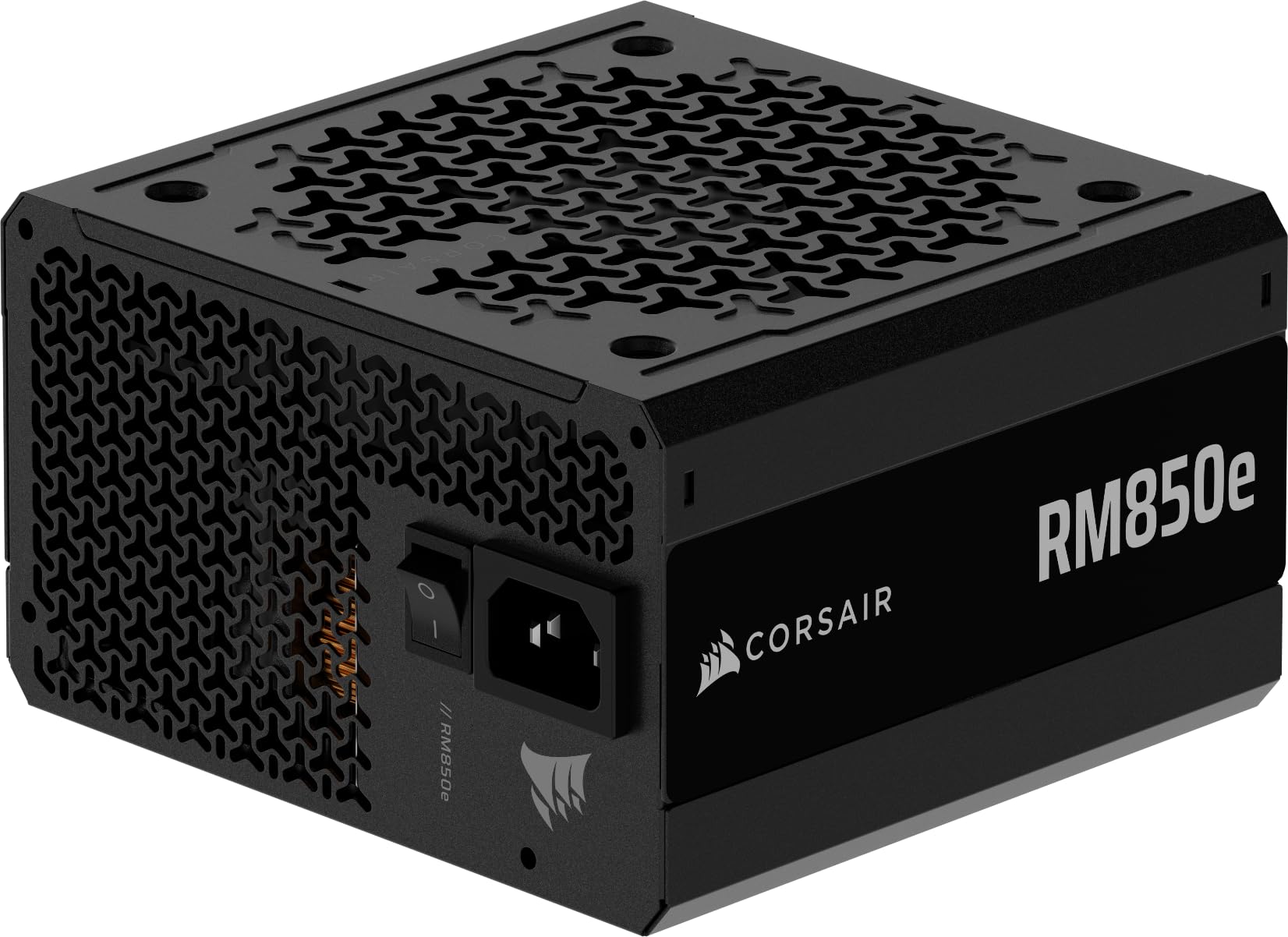

Frequently Asked Questions
Is a higher wattage PSU always better?
No. Beyond the headroom your parts need, extra wattage is wasted money and runs at lower efficiency. Size for your components plus ~30%, and prioritize build quality over raw numbers.
What happens if my PSU is too weak?
You’ll see random shutdowns or restarts under load (especially during GPU-heavy scenes), failure to boot, or in rare cases component damage. These symptoms often mimic other problems, so an undersized PSU is a sneaky culprit.
Does a bigger PSU use more electricity?
No. A PSU only draws what your components demand. A 1000W unit powering a 400W system uses the same wall power as a 750W unit doing the same job—efficiency at that load point is what actually matters.
How long does a PSU last?
A quality unit lasts 7–10 years and often outlives several GPU and CPU upgrades. Capacitors degrade slowly over time, which is another reason to buy with headroom from the start.
Can I reuse my old PSU in a new build?
Sometimes. Check that it has enough wattage for your new GPU and the correct power connectors. If it’s more than 7–8 years old or a budget model, replacing it is cheap insurance for your expensive new parts.
The Bottom Line
Size your PSU by adding up component draw and tacking on about 30% headroom, then round up to a quality 80 PLUS Gold unit—typically 650W for budget builds, 750–850W for mainstream and high-end, and 1000W+ for an RTX 5090. Prioritize a reputable brand and a native 12V-2×6 cable over chasing the biggest number, and your power supply will quietly do its job for a decade.















