When a game stutters, textures pop in late, or a new release refuses to run smoothly, the part usually responsible is the graphics card. It is the component that turns game code and 3D scenes into the images on your screen, frame after frame, and in most gaming PCs it decides how high your frame rates go and which visual settings you can realistically use. Understanding what it does, and what its specifications actually mean, is the first step toward a build that plays the way you expect.
This explainer is written for first-time builders choosing their first card, laptop owners wondering why their machine cannot simply be upgraded, and prebuilt buyers comparing systems that look similar on paper. Every term is defined in plain language, specifications are explained by what they change in practice, and performance guidance follows the class-based approach used by established review outlets rather than guesswork.
As an Amazon Associate we earn from qualifying purchases.
How to Choose
Platform and Slot Compatibility
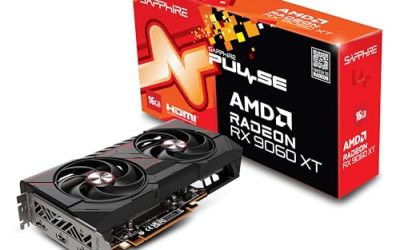
A discrete graphics card is a circuit board that plugs into a PCI Express (PCIe) x16 slot on the motherboard, the long slot usually closest to the processor. Modern cards use PCIe 4.0 or 5.0 connections, yet the interface is backward compatible, so a newer card still works in an older slot, sometimes with a small performance cost. Before anything else, confirm your motherboard has a free x16 slot, check that the card’s physical length fits your case, and note whether it occupies two or three slot widths, which can block neighbouring slots you might need later.
VRAM and Memory Bandwidth
VRAM is the card’s own memory, separate from system RAM, and it stores textures, frame data, and other assets the GPU needs within instant reach. Capacity matters most at higher resolutions and texture settings, where running out forces stuttering or forces the game to lower detail automatically. Bandwidth, set by the memory type and bus width, decides how quickly that data moves. Treat the two together: a large VRAM figure on a narrow bus is not automatically fast, and review sites such as TechPowerUp publish memory configurations alongside their test results so you can compare like with like.
Power Draw and Connectors
Every card lists a TDP, or thermal design power, which indicates how much power it can draw and how much heat the cooler must remove under load. Cards take power from the PCIe slot plus one or more dedicated cables from the power supply, using 6-pin, 8-pin, or newer 12V-2×6 connectors depending on the model. Match the card to a power supply with the right connectors and comfortable wattage headroom above the manufacturer’s recommendation, because a supply running at its limit can cause shutdowns under sudden load spikes even when average draw looks fine.
Resolution and Refresh Targets
Start from your monitor, not from the card. A 1080p screen at 60 Hz asks far less of a GPU than a 1440p high-refresh display or a 4K television, because each step multiplies the pixels rendered per frame. Decide which games you play and the frame rate you want in them, then look at how card classes perform at that resolution in published benchmark charts from outlets such as Tom’s Hardware, which rank GPUs by relative performance. Buying for the display you own avoids paying for headroom you will never see.
Which One Fits Your Situation
The 1080p Esports Player
If you play competitive shooters and similar titles at 1080p, an entry-level to mid-range discrete card is the fitting class. Esports games are deliberately light on the GPU, so this tier reaches the high frame rates a fast monitor can show, and money saved here is better spent on the display itself or a stronger processor for consistent frame pacing.
The 1440p Story-Game Player
For single-player games at 1440p with high settings, look at the upper mid-range class. This tier balances VRAM capacity for detailed textures with enough rendering power to hold smooth frame rates, and it is where features like ray tracing, realistic lighting calculated per ray of light, become usable rather than decorative. Our roundup of the best graphics cards for current gaming PCs groups cards by this kind of use.
The 4K Living-Room Setup
Driving a 4K television smoothly calls for a high-end card with generous VRAM and the power budget to match. At this resolution the GPU does most of the work, so this is the one situation where stepping up a class changes the experience more than any other upgrade. Check case airflow and power supply capacity first, because these cards run hotter and draw considerably more than mid-range models.
The Creator Who Also Edits Video
Video editing, streaming, and 3D work lean on the GPU differently from games, using its encoder for exports and its compute power for effects. A mid-range or higher card with ample VRAM suits this mix, and the platform’s software support matters as much as raw speed, since editing applications favour particular GPU architectures for hardware acceleration.
Common Mistakes
- Pairing a high-end card with an old, low-wattage power supply that lacks the required connectors or headroom, causing shutdowns under load.
- Judging a card by VRAM size alone while ignoring memory bandwidth and the GPU itself, which together decide real performance.
- Ignoring physical dimensions, so the card is too long for the case or blocks slots and airflow once installed.
- Assuming a laptop’s graphics can be upgraded like a desktop’s, when most laptops have the GPU soldered to the main board.
- Buying far above your monitor’s resolution and refresh rate, paying for performance the screen cannot display.
Frequently Asked Questions
What is the difference between a GPU and a graphics card?
The GPU is the processor chip itself, the part that performs the rendering calculations. The graphics card is the complete product built around that chip, adding VRAM, a cooler, power circuitry, and display outputs on one board. People use the terms interchangeably, but the card is what you actually buy, install, and connect to your monitor.
What does integrated graphics mean?
Integrated graphics are a small GPU built into the processor or main chipset rather than onto a separate card. They share system memory instead of having dedicated VRAM, which keeps costs and power use low and suits everyday tasks and light gaming. A discrete card is a separate, far more powerful component with its own memory, cooling, and power delivery.
How much VRAM do I actually need?
It depends on resolution and texture settings rather than on a single magic number. Lower resolutions with modest settings place smaller demands on memory, while 1440p and 4K gaming with high-resolution textures fill VRAM quickly. When a game exceeds available VRAM, expect stuttering or automatically reduced detail, so match capacity to the display and settings you genuinely plan to use.
Can I add a graphics card to any computer?
Most desktop PCs with a free PCIe x16 slot, enough physical space, and a power supply with the right connectors and wattage can accept one. Compact office systems often fail on space or power, and laptops generally cannot take an internal card at all. Checking slot, dimensions, and power supply before buying prevents the common return-and-retry cycle.