Our Short List of 3
All 3 Picks at a Glance
| Product | Specs | Action |
|---|---|---|
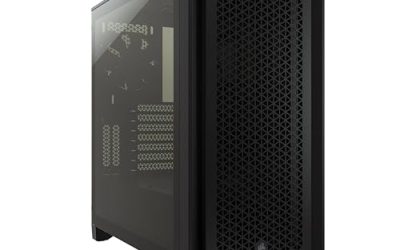
 Corsair 4000D Airflow | Check price on Amazon | |
 Fractal Design Pop Air | Check price on Amazon | |
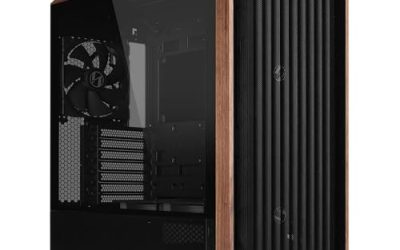
 HYTE Y60 | Check price on Amazon |
As an Amazon Associate we earn from qualifying purchases
Best Gaming PC Cases with Tempered Glass
A tempered glass side panel turns a gaming PC into a display piece, but glass alone does not make a good case. The best gaming PC cases with tempered glass pair that window with a mesh intake path, room for radiators, and space behind the motherboard tray to hide cables. The five cases below are all current models sold on Amazon US, each taking a different approach: pure airflow towers, a panoramic dual-chamber showcase, and one straightforward value pick. Specs come from each manufacturer’s published product pages.
If you want a wider shortlist before deciding, our roundup of the best tempered glass PC cases covers additional sizes and layouts beyond the five detailed here.
What to check before buying a glass case
- Airflow design: Glass blocks air, so intake must come from mesh front, top, bottom, or side panels. A solid glass front with no side vents runs hotter than a perforated design.
- Radiator and fan support: Match the case to your cooler. A 360 mm AIO needs a mount that fits 360 mm, and thick radiators need clearance above the motherboard.
- Glass panel details: Look at tint, thickness, and mounting. Tool-less or hinged panels are easier to remove than four loose thumbscrews.
- Cable management: Check the space behind the tray, the grommeted cutouts, and whether a PSU shroud hides the cable bundle.
Quick comparison
| Case | Form factor | Included fans | Max radiator | Glass panel | ASIN |
|---|---|---|---|---|---|
| Corsair 4000D Airflow | ATX mid-tower | 2x 120 mm | 360 mm front | Tinted side panel | B08C7BGV3D |
| Lian Li Lancool 216 | E-ATX mid-tower | 2x 160 mm + 1x 140 mm | 360 mm front/top | 4 mm side panel | B0BN3SY5XW |
| NZXT H7 Flow (2024) | ATX mid-tower | 3x 120 mm | 420 mm front | Ultra-clear or dark tint | B0CV4RYKLF |
| Fractal Design Pop Air | ATX mid-tower | 3x 120 mm | 280 mm front | Clear tint side panel | B08SR7LPCD |
| HYTE Y60 | ATX dual-chamber | 3x 120 mm | 360 mm top | Panoramic three-piece | B0BVJ4ZFPZ |
Corsair 4000D Airflow
The 4000D Airflow (model CC-9011200-WW) is the default recommendation for builders who want glass without giving up intake air. Its steel front panel is perforated with triangular cutouts, and two included 120 mm AirGuide fans use anti-vortex vanes to push air toward the components. Fan mounts cover three 120 mm or two 140 mm in front, two in the top, and one at the rear, and radiator support runs to 360 mm in front, 280 mm in the top, and 120 mm at the rear, per Corsair’s spec sheet.
The tempered glass side panel is lightly tinted, so components show through without turning the interior into a mirror. Corsair’s RapidRoute system routes the main cables through a single channel behind the tray, and the manufacturer lists 25 mm of routing depth — enough for a thick 24-pin ATX cable without fighting the panel. GPU clearance is 360 mm and CPU cooler clearance is 170 mm.
Choose it if: you want a proven airflow-first tower with tidy cable routing and no learning curve.
Lian Li Lancool 216
The Lancool 216 (model LANCOOL 216R-X) attacks airflow with mesh on the front, top, and PSU shroud, plus two large 160 mm ARGB intake fans and a 140 mm rear PWM fan included in the box. Lian Li rates the chassis for up to ten fans, and radiator support reaches 360 mm in both the front and top positions plus 240 mm in the bottom. A bracket at the rear PCIe slots can hold an extra fan aimed at the graphics card, a detail aimed at GPU cooling.
The side window is 4.0 mm tempered glass, as listed in Lian Li’s product details, mounted over a steel frame. Cable management is a strength: generous grommeted cutouts in the tray, a full-length PSU shroud, and room in the rear chamber to stash excess cable length. Lian Li lists 392 mm of GPU clearance and 180.5 mm for CPU coolers, and the case accepts E-ATX boards, which the other towers here do not all manage.
Choose it if: you run a hot GPU and want the strongest stock fan setup, or you are building on an E-ATX board.
NZXT H7 Flow (2024)
The 2024 revision of the H7 Flow (model CM-H72FW-01) keeps the perforated front and top panels of the original and adds a dedicated bottom intake: three 120 mm fans can sit under the PSU shroud and blow directly up into the graphics card. Three F120Q 120 mm fans come pre-installed at the front. Radiator support is the headline figure here — up to 420 mm in the front, 360 mm in the top, and 140 mm at the rear, according to NZXT’s published specs — which makes this the only case in this list that fits the largest AIO coolers.
NZXT lists the chassis materials as SGCC steel with tempered glass, and the tint depends on colour: the white version uses ultra-clear glass, the black version a dark tint. The interior has wide cable channels with hooks and straps along the back of the tray, and the PSU shroud has a cutout so the power supply’s label stays visible through the glass. GPU clearance is 400 mm and CPU cooler clearance 185 mm.
Choose it if: you plan a 360 mm or 420 mm radiator, or you want bottom-fed air for a high-power graphics card.
Fractal Design Pop Air
The Pop Air (Tempered Glass Clear Tint version) is the simplest case here: a honeycomb mesh front panel, three included 120 mm Aspect fans, and a clean interior with no proprietary systems to learn. Fan mounts hold two 120 mm or 140 mm fans in front, two in the top, and one at the rear. Radiator support is more modest — up to 280 mm in front, 240 mm in the top, and 120 mm at the rear, per Fractal Design’s specifications — so plan on a 240 mm or 280 mm AIO rather than a 360 mm unit.
The tempered glass side panel uses a clear tint and mounts with captive hardware, and Fractal includes a small storage compartment hidden inside the front panel for screws or cable offcuts. Cable routing runs through guides beside the tray with a full-length PSU shroud below. Fractal lists GPU clearance at 405 mm with a front fan installed and CPU cooler clearance at 170 mm, so long graphics cards fit despite the smaller radiator support.
Choose it if: you want a quiet-looking, easy first build and your cooling plans stop at a 280 mm radiator.
HYTE Y60
The Y60 (model CS-HYTE-Y60-WW, Snow White) is built around the glass rather than in spite of it. Three bezel-less tempered glass panels wrap the front corner, giving a panoramic view of the interior from two sides at once, and the graphics card mounts vertically as standard using the included PCIe 4.0 riser cable. The dual-chamber layout moves the power supply and cable mass into a second chamber behind the motherboard, so the display side stays empty except for components.
Cooling comes from the side, bottom, and top rather than the glass front: HYTE lists mounts for two fans on the side, two on the bottom, three on top, and one at the rear, with radiator support up to 360 mm on top and 280 mm on the side. Three 120 mm fans are included, and the perforated right-side panel feeds air to the PSU chamber. GPU clearance is 375 mm with the vertical mount; CPU cooler clearance is 160 mm, which rules out the tallest air coolers.
Choose it if: the build is a showcase piece with a vertically mounted GPU, and you are cooling with an AIO instead of a tall tower cooler.
Verdict
For most gaming builds, the Corsair 4000D Airflow is the safest pick: strong mesh intake, a proper cable channel, and room for a 360 mm AIO. The Lancool 216 beats it on included fans and E-ATX support, while the NZXT H7 Flow suits oversized radiators and bottom-fed GPU air. The Fractal Pop Air fits simpler builds that do not need a 360 mm radiator, and the HYTE Y60 is the one to buy when panoramic glass and a vertical GPU mount are the whole point.
FAQ
Does a tempered glass side panel hurt cooling?
A side panel does not feed air in any of these designs, so it has little direct effect. What matters is the intake path: mesh front, top, bottom, or side vents. Air enters through the mesh, not the glass.
How thick should tempered glass be, and does tint matter?
Panels here run around 4 mm, typical for mid-towers. Tint is cosmetic: clear glass shows components and cable work exactly as they are, while dark tints hide cables but dim the view when the PC is running.
Can I mount a 360 mm AIO in any mid-tower?
No. The Pop Air tops out at 280 mm in front and 240 mm up top, so a 360 mm radiator does not fit. Match the radiator size to the manufacturer’s listed support for that mount position, and check clearance above the motherboard for thick radiators plus fans.