

AtlasOS is not a separate operating system. It is an open-source modification applied to your own copy of Windows 10 or 11 that strips out telemetry, background services and most of the built-in security stack. On modern hardware the fps gain is small; the real trade is lower latency for a weakened, unsupported Windows.
- What Atlas OS Actually Is (And What It Isn’t)
- What Atlas Removes From Windows
- The Realistic Performance Delta on Modern Hardware
- Is Atlas OS Safe? What You Gain vs What You Lose
- The Upgrade That Actually Produces a Felt Speed Difference
- Safer Alternatives That Get Most of the Benefit
- Who Should Actually Run Atlas
- Frequently Asked Questions
Atlas keeps showing up in gaming forums with before/after screenshots that look too good to be true, and in security threads with warnings that sound like it will get your bank account drained. Neither framing is accurate. What follows is what Atlas actually does to Windows, what the performance difference realistically looks like in 2026, and which safer changes get you most of the same result.
What Atlas OS Actually Is (And What It Isn’t)
Atlas is a playbook — a scripted set of changes executed by the AME Wizard tool against a Windows installation you already own and have already activated. There is no Atlas kernel, no Atlas driver model, no Atlas ISO distributed by the project. You install Windows normally, then run the playbook, and the machine reboots as a heavily stripped version of the same Windows build.
This matters for two reasons. First, anything that claims to be an “AtlasOS download ISO” on a torrent site or a random file host is not from the project. Pre-modified Windows images are one of the oldest malware delivery methods in PC gaming, and the Atlas team explicitly does not publish one. Get the playbook from the official project site or not at all.
Second, because Atlas modifies an existing install rather than replacing it, the changes are baked into that install. There is no clean uninstall. Reverting means reinstalling Windows from scratch — which is worth knowing before you apply it to the machine you also use for work.
What Atlas Removes From Windows
The exact list shifts between playbook versions, but the categories are consistent:
- Telemetry and diagnostics — the Connected User Experiences service, error reporting, feedback and compatibility telemetry.
- Microsoft Defender and adjacent security components — real-time protection, SmartScreen, and in most configurations the wider defense stack around it.
- Windows Update machinery — update delivery is disabled or crippled by default, which is the point for users who hate forced restarts and a serious liability for everyone else.
- UWP apps and shell extras — Store, Edge, Widgets, Copilot, Xbox Game Bar, search indexing, and a long list of preinstalled apps.
- Background services and scheduled tasks — dozens of them, including several that wake the machine or spike disk activity.
- Optionally, CPU security mitigations — the Spectre/Meltdown-class patches that cost a few percent of CPU throughput.
Some of this is genuinely user-hostile bloat that Microsoft should let people turn off. Some of it is load-bearing security.
The Realistic Performance Delta on Modern Hardware
Be suspicious of any Atlas benchmark that does not show 1% lows. Here is the honest picture:
If you are GPU-bound — which describes most people at 1440p or 4K with a current card — the average fps change is close to nothing, often inside run-to-run variance. Your GPU is the limit; removing a telemetry service does not make it draw faster. Expect low single-digit percentages at best, and be prepared for zero.
If you are CPU-bound or RAM-starved — an older quad-core, 8GB of RAM, a mechanical drive, a laptop with an aggressive OEM software stack — the difference is real and can be substantial. Freeing 1-2GB of RAM and removing constant background disk activity changes the experience on a machine that had no headroom. This is where the dramatic screenshots come from, and it is a legitimate result.
Latency and consistency are the more defensible claim. Fewer processes competing for CPU time means fewer frametime spikes and a slightly shorter path from click to photon. Competitive players at low resolutions and very high refresh rates are the group most likely to actually feel it. If that is your goal, read our guide to reducing input lag on a gaming PC first — most of the win there comes from display mode, Reflex and frame pacing, not from the OS.
The blunt version: if you are running a current mid-range or better system, Atlas is very unlikely to be the thing standing between you and better frame rates. Check whether you are actually bottlenecked somewhere in your PC before rebuilding your operating system over it.
Is Atlas OS Safe? What You Gain vs What You Lose
Atlas is not malware and the project is open source, so you can read what the playbook does. The risk is not that Atlas is malicious — it is that Atlas deliberately removes protections you may not realize you were relying on.
| What you gain | What you lose |
|---|---|
| 1-2GB less RAM used at idle | Microsoft Defender real-time protection and SmartScreen |
| Far fewer background processes and scheduled tasks | Reliable Windows Update — including security patches |
| No telemetry, no Copilot, no Widgets, no Store nags | Microsoft support, and support from most software vendors |
| Slightly tighter frametimes and lower system latency | Guaranteed anti-cheat compatibility in some titles |
| Faster boot and shutdown, cleaner Task Manager | An easy path back — reverting means reinstalling Windows |
| A few percent of CPU throughput if mitigations are disabled | Speculative-execution protections on shared/untrusted workloads |
Three specifics deserve emphasis rather than hand-waving:
Defender removal is a real reduction in security posture. You can install a third-party antivirus, and an experienced user with good download hygiene may never notice. But “I’m careful” is not equivalent to a real-time scanner, and game mods, cracked tools and Discord attachments are exactly the files that get people infected.
Broken Windows Update is the bigger long-term problem. Unpatched Windows accumulates known, publicly documented vulnerabilities month after month. A machine that cannot patch itself gets less safe every single Patch Tuesday, regardless of how careful you are.
Anti-cheat is a genuine compatibility risk, not a ban guarantee. Kernel-level systems such as Vanguard, and some EAC/BattlEye configurations, check the integrity of Windows security features. A missing or modified security stack can mean the game refuses to launch, or that you are flagged for manual review. Publishers change these checks without notice. If you play Valorant, Faceit-hosted CS2, or any title with a strict kernel driver, treat Atlas as risky and test before committing.
The Upgrade That Actually Produces a Felt Speed Difference
Here is the uncomfortable comparison. Debloating an already-healthy system moves frametimes by a few milliseconds. Moving from a SATA SSD or a mechanical drive to a decent PCIe 4.0 NVMe drive changes level load times, texture streaming, shader cache reads and open-world traversal hitching in a way you notice within one session — and it does it without removing a single security feature.


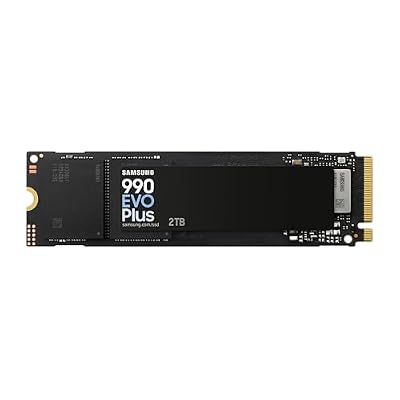
If a machine feels sluggish, the order of operations that actually works is: NVMe storage first, then enough RAM to stop paging (16GB minimum, 32GB if you stream or keep a browser open), then the GPU. Our breakdown of the best SSDs for gaming covers which drives are worth the premium and which PCIe 5.0 models are paying for numbers you will never see in a game.
Safer Alternatives That Get Most of the Benefit
Almost everything Atlas does that helps a modern gaming PC can be reproduced with changes you can undo:
| Approach | Effort | Realistic benefit | Reversible? | Best for |
|---|---|---|---|---|
| Disable startup apps and overlays | 10 minutes | Moderate — often the single biggest win on a cluttered PC | Yes | Everyone |
| Windows Game Mode + Graphics settings tuning | 15 minutes | Small but free; helps frametime consistency | Yes | Everyone |
| Clean Windows install (unmodified) | 1-2 hours | Large on old, crufty installs; none on a fresh one | N/A | Systems 2+ years old |
| Windows LTSC (IoT Enterprise) | Clean install + licensing | Genuinely lean, no Store/Copilot, still patched | Reinstall | Users who want lean and supported |
| Linux (Bazzite, CachyOS, SteamOS-likes) | Half a day | Excellent for Steam/Proton titles; near-zero bloat | Dual boot | Single-player and Steam Deck-style play |
| AtlasOS | Clean install + playbook | Small on modern hardware, large on weak hardware | No | Secondary/offline gaming-only PCs |
LTSC is the option most people overlook. It is a legitimately supported Windows edition without the Store, Copilot or consumer app churn, and it still receives security updates — most of the “debloat” upside with none of the security downside. Linux is the other serious answer: anti-cheat support is the only real blocker, and it is the wrong choice if your library is built around kernel-anti-cheat shooters. We compare all of these in depth in our guide to the best OS for gaming, and in our walkthrough of the Linux distros worth using for gaming.
Who Should Actually Run Atlas
A reasonable case exists for a dedicated, offline-ish gaming box: a secondary PC, or an aging system with 8GB of RAM that is otherwise headed for the bin, where you do not bank, do not work, and do not play kernel-anti-cheat titles. In that scenario the trade is defensible and the gains are the largest.
Skip it if the machine holds anything you cannot lose, if you play competitive shooters with strict anti-cheat, if you are not comfortable reinstalling Windows unattended, or if you simply want higher fps — in which case a structured Windows 11 optimization pass and fixing whatever is causing your game stuttering will take you further with none of the downside.
Frequently Asked Questions
Is Atlas OS safe to use?
It is not malware, and the playbook is open source and auditable. The risk is what it deliberately removes: Microsoft Defender, SmartScreen and a working Windows Update path. That combination means a machine that cannot patch known vulnerabilities and has no real-time scanner. It is defensible on a dedicated gaming box with careful download habits, and a poor idea on a PC you use for banking, work or general browsing.
Will Atlas OS get me banned by anti-cheat?
Atlas itself is not a cheat and does not modify games, so it is not a ban trigger in the way a cheat client is. The practical risk is different: kernel-level anti-cheat such as Vanguard checks whether Windows security features are intact, and a stripped system may be refused at launch or flagged for review. Publishers change these checks without warning, so treat compatibility as unstable rather than guaranteed.
How much fps does Atlas OS actually add?
On a modern GPU-bound system, typically very little — often within benchmark run-to-run variance. The meaningful gains show up on weak or RAM-starved hardware, where freeing one to two gigabytes of memory and removing constant background disk activity genuinely changes how the machine feels. The more consistent improvement across hardware tiers is in 1% lows and input latency rather than average frame rate.
Can I uninstall Atlas OS and go back to normal Windows?
Not cleanly. The playbook removes components and rewrites system configuration in place, so there is no revert button and no supported rollback path. Going back means a full Windows reinstall, which is why the project recommends applying it to a fresh installation in the first place. Back up your files and have installation media ready before you start, not after something breaks.
Is Windows LTSC a better option than Atlas OS?
For most people who want a leaner Windows, yes. LTSC (and IoT Enterprise LTSC) ships without the Microsoft Store, Copilot, Widgets and the consumer app churn, so it is quiet by default, yet it remains a supported edition that still receives security updates. You keep Defender and Windows Update, you keep anti-cheat compatibility, and you keep a supportable machine. Licensing is the main hurdle.
















