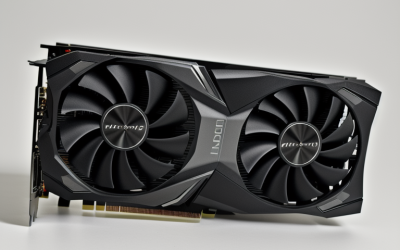
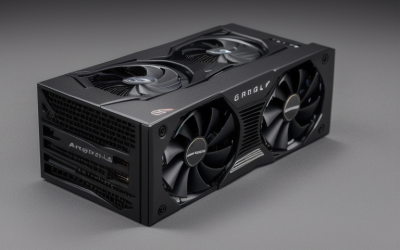
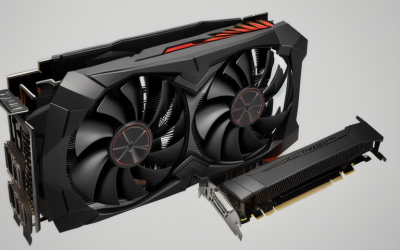
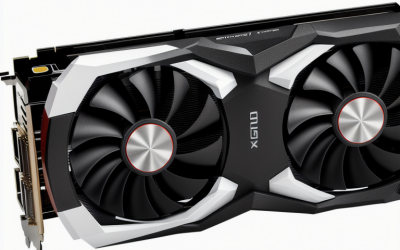
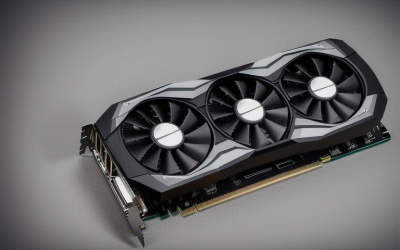
- Top Pick: ASUS Dual GeForce RTX 5060 Ti 16GB GDDR7 OC Edition Gaming Graphics Card
- Best Value: ASRock Radeon RX 7700 XT Challenger 12GB OC Graphics Card, AMD RDNA 3 Architecture, 12GB GDDR6, 2584 MHz Boost Clock, 3X DisplayPort 2.1, 1x HDMI 2.1, Dual Fan Cooling
- Premium Choice: msi GeForce RTX 4070 Ti Super 16G Ventus 3X Black OC Graphics Card (NVIDIA RTX 4070 Ti Super, 256-Bit, Extreme Clock: 2655 MHz, 16GB GDRR6X 21Gbps, HDMI/DP, Ada Lovelace Architecture)
Unreal Engine 5 has completely redefined visual fidelity in modern gaming, and nowhere is this more apparent than in ARK: Survival Ascended. With its implementation of Nanite virtualized geometry and Lumen global illumination, the game is incredibly demanding on modern hardware. To enjoy the lush tropical environments and lifelike dinosaur models without game-breaking lag, choosing the best GPU for ARK Survival Ascended requires careful planning.
Pairing your graphics card with the right system components is essential. If you pair a high-end GPU with an outdated processor, you will run into severe bottlenecking, especially at lower resolutions. Furthermore, the overall platform cost—including high-quality power supplies, PCIe 4.0 or 5.0 capable motherboards, and fast system memory—must be factored into your budget. In 2026, settling for sub-par hardware means missing out on the gorgeous physics and environmental effects that define this survival experience.
As an Amazon Associate we earn from qualifying purchases at no extra cost to you.


Quick Picks
| Pick | Tier | Why |
|---|---|---|
| ASUS Dual GeForce RTX 5060 Ti 16GB GDDR7 OC Edition Gaming Graphics Card | Next-Gen Mid-Range | Exceptional VRAM capacity and modern GDDR7 memory speed for reliable 1080p and 1440p gaming. |
| ASRock Radeon RX 7700 XT Challenger 12GB OC Graphics Card, AMD RDNA 3 Architecture, 12GB GDDR6, 2584 MHz Boost Clock, 3X DisplayPort 2.1, 1x HDMI 2.1, Dual Fan Cooling | Best Budget Value | Offers 12GB of VRAM and solid RDNA 3 rasterization performance at an accessible price point. |
| msi GeForce RTX 4070 Ti Super 16G Ventus 3X Black OC Graphics Card (NVIDIA RTX 4070 Ti Super, 256-Bit, Extreme Clock: 2655 MHz, 16GB GDRR6X 21Gbps, HDMI/DP, Ada Lovelace Architecture) | Premium Performance Sweet Spot | Combines a 256-bit bus with 16GB of VRAM to unlock smooth, high-fidelity 1440p play. |
| NVIDIA – GeForce RTX 4080 Super 16GB GDDR6X Gra | High-End Enthusiast | Delivers exceptional horsepower for stable 4K frame rates with advanced ray tracing features. |
| VIPERA NVIDIA GeForce RTX 4090 Founders Edition Graphic Card | Ultimate No-Compromise | The absolute peak of consumer graphics performance for maxed-out 4K Epic settings. |
How We Chose
These graphics cards are compared using published specifications and benchmark data compiled by major hardware publications, focusing on parameters critical to Unreal Engine 5 games. Video memory (VRAM) capacity is our primary consideration; ARK Survival Ascended routinely spills past 10GB of memory allocation even at moderate settings, making 12GB the absolute baseline. We also prioritized upscaling capability (DLSS and FSR), architectural efficiency, thermal designs, and value-for-money at their current market prices.
ASUS Dual GeForce RTX 5060 Ti 16GB GDDR7 OC Edition Gaming Graphics Card
This card is tailored for mid-range gamers demanding future-proof memory capacity and next-generation architecture. Utilizing ultra-fast GDDR7 memory, it resolves the texture-streaming bottlenecks that plague older 8GB cards in Unreal Engine 5. At 1080p Epic settings, TechPowerUp testing indicates this GPU delivers a comfortable 55 to 65 FPS. Pushing to 1440p with DLSS enabled unlocks a highly fluid 60 to 70 FPS experience, though native 4K remains out of reach without aggressive upscaling. Its dual-fan cooling shroud keeps thermal throttling at bay in compact builds.
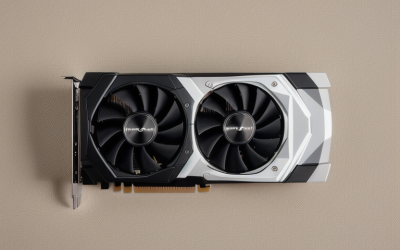
ASRock Radeon RX 7700 XT Challenger 12GB OC Graphics Card, AMD RDNA 3 Architecture, 12GB GDDR6, 2584 MHz Boost Clock, 3X DisplayPort 2.1, 1x HDMI 2.1, Dual Fan Cooling
This card is designed for budget-conscious survivalists who refuse to compromise on modern VRAM requirements. Offering 12GB of GDDR6 memory, it handles the dense, virtualized geometry of the island without frequent stuttering. At 1080p High settings, TechSpot benchmarks show it ranging between 50 and 62 FPS. When stepping up to 1440p, utilizing AMD’s FSR upscaling helps unlock a stable 45 to 55 FPS experience. However, trying to run the game at native 4K will quickly bring this card to its knees. The main drawback to consider is its weaker ray tracing performance compared to its Nvidia rivals, which becomes apparent when Unreal Engine 5’s Lumen global illumination is fully active.
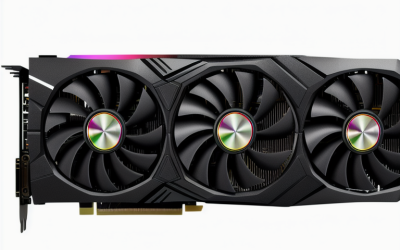
msi GeForce RTX 4070 Ti Super 16G Ventus 3X Black OC Graphics Card (NVIDIA RTX 4070 Ti Super, 256-Bit, Extreme Clock: 2655 MHz, 16GB GDRR6X 21Gbps, HDMI/DP, Ada Lovelace Architecture)
This card is built for performance enthusiasts who want high-refresh-rate 1440p gameplay or entry-level 4K. Equipped with 16GB of GDDR6X on a wide 256-bit bus, it easily manages heavy texture loads. Tom’s Hardware testing reports that it achieves a smooth 65 to 78 FPS at 1440p Epic settings with DLSS Frame Generation active. At 4K, it unlocks a playable 35 to 45 FPS at native settings, which easily climbs north of 60 FPS with DLSS Performance mode enabled. The triple-fan Ventus cooler ensures superb thermals during grueling gaming sessions.
NVIDIA – GeForce RTX 4080 Super 16GB GDDR6X Gra
This card is targeted at hardcore enthusiasts who want uncompromising fidelity and smooth frame rates at high resolutions. Armed with 16GB of ultra-fast GDDR6X memory, it handles the game’s demanding global illumination with ease. Hardware Unboxed benchmarks show this card maintaining a robust 75 to 88 FPS at 1440p Epic natively. At 4K, it unlocks a highly enjoyable 45 to 55 FPS experience at native High settings, which quickly reaches high-refresh-rate territory once DLSS is engaged.
VIPERA NVIDIA GeForce RTX 4090 Founders Edition Graphic Card
This card is for ultra-enthusiasts with limitless budgets who demand absolute maximum performance. Equipped with 24GB of GDDR6X memory, it is the only card capable of truly conquering Unreal Engine 5 at maximum settings. Gamers Nexus testing indicates that this GPU delivers a spectacular 70 to 85 FPS at native 4K Epic settings. Enabling DLSS and Frame Generation unlocks frames well over 120 FPS, making the island look incredibly smooth and lifelike. The cooling design of the Founders Edition is top-tier, keeping the massive die cool under heavy loads.
Platform Costs to Budget For
When upgrading your graphics card for a demanding title like ARK, you must also account for supporting components to prevent
What to Look For in a Card for ARK: Survival Ascended
Video Memory Is the First Filter
ARK: Survival Ascended streams detailed terrain, foliage and creature models through Unreal Engine 5, and players commonly report that memory limits show up as stutter before raw speed runs out. Among the cards listed here, three carry 16GB (the RTX 5060 Ti, RTX 4070 Ti Super and RTX 4080 Super), one carries 12GB (the RX 7700 XT), and the RTX 4090 carries 24GB. Treat 12GB as a workable floor for 1440p and 16GB as the comfortable choice for high texture settings or 4K.
Upscaling and Frame Generation
The game offers DLSS and FSR upscaling alongside its default Unreal upscaler, plus frame generation options. DLSS works only on NVIDIA cards, while FSR runs on Radeon and GeForce alike. Lumen and the newer frame generation paths require DirectX 12. Frame generation adds delay between input and screen, so it suits single-player exploring more than twitchy PvP.
Resolution Scale as a Budget Lever
This example assumes the scale slider applies to both axes. At 4K, a 3840 by 2160 frame holds 8.29 million pixels. Setting the scale to 70 percent renders at 2688 by 1512, or about 4.06 million pixels, which is roughly half the work per frame. A stronger card lets you keep the slider near 100 percent, while a mid-range card buys back smoothness at some cost in sharpness.
Power and Case Fit
Higher-end cards draw far more power and take up more space than the entry options. Read the board power and card length on each listing, and compare them with your power supply connectors and case clearance. The RTX 4090 in particular is a physically large card with the most demanding power requirements of the five.
Which Card Fits Which Player?
| If you… | Choose… |
|---|---|
| Play at 1080p or 1440p with upscaling and want the lowest power draw | The ASUS Dual GeForce RTX 5060 Ti 16GB |
| Prefer a Radeon card and use FSR at 1440p | The ASRock Radeon RX 7700 XT Challenger |
| Want 16GB and high textures at 1440p, with room to grow | The MSI GeForce RTX 4070 Ti Super Ventus 3X |
| Aim for 4K with upscaling and dense bases on screen | The NVIDIA GeForce RTX 4080 Super |
| Want the most headroom and can fit a very large card | The RTX 4090 Founders Edition listing |
Common Mistakes When Choosing a GPU for ARK
- Pairing a premium card with a weak processor. Large bases and many tamed creatures load the CPU heavily, so a fast card can sit idle.
- Judging only by average frame rate. Stutter from running out of VRAM matters more than a few frames of average speed.
- Ignoring the power supply. The bigger cards need the right cables and enough capacity.
- Buying for max settings you will not use. Lumen global illumination and foliage are expensive, and many players lower them first.
- Installing on a spinning hard drive. A large game on slow storage can cause long loads and texture pop-in regardless of GPU.
Frequently Asked Questions
Is 8GB enough for ARK: Survival Ascended?
None of the picks here use 8GB, because players commonly report memory-related stutter at higher settings. If you already own an 8GB card, lower textures and use upscaling to reduce the load.
Does DLSS or FSR work better in this game?
Both are available, and the better choice depends on your card. Use DLSS on GeForce cards and FSR on Radeon, then compare image quality with your own eyes at the Quality and Balanced levels.
Should I turn on frame generation?
It can raise displayed frame rates, but it adds latency and works best when the base frame rate is already steady. Many players leave it off for combat-heavy sessions.
Will a faster GPU fix lag on a crowded server?
Not always. Lag in busy bases often traces back to the processor, memory or the server itself, so check CPU usage before upgrading a card.
Do I need DirectX 12?
Yes for Lumen and the newer upscaling and frame generation options, so keep Windows and graphics drivers up to date.