

So, what’s the best graphics card right now? For most gamers in 2026 it is the AMD Radeon RX 9070 XT. It has 16GB of VRAM, handles 1440p at high refresh rates and copes with 4K once you turn on upscaling, and it costs far less than Nvidia’s high-end cards. The runner-up is the Nvidia GeForce RTX 5070 Ti, which is the better pick if you care most about ray tracing, DLSS 4 Multi Frame Generation or CUDA-accelerated creative apps. If money is no object, the RTX 5090 is still the fastest consumer GPU you can buy. On a tight budget, the RX 9060 XT 16GB and RTX 5060 are the sensible floor for 1080p gaming.
Disclosure: this guide contains affiliate product cards. We may earn a commission if you buy through them, at no extra cost to you. GPU prices are moving fast because of the 2026 memory shortage, so every price below is given as a tier rather than a number.
Top Picks at a Glance
- Best Overall: AMD Radeon RX 9070 XT (16GB GDDR6)
- Best Nvidia for Most People: GeForce RTX 5070 Ti (16GB GDDR7)
- Best Flagship / 4K: GeForce RTX 5090 (32GB GDDR7)
- Best Premium Value: GeForce RTX 5080 (16GB GDDR7)
- Best Mid-Range 1440p Nvidia: GeForce RTX 5070 (12GB GDDR7)
- Best Value: AMD Radeon RX 9060 XT 16GB
- Best Budget 1080p: GeForce RTX 5060 (8GB GDDR7)
Best Graphics Cards Compared
| GPU | Best For | VRAM | Memory Bus | Upscaling / Frame Gen | Watch For | Price Tier |
|---|---|---|---|---|---|---|
| Radeon RX 9070 XT | 1440p high refresh, entry 4K | 16GB GDDR6 | 256-bit | FSR 4 | Higher power draw than RX 9070 | Upper-mid |
| GeForce RTX 5070 Ti | 1440p/4K with ray tracing | 16GB GDDR7 | 256-bit | DLSS 4 with Multi Frame Gen | Street prices well above launch MSRP | Upper-mid to premium |
| GeForce RTX 5090 | 4K max settings, AI and rendering | 32GB GDDR7 | 512-bit | DLSS 4 with Multi Frame Gen | Very high power and price | Flagship |
| GeForce RTX 5080 | 4K with upscaling, high-end 1440p | 16GB GDDR7 | 256-bit | DLSS 4 with Multi Frame Gen | Same VRAM as RTX 5070 Ti | Premium |
| GeForce RTX 5070 | 1440p on a mid budget | 12GB GDDR7 | 192-bit | DLSS 4 with Multi Frame Gen | 12GB is tight for 4K texture packs | Mid-range |
| Radeon RX 9060 XT 16GB | 1080p ultra, light 1440p | 16GB GDDR6 | 128-bit | FSR 4 | Narrow bus limits 1440p headroom | Budget to mid |
| GeForce RTX 5060 | 1080p esports and AAA | 8GB GDDR7 | 128-bit | DLSS 4 with Multi Frame Gen | 8GB VRAM limits future games | Budget |
1. AMD Radeon RX 9070 XT: Best Graphics Card for Most Gamers

GIGABYTE Radeon RX 9070 XT Gaming OC 16G Graphics Card, PCIe 5.0, 16GB GDDR6, GV-R9070XTGAMING OC-16GD Video Card


As an Amazon Associate we earn from qualifying purchases. Product prices and availability are accurate as of the date/time indicated.
Key Specs
- Architecture: RDNA 4, 64 compute units
- Memory: 16GB GDDR6 on a 256-bit bus
- Interface: PCIe 5.0 x16
- Upscaling: FSR 4 (machine-learning based) plus FSR 3 frame generation
- Board power: around 304 W at reference spec; partner OC cards can run higher
- Shown model: Gigabyte Radeon RX 9070 XT Gaming OC 16G
Best for: 1440p high-refresh gaming and 4K with upscaling at a price well below Nvidia’s 16GB cards. Skip if: you rely on CUDA software or want the strongest path-traced ray tracing.
Why we picked it
Almost every major 2026 buying guide puts the RX 9070 XT at or near the top, and the reason is balance. RDNA 4 brought a big jump in ray tracing throughput over AMD’s previous generation, and FSR 4 finally gives AMD an AI-based upscaler that looks close to DLSS in supported games. Pair that with 16GB of VRAM and a 256-bit bus, and you have a card that should hold up in demanding games for several years.
In practice, expect this tier to run most modern AAA games at 1440p high or ultra settings well above 60 fps, and to reach smooth 4K frame rates once FSR is enabled. Those are estimates based on its spec class and published reviews, not our own measurements. Compared with the RTX 5070 Ti, it usually lands close in traditional rasterized games and trails in heavy ray tracing, but it has typically sold for noticeably less in 2026.
The Gigabyte Gaming OC version shown here uses a triple-fan WINDFORCE cooler and a factory overclock. Budget for a quality 750 W or larger power supply and check that your case has room for a long triple-slot card. If you want lower power and a lower price, the standard RX 9070 (in Also Consider) keeps the same 16GB of memory with fewer compute units.
Pros
- 16GB VRAM and 256-bit bus at an upper-mid price
- FSR 4 brings strong AI upscaling to AMD
- Big ray tracing improvement over RDNA 3
- Has stayed closer to launch pricing than many Nvidia cards
Cons
- Still behind Nvidia in path-traced games
- FSR 4 support is in fewer games than DLSS
- Higher power draw than the RX 9070
2. Nvidia GeForce RTX 5070 Ti: Best Nvidia Card for Most People

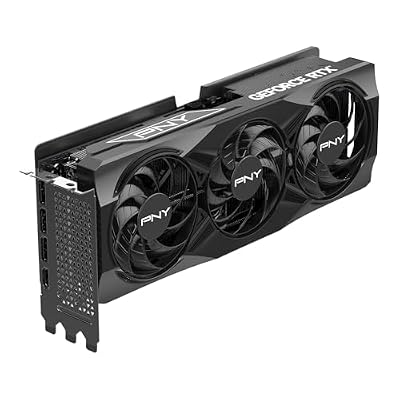
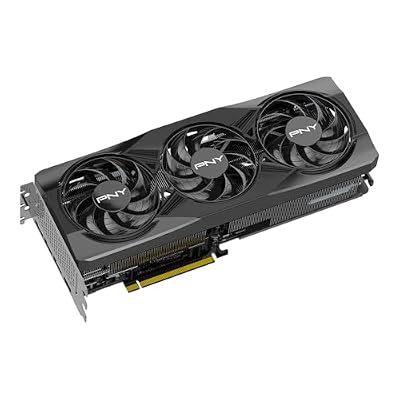
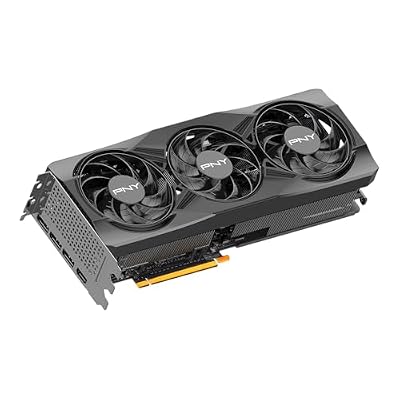
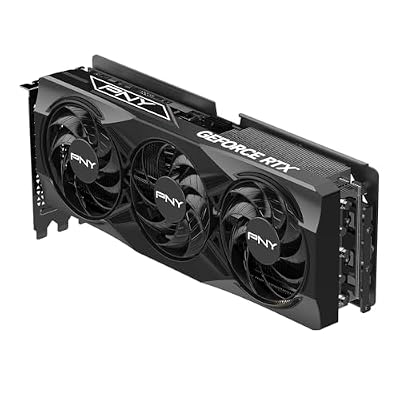
PNY NVIDIA GeForce RTX™ 5070 Ti OC Triple-Fan Graphics Card | 16GB GDDR7, 256-bit, Boost: 2572 MHz, PCIe® 5.0, HDMI®/DP 2.1, 2.98-Slot, NVIDIA Blackwell Architecture, DLSS 5






As an Amazon Associate we earn from qualifying purchases. Product prices and availability are accurate as of the date/time indicated.
Key Specs
- Architecture: Blackwell, 8,960 CUDA cores
- Memory: 16GB GDDR7 on a 256-bit bus
- Interface: PCIe 5.0 x16
- Features: DLSS 4 with Multi Frame Generation, Nvidia Reflex, NVENC encoders
- Total graphics power: 300 W at reference spec
- Shown model: PNY GeForce RTX 5070 Ti OC Triple-Fan
Best for: gamers who want great ray tracing and DLSS at 1440p and 4K, and creators who use CUDA apps. Skip if: street pricing in your region is close to RTX 5080 money.
Why we picked it
The RTX 5070 Ti uses a cut-down version of the same GB203 chip that powers the RTX 5080, and it keeps the full 16GB of fast GDDR7 memory on a 256-bit bus. That makes it the most affordable Nvidia card with enough memory for 4K texture settings and heavy ray tracing. Tom’s Hardware and several other outlets place it at or near the top of their 2026 rankings for exactly that reason.
DLSS 4 is the other big advantage. Multi Frame Generation can generate up to three extra frames for every rendered one in supported games, which makes high-refresh 4K play realistic on this tier. Latency is managed through Nvidia Reflex, but frame generation works best when the base frame rate is already reasonable, so treat it as a smoothing tool rather than a magic fix.
The catch in 2026 is price. The memory shortage has pushed RTX 5070 Ti street prices well above Nvidia’s launch MSRP, and in some weeks it has cost almost as much as an RTX 5080. If the gap between the two is small where you shop, step up; if the gap to the RX 9070 XT is large, the AMD card is the better value. The PNY triple-fan model shown here keeps a simple design that fits most mid-tower cases.
Pros
- 16GB GDDR7 on a 256-bit bus
- DLSS 4 Multi Frame Generation and strong ray tracing
- CUDA and NVENC for streaming and creative work
Cons
- Street prices far above launch MSRP during the shortage
- Uses the 12V-2×6 power connector, so cable routing needs care
3. Nvidia GeForce RTX 5090: Best Flagship Graphics Card

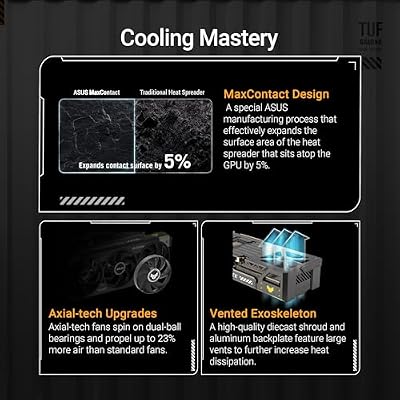
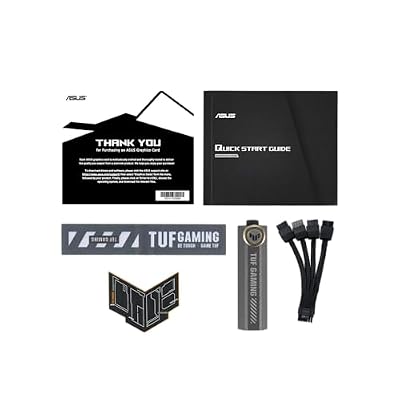
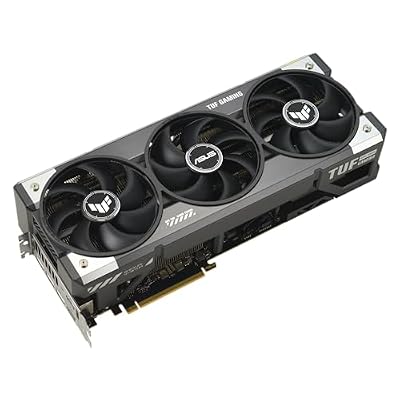
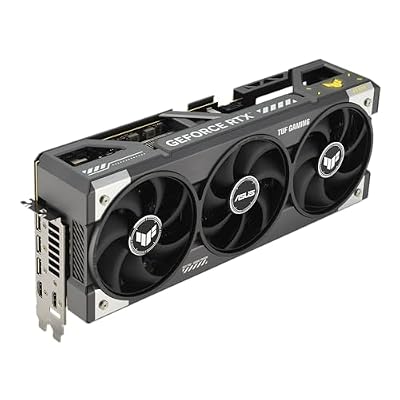
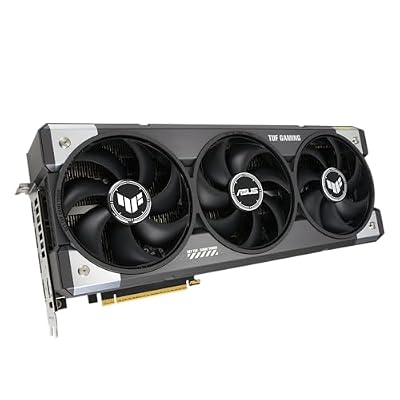
ASUS TUF Gaming GeForce RTX 5090 32GB GDDR7 OC Edition Gaming Graphics Card | PCIe 5.0, HDMI/DP 2.1, 3.6-slot, Military-grade Components, Protective PCB Coating, Axial-tech Fans










As an Amazon Associate we earn from qualifying purchases. Product prices and availability are accurate as of the date/time indicated.
Key Specs
- Architecture: Blackwell, 21,760 CUDA cores
- Memory: 32GB GDDR7 on a 512-bit bus
- Interface: PCIe 5.0 x16
- Total graphics power: 575 W at reference spec; Nvidia recommends a 1000 W PSU
- Shown model: ASUS TUF Gaming GeForce RTX 5090 32GB OC Edition
Best for: 4K at maximum settings with path tracing, local AI models and 3D rendering. Skip if: you play at 1080p or 1440p, or your power supply is under 1000 W.
Why we picked it
There is no debate about the fastest consumer graphics card: it is the RTX 5090. With 32GB of GDDR7 on a 512-bit bus and over 21,000 CUDA cores, it is the only gaming card that can run path-traced games at 4K with high frame rates once DLSS is on, and its memory capacity makes it popular for running large local AI models.
The trade-offs are just as large. Reference power is 575 W, partner cards like the ASUS TUF can draw more, and the card itself is huge, so you need a case with generous clearance and airflow. Pricing is the bigger problem: the memory shortage has pushed street prices to roughly double the launch MSRP at many retailers. That puts the RTX 5090 in a flagship tier of its own.
For a pure gaming rig, the RTX 5080 or RTX 5070 Ti delivers most of the experience at a fraction of the cost. Buy the 5090 if you need 32GB of VRAM for work, want the absolute best 4K experience, or are building a no-compromise system that should stay at the top for several years. Nvidia’s RTX 50 Super refresh is rumored for early 2027, but it is not expected to replace the 5090 at the top.
Pros
- Fastest consumer GPU available
- 32GB VRAM for 4K, AI and rendering workloads
- Full DLSS 4 feature set
Cons
- Flagship pricing well above launch MSRP
- 575 W or more; needs a 1000 W class PSU and strong case airflow
- Very large cards
4. Nvidia GeForce RTX 5080: Best Premium Graphics Card

msi Gaming RTX 5080 16G Ventus 3X OC Black Graphics Card (16GB GDDR7, 256-bit, Extreme Clock 2640 MHz, DisplayPort x 3 2.1a, HDMI 2.1b, NVIDIA Blackwell Architecture)


As an Amazon Associate we earn from qualifying purchases. Product prices and availability are accurate as of the date/time indicated.
Key Specs
- Architecture: Blackwell, full GB203 chip with 10,752 CUDA cores
- Memory: 16GB GDDR7 on a 256-bit bus
- Interface: PCIe 5.0 x16
- Total graphics power: 360 W at reference spec
- Shown model: MSI Gaming RTX 5080 16G Ventus 3X OC
Best for: 4K gaming with DLSS and high-refresh 1440p without stepping up to flagship pricing. Skip if: you can find an RTX 5070 Ti for much less, since both have 16GB.
Why we picked it
The RTX 5080 is the fastest card that still sits in the premium tier rather than flagship territory. It uses the full GB203 chip, about 20 percent more CUDA cores than the RTX 5070 Ti, and faster GDDR7. PC Guide named it its best card for most gamers in 2026, mainly because it handles 4K well with DLSS and leaves headroom for future games.
Its weakness is that it shares the same 16GB of memory as the cheaper 5070 Ti, so the gap between the two is about raw speed rather than capacity. If you play at 4K with path tracing or want the highest frame rates on a 240 Hz 1440p monitor, that extra speed is worth having. If you mostly play at 1440p with ray tracing on medium, the 5070 Ti or RX 9070 XT will feel very similar.
The MSI Ventus 3X shown here is a straightforward triple-fan design without RGB, which tends to keep it closer to the base price than premium models. Plan on an 850 W power supply. A rumored RTX 5080 Super with 24GB of memory may arrive at CES 2027, but nothing has been announced, so waiting is a gamble.
Pros
- Strong 4K performance with DLSS 4
- Full GB203 chip, clearly faster than RTX 5070 Ti
- Lower power than the RTX 5090
Cons
- Same 16GB VRAM as the cheaper 5070 Ti
- Premium price during the memory shortage
5. Nvidia GeForce RTX 5070: Best Mid-Range Nvidia Card for 1440p

GIGABYTE GeForce RTX 5070 WINDFORCE OC SFF 12G Graphics Card, 12GB 192-bit GDDR7, PCIe 5.0, WINDFORCE Cooling System, GV-N5070WF3OC-12GD Video Card


As an Amazon Associate we earn from qualifying purchases. Product prices and availability are accurate as of the date/time indicated.
Key Specs
- Architecture: Blackwell, 6,144 CUDA cores
- Memory: 12GB GDDR7 on a 192-bit bus
- Interface: PCIe 5.0 x16
- Total graphics power: 250 W at reference spec
- Shown model: Gigabyte GeForce RTX 5070 WINDFORCE OC SFF 12G (small-form-factor ready)
Best for: 1440p gaming with DLSS in mid-tower or small-form-factor builds. Skip if: you want 16GB for 4K textures or long-term headroom.
Why we picked it
The RTX 5070 is Nvidia’s mid-range answer for 1440p. Its 12GB of GDDR7 is enough for current games at 1440p high settings, and DLSS 4 with Multi Frame Generation lets it hit high refresh rates in supported titles. It also draws noticeably less power than the 5070 Ti, so it fits builds with a 650 W supply and compact cases.
The Gigabyte WINDFORCE OC SFF version shown here meets Nvidia’s SFF-Ready guidelines, making it one of the easier RTX 5070 models to fit into a small case. That is a real advantage if your build is a compact living-room PC.
The main concern is memory. PC Gamer and others point out that AMD’s RX 9070 offers 16GB at a similar price and often runs faster in traditional rendering. If you mostly play games with strong DLSS support and value Nvidia’s features, the 5070 makes sense. If you want maximum longevity at 1440p, the RX 9070 in Also Consider is the safer bet.
Pros
- Good 1440p performance with DLSS 4
- Lower power than higher Blackwell cards
- SFF-Ready model fits compact cases
Cons
- 12GB VRAM is less future-proof than 16GB rivals
- RX 9070 often offers more raw performance for similar money
6. AMD Radeon RX 9060 XT 16GB: Best Value Graphics Card

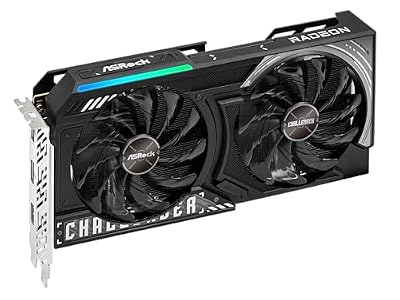
ASRock Radeon RX 9060 XT Challenger 16GB OC, RDNA 4, 3290MHz Boost, 16GB GDDR6 128-bit, PCIe 5.0, Dual Fans, 0dB Silent, LED Indicator, DisplayPort 2.1a, HDMI 2.1b


As an Amazon Associate we earn from qualifying purchases. Product prices and availability are accurate as of the date/time indicated.
Key Specs
- Architecture: RDNA 4, 32 compute units
- Memory: 16GB GDDR6 on a 128-bit bus (an 8GB version also exists)
- Interface: PCIe 5.0 x16
- Upscaling: FSR 4
- Shown model: ASRock Radeon RX 9060 XT Challenger 16GB OC (dual fan, 0dB silent mode)
Best for: 1080p ultra and light 1440p gaming on a budget-to-mid budget. Skip if: you want high-refresh 1440p in demanding AAA games.
Why we picked it
PC Gamer calls the RX 9060 XT 16GB its best-value card, and the reasoning is simple: it is one of the cheapest current-generation GPUs with 16GB of memory. Games released in 2025 and 2026 increasingly push past 8GB at high texture settings, and the extra memory keeps this card from stuttering where 8GB cards have to drop settings.
Expect it to handle 1080p at high or ultra settings comfortably in most games and to manage 1440p at medium-to-high settings, especially with FSR 4 enabled. These are estimates based on its tier. The narrow 128-bit bus is the limiting factor at higher resolutions, so this is not the right card for 4K.
Make sure you buy the 16GB version. The 8GB model shares the name and is cheaper, but it gives up the very advantage that makes this card worth recommending. The ASRock Challenger shown here is a compact dual-fan design that stops its fans at idle for quiet desktop use.
Pros
- 16GB VRAM at a budget-to-mid price
- FSR 4 support
- Full PCIe 5.0 x16 interface helps on older PCIe 4.0 boards
- Modest power needs
Cons
- 128-bit bus limits 1440p headroom
- Easy to confuse with the 8GB model
7. Nvidia GeForce RTX 5060: Best Budget Graphics Card for 1080p

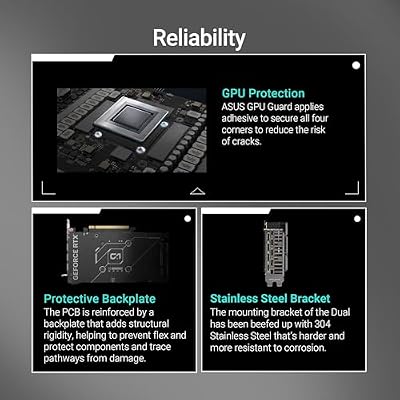
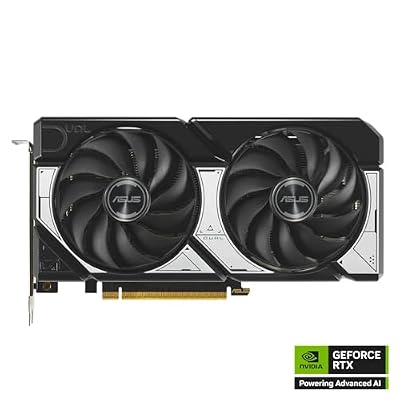
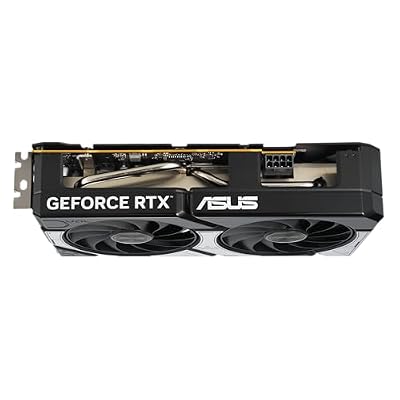
ASUS Dual NVIDIA GeForce RTX 5060 8GB GDDR7 OC Edition (PCIe 5.0, 8GB GDDR7, DLSS 4, HDMI 2.1b, DisplayPort 2.1b, 2.5-Slot Design, Axial-tech Fan Design, 0dB Technology), 3 Year Warranty






As an Amazon Associate we earn from qualifying purchases. Product prices and availability are accurate as of the date/time indicated.
Key Specs
- Architecture: Blackwell, 3,840 CUDA cores
- Memory: 8GB GDDR7 on a 128-bit bus
- Interface: PCIe 5.0 x8
- Total graphics power: 145 W at reference spec
- Shown model: ASUS Dual GeForce RTX 5060 8GB OC Edition
Best for: 1080p esports and mainstream AAA gaming with DLSS. Skip if: you play newer AAA games with high-resolution texture packs.
Why we picked it
Newegg’s 1080p guide calls the RTX 5060 the best option if you can stretch to its price band, and it is the cheapest way into DLSS 4 Multi Frame Generation. At 145 W it runs on modest power supplies, and the dual-fan ASUS model fits almost any case, which makes it a strong upgrade for prebuilt office PCs turned gaming machines.
Esports titles like Valorant, Counter-Strike 2 and Fortnite should run at very high frame rates, and most AAA games will be playable at 1080p with sensible settings and DLSS. The weakness is 8GB of VRAM: a growing number of new games want more at high texture quality, so you will sometimes need to drop textures to medium.
One more detail: it uses a PCIe 5.0 x8 link. On a PCIe 5.0 or 4.0 motherboard that is fine, but on an older PCIe 3.0 board the reduced bandwidth can cost some performance when VRAM fills up. If your PC is that old, the RX 9060 XT 16GB with its full x16 link is the safer choice.
Pros
- Lowest-cost card with DLSS 4 Multi Frame Generation
- Low 145 W power draw
- Compact dual-fan designs fit most cases
Cons
- 8GB VRAM limits texture settings in new games
- PCIe x8 link is a drawback on PCIe 3.0 systems
Also Consider
AMD Radeon RX 9070

ASRock Radeon RX 9070 Challenger 16GB OC Graphics Card, RDNA 4, 2520MHz Boost, 16GB GDDR6 256-bit, PCIe 5.0, Triple Fans, 0dB Silent, LED Indicator


As an Amazon Associate we earn from qualifying purchases. Product prices and availability are accurate as of the date/time indicated.
Best for: efficient 1440p with 16GB. It keeps the RX 9070 XT’s 16GB GDDR6 and 256-bit bus with 56 compute units and lower power, and PC Gamer names it its best overall card. Trade-off: it sits close enough in price to the XT that the faster card is often worth the step up. Shown: ASRock Challenger 16GB OC.
Nvidia GeForce RTX 5060 Ti 16GB

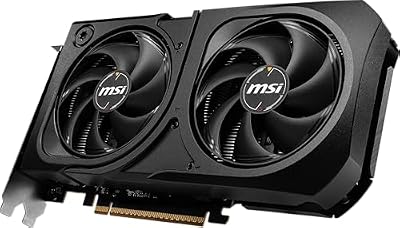
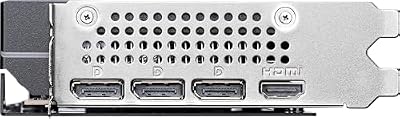
msi Gaming RTX 5060 Ti 16G Shadow 2X OC Graphics Card (16GB GDDR7, 128-bit, Extreme Performance: TBA MHz, DisplayPort x 3 2.1a, HDMI 2.1b, NVIDIA Blackwell Architecture)



As an Amazon Associate we earn from qualifying purchases. Product prices and availability are accurate as of the date/time indicated.
Best for: Nvidia fans who want 16GB on a mid budget. It pairs 16GB GDDR7 with DLSS 4 and modest power draw. Trade-off: the 128-bit bus and PCIe x8 link limit 1440p headroom, and street prices have crept toward RTX 5070 territory. Shown: MSI Shadow 2X OC.
Intel Arc B580
Best for: the lowest-cost 1080p and light 1440p gaming with 12GB of VRAM. Its 12GB GDDR6 on a 192-bit bus is generous for the tier, and XeSS 2 adds upscaling and frame generation. Trade-off: it needs Resizable BAR enabled and performs best on newer CPUs. Shown: Sparkle Titan OC.
Also worth noting without a card: the RX 9070 GRE (12GB) has been one of the few GPUs selling close to its MSRP in 2026, and the RTX 5050 (8GB GDDR6) is PC Gamer’s budget pick for basic 1080p builds.
How We Chose
We started from the current GPU lineups from Nvidia (RTX 50 series), AMD (RX 9000 series) and Intel (Arc B-series), then compared how the leading 2026 buying guides from PC Gamer, Tom’s Hardware, Club386, TechRadar, PC Guide and Newegg rank them. Our criteria were:
- Performance per tier: where each card lands at 1080p, 1440p and 4K according to independent reviews.
- VRAM and memory bus: a preference for 16GB in upper tiers and at least 8GB at the entry level, with 12GB or more strongly preferred.
- Features: upscaling quality (DLSS 4, FSR 4, XeSS 2), ray tracing and encoder support.
- Power and fit: board power, PSU needs and compact versions for small cases.
- 2026 pricing reality: street prices relative to MSRP during the memory shortage.
Specs come from Nvidia, AMD and Intel product pages and board partner listings. These picks are research-based; we did not run our own benchmarks, and any performance expectations are estimates based on each card’s spec tier and published reviews.
Graphics Card Buying Guide
Match the GPU to your monitor resolution
Your monitor decides how much GPU you need. For 1080p at 60 to 144 Hz, an RTX 5060, RX 9060 XT 16GB or Arc B580 is enough. For 1440p at 144 Hz and above, aim for an RTX 5070, RX 9070 or RX 9070 XT. For 4K, start at the RTX 5070 Ti or RX 9070 XT with upscaling, and step to the RTX 5080 or 5090 for native high-refresh 4K. Buying a 4K-class card for a 1080p monitor usually leaves performance unused, because the CPU becomes the limit.
How much VRAM do you need in 2026?
Eight gigabytes is now the bare minimum and already forces lower texture settings in several new games. Twelve gigabytes is comfortable for 1440p today. Sixteen gigabytes is the sweet spot for 1440p ultra and 4K, and it is the safest choice if you keep a GPU for four years or more. Content creators working with large 3D scenes or local AI models should look at 16GB at minimum and 32GB if possible.
Nvidia vs AMD vs Intel features
Nvidia leads in ray tracing, has the widest upscaler support with DLSS 4, and offers CUDA for creative and AI apps. AMD usually gives more VRAM and rasterized performance for the money, and FSR 4 closes much of the image-quality gap in supported games. Intel’s Arc B580 is a value play with 12GB and XeSS 2, but it depends more on drivers and a modern platform with Resizable BAR.
Check your power supply and connectors
Add the GPU’s board power to roughly 150 to 250 W for the rest of the system and keep 20 to 30 percent headroom. Rough guides: RTX 5060 or RX 9060 XT on a quality 550 W unit; RTX 5070 or RX 9070 on 650 W; RTX 5070 Ti or RX 9070 XT on 750 W; RTX 5080 on 850 W; RTX 5090 on 1000 W. Many Nvidia cards use the 12V-2×6 connector; an ATX 3.1 power supply with a native cable is the cleanest option.
Make sure it fits your case
Check three numbers: card length, slot thickness and height. High-end cards often exceed 300 mm in length and take three slots or more. If you have a small case, look for Nvidia SFF-Ready models or compact dual-fan cards and compare them with your case’s listed GPU clearance.
PCIe generation and older PCs
All current cards use PCIe 5.0 but work in PCIe 4.0 and 3.0 slots. Cards with an x16 link lose very little on older boards. Cards with an x8 link, such as the RTX 5060, 5060 Ti and Arc B580, can lose more performance on PCIe 3.0 when their memory fills up. If you are upgrading a 2019-era PC, favor x16 cards with more VRAM.
Should You Wait for the RTX 50 Super?
Nvidia’s RTX 50 Super refresh has been delayed repeatedly by the global memory shortage. Reports through 2026 point to an announcement around CES 2027, with rumored configurations of 24GB for the RTX 5080 Super and 5070 Ti Super and 18GB for the RTX 5070 Super. Nvidia has not confirmed any of this. Intel’s gaming Arc B770 appears to have been shelved in favor of the workstation Arc Pro B70, and AMD has not announced new RDNA 4 gaming cards for this year.
That leaves a simple rule. If you need a GPU now, buy one of the current cards above, because a refresh of uncertain timing and price may not be cheaper on arrival, especially while memory costs remain high. If your current card still plays your games acceptably and you are eyeing an RTX 5070 Ti or 5080, waiting a few months to see what CES 2027 brings is reasonable. Whatever you decide, avoid paying well above MSRP for a card that a refresh might replace; set a price ceiling and stick to it.
FAQ
What is the best graphics card right now?
The best graphics card for most people in 2026 is the AMD Radeon RX 9070 XT, thanks to its 16GB of VRAM, strong 1440p and 4K performance, and lower price than Nvidia’s 16GB cards. If you prefer Nvidia features like DLSS 4 and better ray tracing, the RTX 5070 Ti is the best alternative.
What is the most powerful graphics card in 2026?
The Nvidia GeForce RTX 5090 is the most powerful consumer graphics card in 2026. It has 32GB of GDDR7 memory, a 512-bit bus and 21,760 CUDA cores. It is also the most expensive and power-hungry gaming GPU, with a 575 W reference power rating.
Is the RTX 5070 Ti or RX 9070 XT better?
The RTX 5070 Ti is better for ray tracing, DLSS 4 and creative apps, while the RX 9070 XT usually offers similar rasterized performance for less money. Both have 16GB of VRAM. Choose based on the price gap where you shop and whether you play many ray-traced games.
Is 8GB of VRAM enough in 2026?
Eight gigabytes of VRAM is enough for 1080p esports and many AAA games at medium-to-high settings, but it is no longer comfortable for ultra textures in new releases. If you can afford it, choose a 12GB or 16GB card such as the Arc B580 or RX 9060 XT 16GB for better longevity.
What is the best budget graphics card?
The best budget graphics cards in 2026 are the RX 9060 XT 16GB for value, the RTX 5060 for DLSS 4 at 1080p, and the Intel Arc B580 for the lowest cost with 12GB of VRAM. All three handle 1080p gaming well, with the 16GB AMD card offering the most headroom.
Why are graphics cards so expensive in 2026?
Graphics cards are expensive in 2026 mainly because of a global memory shortage driven by AI data center demand. GDDR7 and GDDR6 supply has been diverted to AI accelerators, which pushed many card prices above MSRP and delayed new models such as the RTX 50 Super series.
What power supply do I need for a new GPU?
Most mid-range GPUs need a quality 650 to 750 W power supply, while the RTX 5080 needs about 850 W and the RTX 5090 about 1000 W. Budget cards like the RTX 5060 and RX 9060 XT run on 550 W units. Always check the card maker’s recommendation and the connectors your PSU provides.
Do I need a PCIe 5.0 motherboard for a new graphics card?
No, you do not need a PCIe 5.0 motherboard. Every current GPU works in PCIe 4.0 and 3.0 slots. Cards with a full x16 link lose very little performance on older boards, while x8 cards like the RTX 5060 can lose more on PCIe 3.0 when memory runs short.
Which Graphics Card Should You Buy?
- Best all-rounder for 1440p and 4K: Radeon RX 9070 XT.
- Nvidia fan who wants ray tracing and DLSS: RTX 5070 Ti.
- No-limit 4K or AI workstation: RTX 5090.
- High-end 4K without flagship pricing: RTX 5080.
- 1440p on a mid budget in a compact case: RTX 5070 SFF, or RX 9070 for more VRAM.
- Best value for 1080p and light 1440p: RX 9060 XT 16GB.
- Cheapest DLSS 4 card for 1080p: RTX 5060, or Arc B580 if budget is the priority.
Pick the tier that matches your monitor, make sure your power supply and case can handle it, and set a firm price ceiling while the memory shortage keeps prices volatile.
Last updated: October 2026

















