Our Short List of 3

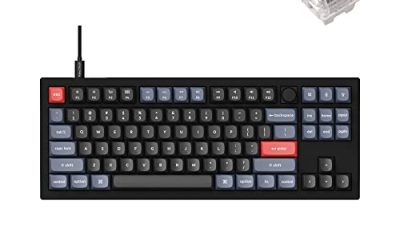
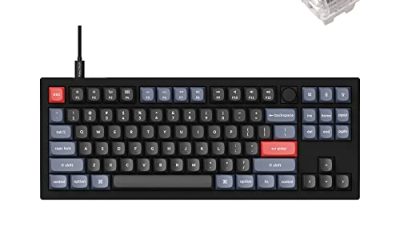
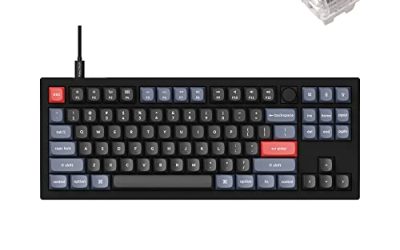
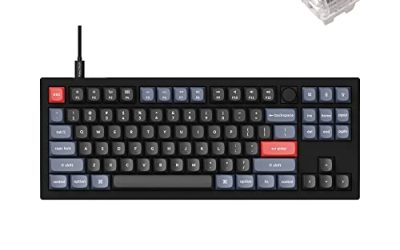
- Tenkeyless layout with rotary knob
- QMK and VIA remapping support
- Hot-swappable K Pro Brown switches
- Wired USB-C connection

- Connectivity: Bluetooth wireless and USB-C wired
- Joysticks: TMR electromagnetic, anti-drift design
- Triggers: Hall effect, with mode switching
- Extras: two remappable back buttons, motion control

- Connectivity: Xbox Wireless and Bluetooth
- Port: USB-C for wired play
- Controls: hybrid D-pad, dedicated Share button
- Power: AA batteries or optional rechargeable pack
All 5 Picks at a Glance
| Product | Specs | Action |
|---|---|---|
| Keychron V3 |
| Check price on Amazon |
| 8BitDo Ultimate 2 Bluetooth Controller |
| Check price on Amazon |
| Xbox Wireless Controller, Carbon Black |
| Check price on Amazon |
 Logitech G502 HERO |
| Check price on Amazon |
 Samsung T9 Portable SSD 2TB |
| Check price on Amazon |
Titan Quest II is Grimlore Games’ Early Access return to the mythological action RPG formula, published by THQ Nordic and released on August 1, 2025. It is still an Early Access game today, so everything here describes a moving target: builds, badges and community files can all shift before full release. The Linux question also has a trap built into it. Scan this game’s family of Steam apps and a Linux flag appears — attached to the wrong app.
Read layer by layer, the game is Windows-only at every level Steam records: flags, requirements tabs, depots, launch entries and icon registry all say the same thing. The stray flag belongs to the soundtrack album sold beside the game. What remains is a Proton story in two halves: a Platinum community file on desktop Linux, and an Unsupported Steam Deck badge issued on performance grounds. This piece reads each record separately.
As an Amazon Associate, we earn from qualifying purchases.
Quick answer
Titan Quest II is not native on Linux. Steam’s record for this Early Access action RPG flags Windows alone: the Linux requirements field is an empty shell, no Linux depot or launch entry exists, and the only Linux flag in the family belongs to the soundtrack. On desktop Linux the route is Proton, where 86 reports settle at Platinum; on Steam Deck, Valve rates it Unsupported on performance grounds.
The status at a glance
| Question | Ruling |
|---|---|
| Native Linux build | No — Windows-only at every layer |
| Linux flag in the family | Yes — on the soundtrack app only |
| ProtonDB file | Platinum, 86 reports, strong confidence |
| Steam Deck badge | Unsupported, on performance grounds |
| GOG edition | None |
| Release state | Early Access since August 1, 2025 |
One populated requirements tab out of three
The base record (Steam app 1154030) flags windows true, mac false and linux false, and the requirements tabs match that split exactly. The Windows tab is fully populated at both tiers: the minimum asks for a Core i5-8600K or Ryzen 5 2600X, 16 GB of memory, an 8 GB VRAM card in the RX 6700 XT or RTX 2070 class, DirectX 12 and an SSD; the recommended tier raises that to 32 GB of memory and a 12 GB VRAM card. The Mac and Linux tabs are empty shells — the Minimum and Recommended headings sit over blank lists, the residue of a template nobody filled in.
The delivery layer agrees. The depot census lists three depots — a main content depot of about 29 GiB, a smaller one of about 559 MiB and a third holding nothing — and none carries an operating-system configuration; the only redistributables attached are the Windows Visual C++ and DirectX packages. The launch list holds three entries, every one targeting a Windows executable: TQ2.exe for the standard and Gamescom demo entries, TQ2_Development.exe for a development build, the operating-system field reading windows where published. The icon registry holds the standard client icons and no LinuxClientIcon; the extended OS field is an empty string. One positive: the record’s controller-support field reads full, so pad play is a first-class input shape here. No DRM or account notice appears anywhere on the record.
The soundtrack trap, in the open
The game’s add-on array contains exactly one entry, and it is the trap. App 2671260 is the Titan Quest II Soundtrack, a music-type app whose record names the game as its parent — and it flags windows, mac and linux all true. Read in isolation, that flag set is indistinguishable from a native release. It is nothing of the kind: a soundtrack is a folder of audio files, and audio files carry no operating system, so store tooling flags them for every platform.
The census discipline matters here. A store search across the whole family returns exactly two apps — the game and the soundtrack — so no demo or second add-on hides outside the array. The family’s Linux-flag count is one of two records, and the one belongs to the album. Any scanner crediting Titan Quest II with Linux support has read the soundtrack’s flags and stopped there. This article rules on the game’s own layers: no native build exists.
The Proton file: Platinum headline, mixed colour
ProtonDB’s summary settles at Platinum, with Platinum also the best-reported tier, a trending tier of Gold, 86 reports and strong confidence. That is a substantial desktop file with honestly mixed colour underneath the headline. Plenty of filings describe clean runs on stock Proton with no tinkering at all. Others needed a community Proton build before the game would start, some hit a DirectX 12 feature-level refusal on particular hardware, and the long first-run shader compilation draws complaints. Performance is the recurring grievance even among successful filings: the game runs, but it is heavy.
One display fault on that page deserves naming. ProtonDB’s game page carries a stray “Natively Supports:” heading above the requirements area, generated by the empty-shell Linux requirements field described earlier. It is wrong — there is no native build for it to describe — and this article follows Steam’s record.
The Deck sheet: Unsupported, and the reason is performance
Valve rates Titan Quest II Unsupported on Steam Deck, and its sheet gives the reason plainly: the game’s graphics settings cannot be configured to run well on the Deck. That is a performance ruling, not a compatibility wall — the same sheet separately rates the game Compatible for SteamOS, noting it runs successfully there. The supporting notes add texture: some functionality needs the touchscreen, the virtual keyboard or a community configuration rather than the default controller setup; text entry requires manually invoking the on-screen keyboard; external controllers do not default on SteamOS; and small text is flagged.
A sourcing note: Valve’s own compatibility endpoint returned unusable output in this session, so the verdict and test metadata here are read from SteamDB’s republication of Valve’s sheet. That sheet records a test date of August 14, 2026 against build 24696792, with a recommended runtime of proton-11.0-2RC. The current public build is 26953643, published November 26, 2026, so the badge grades a superseded build — the paperwork is a supplement candidate, and for an Early Access game still receiving performance work, a retest could plausibly move it.
The storefront ruling
There is no second PC storefront to fall back on. GOG’s own catalogue records were queried directly, and they hold no Titan Quest II product at all. What GOG does sell is the first game’s family — the Anniversary Edition and its Ragnarök, Atlantis and Eternal Embers expansions, each Windows-only — records of a different game, kept separate here. The Steam copy is the only PC edition, and the build both records describe.
Gear for a desktop Linux run
Because the Deck badge is Unsupported, the picks below are framed for desktop or laptop Linux: a keyboard for build work, two pads, a mouse for menu-heavy sessions, and fast storage for a 50 GB install that requires an SSD.
Keychron V3
- Tenkeyless layout with rotary knob
- QMK and VIA remapping support
- Hot-swappable K Pro Brown switches
- Wired USB-C connection
The keyboard pick for desktop sessions: a tenkeyless board with QMK and VIA support lets you remap keys at the keyboard level, across every Linux install you plug it into.
8BitDo Ultimate 2 Bluetooth Controller
- Connectivity: Bluetooth wireless and USB-C wired
- Joysticks: TMR electromagnetic, anti-drift design
- Triggers: Hall effect, with mode switching
- Extras: two remappable back buttons, motion control
The desktop pad pick. The game’s record lists full controller support, and this pad covers the couch case with modern sticks, triggers and back buttons.
Xbox Wireless Controller, Carbon Black
- Connectivity: Xbox Wireless and Bluetooth
- Port: USB-C for wired play
- Controls: hybrid D-pad, dedicated Share button
- Power: AA batteries or optional rechargeable pack
The safest guest pad in PC gaming: Steam Input support is universal, the glyphs match what most games display, and it pairs over Bluetooth or its own wireless.
Logitech G502 HERO
- HERO optical sensor, up to 25,600 DPI
- 11 programmable buttons
- Adjustable weight system
- Wired USB connection
An action RPG lives in its inventory and mastery screens, and at a desk a precise wired mouse turns shop and stash trips into single clicks, with eleven programmable buttons for the repeated inputs.
Samsung T9 Portable SSD 2TB
- Capacity: 2 TB portable SSD
- Interface: USB 3.2 Gen 2×2, USB-C connector
- Maker-rated speeds: up to 2,000 MB per second read, 1,950 MB per second write
- Features: Dynamic Thermal Guard, maker-rated drop resistance
For moving a Linux game library between machines, or keeping an offline backup of installers, a fast USB-C drive is the simple answer. The headline figure needs a Gen 2×2 host port; on a lesser port the drive runs at that ceiling.
How to choose
Choose the Steam copy, because it is the only PC edition on sale and the exact build both records describe. On desktop or laptop, install under Proton and start with the default tool: the Platinum headline says the current build runs well for most reporters, and the mixed colour underneath says to keep a community Proton build in mind if your hardware trips the DirectX 12 check some filings describe. Match expectations to the maker’s own Windows minimums — 16 GB of memory, an 8 GB VRAM card and an SSD — because Proton does not lower them. On Steam Deck, treat the Unsupported badge as the current word, remembering it grades an older build.
Who should skip
Skip this one for now if the Steam Deck is your only gaming machine: the badge is Unsupported, the stated reason is performance, and no paperwork yet grades the current build. Skip it if you want a finished game — this Early Access release’s content and performance are still moving. Skip it if your graphics card sits below the DirectX 12 feature bar the requirements and filings point to. And skip it if you buy native-only: there is no Linux build, and the family’s one Linux flag belongs to a music album.
FAQ
Is Titan Quest II native on Linux?
No. The record flags Windows alone, the Linux requirements field is an empty shell, the depot census holds no Linux depot, every launch entry targets a Windows executable, and no LinuxClientIcon is registered. The route on Linux is Proton.
The soundtrack lists Linux support. Does that mean the game has it?
No — that is the trap this article is built around. The soundtrack app flags all three platforms because audio files are platform-agnostic, and store scanners regularly inherit that flag for the parent game. The game’s own record is Windows-only throughout.
How well does Titan Quest II run under Proton?
Well, on the settled numbers: ProtonDB holds the game at Platinum across 86 reports with strong confidence; Platinum is also its best-reported tier, and the trending tier sits at Gold. The filings underneath are mixed — many clean stock-Proton runs, some community-build tinkering, and performance complaints even from successful reporters.
Why is it Unsupported on Steam Deck?
Because of performance. Valve’s sheet says the graphics settings cannot be configured to run well on the Deck, while rating the game Compatible on SteamOS. The test ran in August 2026 against a build the public branch has since replaced, and the game is still in Early Access, so read the badge as a current snapshot, not a permanent verdict.
Final verdict
Titan Quest II has no native Linux build, and the only evidence ever pointing the other way is a soundtrack’s automatically inherited flags. On desktop Linux that hardly matters today: the Proton file is Platinum and deep, and the game runs well for most reporters willing to accept an Early Access title’s rough edges. On Steam Deck the answer is simply not yet — an Unsupported badge, a stated performance reason, and paperwork predating the current build. Buy the Steam copy for a desktop or laptop, park the Deck expectations until Valve retests, and re-check this record as Early Access updates land.
Product and ASIN Reference
| Product | ASIN |
|---|---|
| Keychron V3 | B0B2DMMMG2 |
| 8BitDo Ultimate 2 Bluetooth Controller | B0F194QFT2 |
| Xbox Wireless Controller, Carbon Black | B08DF248LD |
| Logitech G502 HERO | B07GBZ4Q68 |
| Samsung T9 Portable SSD 2TB | B0CHFS9K14 |