Escape From Duckov, Team Soda’s single-player duck-themed extraction shooter, published by bilibili and released on 16 October 2025, looks deceptively promising to a Linux player who scans the family too quickly. Somewhere in its Steam records a Linux flag genuinely exists. It just does not belong to the game. The game itself is sold for Windows and Mac; the Linux flag rides on a free album of audio files that plays anywhere.
So this article separates the two records first: the game’s own flags, requirements, icons and test paperwork on one side, the soundtrack’s misleading flag on the other. After that come the routes that actually exist: Proton on the desktop, and a Steam Deck badge Valve graded the day after launch.
As an Amazon Associate, we earn from qualifying purchases.
Quick answer
Escape From Duckov is not native on Linux. Steam’s record for app 3167020 flags Windows and Mac only, its Linux requirements field is an empty shell, and the family’s lone Linux flag belongs to the free soundtrack album, not the game. The Linux route is Proton: Valve rates the game Playable on Steam Deck, tested the day after launch under a Proton 10 beta.
The flag that lies: an album, not a build
The game’s add-on array holds one entry, and it is the whole trap. App 4240540 is the Escape from Duckov Soundtrack, a free music app released on 21 January 2026. Read on its own record, the soundtrack flags Windows, Mac and Linux all true. A family-level scan that stops there reports a Linux flag for Duckov, and that report is wrong: audio files carry no platform, so a music app can flag every system without a line of game code existing for any of them. The soundtrack’s requirements fields are empty arrays, because an album needs no spec sheet.
The census, stated plainly: a store search confirms the family is exactly two apps, and the Linux-flag count is one of two records — the album. Nothing else in the family exists to lend the game a flag: no art book, no supporter pack, no demo with its own record. Set the soundtrack aside, and every layer of the game’s own record points the same way.
What the game’s own record carries
Start with the flags: Windows true, Mac true, Linux false. The requirements tabs show what a real second platform looks like, because the Mac side is genuinely built. The Mac minimum names macOS 15.6.1, an Apple M3 processor and 16 GB of memory; the Windows minimum asks for Windows 10, a Core i7-9700 or Ryzen 5 5600, 8 GB of memory, a GTX 1060 or RX 6500 XT, DirectX 11 and 16 GB of storage, with a recommended tier above it. Against those two populated tabs, the Linux requirements field is an empty shell: the Minimum and Recommended headings printed over lists with nothing in them.
The deeper layers agree. The icon registry holds the standard client icon, its tga variant, the community icon and the Mac icns file; there is no Linux client icon registered. The extended OS notes carry only Mac entries, the 64-bit and Apple-silicon markers for the Mac build. SteamDB’s detected-technology list reads as a Unity game with FMOD audio and Steamworks integration, and names no anti-cheat, which fits a single-player title; the anti-cheat tracker’s public list, read in full at over eleven hundred entries and matched by store ID, holds no entry for this app at all. The record carries no DRM notice and no linked-account notice. One more absence matters for the gear section below: the record carries no controller-support field of any kind, so every input claim here comes from Valve’s Deck test configuration instead.
The Deck sheet: Playable, graded the day after launch
Valve’s own compatibility endpoint answers directly for this app: the category is Playable, the second tier, and SteamOS is separately rated Compatible. Four deductions hold the game below Verified: the default controller configuration is not fully functional, so some actions need the touchscreen or a community configuration; the game sometimes shows mouse, keyboard or non-Deck controller icons; entering some text requires manually invoking the on-screen keyboard; and some in-game text is small and may be difficult to read. The performance check passes cleanly: the default graphics configuration performs well on the Deck. The test configuration lists a gamepad as the supported input, yet the shipped default mapping does not cover everything.
The paperwork’s date is the caveat. The verdict and its checks above come from Valve’s endpoint; the test metadata was read through SteamDB’s republication of Valve’s sheet, and it dates the test to 17 October 2025, one day after the game launched, against build 20417796, with a Proton 10 beta build named as the recommended runtime. A badge graded on launch-window code under a beta runtime describes the game as it shipped, not as it stands after a year of patches. Treat the Playable rating as genuine but dated: it is a supplement candidate, paperwork a fresh test could move in either direction.
The Proton file that could not be read
One record in this survey failed outright, and the article says so instead of working around it. ProtonDB’s summary endpoint returned an error page for this app and, on repeated attempts, for a high-traffic control app as well, which marks an endpoint-level failure rather than a missing file. No settled tier, report count or confidence figure is therefore claimed anywhere in this article, and the stray-heading check that normally accompanies a summary read could not be completed either. What can be said from records that did answer is narrower: Valve’s own test ran the Windows build under a Proton 10 beta with a clean performance pass, and the SteamOS side of the same sheet records that the game runs successfully. A community tier may exist by the time you read this; it is not evidence this article holds.
One storefront only
There is no second copy to weigh. GOG’s own catalogue, searched through its catalogue API, returns only fuzzy neighbours, the Duck Detective and Duck Paradox titles, none of which is this game; GOG’s embed search returns nothing, and the natural product address redirects to the general games catalogue instead of a product page. No GOG edition of Escape From Duckov exists. The Steam copy is the only PC edition sold, and it is the build every record above describes.
Gear that fits the record
The gear follows the record’s shape: a Playable handheld badge with input caveats, a test configuration that assumes a gamepad, and modest desktop requirements.
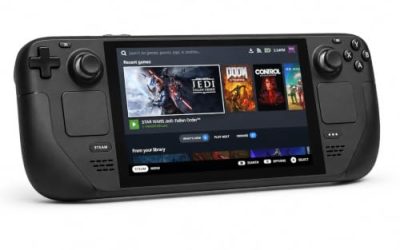
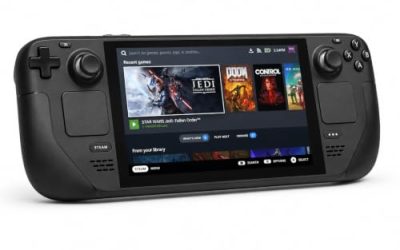
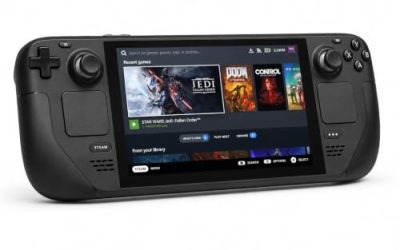
Valve Steam Deck OLED 512GB

The handheld the Playable badge was written for. The default graphics configuration passed Valve’s performance check; the caveats are input and text size, not frame rate.
Specs
- Display: 7.4-inch HDR OLED, 1280 by 800, up to 90 Hz
- Processor: AMD Zen 2 and RDNA 2 custom APU
- Memory: 16 GB LPDDR5
- Storage: 512 GB NVMe, plus a microSD slot
- Wireless: Wi-Fi 6E and Bluetooth
- Channel note: Valve sells the Deck mainly through its own store, so Amazon listings are third-party sellers
8BitDo Ultimate 2 Bluetooth Controller
Valve’s test configuration assumes a gamepad, and a pad with remappable back buttons is the practical answer to a default mapping that leaves some functions uncovered: patch the gaps onto the back buttons instead of reaching for the touchscreen.
Specs
- Connectivity: Bluetooth wireless and USB-C wired
- Joysticks: TMR electromagnetic, anti-drift design
- Triggers: Hall effect, with mode switching
- Extras: two remappable back buttons, motion control
- In the box: charging dock included
Xbox Wireless Controller, Carbon Black
The standard second pad for docked and desktop play. Valve’s sheet warns this game sometimes shows non-Deck controller icons anyway, so expect the occasional mismatched prompt whichever pad you bring.
- Connectivity: Xbox Wireless and Bluetooth
- Port: USB-C for wired play
- Controls: hybrid D-pad, dedicated Share button
- Power: AA batteries or optional rechargeable pack
Logitech G502 HERO
A top-down looter lives in its inventory screens, and at a desk a precise wired mouse turns stash management into single clicks. The programmable buttons cover the menu shortcuts the Deck sheet flags as friction points.
Specs
- HERO optical sensor, up to 25,600 DPI
- 11 programmable buttons
- Adjustable weight system
- Wired USB connection
- On-board memory profiles
Samsung T9 Portable SSD 2TB
The game asks for only 16 GB, so this drive is about the library around it: moving a Proton collection between machines, or keeping an offline backup. The headline speed needs a Gen 2×2 host port; on a lesser port the drive runs at that ceiling.
Specs
- Capacity: 2 TB portable SSD
- Interface: USB 3.2 Gen 2×2, USB-C connector
- Maker-rated speeds: up to 2,000 MB per second read, 1,950 MB per second write
- Features: Dynamic Thermal Guard, maker-rated drop resistance
How to choose
Choose the Steam copy, because it is the only PC edition on sale. On a Linux desktop or laptop, the route is Proton against the Windows build: Valve’s test configuration already ran that build under a Proton 10 beta with a clean performance pass, so start with the default compatibility tool and change nothing until the game gives you a reason. On Steam Deck, install expecting a playable game with homework: budget a few minutes for a community controller configuration or back-button remaps, and accept the manual on-screen keyboard for text fields. On any platform, ignore the soundtrack’s Linux flag when judging support; it describes an album. And weight the record’s silence properly: with no controller-support field on the store record, the only input evidence is Valve’s test sheet, deductions included.
Who should skip
Skip this one if you are shopping for a native Linux extraction shooter: no Linux build exists, and the one flag suggesting otherwise belongs to a free album. Skip the Deck plan if small in-game text is a hard limit, because Valve’s sheet names exactly that deduction. Skip it if a community Proton tier is the evidence you require before buying, since that record could not be read for this article and no tier is claimed here. And skip it if you want a DRM-free offline installer, because no GOG edition exists.
FAQ
Is Escape From Duckov native on Linux?
No. The game’s own record flags Windows and Mac only, its Linux requirements field is an empty shell, and no Linux client icon is registered behind the flag. The Proton route is the only Linux route.
Why does a Linux flag appear anywhere near this game?
Because the free soundtrack app, the game’s only add-on, flags all three platforms on its own record. Music files are platform-agnostic, so the album can carry a Linux flag without any Linux build of the game existing.
How does Escape From Duckov run on Steam Deck?
Valve rates it Playable, with SteamOS separately Compatible. The default graphics configuration performs well, but the default controller configuration is not fully functional, some text is small, and text entry needs the on-screen keyboard invoked by hand. The test behind the badge dates to 17 October 2025, the day after launch.
Is there a GOG version?
No. GOG’s catalogue and embed searches return no product for this game, only unrelated duck-titled neighbours, and the natural product address redirects to the general catalogue. Steam is the only storefront selling a PC edition.
Final verdict
Escape From Duckov is a Windows and Mac game whose family contains exactly one Linux flag, attached to a free soundtrack, and the honest Linux answer follows from that separation: not native, in any layer that matters. What a Linux player gets is a workable Proton route with a well-documented Deck sheet: Playable, performant at default settings, held back by input mapping and small text rather than by the engine, and graded so early that a retest is owed. Buy the Steam copy if that profile fits, bring a pad you can remap, and let the album’s flag mean what it is: music, available everywhere, proving nothing.
Product and ASIN Reference
| Product | ASIN |
|---|---|
| Valve Steam Deck OLED 512GB | B0CQ3RWQQZ |
| 8BitDo Ultimate 2 Bluetooth Controller | B0F194QFT2 |
| Xbox Wireless Controller, Carbon Black | B08DF248LD |
| Logitech G502 HERO | B07GBZ4Q68 |
| Samsung T9 Portable SSD 2TB | B0CHFS9K14 |