The Hundred Line -Last Defense Academy- is the 2025 adventure and simulation hybrid from Too Kyo Games and Media.Vision Inc., published by Aniplex Inc. and released on Steam on April 23, 2025. It is a long, story-driven game built around a school under siege, and Linux players usually arrive with one question: is there a native version, or does the Steam copy run through Proton?


The short answer is that there is no native Linux build, and this game’s record is unusually good at pretending otherwise. Three signals point the wrong way: two soundtrack apps carry Linux flags, the asset registry contains a registered Linux client icon, and its ProtonDB page displays a heading claiming native support. Every one collapses against the game’s own record, which flags Windows alone.
As an Amazon Associate, we earn from qualifying purchases.
Quick answer
No. The Hundred Line -Last Defense Academy- has no native Linux build: Steam’s record for the game flags Windows only, its Linux requirements field is an empty shell, and its single content depot is Windows delivery. The family’s Linux flags belong to two soundtrack apps, not the game. Under Proton it is Platinum-rated and Deck Playable.
What the game’s own record says
Start with the platform flags, because everything else here is commentary on them. The record reads windows true, mac false, linux false — the publisher’s own declaration of which builds exist, contradicted by no other layer.
The requirements tabs tell the same story. The Windows tab is genuinely populated: Windows 10 or 11, an Intel Core i3-7100 or AMD A10-7850K, 8 GB of RAM, a GeForce GTX 660 or Radeon RX 560, DirectX 11 and 32 GB of storage. The Mac and Linux requirements fields are empty shells — the standard minimum and recommended headings with nothing underneath, a labelled blank left by a store page template rather than a porting team.
SteamDB’s depot census shows exactly one content depot, 3014081 at 30.63 GiB, and the telling figure is the filtered total: filtered to Windows, English, no DLC depots, the size on disk is the same 30.63 GiB. Filtering to Windows loses nothing, because everything in the package is Windows delivery — no Linux, Mac or shared depot — and the add-on depots are Windows-configured too. The osextended field is an empty string, and the game’s own controller field reads full support: a fact about gamepads, not platforms.
The icon that proves nothing
One layer does look like evidence of a Linux build: the registered asset list. Alongside the expected clienticon, clienttga and icon entries, the registry holds a LinuxClientIcon, a hashed icon asset of the kind a native release would register. It does not follow. A client icon is store artwork metadata; it ships no code. A native build would need company for it — a Linux flag, a populated requirements tab, and above all a Linux depot carrying the game files — and this game has none of the three. The icon is a leftover from the page’s setup, an asset registered for a platform that never received a build, outweighed by every functional layer of the same record.
Two soundtracks, one trap
The downloadable content family is where this game’s Linux flags actually live, and they belong to the music. The base record’s DLC array holds exactly two entries, both read individually. The first, app 3313470, is the game’s Soundtrack, a music-type app — and it flags windows, mac and linux all true. The second, app 3319760, is the Artbook, flagging Windows only. Inside the array, the family’s sole Linux flag sits on the soundtrack, not on playable content.
There is also a second soundtrack outside the array. App 4282300, the Original Soundtrack released in January 2026, names the game as its parent app but does not appear in the base record’s DLC list at all — the soundtrack-outside-the-array shape. It too flags all three platforms true. Counted across the family, the Linux flags belong to two music apps and nothing else. Music apps commonly carry all-platform flags because audio files play anywhere; they describe the album, never the game.
Proton: Platinum, with one named fault line
Strip away the false signals and the practical picture is strong. ProtonDB’s summary record, read in full, settles at Platinum, with best-reported Platinum and trending Platinum, across 37 reports with strong confidence — long playthroughs completed on desktop Linux and Steam Deck, out of the box, on stock Proton.
Two qualifications recur across filings. The first is a progression fault: a battle late in the story, around Day 79, freezes on the loading screen for some players on AMD graphics running the standard Mesa driver stack; filings report that switching the Vulkan driver for that section, or briefly playing it on Windows and returning, clears it. The second is a Deck filing reporting that an April 2026 update broke launching on the then-default Proton, fixed by pinning Proton 9.0-4. Neither dents the Platinum tier; both are worth knowing before a hundred-hour commitment.
One heading on the game’s ProtonDB page should be ignored outright: it displays a “Natively Supports” heading above its requirements area, a known artefact generated when a game’s Linux requirements field exists as an empty shell — exactly the blank tab this record carries. It describes the template, not a build. Follow Steam.
Steam Deck: Playable, graded on the launch build
Valve’s own compatibility sheet — read here via SteamDB’s republication of Valve’s data — resolves to Playable, with SteamOS separately rated Compatible. The passes are substantive: all functionality is accessible with the default controller configuration, the game shows Steam Deck controller icons, and the default graphics configuration performs well. The single deduction is small in-game text, matching the game’s dense visual-novel presentation.
The paperwork’s date matters. Valve tested the game on April 26, 2025, three days after launch, against build 18145851 with a Proton 9.0-4 release candidate as the recommended runtime. The current public build is 23391396, from May 2026 — patched well past the graded code. The badge therefore grades a superseded build: still the best handheld guidance available, but a launch-era measurement, not a verdict on today’s build.
GOG and anti-cheat: two silences
There is no second PC storefront to fall back on. Ruled from GOG’s own surfaces: the store’s embed search returns no record for the game, the catalogue API returns only unrelated fuzzy matches, and the natural product address redirects to the general games catalogue. No GOG product record exists, so Steam is the only PC edition.
The anti-cheat question, usually the deciding layer for multiplayer titles, does not arise here. This is a single-player game; its record carries no DRM notice, no account requirement and no named anti-cheat. The AreWeAntiCheatYet database, read in full, holds no entry for this app at all — documentation silence, the expected state for a single-player release. Nothing stands between the Windows build and Proton except the compatibility layer itself.
Gear that fits the record
The gear below follows the record’s shape: the handheld the Playable badge was written for, two pads for docked and desktop play, a mouse for menu-heavy sessions, and library storage.
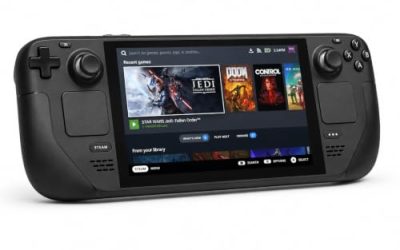
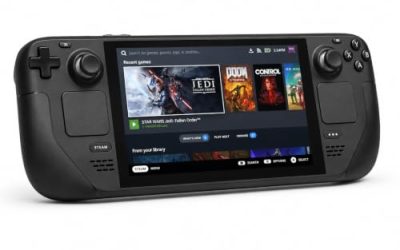
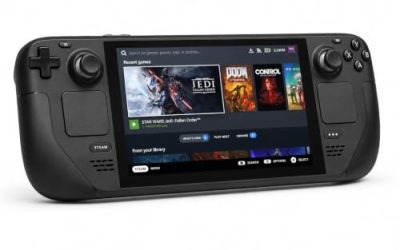
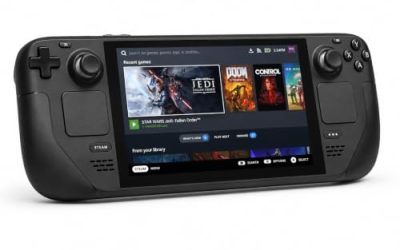
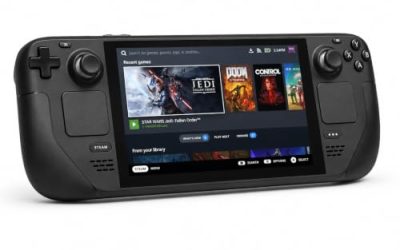
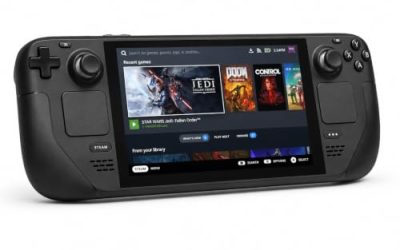
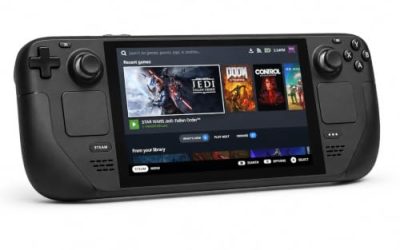
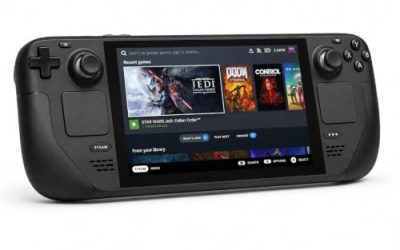
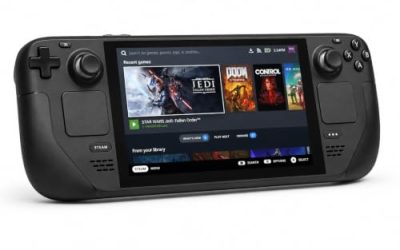
Valve Steam Deck OLED 512GB
The handheld the Playable badge was written for. The game’s requirements are modest next to the Deck’s APU, and Valve’s sheet passes the Windows build on functionality, glyphs and performance, with small text the only deduction.
Specs
- Display: 7.4-inch HDR OLED, 1280 by 800, up to 90 Hz
- Processor: AMD Zen 2 and RDNA 2 custom APU
- Memory: 16 GB LPDDR5
- Storage: 512 GB NVMe, plus a microSD slot
- Wireless: Wi-Fi 6E and Bluetooth
- Channel note: Valve sells the Deck mainly through its own store, so Amazon listings are third-party sellers
8BitDo Ultimate 2 Bluetooth Controller
The docked and desktop pad pick. Steam lists full controller support for the game, and this pad covers the couch case with modern sticks and triggers plus back buttons.
Specs
- Connectivity: Bluetooth wireless and USB-C wired
- Joysticks: TMR electromagnetic, anti-drift design
- Triggers: Hall effect, with mode switching
- Extras: two remappable back buttons, motion control
- In the box: charging dock included
Xbox Wireless Controller, Carbon Black
The safest guest pad in PC gaming: Steam Input support is universal, the glyphs match what most games display, and it pairs over Bluetooth or its own wireless standard.
- Connectivity: Xbox Wireless and Bluetooth
- Port: USB-C for wired play
- Controls: hybrid D-pad, dedicated Share button
- Power: AA batteries or optional rechargeable pack
Logitech G502 HERO
The game’s battles and menus are pointer-friendly, and at a desk a precise wired mouse turns inventory and shop trips into single clicks, with eleven programmable buttons for the inputs a long session repeats.
Specs
- HERO optical sensor, up to 25,600 DPI
- 11 programmable buttons
- Adjustable weight system
- Wired USB connection
- On-board memory profiles
Samsung T9 Portable SSD 2TB
For moving a Linux game library between machines, or keeping an offline backup of installers, a fast USB-C drive is the simple answer. The headline figure needs a Gen 2×2 host port; on a lesser port the drive runs at that ceiling instead.
Specs
- Capacity: 2 TB portable SSD
- Interface: USB 3.2 Gen 2×2, USB-C connector
- Maker-rated speeds: up to 2,000 MB per second read, 1,950 MB per second write
- Features: Dynamic Thermal Guard, maker-rated drop resistance
How to choose
Choose the Steam copy, because it is the only PC edition on sale. On a Linux desktop or laptop, install under Proton and start with the default compatibility tool; if a late-story battle freezes on an AMD system, the filings point to the Vulkan driver switch as the known way through. On Steam Deck, install and play, expect small text in dialogue-heavy scenes, and keep Proton 9.0-4 in mind as the fallback if an update upsets the default. For input, the record’s full controller support makes a pad the natural shape on every machine; add the mouse for long desktop menu sessions.
Who should skip
Skip the purchase if a native Linux build is a hard requirement: none exists, none is recorded anywhere in the game’s delivery layers, and neither the soundtrack flags nor the registered Linux icon changes that. Skip it if small text on a handheld screen is a dealbreaker — the Deck sheet’s one standing deduction, in a text-dense game. Skip it if a possible mid-story freeze on AMD hardware is more friction than you accept. And skip the soundtrack apps if what you wanted was the game on Linux — their flags say nothing about it.
FAQ
Is The Hundred Line native on Linux?
No. The game’s Steam record flags Windows only, its Linux requirements field is an empty shell, and its single content depot is Windows delivery. The registered Linux icon and the soundtrack flags are metadata artefacts, not a build.
Why do the soundtrack pages list Linux if the game does not?
Because they are separate music apps. Both the in-array Soundtrack and the later Original Soundtrack flag all three platforms, as audio releases commonly do. The game and its artbook flag Windows alone, and the ruling follows the game’s record.
Is The Hundred Line Steam Deck Verified?
It is rated Playable, not Verified. Valve’s sheet passes functionality, controller glyphs and performance, with small in-game text as the only deduction. The test ran in April 2025 against the launch build, so the badge grades superseded code.
Final verdict
The Hundred Line -Last Defense Academy- is a Windows-only game wearing three convincing disguises: a Linux flag on each of its two soundtrack apps, a Linux client icon in its asset registry, and a stray native-support heading on its ProtonDB page. Read layer by layer, the record is unambiguous — Windows flag, blank Linux requirements, one Windows depot, no GOG edition. What Linux players actually get is better than the disguises promise: a Platinum-rated Proton experience across 37 reports and a Deck Playable badge whose only deduction is small text. Buy the Steam copy for Proton, ignore the soundtrack flags, and keep the Day 79 workaround in mind on AMD hardware.
Product and ASIN Reference
| Product | ASIN |
|---|---|
| Valve Steam Deck OLED 512GB | B0CQ3RWQQZ |
| 8BitDo Ultimate 2 Bluetooth Controller | B0F194QFT2 |
| Xbox Wireless Controller, Carbon Black | B08DF248LD |
| Logitech G502 HERO | B07GBZ4Q68 |
| Samsung T9 Portable SSD 2TB | B0CHFS9K14 |