

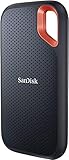
- Top Pick: Sandisk 2TB Extreme Portable SSD, Up to 1050MB/s, USB-C, USB 3.2 Gen 2, IP65 Water and Dust Resistance, Updated Firmware, External Solid State Drive, SDSSDE61-2T00-G25
- Best Value: Seagate Portable 5TB External Hard Drive HDD – USB 3.0 for PC, Mac, PS4, & Xbox – 1-Year Rescue Service (STGX5000400), Black
- Premium Choice: UnionSine 1TB Ultra Slim Portable External Hard Drive HDD-USB 3.0
The Real Difference
External SSDs and external hard drives do the same job on paper: they store files outside your PC. How they do it is completely different, and that difference shows up in speed, durability, price, and how annoyed you’ll be in five years. An HDD external drive spins a physical platter and reads data with a moving head, like a tiny record player. An SSD stores data electrically on flash memory chips with no moving parts. That one fact explains almost every other difference between them.
Speed, in actual numbers
A typical USB external HDD transfers at 80-160 MB/s in real-world use, depending on the drive and interface. A decent external SSD on USB 3.2 Gen 2 does 400-1000 MB/s. A good NVMe-based external SSD on USB4 or Thunderbolt can hit 2000+ MB/s. That’s not a marginal upgrade — it’s the difference between copying a 50GB video project in 10 minutes versus under a minute.
As an Amazon Associate we earn from qualifying purchases at no extra cost to you.


Where this actually matters: editing 4K video off the drive, backing up a full phone photo library, or running a Steam library from external storage. Where it doesn’t matter much: storing documents, archiving old photos you’ll open twice a year, or anything where you copy once and forget it.
Durability and failure modes
HDDs fail mechanically. Drop one while it’s spinning, or even just while it’s plugged in and jostled on a desk, and you risk a head crash — the read head contacts the platter and scratches it. That’s often unrecoverable without a data recovery lab. HDDs also don’t love heat, vibration, or being left in a hot car.
SSDs fail differently. No moving parts means they shrug off drops and vibration that would kill a hard drive. Their failure mode is usually flash memory wearing out after huge amounts of write cycles, or controller failure, which for most people’s usage patterns takes years to become a real risk. For a backup drive you plug in occasionally, this is a non-issue.
Neither type is immune to just dying for no clear reason. Any single drive, SSD or HDD, is not a backup strategy by itself — if the data matters, it needs to exist in at least two places.
Price per terabyte
This is where HDDs still win clearly. External hard drives routinely come in at $15-20 per TB at larger capacities (8TB, 10TB+), while external SSDs run $40-70 per TB at consumer tiers, more for high-performance NVMe models. If you need 8TB to archive a decade of backups, an HDD costs a fraction of what an SSD would, and for that use case the SSD’s speed advantage barely matters since you’re not reading from it constantly.
| External HDD | External SSD | |
|---|---|---|
| Typical speed | 80-160 MB/s | 400-2000+ MB/s |
| Shock resistance | Poor (moving parts) | Good (solid state) |
| Price per TB | $15-20 | $40-70+ |
| Best capacity range | 4TB-20TB | 500GB-4TB |
| Good for | Bulk archive, cold backup | Active projects, portable work drive, travel |
Which one to actually buy
If you’re backing up a desktop PC, archiving old files, or just want cheap bulk storage that sits on a shelf most of the time, buy the hard drive. You will not notice the speed difference for that job, and you’ll save real money per terabyte. Browsing external hard drives in the 4-8TB range covers most home backup needs without overspending.
If you’re editing video, moving large game installs, working off the drive directly, or traveling with it in a bag, get the SSD. The speed difference is not subtle, and the lack of moving parts means it survives being tossed in a backpack. Look at portable external SSDs for anything that travels or gets used daily.
A middle path a lot of people land on: a smaller fast SSD (1-2TB) for active projects and current work, plus a larger cheap HDD for long-term archive and backup. That’s not a compromise, it’s actually the setup that makes the most sense for most people once you separate “what I’m using right now” from “what I’m keeping just in case.” If you’re assembling that pair, it’s worth comparing external SSD and HDD options side by side rather than assuming one drive has to do everything.
Don’t ignore the cable and port
A fast SSD plugged into an old USB 2.0 port will perform like a mediocre HDD — the bottleneck moves to the interface. Check that your PC or laptop actually has USB 3.1/3.2, USB4, or Thunderbolt before paying extra for a high-speed SSD, otherwise you’re paying for speed you can’t use. Most laptops from the last five years have at least one fast port, but older desktops and budget machines sometimes don’t. It’s a five-second check in your PC’s spec sheet that saves you from a disappointing first transfer.

















