

- Top Pick: SHANGZHAOYUAN B85M PRO LGA 1150 Motherboard for Intel 4th Gen Core i7 i5 i3/Pentium/Celeron Series Processors (Micro-ATX, DDR3, PCIe 3.0, NVME M.2, SATA 3.0, VGA/DVI/HDMI-Compatible, Gigabit LAN)
- Best Value: MACHINIST LGA 1150 Gaming Motherboard, H81 Micro ATX Intel 4th Gen for Desktop PC Support i3 i5 i7/Xeon E3 V3 Processor, Dual-Channel DDR3 Max 16GB, NVME M.2, SATA 3.0, PCIe X16, H81M-PRO S1
- Premium Choice: ASUS ATX DDR3 2600 LGA 1150 Motherboards H97-PLUS
LGA 1150 is a socket from the Haswell era, so every board here is a replacement or revival part rather than the start of a new platform. People shop for one for a reason: an old desktop with a dead board, a home server nobody wants to rebuild, or a retro gaming machine where the processor, memory, and cooler already sit in a drawer. The decision is not about the newest feature set. It is about matching chipset, board size, and memory support to parts you already own.
This guide for 2026 covers ten boards from familiar names and from newer sellers of DDR3 boards. Judgments rely only on what each title says: chipset, form factor, memory type, and storage options. Because some titles are sparse, the reviews point out what to verify on the listing page before ordering, such as processor support lists, BIOS versions, and return terms.
Quick Picks
As an Amazon Associate we earn from qualifying purchases at no extra cost to you.


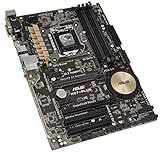


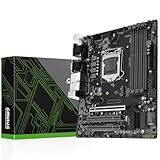


| Product | Best for | Key spec from the title |
|---|---|---|
| SHANGZHAOYUAN B85M PRO | Compact build with NVMe | Micro-ATX, NVME M.2, Gigabit LAN |
| MACHINIST H81M-PRO S1 | Xeon E3 V3 or Core builds | Dual-channel DDR3, max 16GB |
| ASUS H97-PLUS | Full-size ATX, name brand | ATX, DDR3 2600 |
| SHANGZHAOYUAN H97 Strong | Small-form-factor server | Mini ITX, dual LAN |
| THFKLXT Z97-K R2.0 | Z97 board for ASUS Z97-K swaps | Z97, DDR3 32G, original disassembly |
| ASUS H81M-K | Basic office replacement | Micro ATX, DDR3 1066 |
| DAUERHAFT H81 | Entry build with M.2 | M.2 NVMe NGFF, Micro ATX |
| SHANGZHAOYUAN H97M PRO | Four memory slots | 4 DDR3 slots, 4th/5th gen |
| Gigabyte GA-Z97X-GAMING 7 | Enthusiast Z97 ATX | Z97, DDR3 1600 |
| ASUS Z97-E/USB 3.1 | Full-size Z97 with USB 3.1 | ATX, DDR3 2600 |
How to Choose
Chipset sets the ceiling
H81 sits at the bottom with the fewest ports and lanes, B85 and H97 add more connectivity, and Z97 is the tier for overclocking K-series processors and richer expansion. If you plan to keep a stock processor, Z97 is optional. Confirm that the board supports your processor generation too, since some titles mention 4th gen only and others add 5th gen.
Choose the form factor before the brand
ATX offers the most slots, Micro-ATX fits most mid-size cases, and Mini ITX targets compact builds with a single graphics slot. Count the expansion cards you plan to install, then check your case supports the board size. A Mini ITX board in a roomy tower works, but it leaves you with few slots for capture cards or extra storage controllers.
Memory is DDR3 only, so check slots and limits
Every board here uses DDR3, so DDR4 kits will not fit. Check the slot count, capacity limits such as the 16GB maximum on the MACHINIST board or the 32G on the THFKLXT listing, and the memory speed named in each title. Reusing DDR3 you already own is often the reason to stay on this socket at all.
Storage and verification: where budget boards cut corners
Several titles advertise NVMe M.2 slots. On a platform this old, booting from NVMe can depend on firmware, so look for confirmation from the seller. Budget boards often skimp on documentation, warranty, and BIOS updates. A board described as original disassembly was likely pulled from another system, so check the return terms before ordering.
The 10 Best Options
SHANGZHAOYUAN B85M PRO
A Micro-ATX B85 board for 4th-gen Core i7, i5, i3, Pentium, and Celeron processors, listing DDR3, PCIe 3.0, NVMe M.2, SATA 3.0, VGA/DVI/HDMI-compatible outputs, and Gigabit LAN. It suits a tidy mid-size rebuild for someone adding a modern drive slot to an older processor.
- Strength: an M.2 NVMe slot is uncommon on this socket.
- Strength: B85 sits above H81 in the chipset ladder.
- Trade-off: the brand is a lesser-known seller, so BIOS support is uncertain.
Skip it if you want a name-brand warranty or a firm support list. Ask the seller which BIOS version ships on the board, because that decides whether your exact processor will start.
MACHINIST H81M-PRO S1
A Micro ATX H81 board that names i3, i5, i7, and Xeon E3 V3 processors, dual-channel DDR3 up to 16GB, NVMe M.2, SATA 3.0, and a PCIe X16 slot. The Xeon mention is useful for builders who already own or located a used workstation processor.
- Strength: Xeon E3 V3 support widens the processor choices.
- Strength: it lists NVMe M.2 alongside a full-length graphics slot.
- Trade-off: the 16GB ceiling limits memory-hungry workloads.
Skip it if you need more than 16GB, a higher chipset tier, or the extra ports that come with H97 and Z97 boards.
ASUS H97-PLUS
A full-size ATX H97 board from a major manufacturer, with DDR3 2600 in its title. It is a familiar name for someone repairing a standard desktop who values manuals and BIOS downloads from the vendor.
- Strength: a recognized brand helps with documentation and firmware.
- Strength: the ATX size leaves room for expansion cards.
- Trade-off: the title gives no storage or port detail to compare.
Skip it if you want overclocking support, which belongs to Z97. Also skip it if you need an M.2 slot, since the title does not list one.
SHANGZHAOYUAN H97 Strong
A Mini ITX H97 board listing DDR3, PCIe 3.0, NVMe M.2, SATA 6Gb/s, video outputs, and dual LAN. The two network ports make it a candidate for a small router, firewall, or home server in a compact case.
- Strength: dual LAN suits firewall or server duty.
- Strength: the small footprint fits compact cases.
- Trade-off: Mini ITX means very few slots for expansion.
Skip it if you need several add-in cards or four memory slots. A sound card, a capture card, and a storage controller will not all fit.
THFKLXT Z97-K R2.0
A Z97 board listed as fit for the ASUS Z97-K R2.0, with DDR3 32G, SATA3, ATX sizing, and the phrase original disassembly. That wording signals a used or pulled part, aimed at owners replacing a failed Z97-K.
- Strength: Z97 allows overclocking on supported K processors.
- Strength: 32GB memory support is generous for the platform.
- Trade-off: a pulled board has an unknown history, so return terms matter.
Skip it if you want a new, boxed board with a clear warranty, or if your case needs a different size than a standard ATX layout.
ASUS H81M-K
A basic Micro ATX H81 board from ASUS with DDR3 1066 in the title. It is an office-class replacement for a machine that only needs to boot, browse, and run light software.
- Strength: a trusted brand name on the simplest chipset tier.
- Strength: Micro ATX fits most standard cases.
- Trade-off: the title mentions no M.2 slot or extra features.
Skip it if you want expansion options or fast storage. Many buyers pair it with a SATA drive and a modest processor, and that is where it makes sense.
DAUERHAFT H81 M.2
A Micro ATX H81 gaming board advertising M.2 NVMe NGFF at 6Gbs. It tries to bring a modern drive slot to a basic platform, which attracts upgraders refreshing an old tower.
- Strength: M.2 support is the main advantage over the plain H81 options.
- Strength: Micro ATX compatibility with common cases.
- Trade-off: the title lacks processor and memory details, so ask before buying.
Skip it if you need a published support list. Ask what BIOS version ships with the board and whether the seller offers a replacement if the board fails.
SHANGZHAOYUAN H97M PRO
A Micro ATX H97 board for 4th and 5th gen Core i3, i5, i7, Pentium, and Xeon, with four DDR3 slots, SATA 3.0, USB 3.0, NVMe M.2, and PCIe 3.0. It is the one here that explicitly mentions 5th generation.
- Strength: four memory slots allow flexible DDR3 configurations.
- Strength: the 5th-gen mention widens processor options.
- Trade-off: a lesser-known brand with limited documentation.
Skip it if you want a major-brand board, or if you plan to run more than four memory modules in a single configuration.
Gigabyte GA-Z97X-GAMING 7
An ATX Z97 board with DDR3 1600, positioned by its model name as a gaming-line part. It appeals to enthusiasts rebuilding a classic overclocked system.
- Strength: Z97 and a gaming-line name suggest a fuller feature set.
- Strength: ATX room for add-in cards.
- Trade-off: the title lists few specifics, so verify ports and condition.
Skip it if you want a compact build. It is a large board, so confirm that your case and cooler leave space around the socket.
ASUS Z97-E/USB 3.1
A full-size ATX Z97 board with DDR3 2600 and USB 3.1 in the model name. It serves builders who want a major-brand Z97 with newer external connectivity.
- Strength: USB 3.1 adds faster external connectivity.
- Strength: Z97 and ATX offer overclocking and expansion.
- Trade-off: the title does not state condition, so confirm whether the board is new.
Skip it if you want a Micro ATX board, or if you cannot confirm the condition and warranty with the seller before ordering.
Which One Fits Your Situation
You want to add an NVMe drive
Look at the SHANGZHAOYUAN B85M PRO or H97M PRO, both of which list NVMe M.2. Ask the seller to confirm boot support and the BIOS version before ordering.
You are building a home server or router
The H97 Strong Mini ITX board lists dual LAN, which is the main requirement for a small firewall. Pair it with a compact case and a low-profile cooler, and add a small SATA drive for the Windows install.
You want name-brand support
Choose the ASUS H97-PLUS for stock use or the ASUS Z97-E/USB 3.1 if you want Z97 features. Both come from a vendor with downloadable manuals, which helps when you need to reset a BIOS or look up header layouts.
You overclock a K-series processor
The Gigabyte GA-Z97X-GAMING 7 is the enthusiast option here, with the Z97 chipset in an ATX size. Pair it with a K-series processor and a capable cooler to take advantage of the chipset.
Common Mistakes
- Buying without checking whether your processor generation is supported.
- Assuming NVMe booting works on this platform without checking the BIOS.
- Ordering a Mini ITX board for a case built around ATX layouts.
- Ignoring return terms on boards described as pulled or disassembled.
- Expecting DDR4 memory or modern processors to fit this socket.
Related guides
- Aio Liquid Coolers For High Performance Gaming
- How To Lower Input Delay In Competitive Shooters
- Wireless Gaming Headsets Under 100 For Pc
Frequently Asked Questions
Which chipset is the right pick?
H81 suits basic use, B85 or H97 add more connectivity, and Z97 is for overclocking. Choose based on the ports and features you actually plan to use, and remember that a higher tier only helps if your processor and case can take advantage of it. Stock-clocked builds rarely need Z97.
Can DDR4 memory be used?
No. LGA 1150 boards use DDR3, so any new build must reuse or source DDR3 modules. Check that the modules you own match the speed and capacity named in the board listing before you order.
Are used boards safe to buy?
They can work well, but confirm the return policy and inspect the socket pins on arrival. A pulled board has no manufacturer warranty to fall back on.
Do these boards support newer processors?
No. They support only the processors designed for this socket, from 4th generation and, on some listings, 5th generation.

















