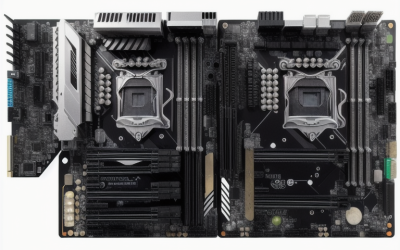
- Top Pick: ASUS TUF Gaming B550-PLUS WiFi II AMD AM4 (3rd Gen Ryzen™) ATX DDR4 Gaming Motherboard (PCIe 4.0, WiFi 6, 2.5Gb LAN, BIOS Flashback, USB 3.2 Gen 2, Addressable RGB Header and Aura Sync)
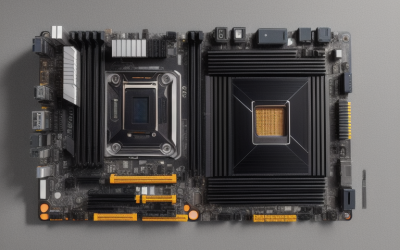
- Best Value: GIGABYTE B550 Gaming X V2 AMD AM4 ATX Motherboard, Supports Ryzen 5000/4000/3000 Series Processors, DDR4, 10+3 Power Phase, 2X M.2, PCIe 4.0, Front USB-C, GbE LAN, Q-Flash Plus, RGB Fusion
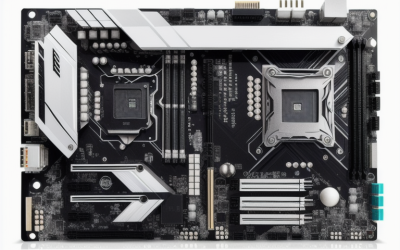
- Premium Choice: GIGABYTE B550 Eagle WIFI6 AMD AM4 ATX Motherboard, Supports Ryzen 5000/4000/3000 Processors, DDR4, 10+3 Power Phase, 2X M.2, PCIe 4.0, USB-C, WIFI6, GbE LAN, PCIe EZ-Latch, EZ-Latch, RGB Fusion
The Ryzen 7 2700X is a second-generation AM4 processor, and that single fact shapes every purchase decision around it. Most current AM4 board listings advertise support for Ryzen 5000, 4000, and 3000 chips, and a 2700X belongs to the older 2000 series that the titles rarely name. So the real job is not finding a good AM4 board; it is finding one whose manufacturer support page also covers your chip, and then getting it to boot with the right BIOS version.
This guide is for anyone who already owns a 2700X, or picked one up secondhand, and wants a sensible home for it. This guide covers eight AM4 boards, from basic micro-ATX models to full ATX designs with WiFi and fast LAN. Two AM5 listings in the original shortlist were removed because that socket cannot take a 2700X. Everything below comes from listed specs, so treat the 2026 picks as a shortlist and confirm CPU support before buying.
Quick Picks
As an Amazon Associate we earn from qualifying purchases at no extra cost to you.


| Product | Best for | Key spec from the title |
|---|---|---|
| ASUS TUF Gaming B550-PLUS WiFi II | ATX build with WiFi 6 and 2.5Gb LAN | BIOS Flashback, PCIe 4.0 |
| GIGABYTE B550 Gaming X V2 | Wired ATX build | 10+3 power phase, 2X M.2 |
| GIGABYTE B550 Eagle WIFI6 | WiFi ATX build | WIFI6, EZ-Latch, 10+3 power phase |
| ASUS ROG Strix B550-F Gaming WiFi II | Premium B550 features | WiFi 6E, HDMI 2.1, 2.5Gb LAN |
| MSI A520M-A PRO | Compact, entry-level | PCIe 3.0, micro-ATX |
| ASRock B550M-HDV | Compact with PCIe 4.0 | DDR4 4733+ (OC), Gigabit LAN |
| ASUS Prime X570-Pro | X570 platform, dual M.2 | PCIe Gen4, USB 3.2 Gen 2 |
| MSI A520M-A PRO V1 | Compact, entry-level alternative | PCIe 3.0, DVI/HDMI |
How to Choose
Check the CPU support list, not just the socket
All eight boards use the AM4 socket, but support is decided by BIOS. The listed titles name Ryzen 3000, 4000, and 5000, and the Prime X570-Pro adds Zen 3 and third-generation Ryzen. None names the 2000 series. Open the manufacturer page, find the CPU support table, and confirm that the 2700X appears along with the minimum BIOS version required.
BIOS Flashback and Q-Flash Plus
Older BIOS revisions on a new board can refuse a newer chip, and the reverse can also apply. The ASUS titles list BIOS Flashback, and the Gigabyte B550 boards list Q-Flash Plus. These features let you update firmware from a USB stick without installing a CPU, which removes a common source of frustration on a first boot. Boards without a named flash tool, such as the MSI and ASRock models here, may need a compatible older processor installed to update.
Chipset tier and expansion
A520 is the entry chipset with PCIe 3.0, B550 adds PCIe 4.0 and usually dual M.2 slots, and X570 sits at the top with more lanes. A 2700X only runs PCIe 3.0 lanes to its own slots, so the extra bandwidth matters only if you later upgrade to a newer chip. Count M.2 slots and SATA ports against the drives you own, and remember that a 2700X system usually pairs with DDR4 memory, which every board in this list uses. Matching a four-slot ATX board to a small case is a common slip, so check dimensions as well.
Video outputs, power, and size
The 2700X has no integrated graphics, so HDMI and DVI outputs on the board do nothing until a graphics card is installed. Look instead at power phase counts (10+3 on several Gigabyte and listed stage counts) for stable operation, and match ATX or micro-ATX to your case. Budget boards usually trim heat sinks, fan headers, and rear USB first.
The 8 Best Options
ASUS TUF Gaming B550-PLUS WiFi II
An ATX B550 board for builders who want WiFi 6 and 2.5Gb LAN on the same board as a recovery tool for firmware updates. The title lists third-generation Ryzen, so confirm older-generation support yourself. It targets someone who wants a full-size board with modern networking and room to grow into storage and extra cards later.
- Strength: BIOS Flashback, WiFi 6, and 2.5Gb LAN in the title.
- Strength: PCIe 4.0, USB 3.2 Gen 2, and an addressable RGB header.
- Trade-off: the title names third-generation Ryzen only.
Skip it if the manufacturer list does not include the 2700X, or if you only need a compact board, because the ATX frame needs a mid-size case and the feature set exceeds a basic build.
GIGABYTE B550 Gaming X V2
A wired ATX option for a 2700X system that will use Ethernet and cares about power delivery, with a front USB-C connector for modern cases. The V2 label means you should also confirm the exact revision against the support table before ordering.
- Strength: 10+3 power phase and two M.2 slots.
- Strength: Q-Flash Plus for updating firmware without a CPU, plus RGB Fusion.
- Trade-off: no wireless in the title, only GbE LAN.
Skip it if you want built-in WiFi, or if the support list leaves out Ryzen 2000, since the wired-only design leaves you to add an adapter for wireless use on a desk without a cable run.
GIGABYTE B550 Eagle WIFI6
An ATX board that adds WiFi 6 and a tool-free graphics card latch to the same 10+3 power phase design, useful for desks without Ethernet. The EZ-Latch feature on the listing is a convenience for fitting and removing a long graphics card without a screwdriver.
- Strength: WIFI6 and USB-C in the title, with two M.2 slots.
- Strength: PCIe EZ-Latch and RGB Fusion for easy assembly.
- Trade-off: GbE LAN only, with no 2.5G port.
Skip it if you need 2.5G networking, or if the manufacturer page leaves out older chips, because the board then offers no path to a faster wired connection without a separate card.
ASUS ROG Strix B550-F Gaming WiFi II
The feature-rich ATX B550 pick, listing WiFi 6E, 2.5Gb LAN, and HDMI 2.1 for buyers who want more connectivity than a basic board offers. It is the high-end B550 entry here, so it makes the most sense if the 2700X is a stopgap before a future processor swap.
- Strength: WiFi 6E and 2.5Gb LAN with BIOS Flashback.
- Strength: PCIe 4.0 and an addressable RGB header with Aura Sync.
- Trade-off: the premium feature list is more than a 2700X build can use.
Skip it if you want a minimal build, since this model is aimed at newer processors and its extras go unused on a 2700X, while you still need to verify the older chip is listed.
MSI A520M-A PRO
A basic micro-ATX board for small, simple 2700X systems that need only a few drives and no fancy networking. It is the entry chipset here, so expect the simplest feature list in the group and a compact footprint.
- Strength: micro-ATX footprint with SATA 6Gb/s and an M.2 slot.
- Strength: DVI and HDMI outputs for systems with an APU.
- Trade-off: PCIe 3.0 and no wireless.
Skip it if you want PCIe 4.0 storage or built-in WiFi later, since the A520 tier stops at PCIe 3.0 and the title mentions no wireless of any kind.
ASRock B550M-HDV
A micro-ATX B550 board that keeps PCIe 4.0 and fast memory support in a compact frame, aimed at a lean build. It is the compact way to get B550 features and fast memory speeds without stepping up to a full ATX frame.
- Strength: PCIe 4.0 and DDR4 4733+ (OC) in the title.
- Strength: Gigabit LAN in a compact layout.
- Trade-off: the listing names fewer extras and no WiFi.
Skip it if you want WiFi, dual M.2 confirmation, or a full ATX layout, because the title is brief about extras and lists only Gigabit LAN for connectivity.
ASUS Prime X570-Pro
An ATX X570 board for builders who want a higher-tier chipset with dual M.2 slots and Gen4 support behind a 2700X. As the older flagship-tier chipset, it fits builders who value expansion and plan to reuse the board across a future CPU upgrade.
- Strength: PCIe Gen4, dual M.2, and USB 3.2 Gen 2.
- Strength: names Zen 3 Ryzen 5000 and third-generation Ryzen.
- Trade-off: no WiFi in the title, and the X570 tier exceeds a 2700X build.
Skip it if you want a small board or built-in wireless, since the title lists neither and the full ATX size needs a roomy case.
MSI A520M-A PRO V1
The listing carries the same specs as the other A520M-A PRO and adds a V1 label. It is the compact route for a no-frills build, useful when you want a second, near-identical option if the first listing is unavailable.
- Strength: micro-ATX with DVI and HDMI and an M.2 slot.
- Strength: Ryzen 5000 support named in the title.
- Trade-off: PCIe 3.0, and the V1 revision should be checked against the support list.
Skip it if you want PCIe 4.0 or a unique feature set, since the V1 listing offers no advantage over the other A520M-A PRO beyond its revision label.
Which One Fits Your Situation
You want the safest path to a first boot
Pick the ASUS TUF Gaming B550-PLUS WiFi II or a Gigabyte B550 board, both listing a flash tool that works without a CPU. Update the BIOS before you install the 2700X, then confirm the chip is on the support list so the first start-up goes smoothly.
You are building small
The ASRock B550M-HDV keeps PCIe 4.0 in micro-ATX, while the MSI A520M-A PRO suits the simplest build.
You want WiFi and fast wired networking
The ASUS ROG Strix B550-F Gaming WiFi II lists WiFi 6E and 2.5Gb LAN. The Gigabyte B550 Eagle WIFI6 is the simpler WiFi choice when a Gigabit wired port is enough.
You plan to upgrade the CPU later
The ASUS Prime X570-Pro names Ryzen 5000, so it leaves room to move to a newer chip. The Gigabyte B550 Gaming X V2 also lists Ryzen 5000 and adds a 10+3 power phase for the same reason.
Common Mistakes
- Assuming every AM4 board accepts a 2700X without reading the support table.
- Skipping the BIOS update step before installing an older processor.
- Counting on onboard video outputs even though the 2700X has no graphics.
- Choosing X570 for features the processor cannot use.
- Buying an AM5 combo and expecting an AM4 chip to fit.
Related guides
- Aio Liquid Coolers For High Performance Gaming
- How To Lower Input Delay In Competitive Shooters
- Wireless Gaming Headsets Under 100 For Pc
Frequently Asked Questions
Does the Ryzen 7 2700X need an AM4 board?
Yes. It is an AM4 processor, so AM5 boards will not take it. Always match the exact chip to the manufacturer support list.
Can I use a B550 board with a 2700X?
Many B550 titles list Ryzen 3000 and newer. Check the support page for the 2700X and the minimum BIOS before buying.
Do I need PCIe 4.0?
Not for the processor itself. It matters only if you later move to a newer chip and want faster storage or graphics lanes.
Why did the AM5 listings not appear?
One is a Ryzen 7 7700X combo and the other a B840 board, and both use AM5. A 2700X cannot be installed in either.