The Samsung 9100 PRO is Samsung’s PCIe 5.0 x4 NVMe SSD in the M.2 2280 size, and two of the four listings in this set carry that name: a 2TB model and a 4TB model. The other two are the older 990 PRO in 2TB and 4TB, which stay on PCIe 4.0. This review works from the listing titles, Samsung’s published documentation and the pattern of buyer feedback on drives like these. It explains what the Gen5 jump really buys, how heat and lane sharing affect a build, and when the older drive is the smarter purchase.
- At a glance
- What the listing titles confirm and what they leave out
- PCIe 4.0 versus PCIe 5.0: what the jump changes
- Heat and airflow demands
- Platform and lane rules before you buy
- Who should buy the 9100 PRO and who should skip it
- The four listings in detail
- Worked example: endurance in plain numbers
- Pre-purchase checklist
- Verdict
- Frequently asked questions
At a glance

Samsung SSD 9100 PRO 2TB, PCIe 5.0x4 M.2 2280, Up to 14,700MB/s | NVMe Internal Solid State Hard Drive best for AI Computing, Gaming, and Heavy Duty Workstations (MZ VAP2T0B/AM)





As an Amazon Associate we earn from qualifying purchases. Product prices and availability are accurate as of the date/time indicated.
Samsung SSD 9100 PRO 4TB, PCIe 5.0x4 M.2 2280, Up to 14,800MB/s | NVMe Internal Solid State Hard Drive best for AI Computing, Gaming, and Heavy Duty Workstations (MZ VAP4T0B/AM)

As an Amazon Associate we earn from qualifying purchases. Product prices and availability are accurate as of the date/time indicated.

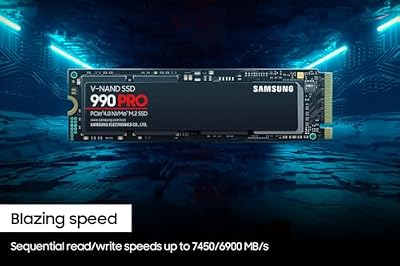
Samsung SSD 990 PRO 2TB, PCIe 4.0 M.2 2280, Up to 7,450 MB/s | NVMe Internal Solid State Hard Drive for High End Computing, Gaming, and Heavy Duty Workstations, (MZ-V9P2T0B/AM)


As an Amazon Associate we earn from qualifying purchases. Product prices and availability are accurate as of the date/time indicated.

Samsung SSD 990 PRO 4TB, PCIe 4.0 M.2 2280, Up to 7,450 MB/s | NVMe Internal Solid State Hard Drive for High End Computing, Gaming, and Heavy Duty Workstations (MZ-V9P4T0B/AM)




As an Amazon Associate we earn from qualifying purchases. Product prices and availability are accurate as of the date/time indicated.
| Listing | What the title states | Price tier in this set | Best for |
|---|---|---|---|
| Samsung 9100 PRO 2TB (MZ VAP2T0B/AM) | PCIe 5.0 x4, M.2 2280, up to 14,700 MB/s | Mid | Gen5 boards, one main drive for games and projects |
| Samsung 9100 PRO 4TB (MZ VAP4T0B/AM) | PCIe 5.0 x4, M.2 2280, up to 14,800 MB/s | Premium | Creators and large libraries on one drive |
| Samsung 990 PRO 2TB (MZ-V9P2T0B/AM) | PCIe 4.0, M.2 2280, up to 7,450 MB/s | Mid | Gen4 boards, PS5-class setups with heatsink checks |
| Samsung 990 PRO 4TB (MZ-V9P4T0B/AM) | PCIe 4.0, M.2 2280, up to 7,450 MB/s | Premium | Big libraries on a Gen4 platform |
Nobody on the team used or measured these units. Everything here comes from published specifications, manufacturer documentation and buyer reviews, and anything beyond the titles is flagged as general knowledge or as something to confirm on the listing.
What the listing titles confirm and what they leave out
The titles confirm the interface (PCIe 5.0 x4), the form factor (M.2 2280), the capacity and a peak read figure: up to 14,700 MB/s on the 2TB and up to 14,800 MB/s on the 4TB. Those are the seller’s headline numbers, and peak sequential reads are quoted for ideal conditions, so treat them as a ceiling rather than a promise for everyday use.
The titles do not state sequential write speed, random performance, endurance, cache design or whether a heatsink is bundled. Samsung’s documentation lists a write rating below the read rating, and it notes that headline write figures rely on a short-lived turbo write buffer, so sustained writes can fall under the peak. The same documentation gives a five-year limited warranty and a total-bytes-written rating that scales with capacity. Read those values on Samsung’s product page for your exact model code before you rely on them.
The model code matters. The codes in these titles end in /AM, which points to the North American SKU, and the capacity digits (2T0B and 4T0B) match the capacity in the name. If you are shopping for a version with a heatsink, look for that wording explicitly in the title or bullet points rather than assuming it.
The marketing line in the titles, “best for AI Computing, Gaming, and Heavy Duty Workstations,” is the seller’s positioning. It is not a certification, and nothing about it changes how the drive behaves in a normal gaming PC.
PCIe 4.0 versus PCIe 5.0: what the jump changes
PCIe 5.0 doubles the per-lane transfer rate of PCIe 4.0, so an x4 link has roughly twice the ceiling. That is why the 9100 PRO titles quote about 14,700 MB/s while the 990 PRO titles quote 7,450 MB/s. The ceiling is only useful if the workload can reach it, and most consumer workloads cannot.
Game loading is dominated by decompression, shader preparation and engine startup, not raw read speed. Moving from a fast Gen4 drive to a Gen5 drive often changes load times only a little. Technologies that stream assets straight from storage to the graphics card, such as DirectStorage, can reduce CPU overhead, and a faster drive can help there, but support depends on the game and the version in use, so check the specific titles you play.
Where Gen5 earns its price is sustained, large transfers: copying a multi-hundred-gigabyte project folder, scrubbing high-bitrate footage from a scratch disk, loading big datasets for local AI experiments, or moving a whole game library between machines. In those jobs the drive spends real time near its limits, and every minute saved is visible.
| Workload | Does Gen4 (990 PRO class) cover it? | What Gen5 (9100 PRO class) adds |
|---|---|---|
| Installing and loading games | Yes, comfortably | Small, title-dependent gains; more headroom for future streaming engines |
| Windows boot and everyday apps | Yes | Little you would notice |
| Copying very large folders | Yes, fast enough for most people | Shorter waits if the other end is also fast |
| High-bitrate video editing scratch disk | Usually yes | Headroom for multiple streams and heavy proxy workflows |
| Local AI model loading | Yes | Faster cold loads of large model files |
| Console storage upgrade | Yes, if the console accepts the drive | Nothing, the console limits the link speed |
One more point from general knowledge: copy speed is limited by the slower side. If the source is a SATA drive, a network share or a USB enclosure, the destination drive’s Gen5 ceiling never comes into play.
Heat and airflow demands
Higher link speed means more controller activity, and Gen5 drives are widely reported to run hotter than Gen4 ones under sustained load. Samsung documents an active power draw in the single-digit watts for this family, which is not much compared with a graphics card but is concentrated in a tiny package. When a drive reaches its temperature threshold it throttles, and the headline speed disappears until it cools.
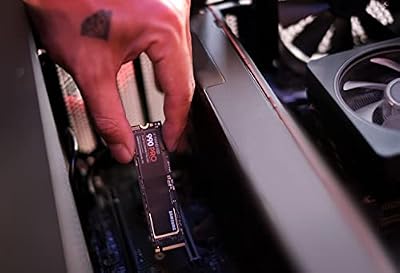
Practical steps, all general advice: use the motherboard’s M.2 shield if the slot has one, remove the protective film from the thermal pad, keep the slot out of the direct heat plume under a large graphics card if the board layout allows, and keep some case airflow moving across the lower half of the motherboard. Do not stack a second heatsink on top of a shield. If you buy a version with a heatsink, measure the clearance between the slot and the graphics card or cooler, because tall heatsinks can collide with neighbors.
The 990 PRO is a cooler-running choice by comparison, which is one reason it remains attractive for compact cases with limited airflow.
Platform and lane rules before you buy
A Gen5 drive only runs at Gen5 if the slot is wired for it, and on many consumer boards only one M.2 slot qualifies. That slot is often connected directly to the processor, and some boards share lanes between that slot and the main graphics slot or other connectors. The manual usually spells out which combinations are possible. Read the lane table in the manual before you buy, not after.
- Check which M.2 slot is Gen5 and whether using it disables another slot or changes the graphics slot width.
- Confirm that your processor and chipset support PCIe 5.0 storage at all. Older platforms top out at Gen4, and the drive will simply run at Gen4 speed.
- Ask whether the board supports a heatsink or shield and what clearance it allows.
- Check the BIOS version if the board was built before the drive family existed; a BIOS update occasionally improves compatibility.
For related build planning, see the guide to the darkFlash DY470 full-tower case for an example of how case airflow decisions interact with storage placement.
Who should buy the 9100 PRO and who should skip it
It suits
- Builders on a current PCIe 5.0 platform who want one drive that will not become the bottleneck.
- Creators who move large files daily and value minutes saved.
- Buyers planning to keep the drive through several graphics card and CPU upgrades.
It is a weaker fit for
- Gamers on a Gen4 board, where the drive will run at Gen4 speed.
- Small-form-factor builds with poor airflow and no room for a shield.
- Anyone whose budget is better spent on a graphics card, which usually changes frame rates far more than storage speed does.
The four listings in detail
Samsung 9100 PRO 2TB (MZ VAP2T0B/AM)
This is the subject listing for most buyers, because 2TB is the capacity at which a modern game library, the operating system and a few creative projects fit without constant cleanup. The title confirms PCIe 5.0 x4, M.2 2280 and up to 14,700 MB/s. Samsung’s documentation, which you should verify on the product page, gives a 1,200 TBW endurance rating for this capacity and a five-year warranty.
The relevant question is price. In the listing data used for this article, the 2TB 9100 PRO and the 2TB 990 PRO sit close together, and prices change daily. If the gap is small, the newer drive is easy to recommend for a Gen5 board. If the 9100 PRO is meaningfully more expensive on the day you shop, the 990 PRO delivers most of what a gamer will actually feel.
Ask before buying: does the board have a Gen5 slot, and does the listing include a heatsink?
Pros
- Doubles the interface ceiling of the 990 PRO listings on a Gen5 slot.
- Capacity that suits both a game library and project files.
- Samsung documentation gives a five-year limited warranty; confirm on the product page.
Cons
- Runs hotter than Gen4 drives; needs a shield or heatsink plan.
- Peak speed is invisible in most game loading.
- Useless extra headroom on a Gen4 board.
Samsung 9100 PRO 4TB (MZ VAP4T0B/AM)
The 4TB listing quotes up to 14,800 MB/s, a hair above the 2TB. Capacity is the real difference: it suits people who keep several large games installed at once, edit video from the same drive or want one slot to do the work of two. Samsung’s documentation lists a higher endurance rating and a larger cache at this capacity, which helps sustained writes; verify the figures on the spec page.
The price tier is premium, and it is noticeably higher than the 4TB 990 PRO in this set. That makes the 4TB 9100 PRO a considered purchase. If you only need the space and not the speed, a Gen4 drive is the cheaper way to get it. If you do both, the Gen5 drive is the single-drive answer.
Ask before buying: would two smaller drives in two slots suit the board better than one big Gen5 drive?
Pros
- Large capacity in a single M.2 slot, which frees other slots.
- Higher endurance rating for heavy writers according to Samsung’s documentation.
- Same Gen5 ceiling as the 2TB, with a title figure slightly higher.
Cons
- Highest price tier of the four listings.
- Heat management matters more when the drive is busy for long stretches.
- Putting a lot of data on one drive concentrates risk, so keep backups.
Samsung 990 PRO 2TB (MZ-V9P2T0B/AM)
This is the alternative that deserves the most attention. The title states PCIe 4.0, M.2 2280 and up to 7,450 MB/s, and the marketing text positions it for high-end computing, gaming and workstations. For a Gen4 platform it remains a sensible default: cooler-running than the Gen5 siblings, widely compatible, and fast enough that game load times will be dominated by other factors.
If your motherboard has only Gen4 slots, this is effectively the same experience as the 9100 PRO 2TB for less money in most pricing situations. Check whether the specific model code is the bare version or includes a heatsink, particularly if you plan to use it in a console.
Ask before buying: does the console or laptop I own list restrictions on drive height or heatsinks?
Pros
- Runs at its rated speed on every PCIe 4.0 and 5.0 board.
- Easier to cool, and good for tighter cases.
- Usually the better value when the price gap to the 9100 PRO is wide.
Cons
- Lower ceiling on large sequential transfers.
- An older design, so it will age earlier on a Gen5 platform.
- Check the listing to see whether it is the bare drive or a heatsink version.
Samsung 990 PRO 4TB (MZ-V9P4T0B/AM)
The 4TB 990 PRO is the big-library choice for a Gen4 system. It shares the 7,450 MB/s title figure with the 2TB and offers the capacity many gamers actually want once individual titles pass a hundred gigabytes. Buyers who are trying to avoid juggling installs will appreciate not needing a second drive.
It is not cheap, and the same logic applies as with the 9100 PRO: if you want a lot of space and your platform is Gen4, this is the more sensible way to buy it. Confirm with the seller that the drive is new and sold by Samsung or an authorized reseller, and confirm the warranty terms.
Ask before buying: is a single 4TB drive actually better for my needs than two 2TB drives, given lane sharing and backups?
Pros
- Large capacity without Gen5 heat or board requirements.
- Fully compatible with older Gen4 platforms.
- Typically the cost-conscious route to 4TB in this set.
Cons
- Ceiling is half of the 9100 PRO on a Gen5 slot.
- Premium price tier even though it is the older generation.
- Single-drive storage means one failure affects everything unless you back up.
Worked example: endurance in plain numbers
Endurance is the rating nobody checks until a drive fails. This example uses stated assumptions, so change the inputs to match your use. Assumption: the 2TB drive has a 1,200 TBW rating (Samsung’s documentation; verify it), and the usage patterns below are illustrations, not measurements.
| Usage pattern (assumed) | Daily writes | Yearly writes | Years to reach 1,200 TBW |
|---|---|---|---|
| Light: web, office, a few game updates | 20 GB | about 7.3 TB | over 160 years |
| Gamer: installs, patches, recordings | 80 GB | about 29 TB | about 41 years |
| Creator: video cache, exports, projects | 300 GB | about 110 TB | about 11 years |
| Heavy workstation: constant scratch writes | 1 TB | about 365 TB | about 3.3 years |
The arithmetic is yearly writes divided into the rating, so a drive that sees 300 GB a day reaches about 110 TB a year. The first two rows show why endurance is a non-issue for ordinary gaming, and the last row shows when to pick the higher-capacity model, which carries a larger rating, or to use the drive as scratch space that you replace on a schedule. The drive will not stop working the day it reaches its rating, but Samsung’s warranty terms usually tie coverage to both years and TBW, so read the warranty page and keep your own records.
Pre-purchase checklist
- Open the motherboard manual and find the M.2 slot table. Note which slot runs at Gen5 and what it shares lanes with.
- Decide whether the board shield will cool the drive, or whether you need a heatsink version. Check the listing wording.
- Compare the real price gap between the 9100 PRO and the 990 PRO of the same capacity on the day you buy.
- Check Samsung’s product page for the exact model code, the TBW and the warranty terms.
- Back up your important data before migrating, and keep the old drive until the new install is verified.
- Update the BIOS and the drive’s firmware using Samsung’s own tool if the documentation recommends it.
If your wider project involves laptops rather than a desktop, the notes in our guide to Samsung laptops help you check which models accept a second M.2 drive. For a monitor to match a Gen5 build, the Cooler Master GM27-FQS ARGB review covers a 1440p option at a lower price tier.
Verdict
The 9100 PRO is the right drive for builders on a Gen5 platform who move big files and want headroom, with the 2TB the sensible capacity for most and the 4TB for creators. The 990 PRO stays the better value for gamers on Gen4 boards and for cases with weak airflow. If the 9100 PRO 2TB is only slightly more expensive than the 990 PRO 2TB on the day you shop, buy the newer one. If it is far more, put the difference toward a better graphics card.
Frequently asked questions
Is the Samsung 9100 PRO worth it over the 990 PRO for gaming?
For game loading alone, usually not by a wide margin, because most games cannot feed a Gen5 drive at its peak rate. The 9100 PRO makes more sense if you copy huge files, edit high-bitrate video or want a drive that will not feel dated in a few years. If the price gap on your listing is small, the newer drive is a reasonable pick; if it is large, the 990 PRO is easier to justify.
Does the 9100 PRO need a heatsink?
Plan on cooling. Gen5 drives run hotter than Gen4 ones, and many motherboards ship a metal shield over the main M.2 slot. Samsung sells heatsink versions of this family, and the model code in these titles does not say a heatsink is included, so check the listing text. If your board has a shield, use it and make sure the thermal pad is peeled and seated.
Will the 9100 PRO work in a PCIe 4.0 slot?
PCIe is designed to be backward compatible, so a Gen5 drive normally runs in a Gen4 slot at Gen4 speed. You keep the drive but lose the extra bandwidth, so you would be paying for headroom you cannot use yet. Confirm slot speed in your motherboard manual, because some boards wire only one M.2 slot for Gen5.
Can I use the 9100 PRO in a PlayStation 5?
The console accepts PCIe 4.0 M.2 drives that meet Sony’s published requirements, including size and heatsink limits. A Gen5 drive would run at Gen4 speed there, so the premium buys nothing. Check Sony’s current storage guidance and the drive’s total height with any heatsink before ordering.
How long will the endurance rating last for a normal gamer?
Very long. The 2TB model carries a 1,200 TBW rating according to Samsung’s documentation, so a user writing 50 GB a day would need decades to reach it. Heavy creators writing hundreds of gigabytes daily see far shorter lifespans, which is where the 4TB model’s higher rating helps. Verify the TBW on the spec sheet for the exact model code.
Should I buy 2TB or 4TB?
Count what you keep installed. A library of several large games plus the operating system and a few projects fits comfortably in 2TB, and the 2TB drive costs far less per drive. Choose 4TB if you regularly run out of space, edit video on the same disk or want to leave a free M.2 slot open. Remember that a second M.2 slot may run slower than the first, so check the board before splitting storage across two drives.