

The best Samsung laptop for most people in 2026 is the Samsung 16″ Galaxy Book5 Pro 360 Copilot+ PC. It pairs an Intel Core Ultra 7 processor with a 360-degree hinge and pen support, so one machine covers lecture notes, spreadsheets, and a stylus markup workflow — the right call if you want a single premium do-everything laptop rather than two cheap ones. If gaming is the priority, the Samsung 16″ Galaxy Book6 Ultra U7 with an NVIDIA GeForce RTX 5070-class GPU is the only model in this list genuinely built for it. If spend is the constraint, the Samsung Galaxy Book4 Business 15.6″ with a Core 5 120U and 16GB/512GB is the value anchor. Everyone else — students, hybrid workers, cloud-first users — should work through the matching sections below, because the correct Samsung for you comes down to three things: the panel you actually stare at, the watt-hours behind it, and whether memory and storage can be changed later.
Top 3 Picks
Best overall: Samsung 16″ Galaxy Book5 Pro 360 Copilot+ PC. A Core Ultra 7 convertible with a 16-inch touchscreen and Windows 11 Pro is the most flexible machine here, covering writing, spreadsheets, presentations, and tablet-style annotation without compromise. It suits professionals, graduate students, and anyone who wants one laptop to last several years.
Best budget: Samsung Galaxy Book4 Business 15.6″ (Core 5 120U, 16GB/512GB). It is the cheapest way in this list to get a full Windows laptop with 16GB of RAM and a 512GB SSD — the two specs that decide whether a machine still feels usable in year three. Best for budget-conscious office workers and students who need Windows specifically.
Best premium / best for gaming: Samsung 16″ Galaxy Book6 Ultra U7 with NVIDIA 5070, 32GB/1TB, Dynamic AMOLED 2X. Discrete graphics, 32GB of memory, and a 1TB drive make this the only Samsung here that handles AAA gaming, 3D rendering, and video export at the same time. Best for gamers who also work on the same machine.
Quick Comparison
Every model below is matched to the workload it fits best. Price tiers are deliberately broad because listings move week to week; use them to narrow the field, then check the current configuration on the retailer page.
| Product | Best for | Key specs | Price tier |
|---|---|---|---|
| Samsung Galaxy Book4 Edge, 15.6″ LED | All-day battery, light productivity | Snapdragon X series, 16GB/512GB, 15.6″ LED, Windows on ARM | Mid-range |
| Samsung 14″ Galaxy Book6 | Students commuting with Windows | Intel Core 5, 8GB/256GB, 14″ class chassis | Mid-range |
| Samsung 12.2″ FHD 2-in-1 Chromebook Plus | Students and business on ChromeOS | Intel dual-core, 4GB RAM, 2-in-1 touchscreen, 12.2″ FHD | Budget |
| Samsung 16″ Galaxy Book5 Pro 360 Copilot+ PC | Convertible business and study | Intel Core Ultra 7, 16″ touch, Windows 11 Pro, 360° hinge | Premium |
| Samsung 16″ Galaxy Book6 Ultra U7 | Gaming and creative rendering | Intel Core Ultra 7, NVIDIA 5070, 32GB/1TB, Dynamic AMOLED 2X | Premium |
| Samsung Galaxy Book6 16″ Touchscreen (2026) | Large-screen office multitasking | 16″ touchscreen, AI business laptop, Windows 11 | Premium |
| Samsung 14″ Galaxy Chromebook Go | Cloud-first basics and kiosk duty | Intel Celeron N4500, 4GB/64GB, ChromeOS | Budget |
| Samsung Galaxy Book4 15.6″ FHD IPS | Windows office work, wired docks | 10-core Intel Core 7 150U, 16GB LPDDR4, 512GB SSD, Intel graphics | Mid-range |
| Samsung Chromebook 4, 11.6″ | Ultra-budget secondary machine | Intel Celeron N4000, 4GB/32GB eMMC, 11.6″ HD, Gigabit Wi-Fi | Budget |
| Samsung 15.6″ Galaxy Book5 360 | Mid-range convertible with AMOLED | FHD AMOLED touchscreen, 16GB/512GB, Dolby Atmos | Mid-range |
| Samsung Galaxy Book6 2026 AI Business Laptop, 16″ | AI-assisted knowledge work | 16″ touch screen, Copilot+ PC class, Windows 11 | Premium |
| Samsung Galaxy Book4 Business 15.6″ | Value Windows laptop | Intel Core 5 120U, 16GB/512GB, 15.6″ FHD IPS | Budget |
How We Chose
This roundup is built from manufacturer specification sheets, published configuration data, and documented platform behaviour for Windows 11, Windows on ARM, and ChromeOS — not from laboratory work. Selection came down to four filters. First, category fit: does the machine’s processor class, memory, and storage actually suit the workload it claims to serve, whether that is 4GB of RAM for browser tabs or 32GB for video timelines? Second, display quality: panel technology, resolution, touch support, and whether the screen is the part of the laptop you will still care about in three years. Third, battery arithmetic: advertised runtime claims were checked against battery capacity in watt-hours and realistic load figures, because a big panel drains a small battery regardless of what the marketing says. Fourth, upgrade path and ports: soldered LPDDR versus socketed memory, M.2 storage access, eMMC versus SSD, and whether the port selection covers a monitor, a charger, and a peripheral at the same time. We also weighed price tier against what each machine includes, so a budget listing with 16GB of RAM is not judged by premium expectations, and a premium listing is held to a higher standard.
1. Samsung Galaxy Book4 Edge, 15.6″ LED – Best for All-Day Battery and Light Productivity
As an Amazon Associate we earn from qualifying purchases at no extra cost to you.

The Galaxy Book4 Edge is the ARM machine in this group, running a Snapdragon X-series processor with 16GB of memory and a 512GB SSD behind a 15.6-inch LED panel. It suits the person who spends the day in a browser, a word processor, a chat client, and a video call, moves between rooms or campuses, and resents hunting for a wall socket. It is a poor fit for anyone who depends on a niche x86 plug-in, an older corporate VPN client, or a specific anti-cheat-protected game.
Key specs
- Snapdragon X-series processor, ARM architecture
- 16GB memory, 512GB solid-state storage
- 15.6-inch LED display, non-OLED
- Windows on ARM with an x86/x64 translation layer
- Fanless-leaning thermal design typical of this class
- USB-C charging and video output, plus USB-A for legacy peripherals
Why it works
The efficiency argument is the whole point. ARM cores at light load draw a fraction of what a 15-watt x86 part pulls while idling through documents, and an LED panel sips power compared with an OLED equivalent. Run the arithmetic: a typical 60Wh-class battery divided by roughly 7–8 watts of average light-load draw gives something in the region of 6.5–7 hours before efficiency losses, and near double that in a best-case low-brightness reading scenario. That is genuinely different from a gaming-capable machine, which will burn through the same capacity in a couple of hours of real work with a discrete GPU waking up. Compatibility is the trade-off, and it is manageable: mainstream browsers, Microsoft 365, Google Workspace, Slack, Zoom, and most modern creative tools now ship native ARM builds. The 16GB/512GB configuration is the sensible one, because memory is soldered and cannot be added later.
Pros
- Battery life is the best in this comparison for mixed office work
- 16GB/512GB means no immediate upgrade pressure
- Quiet, cool operation under everyday loads
- 15.6-inch screen keeps a full-size keyboard and a numeric-friendly layout
- Snapdragon X-class silicon handles Copilot and local AI features well
Cons
- ARM compatibility gaps still exist for legacy Windows software
- LED panel cannot match an AMOLED for contrast or HDR content
- Soldered memory closes the upgrade path permanently
- Integrated graphics rule out serious gaming
- Resale and support expectations differ from mainstream x86 laptops
Compared with the nearest alternative
The closest alternative here is the Samsung Galaxy Book4 15.6″ with a Core 7 150U. That machine runs standard x86 Windows, so every legacy installer and corporate tool works, and it costs less at the same memory and storage. What it cannot match is runtime — a 10-core x86 chip with a 15-watt nominal envelope and an IPS panel will not stretch a battery the way the Snapdragon X does. Choose the Book4 Edge for travel and battery, the Book4 for guaranteed software compatibility.
2. Samsung 14″ Galaxy Book6 – Best for Students Commuting with Windows

The 14-inch Galaxy Book6 is the smallest true Windows machine in this list, built around an Intel Core 5 processor with 8GB of memory and a 256GB SSD. It suits a student who needs Microsoft Office, a browser with twenty tabs, and a laptop that disappears into a rucksack — and who understands that 8GB/256GB is a starting point, not a destination. It is not the right pick for someone running virtual machines, large datasets, or a Steam library.
Key specs
- Intel Core 5 processor, x86 architecture
- 8GB memory, 256GB solid-state storage
- 14-inch class chassis, the lightest Windows option here
- Windows 11 with full Copilot integration
- USB-C charging; typical port set for the class
- Integrated Intel graphics
Why it works
Fourteen inches is the sweet spot for portability versus usable screen area. A 14-inch panel at a typical 16:10 aspect ratio gives you roughly the same vertical document space as a much older 15.6-inch 16:9 machine, in a body that weighs noticeably less — which matters if the laptop spends four hours a day on your back. Core 5-class performance is ample for coursework: word processing, statistical packages with moderate datasets, slide decks, and video calls all sit comfortably inside its envelope. The constraint is memory. With 8GB, a browser with a video call, a spreadsheet, and a PDF reader open simultaneously will start pushing into the page file, and the 256GB drive fills fast once you add a Windows install, Office, and a semester of project files. Buy it as a light-workload machine and it will be perfectly pleasant; buy it expecting desktop-class multitasking and you will be disappointed by month four.
Pros
- Genuinely portable — the easiest machine here to carry daily
- Core 5 performance is more than enough for coursework
- Full x86 Windows means zero software compatibility questions
- Efficient enough for a full day of light use on one charge
- Small footprint works on a lecture-hall tray table
Cons
- 8GB memory is the tightest configuration in this comparison
- 256GB storage fills quickly with modern applications
- Integrated graphics limit gaming to older or lightweight titles
- Smaller screen means more scrolling in spreadsheets
- Check whether memory and storage are soldered before buying
Compared with the nearest alternative
Against the Samsung Galaxy Book4 Business 15.6″ with a Core 5 120U and 16GB/512GB, the 14-inch Book6 loses on both memory and storage at a similar or higher tier. What it wins is size and weight — and for a commuter, that is not a trivial advantage. If your bag space is the binding constraint, take the 14-inch; if your workload is the constraint, take the 16GB/512GB 15.6-inch instead.
3. Samsung 12.2″ FHD 2-in-1 Touchscreen Chromebook Plus – Best for Students and Business on ChromeOS

This is the Chromebook Plus entry: a 12.2-inch FHD 2-in-1 touchscreen with an Intel dual-core processor and 4GB of RAM, aimed at students and business users who live inside a browser. It suits the reader whose entire stack is Google Workspace, Microsoft 365 on the web, Zoom, and cloud storage — and who wants a convertible that flips into a tablet for reading and annotation. It is the wrong machine for anyone who needs installed desktop software.
Key specs
- 12.2-inch FHD touchscreen with 2-in-1 convertible hinge
- Intel dual-core processor
- 4GB RAM, modest eMMC or SSD storage
- ChromeOS with Android app support and Linux container capability
- Long standby endurance typical of the platform
- Compact, tablet-capable form factor
Why it works
ChromeOS is the reason 4GB is not automatically disqualifying. The operating system itself is lean, and the browser is the application runtime, so a dual-core chip with 4GB can feel responsive in ways a Windows machine with the same paper specs would not. The 2-in-1 hinge and touchscreen add real utility for note-taking and document review, and the 12.2-inch FHD panel is a sensible resolution at that size — around 190 pixels per inch, sharp enough that you will not see individual pixels while reading. The honest limits are multitasking depth and local storage. Ten browser tabs are fine; thirty tabs plus a video call plus an Android app will stutter, and the small local drive means you are expected to keep files in the cloud. For a school-issued or business-fleet machine where the workload is deliberately constrained, that is a feature rather than a fault.
Pros
- Convertible touchscreen adds tablet functionality at a budget tier
- FHD resolution is sharp on a 12.2-inch panel
- ChromeOS boots fast and updates in the background
- Excellent battery endurance for a full school or work day
- Low risk profile for managed fleets and shared devices
Cons
- 4GB RAM caps serious multitasking
- Dual-core processor is entry-level for anything heavier than browsing
- Local storage is small; cloud dependency is assumed
- No Windows desktop applications
- Small screen is cramped for side-by-side work
Compared with the nearest alternative
The nearest rival in this list is the Samsung 14″ Galaxy Chromebook Go with a Celeron N4500 and 4GB/64GB. The Chromebook Plus 2-in-1 wins on the display — FHD versus a 14-inch HD panel — and on flexibility, thanks to the touchscreen and hinge. The Chromebook Go wins on screen size for people who mostly read and type. If you want the convertible, take the Plus; if you want the biggest cheap screen, take the Go.
4. Samsung 16″ Galaxy Book5 Pro 360 Copilot+ PC – Best for Convertible Business and Study

The Galaxy Book5 Pro 360 is the best overall machine in this roundup. It combines a 16-inch touchscreen with an Intel Core Ultra 7 processor, a 360-degree hinge, Windows 11 Pro, and Copilot+ PC features. It suits the professional or graduate student who wants one laptop for everything: drafting, spreadsheets, presentations, client calls, and stylus markup, with the screen rotating flat for annotation. It is overkill for a browser-only user and underpowered — deliberately — for gaming.
Key specs
- Intel Core Ultra 7 processor with integrated AI acceleration
- 16-inch touchscreen, convertible 360-degree hinge
- Windows 11 Pro (business management features included)
- Copilot+ PC class with on-device AI features
- 16GB-class memory and 512GB-class SSD in the mainstream configuration
- USB-C charging and display output, plus legacy ports
Why it works
The Pro 360 solves the two-laptop problem. On a desk it is a 16-inch productivity machine; rotated, it is a large tablet for PDF annotation, whiteboarding, or reviewing designs with a client. Core Ultra 7 performance covers heavy browser workloads, large spreadsheets, photo editing, and light video work, and the NPU-class silicon means Copilot+ features such as live captions and local image generation run on-device instead of round-tripping to a server. Windows 11 Pro is a genuine differentiator over the consumer models here: BitLocker, Remote Desktop host, Hyper-V, and domain join matter if this is a work machine you do not fully control. The trade-off is thermal. A thin 16-inch convertible cannot dissipate what a gaming chassis can, so sustained heavy renders will throttle — this is a burst-performance machine, not a render farm. For its intended workload, that is the right compromise.
Pros
- Best overall balance of screen, performance, and flexibility
- 360-degree hinge makes it a laptop and a tablet
- Windows 11 Pro adds real business management features
- Copilot+ on-device AI features work without a constant connection
- Large 16-inch canvas suits split-screen work
Cons
- Premium price tier for the specification on offer
- Integrated graphics rule out demanding games
- Sustained heavy workloads will thermally throttle
- Convertible hinges add a long-term wear point
- Check memory soldering before assuming future upgrades
Compared with the nearest alternative
The obvious alternative is the Samsung 15.6″ Galaxy Book5 360, which also converts but sits a tier lower on processor and price. The Pro 360 buys you Core Ultra 7 headroom, a larger 16-inch panel, and Windows 11 Pro; the 15.6-inch model buys you a lower entry price and an FHD AMOLED touchscreen that many people will prefer for media. If you need the extra performance and Pro licensing, pay up; if you mostly read, write, and watch, the 15.6-inch 360 is the smarter spend.
5. Samsung 16″ Galaxy Book6 Ultra U7 with NVIDIA 5070 – Best for Gaming and Creative Rendering
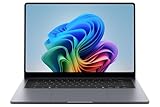
The Galaxy Book6 Ultra is the only machine here with discrete graphics. It pairs an Intel Core Ultra 7 processor with an NVIDIA GeForce RTX 5070-class laptop GPU, 32GB of memory, a 1TB SSD, and a Dynamic AMOLED 2X panel. It suits the gamer who also works — someone who renders video, builds 3D scenes, trains small models, and then plays for two hours. It is the wrong purchase for anyone whose heaviest task is email.
Key specs
- Intel Core Ultra 7 processor
- NVIDIA GeForce RTX 5070-class laptop GPU with dedicated video memory
- 32GB memory, 1TB solid-state storage
- 16-inch Dynamic AMOLED 2X display, high-resolution, high-refresh class
- Windows 11 with Copilot+ features
- Higher-wattage USB-C power delivery for the discrete GPU
Why it works
Three numbers separate this machine from everything else in the list. The first is 32GB of memory: a modern AAA title with high-resolution textures plus a browser plus a Discord call plus a recording buffer can comfortably exceed 16GB, and once the system starts paging to SSD, frame times become erratic regardless of GPU power. The second is 1TB of storage — a handful of current AAA installs alone can consume 400–500GB, and video projects consume the rest quickly. The third is dedicated video memory, which is what actually determines whether you can run high texture settings at a given resolution: 1080p gaming is usually comfortable in the 6–8GB range, 1440p wants 8–12GB, and 4K-class texture sets push past that. On frame rates, published reviews of RTX 5070-class laptop GPUs typically show esports titles well into the high-refresh range at 1080p, and demanding AAA titles at 1440p with high settings generally landing in a mid-range band before ray tracing is enabled. Those figures vary substantially with resolution, settings, CPU, the manufacturer’s total graphics power setting, and the game patch — treat any single number as a rough guide only. For creative work, the AMOLED panel matters more than the GPU: high contrast and wide colour coverage make colour grading and photo retouching far more predictable than on an LED panel.
Pros
- Only Samsung here with discrete graphics for gaming and GPU rendering
- 32GB/1TB removes the two most common upgrade regrets
- Dynamic AMOLED 2X delivers the best contrast and colour in this list
- Handles simultaneous gaming, streaming, and background workloads
- Strong fit for video editing and 3D work as well as play
Cons
- Premium tier pricing, and the highest power draw here
- Battery runtime under load is measured in a couple of hours
- Heavier and thicker than the productivity convertibles
- Discrete GPU fans are audible under sustained load
- Overkill — and wasteful — if you never game or render
Compared with the nearest alternative
The nearest alternative is the Samsung 16″ Galaxy Book5 Pro 360. Both are 16-inch premium machines, but they are built for different jobs: the Pro 360 converts and runs on integrated graphics, while the Ultra stays a clamshell and adds a discrete GPU, double the memory, and double the storage. If you need a stylus-first convertible, take the Pro 360. If you need frames and render times, take the Ultra — no amount of hinge engineering substitutes for a discrete GPU.
6. Samsung Galaxy Book6 16″ Touchscreen (2026) – Best for Large-Screen Office Multitasking

This Galaxy Book6 is the large-screen workhorse of the 2026 lineup: a 16-inch touchscreen AI business laptop running Windows 11. It suits the reader who spends the day in a dozen windows — a spreadsheet, a CRM, two documents, a chat client, and a video call — and who wants maximum visible area without stepping up to a gaming chassis. It is not the pick for anyone who needs discrete graphics or tablet-style conversion.
Key specs
- 16-inch touchscreen display
- 2026-generation Intel Core processor class
- Windows 11 with AI assistant integration
- Business-oriented build and manageability
- USB-C charging and display output
- 16GB-class memory and 512GB-class SSD in mainstream configurations
Why it works
Screen area is the most underrated productivity specification. Going from a 14-inch to a 16-inch panel at the same aspect ratio increases usable area by roughly 30 percent, which is the difference between two side-by-side windows and three. On a 16-inch 16:10 panel you can run a document at 60 percent width and a reference sheet at 40 percent without constant alt-tabbing, and that compounds across an eight-hour day. The touchscreen earns its place in business use more than people expect: signing PDFs, annotating a slide during a call, and scrolling long documents without reaching for a trackpad. The AI integration is the current-generation differentiator — on-device summarisation, transcription, and search features that run locally rather than uploading your meeting notes. Buy it if you are a screen-real-estate person. Skip it if you work mostly in one full-screen application, where a smaller, lighter machine serves you better.
Pros
- Large 16-inch canvas genuinely improves side-by-side work
- Touchscreen adds annotation and signature workflows
- AI features run locally for privacy-sensitive work
- Business-class build and support expectations
- Comfortable keyboard and palm rest at this size
Cons
- Premium tier pricing for integrated graphics
- 16-inch chassis is a real weight commitment in a bag
- No convertible hinge
- Touchscreen adds cost if you never use it
- Not suitable for demanding gaming
Compared with the nearest alternative
The nearest alternative is the Samsung Galaxy Book6 2026 AI Business Laptop, 16″ Touch Screen Copilot+ PC. The two overlap heavily on size and intent. The distinguishing question is the Copilot+ designation and configuration: if the specific listing you are looking at carries the Copilot+ badge with a qualifying processor and memory configuration, it will run the full set of local AI features; if it does not, expect the standard assistant experience. Compare the exact processor and memory line on each listing rather than the family name, because within the Galaxy Book6 range those details vary by SKU.
7. Samsung 14″ Galaxy Chromebook Go – Best for Cloud-First Basics

The Galaxy Chromebook Go is a 14-inch ChromeOS machine with an Intel Celeron N4500, 4GB of RAM, and 64GB of storage. It suits the reader who needs a cheap, light, dependable window into the web: a student whose school runs Google Classroom, a small business running a booking system in a browser, or a household second machine for forms, email, and streaming. It is not a machine for local software or heavy multitasking.
Key specs
- 14-inch class display
- Intel Celeron N4500 processor, low-power class
- 4GB RAM, 64GB local storage
- ChromeOS with automatic background updates
- Fanless-leaning, low-heat operation
- Light chassis designed for education and fleet deployment
Why it works
The N4500 is a deliberately modest chip, and the honest way to judge it is by what it will not do. It handles browsing, documents, video playback, and video calls one or two at a time. It will not handle twenty tabs plus a 1080p stream plus a background sync without visible hesitation. What you get in return is endurance and silence: low-power silicon and a 14-inch panel mean a genuinely full day of light use, and no fan noise in a lecture hall or a meeting room. The 64GB of local storage is the other real constraint — after the operating system, you are working with well under 50GB, so the machine assumes cloud storage. That is fine for the target user and a dealbreaker for anyone else. For a managed fleet, ChromeOS also means remote policy enforcement and predictable updates, which is why this class of machine dominates education deployments.
Pros
- Long battery life on light workloads
- Quiet, cool, fanless-style operation
- 14-inch screen at a budget tier is generous
- ChromeOS is secure, simple, and self-updating
- Excellent fit for managed education and business fleets
Cons
- Celeron N4500 is entry-level; multitasking is limited
- 4GB RAM and 64GB storage are minimal
- No Windows or macOS applications
- Display resolution and panel quality are basic
- Not upgradeable in any practical sense
Compared with the nearest alternative
Against the Samsung 12.2″ FHD 2-in-1 Chromebook Plus, the Galaxy Chromebook Go trades display quality and convertible flexibility for a larger screen and a lower price. The Chromebook Plus has the sharper FHD panel and the 2-in-1 hinge; the Go has the bigger 14-inch canvas and simpler, cheaper construction. If you read a lot and want a tablet mode, choose the Plus. If you type a lot and want the cheapest usable screen, choose the Go.
8. Samsung Galaxy Book4 15.6″ FHD IPS – Best for Windows Office Work and Wired Docks

The Galaxy Book4 15.6″ is the mainstream Windows workhorse of the previous generation, and it remains one of the most sensible buys in this list. It pairs a 10-core Intel Core 7 150U processor with 16GB of LPDDR4 memory and a 512GB SSD behind a 15.6-inch FHD IPS panel. It suits office workers, accountants, and students who need guaranteed x86 compatibility and a big screen, and who do not need discrete graphics.
Key specs
- 10-core Intel Core 7 150U processor
- 16GB LPDDR4 memory, 512GB SSD
- 15.6-inch FHD IPS display
- Intel integrated graphics
- Full-size keyboard with numeric keypad layout typical of 15.6-inch machines
- USB-C plus USB-A and HDMI-class connectivity
Why it works
This is the configuration that ages best in a Windows machine: 16GB of memory and a 512GB SSD. The memory figure matters because LPDDR4 is soldered, so 16GB is a permanent decision, and 8GB machines from the same era now visibly struggle with a browser, Teams, and a spreadsheet open together. Ten cores on a 150U-class chip means burst performance is genuinely good — opening large workbooks, applying filters, and compiling short code runs all feel instant — while sustained heavy loads are handled by the thermal design rather than raw clock speed. FHD on a 15.6-inch panel works out to roughly 142 pixels per inch, which is comfortable for text at normal viewing distance and easy on battery compared with a higher-resolution OLED. IPS gives you consistent colour from an angle, which matters if two people are looking at the same screen. The integrated graphics are the ceiling: this machine runs office applications, media, and older or lightweight games, and nothing more.
Pros
- 16GB/512GB configuration removes the most common regrets
- 10-core Core 7 150U delivers strong burst responsiveness
- Full x86 Windows compatibility for legacy and corporate software
- FHD IPS is efficient and easy on battery
- Mid-range pricing for a genuinely capable specification
Cons
- LPDDR4 memory is soldered and cannot be expanded
- Integrated graphics limit gaming to older or light titles
- IPS panel cannot match AMOLED contrast
- Previous-generation platform means shorter software-support runway
- 15.6-inch chassis is not especially light
Compared with the nearest alternative
Its closest rival here is the Samsung Galaxy Book4 Edge. Both are 15.6-inch machines with 16GB/512GB. The Book4 gives you x86 compatibility and a lower price; the Book4 Edge gives you dramatically better battery life and a quieter thermal profile, at the cost of ARM compatibility risk. For a corporate environment with legacy line-of-business software, take the Book4. For a personal machine where battery life is the daily pain point, take the Edge.
9. Samsung Chromebook 4, 11.6″ – Best Ultra-Budget Secondary Machine

The Chromebook 4 is the smallest and cheapest machine in this roundup: an 11.6-inch HD laptop with an Intel Celeron N4000 processor, 4GB of RAM, and 32GB of eMMC storage. It suits a very specific buyer — someone who needs a third machine for the kitchen table, a spare for a child’s homework, a travel laptop they will not grieve over if it is lost, or a single-purpose browser terminal. It is not a primary computer for anyone with real work to do.
Key specs
- 11.6-inch HD display
- Intel Celeron N4000 processor
- 4GB RAM, 32GB eMMC storage
- ChromeOS
- Gigabit Wi-Fi
- Compact, lightweight clamshell chassis
Why it works
Set expectations correctly and this machine is genuinely useful. An 11.6-inch HD panel is coarse by modern standards — under 140 pixels per inch — but perfectly legible for text, email, and video. The N4000 is a two-core low-power chip, so the workload envelope is narrow: a handful of tabs, a document, and a stream. The 32GB of eMMC is the hard limit, and it is worth understanding why eMMC differs from an SSD: it is slower, and it cannot be swapped out. Expect something under 25GB usable after the operating system, which means local storage is for the operating system and almost nothing else. What you get in return is one of the cheapest ways into a functional laptop, with a keyboard and screen far more comfortable than a tablet for sustained typing, plus ChromeOS’s security model and automatic updates. For a secondary or tertiary machine, that is a coherent set of compromises.
Pros
- Among the lowest entry prices of any laptop class
- Compact and light enough to carry anywhere
- ChromeOS is simple, secure, and self-maintaining
- Comfortable keyboard compared with a tablet
- Ideal as a spare, travel, or single-purpose machine
Cons
- 11.6-inch HD panel is low resolution and small
- 32GB eMMC cannot be upgraded
- 4GB RAM and a dual-core Celeron limit multitasking sharply
- No Windows applications
- Not viable as a primary machine for heavy work
Compared with the nearest alternative
The nearest alternative is the Samsung 14″ Galaxy Chromebook Go. Both are budget ChromeOS machines with 4GB of RAM. The Chromebook Go wins on screen size, resolution, and storage; the Chromebook 4 wins on price and portability. If this is your only laptop, stretch to the Galaxy Chromebook Go. If it is a spare, the Chromebook 4 does the job at the lowest possible cost.
10. Samsung 15.6″ Galaxy Book5 360 – Best Mid-Range Convertible with AMOLED

The Galaxy Book5 360 is the value convertible of this list: a 15.6-inch FHD AMOLED touchscreen with a 360-degree hinge, 16GB of memory, a 512GB SSD, and Dolby Atmos audio. It suits students, hybrid workers, and media-heavy users who want tablet flexibility and an OLED panel without paying premium-tier prices. It is not for gamers or anyone running GPU-accelerated workloads.
Key specs
- 15.6-inch FHD AMOLED touchscreen
- 360-degree convertible hinge
- 16GB memory, 512GB SSD
- Dolby Atmos-tuned speakers
- Copilot AI features
- USB-C charging and video output
Why it works
AMOLED at a mid-range price is the headline, and it is not just a marketing point. Each pixel emits its own light, so black is genuinely black and contrast is effectively unlimited — which changes how video, photos, and dark-mode interfaces look. In a room with overhead lighting, an AMOLED panel also holds up better than a glossy IPS screen at the same brightness because the contrast masks reflections. The 16GB/512GB combination is the correct floor for a machine you intend to keep for four years, and it matches what the premium models offer at a lower tier. The 360-degree hinge adds a genuine second mode: folded flat, this is a large tablet for PDF annotation, sketching, or handing a screen to someone across a table. Dolby Atmos audio is a nice-to-have rather than a reason to buy, but it does make the machine better for films and calls than its price tier would suggest.
Pros
- AMOLED contrast and colour at a mid-range tier
- 16GB/512GB is the right long-term configuration
- 360-degree hinge adds tablet and presentation modes
- Dolby Atmos improves media and call audio
- Good balance of screen size, weight, and price
Cons
- Integrated graphics rule out demanding games
- AMOLED panels draw more power on bright content
- Convertible hinge adds a mechanical wear point
- FHD resolution on 15.6 inches is unremarkable for sharpness
- Check the processor line on the exact listing before buying
Compared with the nearest alternative
Against the Samsung 16″ Galaxy Book5 Pro 360, this model gives up Core Ultra 7 performance, one inch of screen, and Windows 11 Pro, but it keeps the convertible form factor, adds AMOLED, and costs noticeably less. For a student or a home user, the 15.6-inch 360 is the better value. For a professional who needs the extra CPU headroom, Pro licensing, and a larger canvas, the Pro 360 justifies the premium.
11. Samsung Galaxy Book6 2026 AI Business Laptop, 16″ – Best for AI-Assisted Knowledge Work

This is the Copilot+ branded entry in the Galaxy Book6 family: a 16-inch touchscreen AI business laptop built around a 2026-generation processor and local AI acceleration. It suits knowledge workers whose day is documents, meetings, research, and correspondence — people who will actually use transcription, summarisation, and on-device search. It is not for gamers, and not for anyone who will never touch the AI features.
Key specs
- 16-inch touch screen
- 2026-generation Intel Core processor class with integrated AI acceleration
- Copilot+ PC designation on qualifying configurations
- Windows 11
- 16GB-class memory and 512GB-class SSD in mainstream configurations
- USB-C charging and video output
Why it works
The meaningful shift in 2026 laptops is not raw CPU speed — it is where AI workloads run. Copilot+ class machines execute supported models locally on the NPU rather than sending data to a cloud service. For a knowledge worker that has two practical consequences. First, latency: on-device transcription and summarisation respond immediately and keep working on a plane or a locked-down corporate network. Second, confidentiality: meeting notes and documents processed locally do not leave the machine, which matters if you handle client or personnel information. The 16-inch touchscreen supports that workflow — you can read a long document at a comfortable size, annotate it with a finger or stylus, and keep a reference window open beside it. What you should not expect is gaming performance: this is an integrated-graphics productivity machine, and its value is in the software stack, the screen, and the management features, not in frames per second.
Pros
- Local AI processing for privacy and offline capability
- Large 16-inch touchscreen suits document-heavy work
- Current-generation platform with a longer support runway
- Business-class manageability and build
- Strong fit for meetings, research, and writing
Cons
- Premium pricing relative to its graphics capability
- AI features only pay off if you actually use them
- No discrete GPU for creative rendering or gaming
- Large chassis adds weight for commuters
- Verify the Copilot+ designation on the exact SKU
Compared with the nearest alternative
The nearest alternative is the Samsung Galaxy Book6 16″ Touchscreen (2026), also a 16-inch AI business machine. The differences are in the badge and the configuration: the Copilot+ model is specified to run the full local AI feature set, while the non-badged variant may run a reduced set. If AI-assisted workflow is the reason you are buying, confirm the Copilot+ designation and the processor and memory line on the listing. If you just want a big, fast, well-built 16-inch Windows laptop, either will serve, and the cheaper configuration is the better value.
12. Samsung Galaxy Book4 Business 15.6″ (Core 5 120U, 16GB/512GB) – Best Value Business Laptop

The Galaxy Book4 Business 15.6″ is the value anchor of this roundup: an Intel Core 5 120U processor with 16GB of memory and a 512GB SSD behind a 15.6-inch FHD IPS display. It suits small-business buyers, students, and anyone who wants a real Windows laptop with the right memory and storage figures without paying mid-range or premium prices. It is not for gamers or heavy creative work.
Key specs
- Intel Core 5 120U processor
- 16GB memory, 512GB SSD
- 15.6-inch FHD IPS display
- Integrated Intel graphics
- Windows 11
- Business-oriented configuration and port set
Why it works
This machine wins on configuration discipline. The two specifications that decide whether a laptop still feels usable in year three are memory and storage, and this listing has 16GB and 512GB at the bottom price tier. That combination means the machine can hold a browser with many tabs, an office suite, a chat client, and a video call simultaneously without paging to disk — the failure mode that makes 8GB machines feel slow long before their processors are genuinely outdated. The 120U-class Core 5 chip is a current-generation part, so it benefits from a modern architecture and efficiency profile rather than being a clearance item from several years back. FHD IPS on a 15.6-inch panel is the pragmatic choice for office work: roughly 142 pixels per inch is comfortable for text, IPS keeps colours stable off-axis, and the resolution is undemanding enough that the battery is not fighting the backlight. The trade-offs are the usual ones for this class — integrated graphics, a plastic-feeling chassis relative to the premium models, and a screen that cannot match AMOLED for contrast.
Pros
- 16GB/512GB at a budget-tier price is the standout value here
- Current-generation Core 5 120U processor
- Full x86 Windows compatibility
- FHD IPS is efficient and easy on battery
- Large 15.6-inch screen for a low-tier price
Cons
- Integrated graphics only
- IPS panel lacks the contrast of AMOLED alternatives
- Build quality is functional rather than premium
- Not suited to gaming or GPU-accelerated creative work
- Confirm the seller’s configuration details before ordering
Compared with the nearest alternative
Its closest rival is the Samsung 14″ Galaxy Book6 with a Core 5 and 8GB/256GB. The Book4 Business wins decisively on memory and storage — 16GB/512GB versus 8GB/256GB — and on screen size. The 14-inch Book6 wins on portability and on being a newer generation. Unless weight is your single most important criterion, the 16GB/512GB machine here is the better buy, and by a wide margin.
How to Choose
Choosing between these machines is a filtering exercise, not a spec-sheet reading exercise. Work through the five criteria below in order and most of the list will eliminate itself.
1. Decide the operating system before anything else. This is the decision that cannot be undone. ChromeOS machines — the two Chromebooks and the Chromebook Plus 2-in-1 — run browser and Android applications and cannot install Windows desktop software at all. If any part of your workflow involves a Windows-only application (a corporate VPN client, a specific accounting package, desktop Office with heavy macros, most PC games), you must be on Windows and the entire ChromeOS section is irrelevant. Windows on ARM, which is what the Galaxy Book4 Edge runs, sits in between: mainstream applications are fine, but legacy x86 software and anti-cheat-protected games are the risk. Standard x86 Windows is the safe default and covers most of this list.
2. Work out the battery you actually need with arithmetic, not marketing. Runtime is capacity divided by draw, adjusted for conversion losses. A reasonable planning figure is 85 percent of the theoretical result. Here is how that plays out across realistic scenarios:
| Battery capacity | Assumed average draw | Estimated runtime | What that looks like in practice |
|---|---|---|---|
| 45 Wh | 8 W (light browsing, dim screen) | ~4.8 hours | Half a working day; carry a charger |
| 54 Wh | 8 W (light browsing, dim screen) | ~5.7 hours | A lecture day or a short shift |
| 61.8 Wh | 10 W (documents plus a video call) | ~5.3 hours | Full work morning, top up at lunch |
| 76 Wh | 13 W (large AMOLED at high brightness) | ~5.0 hours | A big bright screen eats a big battery |
| 76 Wh | 7 W (ARM-class chip, low brightness) | ~9.2 hours | Genuinely all-day, charger left at home |
Two lessons fall out of that table. First, screen brightness and panel type often matter more than processor efficiency — a 16-inch AMOLED at full brightness can draw several watts on its own. Second, an efficient chip with a modest battery beats a power-hungry chip with a large one. If all-day battery is the requirement, prioritise an ARM-class or low-power x86 machine with an LED or IPS panel over a large OLED machine.
3. Match the display to the work, not to the specification table. Panel technology decides how the machine feels every day. IPS and LED panels are efficient, consistent off-axis, and cheap; they suit documents, spreadsheets, and long typing sessions. AMOLED panels deliver effectively unlimited contrast and wide colour coverage, which matters for photo and video work and makes media dramatically better, but they draw more power on bright content. Resolution matters less than people assume at these sizes: FHD on a 15.6-inch panel is about 142 pixels per inch, which is comfortable at normal viewing distance, while FHD on a 12.2-inch panel is around 190 pixels per inch and noticeably sharper. Touch and convertible hinges are worth paying for only if you









