

- Top Pick: HP Everyday Laptop • Microsoft Office 365 Included • Intel Processor • 8GB RAM • 128GB SSD • 1TB Cloud Storage • Windows 11 • Fast Charge and Long Battery Life
- Best Value: HP 14" Laptop, Intel Processor N150 (Beat i3) 8GB RAM 128GB UFS 1-Year Office 365 Copilot AI Win11 WiFi6 Computer for Creator Business Gaming Student College
- Premium Choice: VIGSENUP15.6 FHD Laptop 8GB RAM 256GB SSD,CPU up to3.4GHz,Office Suite | Numeric Keypad, 5000mAh battery,178°Viewing,WiFi, webcam, work/productivity,Studying /general use,Lightweight travel laptop
Eight gigabytes of memory is the line where a laptop stops feeling cramped with a browser, a video call, and a document open together. This list is for buyers who have already decided that 8GB is enough and now need to separate the models that pair it with sensible storage, a usable screen, and a software platform that fits their routine.
Memory is only one piece of the puzzle. Two laptops with identical RAM can differ widely in storage speed, display quality, and software platform, so the picks below are sorted by what the listed specs show. Students, home-office workers, and parents buying a shared family machine will find a full Windows option, a Chromebook option, and a compact convertible here, along with a note on who should pass on each one and why that matters before you commit.
Quick Picks
As an Amazon Associate we earn from qualifying purchases at no extra cost to you.
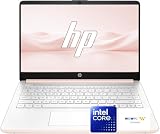


| Product | Best for | Key spec from the title |
|---|---|---|
| HP Everyday Laptop | Office-suite households | 128GB SSD, 1TB cloud storage |
| HP 14″ N150 | Compact daily carry | Intel N150, 128GB UFS |
| VIGSENUP 15.6 | Spreadsheet work | 256GB SSD, numeric keypad |
| HP 14 Business | Roomier storage, small body | 256GB PCIe SSD, WiFi 6 |
| Acer 15.6 Touch Chromebook | Chrome OS with touch | FHD touchscreen, DDR5 |
| Dell 15.6 Core 3 | Largest internal drive | 512GB SSD, 300 nits panel |
| Lenovo Chromebook m 14 | Sharp screen on Chrome OS | 14″ WUXGA IPS |
| EvoSpan 15.6 | Shared family laptop | Privacy camera, USB-C and HDMI |
| Dell 11-inch Convertible | Tablet-style use | IPS touchscreen, renewed |
| HP Everyday Slim | Thin-and-light carry | 256GB SSD, Microsoft 365 included |
How to Choose
Decide whether 8GB is enough for you
Eight gigabytes handles web apps, streaming, and office documents without drama. It begins to strain with dozens of browser tabs plus a video call, or with photo editing. Check whether the memory is soldered; on most laptops at this level it is, so the number on the box is the number you keep for the life of the machine. If your workload is likely to grow, such as a student heading into design or data courses, treat 8GB as the minimum and look for a listing that mentions upgrade slots.
Storage type matters more than capacity
An SSD or PCIe SSD wakes faster than eMMC or UFS flash, and a 128GB drive fills quickly once Windows updates arrive. For a Windows machine, 256GB is a comfortable floor. For a Chromebook, 64GB to 128GB is workable because most files live in the cloud, but offline users should aim higher. Budget models cut corners here more than anywhere else, so read the storage line before the processor line.
Screen resolution and brightness
Look for full HD (1920 by 1080) or better. A plain HD panel stretched across 14 or 15.6 inches shows soft text. A brightness figure near 300 nits is serviceable indoors; listings that omit brightness entirely usually hide a dim panel that struggles near windows. Also note the panel type: IPS and WVA designs hold their colors from wider angles, which matters when two people share a screen.
Software platform and what to ignore
Windows 11 in S Mode installs apps only from the Microsoft Store unless you switch out of it. Chrome OS runs web and Android apps but not desktop Windows programs. Ignore hype phrases such as “beat i3” and “for gaming” on entry-level chips, and focus on the processor family, storage type, and the screen. Connectivity is worth a glance too: WiFi 6 and a USB-C port are easy wins.
The 10 Best Options
HP Everyday Laptop
A straightforward Windows 11 machine for people who live in documents, email, and streaming. The title leads with included software and cloud space rather than raw power, which tells you who it is built for: households that want to open the lid and get going.
- Microsoft Office 365 is listed as included, which spares a separate software purchase.
- The 1TB of cloud storage in the title offsets a modest local drive.
- Trade-off: the 128GB SSD leaves little local room for large files.
Skip it if you keep a big media library on the laptop itself.
HP 14″ Laptop N150
A 14-inch Windows 11 option built around the Intel N150 processor and pitched at students and light business use. The smaller screen size keeps the footprint down, which suits lecture halls, cafes, and cramped desks.
- WiFi 6 is listed, which helps on crowded dorm or apartment networks.
- One year of Office 365 with Copilot features is part of the bundle.
- Trade-off: 128GB UFS storage is a flash type that is slower than a true SSD.
Skip it if you want fast file transfers or plenty of local storage.
VIGSENUP 15.6 FHD Laptop
A big-screen pick for anyone who types numbers all day. The 15.6-inch full HD display and the dedicated keypad make this the natural fit for bookkeeping, grade sheets, and data entry at a desk.
- The full-size numeric keypad and FHD panel suit long spreadsheet sessions.
- The 256GB SSD is double what several rivals on this list carry.
- Trade-off: the brand is far less established than HP or Dell, so check warranty terms.
Skip it if brand support and service networks matter to you.
HP 14 Business Laptop
A small business-oriented Windows laptop that ships with a bundled USB port expander, a practical extra for connecting a mouse, a drive, and a projector cable without hunting for adapters.
- A 256GB PCIe SSD with DDR4 memory is a solid storage-to-RAM balance.
- WiFi 6 and Bluetooth 5.4 are both listed in the title.
- Trade-off: the Celeron N4500 and HD display are entry-level, and S Mode limits software.
Skip it if you plan on desktop apps from outside the Microsoft Store, or if you want a sharper full HD screen.
Acer 15.6 FHD Touch Chromebook
A touchscreen Chromebook for students who like tapping and scrolling directly on the display. It pairs Chrome OS simplicity with a larger panel than most Chromebooks, which makes reading and web research more comfortable.
- The 15.6-inch FHD touch panel stands out among Chromebooks in this group.
- DDR5 memory and Chrome OS keep boot times quick and maintenance minimal for a school-issued style of workflow.
- Trade-off: 128GB eMMC is slow flash storage, and Windows programs will not run.
Skip it if your classes require Windows-only software.
Dell 15.6 Laptop, Core 3 100U
The most traditional laptop of the group, with a Dell chassis, Windows 11 Home, and the roomiest drive. It reads like a classic office-and-school workhorse where the specs are spelled out in detail.
- The 512GB SSD and DDR5 memory give the most headroom on the list.
- A 300 nits anti-glare WVA panel and a 3-cell 41WHr battery are named in the title.
- Trade-off: the 15.6-inch body is less pocketable than the 14-inch rivals.
Skip it if you commute daily and want the slimmest bag possible, or if a smaller screen suits your desk better.
Lenovo Chromebook m 14
A Chrome OS laptop that stands out for its display resolution. The WUXGA panel gives more vertical room than a standard full HD screen, which helps when you read long documents or keep two windows side by side.
- The 14-inch WUXGA IPS panel is sharper than plain HD screens.
- MediaTek Kompanio 540 with an Arm Mali-G57 GPU is aimed at web and media tasks.
- Trade-off: 64GB UFS storage is the smallest drive on this page.
Skip it if you download large files or work offline often.
EvoSpan 15.6 Laptop
A family-friendly laptop with a Pentium Gold 6500Y processor and a few thoughtful extras. The title emphasizes quiet operation and a lightweight build, so it fits shared living rooms and study corners.
- USB-C, HDMI, and a privacy camera are all listed.
- The lid opens to 170 degrees, handy for shared desks and couches.
- Trade-off: it uses WiFi 5 and Bluetooth 5.0, older than the WiFi 6 models here.
Skip it if you want the newest wireless standards.
Dell 11-inch Convertible (Renewed)
A small touchscreen convertible with a Pentium processor, sold as renewed. It makes sense as a secondary device for the couch or for note-taking, where a compact 11-inch frame is a feature rather than a limit.
- The IPS touchscreen folds back into a tablet-like shape.
- It lists 6th Gen WiFi, a 128GB SSD, and Windows 11.
- Trade-off: an 11-inch screen is cramped for multitasking, and renewed condition varies by unit.
Skip it if you need a large display or prefer brand-new hardware.
HP Everyday Slim Laptop
A thin, portable HP model that bundles software and cloud space with the Intel N150 chip. The 2026 Edition label and the emphasis on long battery life point to a carry-everywhere machine for classes and meetings.
- Microsoft 365 and 1TB of cloud storage are both included, per the title.
- A 256GB SSD pairs with the N150 for everyday browsing and documents.
- Trade-off: this is an entry-level processor tier, not suited to heavy creative work.
Skip it if video editing or gaming is on your list, since the chip is aimed at lighter daily work.
Which One Fits Your Situation
A student who needs Windows and a keypad
The VIGSENUP 15.6 combines a numeric keypad, a 256GB SSD, and a large screen for coursework and spreadsheets. Students who carry their laptop across campus every day may prefer the HP 14 Business, which keeps a 256GB PCIe SSD in a smaller 14-inch body and includes a USB port expander for lab computers and projectors.
Someone who wants the roomiest drive
The Dell 15.6 Core 3 carries a 512GB SSD with DDR5 memory, which makes it the best fit for people who store files locally instead of in the cloud.
A Chrome OS fan who wants a sharp display
The Lenovo Chromebook m 14 offers the WUXGA IPS panel, while the Acer Touch Chromebook is the choice if touch input matters more than resolution.
A shared household laptop
The EvoSpan 15.6 adds a privacy camera and a wide-opening hinge, and the HP Everyday Laptop adds bundled Office and cloud storage for family documents, so everyone can open the same files from any device without juggling separate subscriptions.
Common Mistakes
- Assuming all 128GB drives behave alike; eMMC and UFS flash are slower than an SSD.
- Overlooking Windows S Mode, which limits software to the Microsoft Store.
- Choosing an HD panel for a 15.6-inch laptop, then finding that text looks soft.
- Picking a Chromebook without confirming that the apps you need run on Chrome OS.
- Ignoring the renewed label and skipping the return window and warranty details.
Frequently Asked Questions
Is 8GB of RAM enough these days?
For browsing, streaming, and office documents, yes. It becomes a limit with heavy multitasking, large spreadsheets, or creative apps, where 16GB is the safer choice.
Can I upgrade the memory later?
On many thin laptops the memory is soldered to the board, so it cannot be changed. Look for a listing that states upgradeable slots if that matters to you.
Chromebook or Windows laptop?
Choose a Chromebook for web-based work and school accounts, since it boots fast and needs little upkeep. Choose Windows if you rely on desktop programs, specific printers, or other peripherals.
Does cloud storage in a bundle replace a bigger drive?
It helps with documents and photos, but you need an internet connection to reach them. Files you need offline still have to fit on the internal drive, so match the local capacity to your offline habits rather than the cloud allowance in the title.









