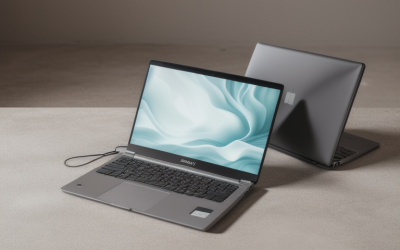
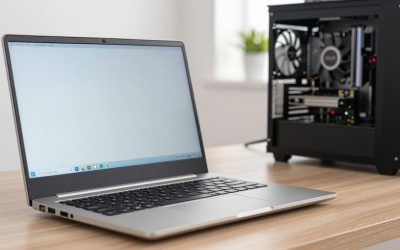
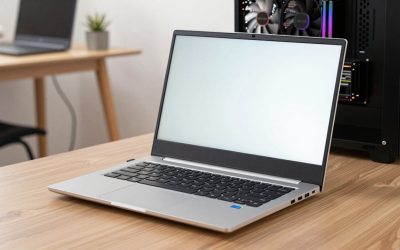
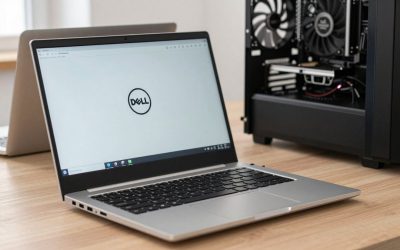
- Top Pick: HP 15.6" Laptop, 1.1TB Storage(128GB + 1TB OneDrive), Microsoft Office 365, | Intel CPU, 4GB DDR5 RAM, Windows 11, Lightweight & Portable, Copilot AI, Numeric Keypad, Business & College Laptop
- Best Value: HP 15.6" Touchscreen Laptop, Ryzen 7 7730U, 16GB 512GB SSD, FHD IPS Display | AMD Radeon Graphics, Windows 11 Pro, Wi-Fi 6, Copilot Key, Numeric Keypad, Fast Charge Laptop for Business & Student
- Premium Choice: HP 15.6" Touchscreen Laptop, Ryzen 7 7730U, 32GB 1TB SSD, FHD IPS Display | AMD Radeon Graphics, Windows 11 Pro, Wi-Fi 6, Copilot Key, Numeric Keypad, Fast Charge Laptop for Business & Student
If you have ever typed a column of invoice numbers on the row of digits above the letters, you already know why this keyword exists. A dedicated numeric keypad turns a laptop into a data-entry machine: bookkeepers, accountants, inventory clerks, and students working through statistics problem sets can enter figures with one hand while reading source documents with the other. The catch is that numpads take space, which is why they are mostly found on 15- and 17-inch bodies and rarely on thin 13-inch models.
This guide is for people who need that keypad and also want a sensible spec sheet behind it, without paying for a gaming or workstation chassis. The six laptops below are all 15.6-inch Windows models listed in 2026, five from HP and one from NIAKUN. Four titles explicitly say Numeric Keypad; the other two do not mention it in the listing, so the reviews flag that clearly and tell you to confirm it on the full spec sheet. The differences that actually matter come down to RAM, SSD size, and processor class, and the gap between the cheapest and priciest model is mostly memory and storage rather than keyboard quality.
Quick Picks
As an Amazon Associate we earn from qualifying purchases at no extra cost to you.





| Product | Best for | Key spec from the title |
|---|---|---|
| HP 15.6″ Intel, 4GB RAM | Basic typing and web use | 4GB DDR5 RAM, 128GB plus 1TB OneDrive, Numeric Keypad |
| HP 15.6″ Ryzen 7, 16GB/512GB (Pro) | Everyday office and study | 16GB RAM, 512GB SSD, Numeric Keypad |
| HP 15.6″ Ryzen 7, 32GB/1TB (touch) | Heavy multitasking with spreadsheets | 32GB RAM, 1TB SSD, Numeric Keypad |
| HP 15.6″ FHD Ryzen 7, 32GB/1TB | Same power, fast charge | 32GB RAM, 1TB SSD, Wi-Fi 6, Numeric Keypad |
| NIAKUN 15.6″ | Light data entry on a budget | 16GB RAM, 512GB SSD, Intel dual-core |
| HP 15.6″ Ryzen 7, 16GB/512GB (Home) | Home users and students | 16GB RAM, 512GB SSD, Bluetooth 5.4 |
How to Choose
Check the keypad itself
Not every 15.6-inch laptop has a numpad, so verify it on the product page or the manufacturer’s spec sheet before buying. Full-size keypads use a standard four-column layout with a tall zero key; compressed layouts squeeze the keys narrower, which slows fast entry and causes more mistyped digits. For long data sessions, look for key travel of around 1.3 to 1.5mm and a firm, quiet click. Backlighting is helpful for late-night work, but none of these titles mention it, so treat it as something to confirm rather than assume.
Memory and storage for spreadsheets
Large spreadsheets and accounting software are happier with 16GB of RAM, though 8GB works for small files. Four gigabytes is thin once a browser and an office suite are open together, and a workbook with tens of thousands of rows will make that obvious. For storage, 512GB is a comfortable minimum. Be careful with listings that add cloud storage to local capacity: OneDrive space is not an internal drive, and it does nothing when you are offline.
Screen and comfort
Full HD (1920 by 1080) is the baseline. An IPS panel keeps text readable at angles, while a touchscreen is optional for a numpad-heavy workflow because your hands will stay on the keyboard. If you work in bright rooms, a matte finish reduces glare compared with glossy touch layers. A bigger 15.6-inch screen also lets you place a spreadsheet and a source document side by side without constant window switching.
Processor, ports, and what to ignore
A Ryzen 7 class chip is more than enough for office software, and a dual-core Intel processor handles light work but slows when many tabs and files are open. Ignore bundled accessory lists and trial subscriptions. Budget models save money on the display, build material, and battery, so look for fast charging and at least one USB-C port if you plan to dock the laptop at a desk with an external monitor.
The 6 Best Options
HP 15.6″ Laptop (Intel, 4GB RAM, 128GB plus OneDrive)
A budget model with an Intel CPU, 4GB of DDR5 RAM, and 128GB of internal storage plus 1TB of OneDrive, along with Microsoft Office 365, Windows 11, a Copilot feature, and a Numeric Keypad. It is aimed at basic business and college use, such as writing papers, entering simple tables, and browsing. The numpad and bundled office subscription are the main reasons to consider it. Think of it as a typing appliance for a desk or a dorm room rather than a machine you will still be happy with after adding heavier software.
- Strength: a Numeric Keypad is listed even at this low-cost tier.
- Strength: Office 365 is included for documents and spreadsheets.
- Trade-off: 4GB of RAM and 128GB of local storage are tight for modern multitasking.
Skip it if you plan to run accounting software, keep many browser tabs open, or store files locally.
HP 15.6″ Touchscreen Laptop (Ryzen 7, 16GB RAM, 512GB SSD)
The middle of the range: a Ryzen 7 7730U with 16GB of RAM and a 512GB SSD, plus an FHD IPS touchscreen, Windows 11 Pro, Wi-Fi 6, a Copilot key, fast charging, and the numeric keypad. For most office workers, students, and bookkeepers this is the sweet spot between memory, storage, and cost, with enough room for an accounting program, a browser, and a messaging app at the same time.
- Strength: 16GB and 512GB are enough for office suites, browsers, and accounting software.
- Strength: the Numeric Keypad is explicitly listed, and Windows 11 Pro suits work use.
- Trade-off: 512GB can fill quickly if you store scans and photos locally.
Skip it if you archive large document libraries on the laptop itself.
HP 15.6″ Touchscreen Laptop (Ryzen 7, 32GB RAM, 1TB SSD)
The highest-memory option in the lineup pairs a Ryzen 7 7730U with 32GB of RAM and a 1TB SSD, an FHD IPS touchscreen, Wi-Fi 6, a Copilot key, fast charging, and a listed Numeric Keypad under Windows 11 Pro. This configuration suits accountants who keep a dozen workbooks open at once alongside a browser and accounting software, and who prefer not to worry about a full drive for years.
- Strength: 32GB of RAM and a 1TB SSD leave plenty of room for large files.
- Strength: a listed Numeric Keypad and Windows 11 Pro cover data entry and business use.
- Trade-off: it sits at the premium end of the list, and few users will need this much memory.
Skip it if your work is basic typing and web browsing.
HP 15.6″ FHD Touchscreen Laptop (32GB RAM, 1TB SSD)
Another 32GB and 1TB configuration with the Ryzen 7 7730U and AMD Radeon graphics, labeled for business and study. It lists fast charge, Wi-Fi 6, Bluetooth, a Copilot AI key, a Numeric Keypad, and Windows 11 Pro. If you find both 32GB listings at similar tiers, compare smaller details such as warranty terms, return windows, and seller reputation.
- Strength: matching 32GB memory and 1TB storage with a listed numeric keypad.
- Strength: Fast Charge in the title helps for working between meetings.
- Trade-off: it is nearly identical on paper to the other 32GB model, so the choice comes down to seller terms.
Skip it if you want a different processor family, since both 32GB models use the same Ryzen 7.
NIAKUN 15.6″ Laptop
The only non-HP model, with an Intel dual-core processor, 16GB of RAM, a 512GB SSD, an FHD 1080P IPS display, Office 365, Wi-Fi 5, Windows 11 Pro, and a two-year warranty. The title does not mention a numpad, so verify it before buying. For light accounting and typing, the memory and storage are generous for the tier, and the included Office 365 means a spreadsheet program is ready on day one. A listed two-year warranty is also unusual at this tier, though you should read what it actually covers.
- Strength: 16GB and 512GB at a budget-leaning tier.
- Strength: a two-year warranty is listed in the title.
- Trade-off: dual-core processing and Wi-Fi 5 show their age with many tabs open.
Skip it if you multitask heavily, or if you cannot confirm the keypad before ordering.
HP 15.6″ FHD Touchscreen Laptop (Ryzen 7, 16GB RAM, Home)
Same Ryzen 7 7730U, 16GB of RAM, and 512GB SSD on an FHD touchscreen, with Wi-Fi 6, Bluetooth 5.4, a Copilot feature, and Windows 11 Home. It is marketed for business and students, which suggests a general-purpose build for classes, remote work, and paperwork at the kitchen table. The title does not mention a numeric keypad, so confirm the keyboard layout on the full spec sheet before ordering.
- Strength: Wi-Fi 6 and Bluetooth 5.4 support modern wireless peripherals.
- Strength: matching memory and storage to the Pro model with the same processor.
- Trade-off: the numeric keypad is not stated in the title, and Home lacks some Pro features.
Skip it if the numpad is non-negotiable and you cannot verify it first.
Which One Fits Your Situation
You do bookkeeping all day
Go for the HP 15.6″ Ryzen 7 with 16GB and 512GB in the Pro edition. It lists a numeric keypad and has enough memory for spreadsheets and accounting software without paying for 32GB.
You manage large workbooks and many windows
The HP 15.6″ Ryzen 7 with 32GB and 1TB is built for it, with headroom for years of growth as files, plug-ins, and open windows pile up. Either 32GB listing fits; choose based on seller terms and warranty details.
You are a student on a budget
Consider the NIAKUN 15.6″ for its memory and warranty, but verify the keypad first. If a confirmed numpad is mandatory and cost is the main driver, the basic HP with 4GB works for typing and web use only, and an external drive can make up for the small internal storage.
You work from home and want modern wireless
The HP 15.6″ Ryzen 7 in the Home edition adds Bluetooth 5.4 and Wi-Fi 6, so wireless mice, headsets, and docks connect smoothly. Confirm the keypad before buying.
Common Mistakes
- Assuming every 15.6-inch laptop has a numeric keypad; read the keyboard description.
- Counting OneDrive cloud space as local storage when comparing drive sizes.
- Buying 4GB of RAM for spreadsheet-heavy work, then fighting slowdowns.
- Choosing a touchscreen when you would rather have a matte finish for glare control.
- Paying for 32GB of RAM when your work is basic data entry.
Related guides
- Aio Liquid Coolers For High Performance Gaming
- Wireless Gaming Headsets Under 100 For Pc
- What Is A Dac And Do You Need One For Gaming
Frequently Asked Questions
Why do some 15.6-inch laptops lack a numpad?
Manufacturers sometimes narrow the keyboard to fit larger speakers or a more compact layout. Always confirm the keyboard description rather than relying on screen size.
Is a USB numeric keypad a good alternative?
Yes. An external keypad adds numpad entry to any laptop, though it is one more item to carry and can feel less integrated than a built-in one.
How much RAM do I need for accounting software?
16GB is comfortable for most small-business programs and large spreadsheets. Eight gigabytes can work for light use, but it leaves little room for growth.
Is Windows 11 Pro worth it?
It adds drive encryption and management tools that matter for work laptops, but Home is fine for personal use and study.