

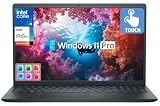
- Top Pick: Dell Inspiron Business Laptop 2025-2026 Flagship, AI-Powered Computer, 15.6" FHD Touchscreen,10-Core Intel i5-1334U, 16GB RAM & 1TB Storage (512GB SSD +500GB Ext), Wi-Fi 6, Win 11 Pro, MS Office
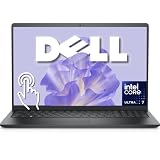
- Best Value: Dell 15.6" FHD Touchscreen Business Laptop, Powerful Intel 12-core Ultra 7 255U (Up to 5.2 GHz), 16GB DDR5 RAM, 1TB SSD, Backlit Keyboard, Windows 11 Pro with Office 365 for Web, Work and Study
- Premium Choice: Dell 16 Touchscreen Laptop for Business, Core 7 150U, 32GB DDR5, 1TB SSD | 16:10 FHD+ 300nits IPS Display, Full-size Backlit Keyboard with Number Pad, Win11 Pro, Ai Copilot Key, Wi-Fi 6, LDC16250
Shopping for a Dell business laptop is mostly a matter of sorting names. Inspiron, Latitude, Dell Pro and plain “Dell 15” or “Dell 16” listings all show up under the same keyword, and they target different jobs: a sales rep who lives in email and slides, an accountant who wants a number pad, an IT buyer who wants a standardized fleet machine. The question is which spec sheet matches the work, not which badge looks most corporate.
This guide is for small-business owners, freelancers and office managers choosing a Dell for 2026 without a corporate procurement contract. Every judgment below comes from the product titles only, so treat the processor, memory and storage lines as the facts to verify and the adjectives as marketing. Where a title is vague or contradicts itself, that is flagged rather than guessed at.
Quick Picks
As an Amazon Associate we earn from qualifying purchases at no extra cost to you.







| Product | Best for | Key spec from the title |
|---|---|---|
| Dell Inspiron 15.6 i5-1334U | Storage-heavy office work | 16GB RAM, 1TB (512GB SSD + 500GB external) |
| Dell 15.6 Ultra 7 255U | Multitasking power users | 12-core, up to 5.2 GHz, 16GB DDR5 |
| Dell 16 Core 7 150U | Spreadsheet-heavy roles | 32GB DDR5, 16:10 FHD+, number pad |
| Dell 15.6 Core 3 100U | Light email and web tasks | 8GB RAM, 512GB SSD, anti-glare IPS |
| Dell Latitude 5420 (Renewed) | Compact travel use | 14-inch, i5-1145G7, 16GB, 256GB SSD |
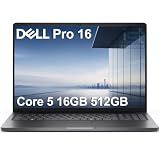
| Dell Pro 16 PC16250 | Secure-login offices | IR webcam, Thunderbolt 4, 512GB SSD |
| Dell Inspiron 15 3530 | Mixed desk and meeting use | Core i7-1355U, 16GB, 1TB SSD |
| Dell 15.6 i5-1334U 8GB | Entry-level business use | 512GB PCIe SSD, 1080p webcam |
| Dell Inspiron i5-1155G7 | Numeric keypad users | 16GB RAM, 1TB SSD, Full HD IPS |
| Dell 16 Ryzen AI 7 350 | AMD-leaning buyers | 32GB DDR5, fingerprint reader, 1920 x 1200 |
How to Choose
Memory and storage floors
For business work with a browser full of tabs, video calls and spreadsheets, 16GB is a comfortable floor and 8GB is the minimum to accept. Watch for DDR5 versus DDR4 in the title. For storage, 512GB solid state covers most office files, while a title that says “1TB” built from an internal drive plus a 500GB external should be read as two separate devices. Ask whether the memory is soldered or upgradeable too, since many thin business laptops fix RAM at the factory and the title will not say.
Processor naming
Intel’s U-series chips are efficiency-oriented parts. Names like i5-1334U and i7-1355U are 13th generation, i5-1145G7 is 11th generation, and Core 3, Core 5 and Core 7 are newer naming schemes. Higher core counts help with multitasking, but battery life and cooling matter as much as the label, so use generation as a rough age guide. The AI wording in several titles refers to neural processing hardware and a Copilot key. Those are conveniences, and none of them should outrank memory, storage and a sensible Windows edition when you build your shortlist.
Display, keyboard and ports
Look for Full HD at minimum, and 16:10 panels such as 1920 x 1200 show more rows of a spreadsheet. A 300 nit brightness figure is fine indoors, while 250 nits is on the dim side near windows. A backlit keyboard and a number pad matter if you enter figures all day. HDMI, Thunderbolt 4 and Wi-Fi 6 cover most docks and conference rooms.
Windows edition, condition and security
Windows 11 Pro adds domain join and disk encryption management that Home lacks, which matters if an IT contractor will manage the machine. Treat a Renewed label as a used unit, so confirm warranty terms. Fingerprint readers and infrared webcams are helpful for passwordless sign-in, but only if you actually enable them. Also separate marketing words such as “flagship” from real hardware lines, because a flagship label on an Inspiron tells you nothing about durability, hinge strength or service options.
The 10 Best Options
Dell Inspiron 15.6 i5-1334U
A touchscreen Inspiron with a 10-core i5-1334U, 16GB RAM, Wi-Fi 6, Windows 11 Pro and Microsoft Office listed. It suits an owner who wants a ready-to-work setup without hunting for software.
- Strength: Windows 11 Pro and Office are named in the title.
- Strength: 16GB memory is the sensible business floor.
- Trade-off: the 1TB total is a 512GB SSD plus a 500GB external drive.
Skip it if you want one fast internal drive carrying everything, because the external half is a separate device that can be left behind.
Dell 15.6 Ultra 7 255U
This touchscreen model lists a 12-core Intel Ultra 7 255U with boost up to 5.2 GHz, 16GB DDR5 and a 1TB SSD. It is for people who run many apps at once and want a single large internal drive.
- Strength: DDR5 memory and a full 1TB SSD.
- Strength: backlit keyboard and Windows 11 Pro.
- Trade-off: only Office 365 for Web is mentioned, not installed desktop apps.
Skip it if your workflow depends on desktop Office software being included from day one.
Dell 16 Core 7 150U
The model number LDC16250 sits beside a 16-inch 16:10 FHD+ IPS panel at 300 nits, with 32GB DDR5 and a 1TB SSD. A full-size keyboard with number pad and a Copilot key complete the picture for data-entry roles.
- Strength: 32GB RAM leaves generous headroom for years of updates.
- Strength: the tall 16:10 screen suits spreadsheets and documents.
- Trade-off: a 16-inch body is less portable than a 14-inch one.
Skip it if you carry a laptop between sites every day and want a lighter bag.
Dell 15.6 Core 3 100U
The most modest entry, with a Core 3 100U, 8GB DDR4, a 512GB SSD and Windows 11 Home. It fits front-desk, reception or part-time administrative work where tasks are simple and few apps run together.
- Strength: anti-glare IPS panel at Full HD resolution.
- Strength: Wi-Fi 6 and Bluetooth are both listed.
- Trade-off: 8GB RAM and 250 nits limit heavier or bright-room use.
Skip it if you juggle many tabs, or if you need Pro-edition management features.
Dell Latitude 5420 (Renewed)
A 14-inch Latitude with a quad-core i5-1145G7, 16GB DDR4, 256GB SSD, camera, HDMI and Windows 11 Pro. Renewed means it is a refurbished unit of an older generation, a route some budget-minded offices take.
- Strength: the Latitude line is aimed at business use.
- Strength: 16GB memory in a compact size.
- Trade-off: 256GB storage fills up quickly.
Skip it if you want current-generation parts or lots of local storage.
Dell Pro 16 PC16250
This 16-inch Dell Pro lists Core 5 120U, 16GB DDR5, a 512GB SSD, FHD+ anti-glare display, IR webcam, Thunderbolt 4 and Windows 11 Pro. The title also name-drops Latitude 5550 and Ultra 5 125U, so verify the actual chip before buying.
- Strength: IR webcam and Thunderbolt 4 suit docking and face sign-in.
- Strength: anti-glare screen with a backlit keyboard.
- Trade-off: the title is inconsistent about the processor.
Skip it if you cannot confirm the exact configuration with the seller first.
Dell Inspiron 15 3530
A 15.6-inch FHD touchscreen with a 13th-generation Core i7-1355U, 16GB RAM, 1TB SSD, webcam, HDMI, Wi-Fi 6 and Windows 11 Pro. It looks like the strongest Intel Inspiron configuration in this group for everyday office work.
- Strength: Core i7 with 16GB and a 1TB SSD.
- Strength: the Pro edition of Windows is listed.
- Trade-off: the Inspiron line is consumer-oriented.
Skip it if you need a Latitude-style business build with managed-fleet features.
Dell 15.6 i5-1334U 8GB
An entry-level touchscreen with an i5-1334U, 8GB RAM, a 512GB PCIe SSD, 1080p webcam and Copilot AI branding. It is for light use in a small office where video calls and documents dominate the day.
- Strength: 1080p webcam for client calls.
- Strength: PCIe SSD storage in a 512GB size.
- Trade-off: 8GB RAM and an unspecified Windows 11 edition.
Skip it if you want Pro features guaranteed or more memory for multitasking.
Dell Inspiron i5-1155G7
An Inspiron touchscreen with an 11th-generation i5-1155G7, 16GB RAM, 1TB SSD, Full HD IPS display and numeric keypad, running Windows 11 Pro. It suits a bookkeeper or order-entry clerk.
- Strength: number pad plus 16GB and 1TB together.
- Strength: the Pro edition of Windows.
- Trade-off: an older chip generation than most others here.
Skip it if you plan to keep the machine for many years and want a newer processor.
Dell 16 Ryzen AI 7 350
The only AMD choice: Ryzen AI 7 350, 32GB DDR5, a 1TB SSD, 16-inch 1920 x 1200 touchscreen at 300 nits, fingerprint reader, Copilot key and Windows 11 Pro. It is a roomy, feature-heavy machine for a desk-based role.
- Strength: 32GB memory and fingerprint login.
- Strength: a current AI-branded processor.
- Trade-off: a large 16-inch body.
Skip it if you prefer Intel or need a small footprint for travel.
Which One Fits Your Situation
You live in spreadsheets
The Dell 16 Core 7 150U pairs 32GB, a tall display and a number pad, which is the right combination for long data-entry sessions. The Dell 16 Ryzen AI 7 350 is the alternative if you prefer AMD and want a fingerprint reader as well.
You travel often
The Latitude 5420 is the compact 14-inch option, with the caveat of older hardware and a small drive. If you can accept a larger screen, the Inspiron 15 3530 offers a stronger processor.
You manage staff accounts and sign-in
The Dell Pro 16 PC16250 and the Ryzen AI 7 350 model bring an IR camera and a fingerprint reader respectively, both useful for passwordless access.
You want light, low-risk office use
The Core 3 100U or the 8GB i5-1334U covers email and documents. Step up to the Inspiron i5-1155G7 if you also want a number pad and more memory.
Common Mistakes
- Counting an external drive as built-in storage, as the 1TB in some titles combines two devices.
- Choosing Windows 11 Home when you need Pro management features.
- Ignoring the processor generation behind the name, since an 11th-generation chip is years older than a 13th.
- Assuming a Renewed unit carries the same coverage as a new one.
- Settling on 8GB RAM for a heavy multitasking role, then discovering the memory cannot be expanded later.
Frequently Asked Questions
Is Inspiron or Latitude better for business?
Latitude is positioned for business, with a focus on manageability and fleet deployment. Inspiron can be fine for light-duty small offices that do not need those extras. Dell Pro is the newer branding aimed at the same professional buyer, so the Pro 16 sits closer to the Latitude idea than any Inspiron does.
How much RAM do I need?
16GB is comfortable for most office roles. Choose 32GB for large spreadsheets, data work or if you plan to keep the laptop for a long time.
Does a touchscreen matter?
It helps with presentations and tablet-style note taking but is not required. Non-touch panels are often brighter, so weigh that against convenience.
What does Renewed mean?
The unit was previously owned and refurbished. Check the seller’s warranty and return terms before buying, and confirm the battery condition. A refurbished Latitude can suit a tight budget tier, provided the seller states the return window clearly.








