
Ray Tracing Graphics Card Gaming 2026: What Ray Tracing Costs and Which GPU Handles It
Ray tracing simulates how light behaves in a scene, which produces more realistic reflections, shadows and global illumination than traditional rasterised lighting. The effect is demanding, and the cost in frame rate is one of the biggest factors when you choose a graphics card. In 2026 the question is less whether a card can run ray tracing and more how much performance you lose at your resolution, and whether upscaling and frame generation recover enough of it for your taste.
This guide explains what ray tracing asks of a graphics card and how to choose one for it. The hero listing below is a graphics card from the current market. Read its title and specification table to confirm the exact model, memory size and warranty before buying. We have not run our own ray tracing tests for this article. The advice relies on how the hardware is designed and on the trade-offs that follow from it.


What Ray Tracing Asks of a GPU
Ray tracing works by tracing rays of light through a scene and calculating how they bounce. That work is expensive, so GPUs include dedicated hardware to accelerate it. NVIDIA’s RTX cards use RT cores for ray intersection tests, and AMD’s RDNA cards use ray accelerators built into the compute units. Intel’s Arc cards include ray tracing units as well. The generation and design of that hardware affect how much performance a card keeps when ray tracing is enabled.
Beyond the ray tracing hardware, the card still has to render the rest of the scene and hold the extra data in memory. That is why memory capacity matters in ray-traced games, and why a card with good rasterisation performance can still struggle when every effect is turned up.
Ray tracing versus path tracing
Standard ray-traced effects typically cover reflections, shadows or lighting. Path tracing goes further by calculating more light bounces, and it is much heavier. Some games offer a path-traced mode as a separate setting, and that mode is the most demanding test for any card. If a path-traced mode is your priority, check reviews that test that mode specifically.
Ray Tracing Card Comparison Table
The table below compares the classes of card you are likely to consider for ray-traced gaming. Ranges are broad because prices move with stock and promotions.
| Card class | Ray tracing focus | Best for | Typical price range |
|---|---|---|---|
| High-end NVIDIA RTX card | Latest RT cores, DLSS ray reconstruction | Path-traced modes at 1440p and 4K with upscaling | Check current price |
| Mid-range NVIDIA RTX card | RT cores with DLSS support | Ray-traced effects at 1080p and 1440p | Check current price |
| High-end AMD RDNA 4 card | Improved ray accelerators, FSR upscaling | Ray-traced titles at 1440p | Check current price |
| Budget card with ray tracing hardware | Basic ray-traced effects | Light ray tracing at 1080p | Check current price |
For the NVIDIA cards in more depth, read our RTX 5070 Ti review and our RTX 5080 review. For the AMD side, our RX 9070 XT review shows how a current Radeon handles ray-traced games.
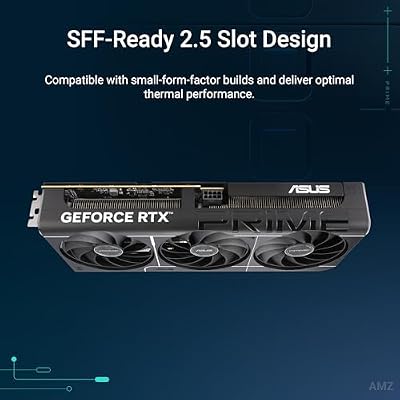
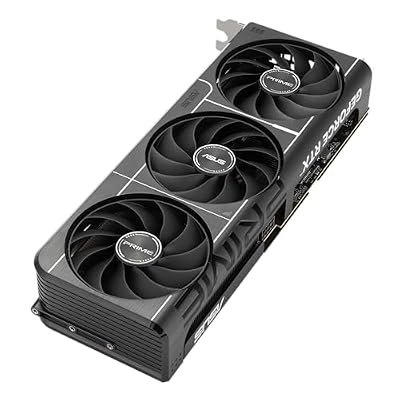
ASUS PRIME GeForce RTX 5060 Ti 16GB GDDR7 OC Edition Gaming Graphics Card | SFF-Ready, PCIe 5.0, HDMI/DP 2.1, 2.5-slot, Axial-tech Fans, Dual BIOS




As an Amazon Associate we earn from qualifying purchases. Product prices and availability are accurate as of the date/time indicated.
Resolution, Upscaling and Frame Rate
Ray tracing and resolution compound each other. The higher the resolution, the more pixels the card must light with ray-traced effects, and the larger the frame rate cost. At 1080p a mid-range card can run ray tracing at a respectable frame rate in many titles. At 1440p and 4K, most buyers will use upscaling to keep the frame rate playable.
Upscaling is the main tool for recovering frame rate. NVIDIA’s DLSS and AMD’s FSR both render at a lower internal resolution and reconstruct the final image. Frame generation can raise the displayed frame rate further, but it adds latency and does not reduce the rendering cost. Test the combination in your own games before deciding how much ray tracing you can afford.
Choosing a target frame rate
Decide on a target before you buy. A high-refresh monitor needs a high frame rate, which may mean lower ray-tracing settings. A 60Hz panel with a cinematic single-player game may suit full ray tracing with upscaling. Your target sets how much card you need.
Memory Matters More Than It Used To
Ray-traced games use more memory for acceleration data, extra buffers and high-resolution textures. A card with 8GB can run many ray-traced titles at 1080p, but it will run out of headroom sooner in demanding games. If you plan to enable ray tracing at 1440p or 4K, 16GB gives you a safer margin. Our guide to the best GPU for a gaming budget explains how memory size affects the options at each price.
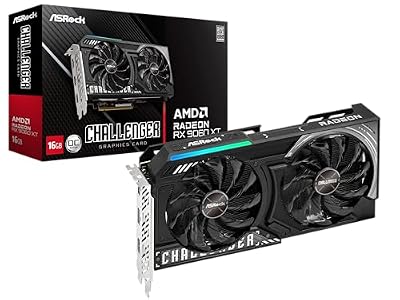
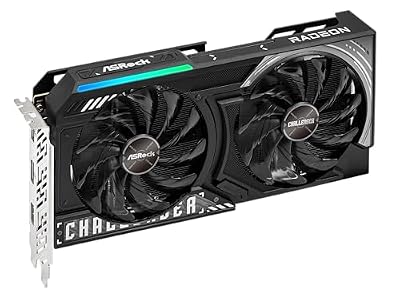
ASRock Radeon RX 9060 XT Challenger 16GB OC, RDNA 4, 3290MHz Boost, 16GB GDDR6 128-bit, PCIe 5.0, Dual Fans, 0dB Silent, LED Indicator, DisplayPort 2.1a, HDMI 2.1b


As an Amazon Associate we earn from qualifying purchases. Product prices and availability are accurate as of the date/time indicated.
Power, Cooling and Build Planning
Ray tracing keeps the GPU working hard, so the card will run hotter and draw more power than it does in lighter titles. Choose a card with a cooler you trust, and make sure your case has airflow. A quality power supply with headroom is important, and the listing’s stated requirement is the minimum to follow. Our guide to the best power supply for gaming covers the ratings to look for.
Monitor temperatures during long sessions. Our article on how to check GPU and CPU temperature explains how to watch for thermal throttling, which can cut frame rate in ray-traced scenes.
For a sense of the most demanding ray-traced titles and what they need, our guide to the best GPU for Cyberpunk 2077 shows how one heavily ray-traced game compares across cards.
Who Should Prioritise Ray Tracing
1. Players who want path-traced modes at 1440p or 4K
Choose a high-end NVIDIA card with the latest RT cores and DLSS support if path-traced modes matter to you. Expect to use upscaling and possibly frame generation, and test the mode in your favourite games.
2. Players who want ray tracing at 1440p with a high-refresh monitor
A high-end AMD card or an upper-mid NVIDIA card can deliver ray-traced effects with reasonable frame rates when you use upscaling. Set a frame rate target first, then tune the settings to reach it.
3. Players who want light ray tracing at 1080p
A mid-range card can run basic ray-traced effects at 1080p. This is a good fit for players who want the look without paying for top-tier headroom.
Frequently Asked Questions
Do I need an NVIDIA card for ray tracing?
No. AMD and Intel cards also support ray tracing. NVIDIA has a long track record in the feature, and it often leads in demanding ray-traced titles, but results vary by game.
Is ray tracing worth the frame rate cost?
It depends on your taste and your monitor. Some players prefer the lighting and accept a lower frame rate, while others value high refresh rates more. Test the setting in your own games.
Does upscaling reduce ray tracing quality?
Upscaling can soften fine detail, but modern upscalers are good enough for many players to prefer the frame rate trade-off. Compare the quality modes in your game.
How much memory do ray-traced games need?
Many ray-traced games run well with 12GB or 16GB, especially at 1440p. Cards with 8GB will reach their limits sooner in demanding titles.
Final Recommendation
Our ranked advice for ray tracing buyers is as follows. First, if path-traced modes are a priority at 1440p or 4K, choose a high-end NVIDIA card with the latest RT cores and upscaling support. Second, if you want ray tracing at 1440p with a high-refresh monitor, consider a high-end AMD card or an upper-mid NVIDIA card with 16GB of memory. Third, if you want the look at 1080p on a budget, a mid-range card with basic ray tracing is enough. Compare the hero listing and the alternatives on memory, cooler and warranty, and confirm the exact model before you order. For the broader picture of how the two main vendors compare, our AMD vs NVIDIA buyers guide is a useful next step.





